
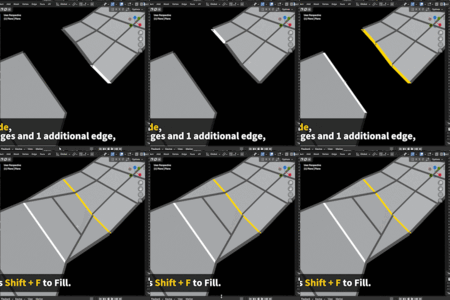
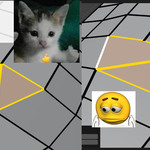
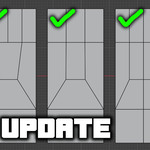
Quad Filler 1.0 (2026 New Update)

Casey_Sheep in Modeling


Item Rating

This item has an average rating of 4 from 9 ratings by the community.

56%
12%
23%
12%
0%

Purchase this item to leave a review!

  • ZAPcon
    5 months ago

    I purchased this right before working on a small retopology project, and after using it for two days straight, I felt compelled to come and leave a positive review. This thing has already saved me plenty of time and headaches! I'm using version 1.02 with Blender 5.0 and haven't had any issues so far. Highly recommended!

  • Demi
    5 months ago

    i like

  • Jyrotenshi
    7 months ago

    Legend!

  • BMV
    9 months ago

    With this new update to version 1, it's a fantastic addition to speeding up the modelling process.

  • Chris C
    12 months ago

    This is nice as we all do quad fills a lot ! I had something like this similar to maya, modo and XSI and would be awesome to have this in blender.
    Would be great to have even just an edge to edge equal amount (Yes blender can do this but I want it in this script) or with a selected vert or single edge selected that fills anything with empty space. If the developer manage to do that this will be the best quad filler out there.

    Looking forward to seeing this updated. Great addon !

  • Jarreau Wimberly
    9 months ago

    Fantastic Add on! It works incredibly well. The lack of closed loop support definitely holds back quad filler from being a must have add on. Hopefully, we get that update soon!

  • pki1333
    9 months ago

    I bought this add-on and tried using it, but honestly the stability feels pretty lacking in its current state.
    The idea is filling faces between two edge chains, but in real use the result becomes unreliable as soon as the selection is even slightly complex. For example, if the selection includes a small branch like a Y-shape, or the edges are connected in an ambiguous way, I’ve had cases where the generated faces twist, flip, or fill in an unexpected direction. If a case isn’t supported, I’d much rather have it stop clearly with a warning, but right now it can proceed quietly and end up damaging the mesh. That makes it feel risky to use, and I often end up undoing and trying again.
    The biggest frustration for me is the keybinding behavior. Even if I change the shortcut in the add-on preferences, after I quit Blender and launch it again, my custom key setting does not persist and it reverts back to the default Shift F. Having to reconfigure the shortcut repeatedly is annoying, and it also increases the chance of conflicts with other tools or add-ons, which breaks my workflow.

    • Casey Sheep

      9 months ago

      Thank you for your feedback.
      The keybinding issue has been fixed in version 1.0.2, which was just released—please update and try again.
      If the add-on does not meet your expectations, you’re welcome to contact us for a refund within 30 days.
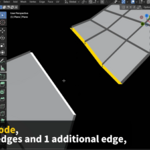
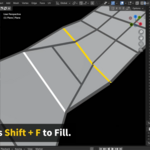
      Please note that the add-on only supports the mesh types shown in the feature description.
      Regarding the occasional twisted faces, this is a known minor issue; pressing Ctrl+Z and filling again usually resolves it. We are still investigating the root cause, as no error message is generated, but it does not affect other parts of the mesh since the add-on only modifies the geometry it creates.

  • Louis Laurents
    11 months ago

    Works pretty good. be aware one of the selected edges cannot have cannot have more than one vertex. It works well "many to one" Just like in the example video. With more work and some error catching it will be a super useful tool more than it already is. Very similar to loop tools bridge feature though with bridge you do not get quads and bridge can fill one to many easily.

    • Casey Sheep

      9 months ago

      Thanks for the feedback!

      Quad Filler 1.0 is out now with 6 new fill modes and many fixes compared to earlier versions.
      Feel free to try the update, and if you run into any issues, just inbox me anytime.

      Really appreciate the support!

  • Cuavanti
    12 months ago

    In theory a good add-on. In practice i can't get it to work. I tried a lot of situations in several Blender versions, and al gave the same Python-errors. I hope the final version will be better. I currently use the Beta version.

    • Casey Sheep

      12 months ago

      Hi Cuavanti, thank you for your feedback. However, it seems we haven’t received any message from you regarding the issue you encountered. If you can share more details or the error message, we will look into it as soon as possible.

      If the problem cannot be fixed immediately, you are guaranteed a 100% refund (within 30 days of purchase). Thank you.

  • Displaying 9 ratings
  • $15
  • $24
$15

Have questions about this product?
Login to message

Details
Sales 1800+
Rating
9 ratings
Dev Fund Contributor
Published 12 months ago
Blender Version 3.4 - 5.2
Extension Type N/A
Render Engine Used Arnold, Blender-Internal, Blender-Game-Engine, Cycles, Eevee, Freestyle, Luxrender, Mental-Ray, Octane, Vray, Yafaray
License GPL
Discover more products like this

3d addon