QuadBlaster | Professional Animation Playblasting
 karlo pavicic ravlic


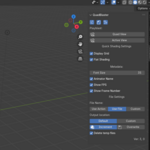
Quadblaster 3.0 for 4.3 and onwards
New Features/Changes:
- Option to chose custom output folder
- Animator name is now set in the addon preferences so it stays persistent across files once set up
- Near losless compression as Blender will now first output a PNG sequence and then encode that with ffmpeg
- Added version compatibility checker
- Font size slider
Fixes:
- Updated addon structure to work for 4.0
- Added code that will check if ffmpeg can be found on the system
- Addon will now use the systems %tmp% folder rather than a random one as before
QoL improvements:
- Export settings are now handled by the addon, they don't need to be set in Blender's Output menu like before
- Playblast is now done as an image sequence prior to encoding to avoid too much compression
- ffmpeg can be set in the Add-ons Preferences if the user is using a custom install path
- Renamed some buttons so it's easier to tell their purpose
- Added new warnings to inform the user about the status
- Reorganized UI panel for clarity
Version that was tested with Blender 3.3.1
Quadblaster 3.0 for 4.3 and onwards
New Features/Changes:
- Option to chose custom output folder
- Animator name is now set in the addon preferences so it stays persistent across files once set up
- Near losless compression as Blender will now first output a PNG sequence and then encode that with ffmpeg
- Added version compatibility checker
- Font size slider
Fixes:
- Updated addon structure to work for 4.0
- Added code that will check if ffmpeg can be found on the system
- Addon will now use the systems %tmp% folder rather than a random one as before
QoL improvements:
- Export settings are now handled by the addon, they don't need to be set in Blender's Output menu like before
- Playblast is now done as an image sequence prior to encoding to avoid too much compression
- ffmpeg can be set in the Add-ons Preferences if the user is using a custom install path
- Renamed some buttons so it's easier to tell their purpose
- Added new warnings to inform the user about the status
- Reorganized UI panel for clarity
Legacy Version tested with Blender 3.3.1 and will work with 3.3.x
Quadblaster 3.0 for 4.3 and onwards
New Features/Changes:
- Option to chose custom output folder
- Animator name is now set in the addon preferences so it stays persistent across files once set up
- Near losless compression as Blender will now first output a PNG sequence and then encode that with ffmpeg
- Added version compatibility checker
- Font size slider
Fixes:
- Updated addon structure to work for 4.0
- Added code that will check if ffmpeg can be found on the system
- Addon will now use the systems %tmp% folder rather than a random one as before
QoL improvements:
- Export settings are now handled by the addon, they don't need to be set in Blender's Output menu like before
- Playblast is now done as an image sequence prior to encoding to avoid too much compression
- ffmpeg can be set in the Add-ons Preferences if the user is using a custom install path
- Renamed some buttons so it's easier to tell their purpose
- Added new warnings to inform the user about the status
- Reorganized UI panel for clarity
Legacy Version tested with Blender 3.3.1 and will work with 3.3.x
Have questions about this product?
Login to message
| Rating | 1 ratings |
| Published | over 3 years ago |
| Blender Version | 4.4, 4.3, 4.2, 4.0, 3.6, 3.5, 3.4, 3.3 |
| License | Creative Commons |

Discover more products like this
review winter24 spring24 animation FilmProduction quad animation preview playblast 3d animation Production