QuadForge – One-Click LOD, Quad Retopology & Texture Rebake
 blenderustad


Can I generate multiple LODs for a game engine in one pass?
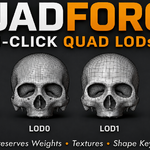
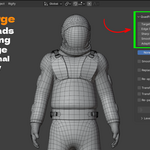
Yes. The LOD panel lets you define any number of levels by target percentage, name them, and generate them all in one click, each as a separate object, optionally organized into its own collection.
Will remeshing freeze Blender on a heavy mesh?
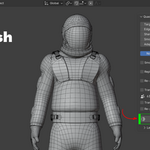
No. The engine runs on a background worker thread and is polled by a modal timer, so the UI stays responsive. You can cancel at any point by pressing Esc.
Does this need an internet connection or a paid server subscription?
No. The remeshing engine is a binary bundled inside the add-on and runs as a local subprocess on your machine. Your mesh data never leaves your computer.
My mesh has open holes, like eye sockets or a neck opening. Will the remesh cap them shut?
No. QuadForge detects genuine open boundaries and keeps them open in the result, instead of treating them as surfaces to fill.
My character has an armature and shape keys. Will I have to re-rig it after remeshing?
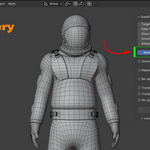
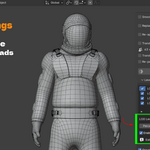
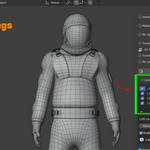
No. Enable Transfer Weights to copy vertex groups and armature deform weights, and Transfer Shape Keys to carry over blend shapes. Re-parent to Armature will also attach the result to your original rig automatically.
Will QuadForge preserve my textures and material after remeshing?
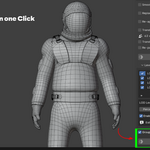
Yes. Enable Re-apply Texture and QuadForge bakes your source material onto the new mesh's UVs, either as a full PBR set (Base Color, Normal, AO, Roughness, Metallic) assembled into a Principled BSDF material, or as a diffuse-only bake if that's all you need.
Have questions about this product?
Login to message
| Blender Extension Compatible | Yes |
| Sales | 10+ |
| Published | about 2 months ago |
| Blender Version | 3.2 - 5.2 |
| Extension Type | Add-on |
| Render Engine Used | Cycles, Eevee |
| License | GPL |

Discover more products like this
blender LOD generator addon mesh cleanup addon for game engines automatic retopology blender addon blender auto retopology addon offline retopology addon for blender LOD model LOD generator addon convert triangles to quads bake texture after retopology blender blender retopology tool for characters blender vertex group transfer addon blender game asset optimization addon