Where can I find documentation or tutorials?
Documentation and walkthroughs are available via the Documentation tab on the product page. A full workflow demo is also included to show how Quadify fits into real production scenarios.
What if Quadify doesn’t fit my workflow?
If Quadify doesn’t meet your expectations, you can request a refund through Superhive according to their marketplace refund policy.
Is Quadify suitable for studios and commercial work?
Yes.
Quadify was originally developed to handle real production assets and supports consistent, repeatable results. Quadify Pro includes additional tools for pipeline automation, validation, and high-volume workflows.
What Blender versions are supported?
Quadify supports modern Blender versions listed on the product page. Always check the “Supported Blender Versions” section before purchasing to ensure compatibility with your setup.
Is Quadify destructive? Can I undo operations?
Quadify operations are non-destructive in the sense that they respect selections, regions, and Blender’s undo system. You can safely test and iterate without committing irreversible changes.
Does Quadify support batch processing or automation?
Yes.
Batch processing is available in Premium and Pro. Full pipeline automation using recipes and presets is available in Quadify Pro.
What’s the difference between Base, Premium, and Pro?
All editions use the same core quad generation engine.
– Base focuses on fast, reliable tri-to-quad conversion
– Premium adds targeted control, batch tools, and analysis features
– Pro adds automation, LODs, texel density tools, and pipeline workflows
You’re not buying a weaker engine at lower tiers — you’re choosing how much control and scale you need.
Does Quadify work for animation and subdivision workflows?
Quadify can generate quad topology suitable for subdivision and deformation, especially as a starting point. However, assets intended for high-end animation may still require manual refinement.
Quadify is best viewed as a pre-retopo and cleanup tool, not a one-click final solution.
Can Quadify generate perfect, production-ready topology?
Not always — and it’s not trying to.
Quadify’s goal is to generate usable, structured quads that reduce cleanup time and make downstream work faster and safer. Final topology refinement may still be required depending on the asset and use case.
Is Quadify fully automatic or “AI-driven”?
No.
Quadify’s mesh operations are deterministic and artist-controlled. There is no black-box automation deciding topology for you.
AI-assisted tools were used during development for code quality and testing only. Quadify’s topology generation itself is not AI-based.
Does Quadify destroy existing good topology?
No.
Quadify is designed to preserve existing topology wherever possible. You can safely rebuild only the problematic areas of a mesh without affecting regions that already behave correctly.
How much control do I have over what Quadify modifies?
Full control.
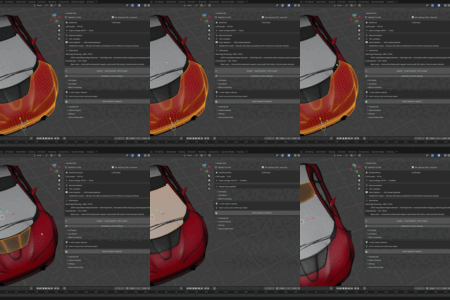
Quadify allows you to target specific areas of a mesh for quad regeneration while leaving the rest untouched. With Manual Quadification (Premium & Pro), you explicitly define where topology is rebuilt using selections or persistent regions.
Nothing is changed unless you tell Quadify to change it.
What kind of meshes is Quadify best suited for?
Quadify works best on meshes that already have a general form but suffer from messy or inconsistent topology, such as:
– Scan and photogrammetry data
– AI-generated meshes
– Mixed triangle / quad meshes
– Assets with localized problem areas
It is not intended to produce final, animation-ready topology in every case.
Is Quadify a replacement for Retopoflow or manual retopology tools?
No.
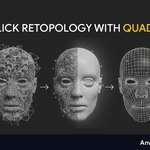
Quadify is designed to be used before manual retopology tools, not instead of them. It generates clean, structured quad topology quickly so you can move forward without starting from chaotic triangles.
Many artists use Quadify to reduce cleanup time, then refine or finalize topology with tools like Retopoflow.
 Anvil Interactive Solutions




 Included