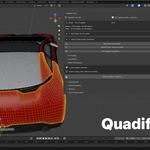
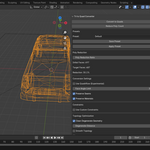
Quadify – Clean Quad Retopology For Blender Meshes

Anvil Interactive Solutions in Modeling


Item Rating

This item has an average rating of 4 from 10 ratings by the community.

60%
10%
0%
0%
30%

Purchase this item to leave a review!

  • Synergi Games
    3 months ago

    It's a great tool as far as retopology automation is concerned; I think the user interface could use a little more work, though.
    It does get the job done, especially with my AI-generated meshes.

  • 邵
    3 months ago

    Overall, I’m very satisfied with this plugin. Its core functions are extremely practical, especially when optimizing models generated by third-party AIs—the improvements are massive, fixing many structural and texture flaws that come with AI-made models.
    The only minor downside is its complicated interface design; new users may struggle to locate relevant functions when first starting out.
    I sincerely hope the developers will focus more on fine-tuning third-party AI-generated models in future updates and add more exclusive processing features for them.

    • Anvil Interactive Solutions

      3 months ago

      Thank you so much for the kind words and the detailed feedback — this genuinely means a lot to us!

      You're absolutely right about the interface complexity; it's something we're actively working on. v1.5.0 focuses on making the UI more intuitive for new users, so functions are easier to discover from the start.

      Your suggestion about deeper AI-generated mesh processing is also noted — that's very much aligned with the direction we're taking Quadify, so stay tuned for more in that space.

      Thanks again for taking the time to share this. It helps us build a better tool for everyone.

  • david ajide
    3 months ago

    It was actually helpful. It helped me put things in order instead of just trying to figure everything out anyhow.

    It doesn’t do the work for you, but it makes the process clearer and easier to follow. I think it’s a good tool if you just need something simple that helps you stay organized and know what next to do.

    • Anvil Interactive Solutions

      3 months ago

      Hi David,

      Really glad to hear it helped bring some structure to your workflow — that's exactly what we built it for. Thanks for taking the time to leave a review, it means a lot!

      If you ever need anything, we're always here.

  • Divine Chukwu
    4 months ago

    It has been very helpful and easy to work with. I liked that it gave me a clear starting point instead of having to figure everything out from scratch. It feels practical, organized, and useful for anyone who wants to move faster without overcomplicating things.

    • Anvil Interactive Solutions

      4 months ago

      Thank you so much.
      We strive to provide a tool that helps users handle retopolgy without investing hours they could use elsewhere.

  • Anibe Dan
    7 months ago

    It sometimes takes a while to convert complex geometry but it gets the job done in most situations.
    It would be nice to have a remesh option that in any scenario, not just on AI generated meshes though.

    • Anvil Interactive Solutions

      7 months ago

      Thank you. We are actively working on adding a remesh feature as a new intent in Quadify Premium and Pro.

  • mango777
    about 1 year ago

    Does what it says on the tin, but can grind its gears a bit while doing its thing. But so far I'm impressed. Well done.

    • Anvil Interactive Solutions

      about 1 year ago

      Thank you for your feedback!
      We will continue to improve Quadify to serve you better :)

  • Jerry Egwoba
    3 months ago

    the tool is clear and easy to use, and it speeds up my workflow. But the Auto Quadrify mode doesn't seem to work and the 'scan & fix button' are not easy to find. but overall it is a well made tool.

  • aydan
    3 months ago

    Kept looking through tutorials. There is no Quadify button in Quadify premium. Everytime I attempt using this tool it always increases the polys on my model even while using the medium mode for target poly count.

    • Anvil Interactive Solutions

      3 months ago

      Hi Aydan,

      Thanks for the feedback - happy to clear this up.

      We recently updated the UI, and the docs are currently being updated to reflect it. The button you're looking for is now labeled "Smart Convert" - it's right in the Action section of the panel, just below the mesh status readout. There's no button called "Quadify" in the current version, so that's likely the source of the confusion if you were following an older tutorial.

      On the polycount issue: Smart Convert merges triangle pairs into quads, so it can only reduce or maintain face count - it is not possible for it to increase your polygon count. If the count appeared higher after running it, the most likely cause is the mesh having ngons or loose geometry that Blender was counting differently before vs. after. We'd recommend clicking "Got it - open panel" first, then running Analyze & Prepare (visible in the welcome screen) before converting - this scans the mesh and sets safe defaults automatically.

      If you're still seeing unexpected results after that, drop us a line at [email protected] with a screenshot of your settings and we'll get it sorted.

      Appreciate you giving it another shot!

  • noir39
    4 months ago

    It's some kind of scam.
    I bought Ultra.
    I'm trying different presets, and the mesh is worse than the Decimate.
    I set the target count to around 15,000, and the mesh still has 100,000 polygons.
    In the time it took me to work with the addon, I could have already done the job.
    Until there are decent video examples and attached test meshes (like in the video), this will remain a scam.

    It might work when the mesh isn't dense and is heavily simplified by Decimate from Zbrush or some other method, but then it doesn't make much sense, since there's no point in projecting on something like that.
    I tried it on a hardsurface in some places, and it's just awful: loops, smoothed corners where sharpening is used, and so on.

    There are no clear examples yet for all types of revisions (especially for ultra - it's a waste of money)

    • Anvil Interactive Solutions

      4 months ago

      Hi, thank you for the detailed feedback. We take this seriously.

      A few things worth clarifying for anyone reading:

      The target face count discrepancy you experienced (setting 15K and getting 100K) is not expected behaviour. This is almost always caused by the mode or preset selected; certain modes in Ultra prioritise topology quality over hitting an exact count, and the wrong preset for a hard surface mesh will produce exactly what you described. We would like to walk you through the correct setup for your specific mesh.

      On hard surface topology, automatic retopology on hard surface meshes with sharp edges and mechanical loops is genuinely one of the harder problems in this space. Ultra has specific settings for this (sharp edge preservation, hard surface presets) that make a significant difference, but we acknowledge these are not obvious out of the box. That is valid criticism, and we are actively working on better documentation and preset examples.

      We would like to make this right. Please reach out to us at [email protected], and we will work through your specific mesh with you directly. If, after that, you still feel the tool does not meet your needs, we will sort out a refund with no friction.

      Anvil Interactive Solutions

  • Martinirosso
    6 months ago

    I bought the base version and it doesn't convert properly at all (in my case, anyway). Maybe the premium version works better but I won't bet another 13€ to discover it doesn't work either...

    • Anvil Interactive Solutions

      6 months ago

      Hi, thanks for leaving this. We're sorry Quadify didn't deliver what you expected.

      The Base tier does have limitations with certain mesh types, and we'd genuinely like to understand what you were working with so we can tell you whether Premium would actually solve it or not. There's no point upgrading if it won't help your specific case.

      Could you reach out at [email protected] with a brief description of the mesh (or a screenshot if possible)? We'll look at it and give you an honest answer, and if Premium is the right fix, we'll sort out the price difference for you.

      We want this to work for you, not just sell you another tier.

      - Anvil Interactive Solutions

  • Displaying 10 ratings
  • Full manual control with region tagging, LOD generation, and Quadriflow. For artists who know exactly what they want.

    $12.50 $25
  • A complete game-asset pipeline: retopo, UV unwrap, LOD, collision, export — all Agent-driven.

    $25 $50
  • AI selects the right retopo method for your mesh, runs it, and learns from results. The only tool that gets smarter the more you use it.

    $75 $150
$12.50

Support Period Included

Includes 12 months of

Extend this product’s Support Period +12 months: 25% of product price

Have questions before purchasing?
Login to message

Details
Blender Extension Compatible Yes
Sales 400+
Rating
10 ratings
Dev Fund Contributor
Published over 1 year ago
Blender Version 3.6 - 5.0
Extension Type Add-on
Render Engine Used Cycles, Eevee
License GPL