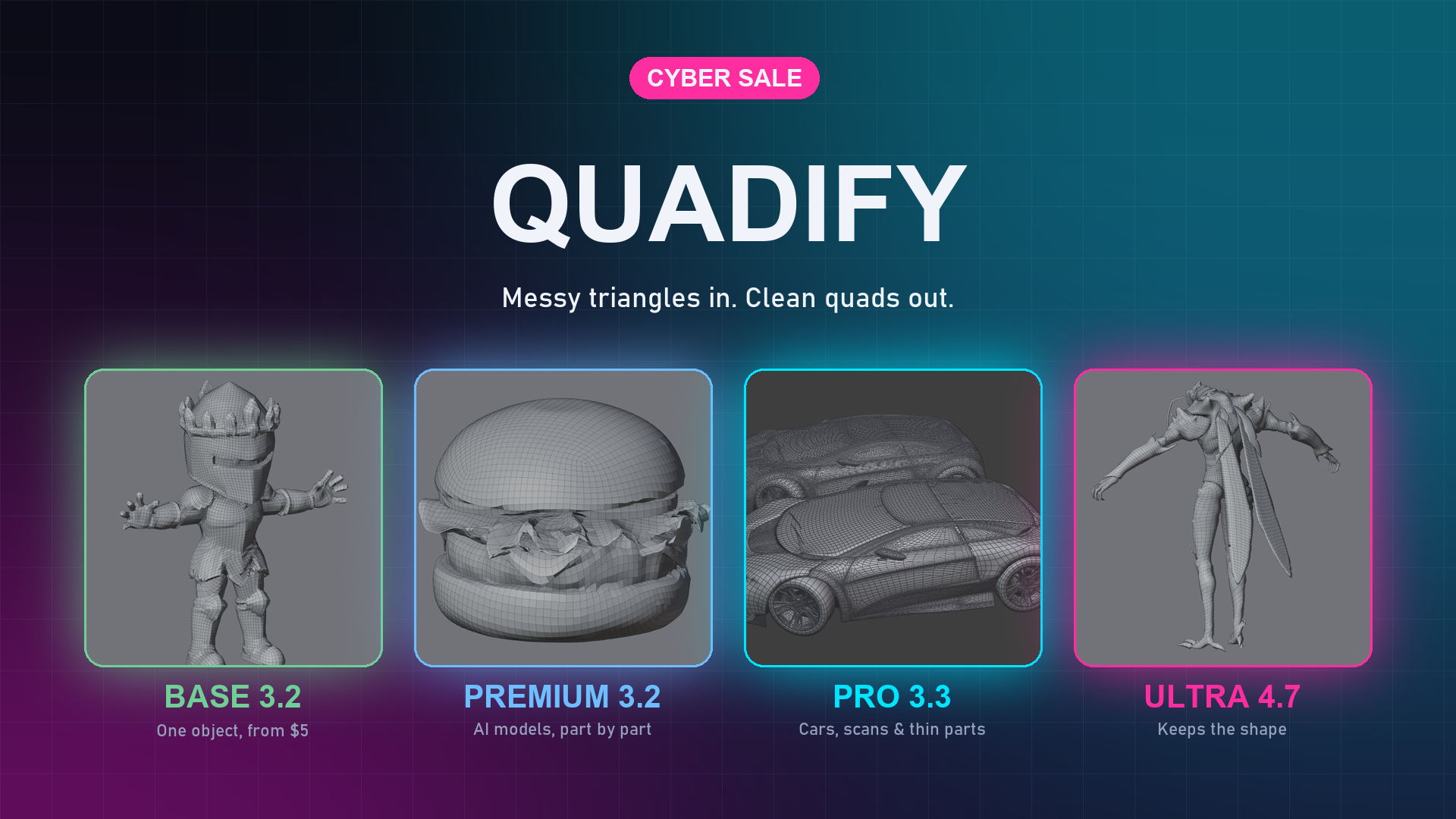
QUADIFY · BASE 3.2 · PREMIUM 3.2 · PRO 3.3 · ULTRA 4.7
Messy topology in.
Usable topology out.
Turn triangle-soup AI meshes, scans and FBX/OBJ imports into clean quads without losing the shape. Every release is measured against the original models, and published below. In every edition, if a rebuild would change the shape, your original stays. Now from $5 with Quadify Base.
AI-GENERATED (MESHY · TRIPO · RODIN) SCANS TRIANGULATED HARD SURFACE GAME ASSETS
✓ One-time purchase · No subscription · Original mesh always backed up · Blender 4.2–5.2
CYBER SALE
Every Quadify edition is on sale this week. Pro 3.3 and Ultra 4.7 included.
One-time purchase. Updates included.
WATCH IT WORK
Recorded live in Blender. One click each.
The original stays on the left, Quadify's result is on the right. Long solves are shown sped up, and the caption says so.
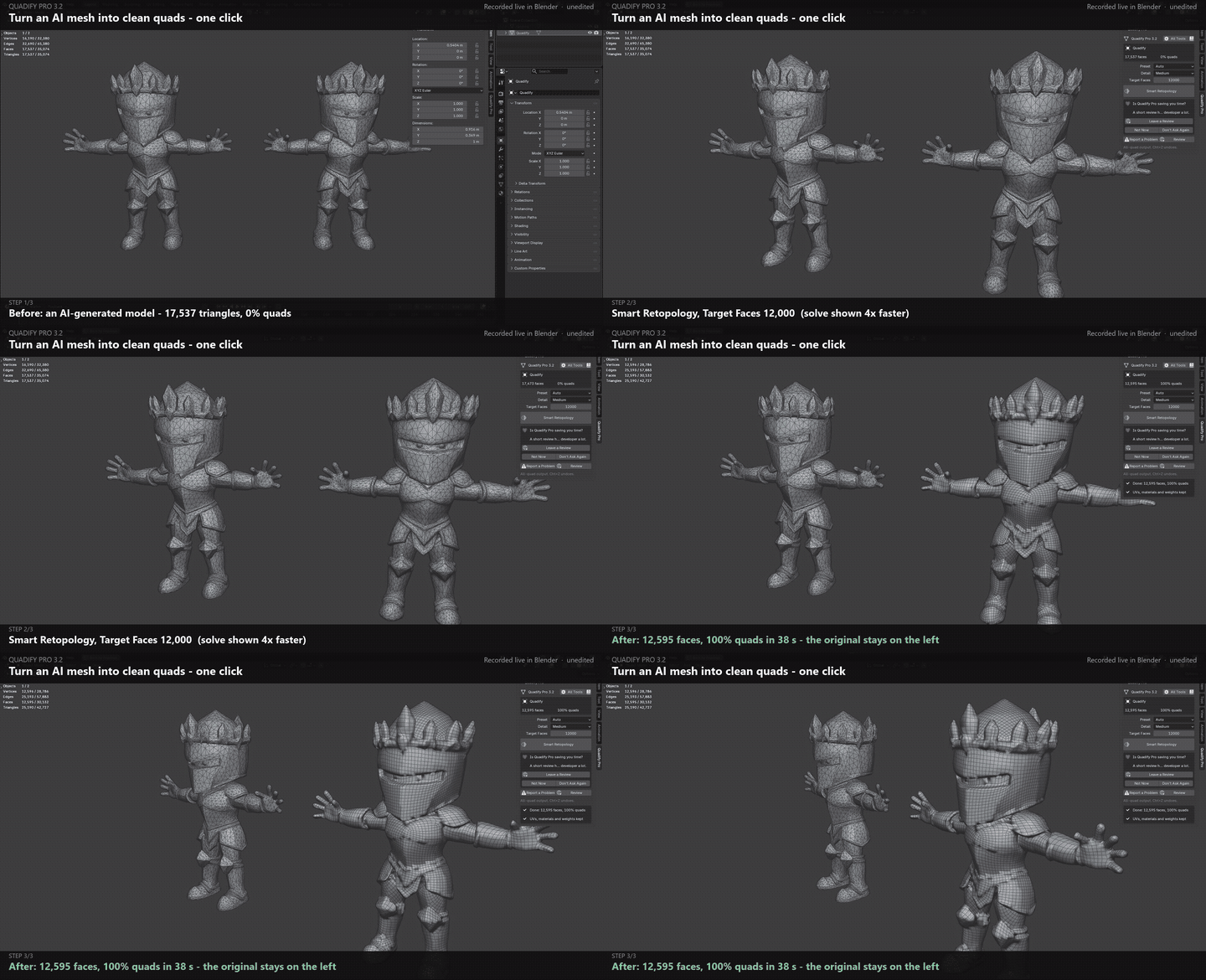
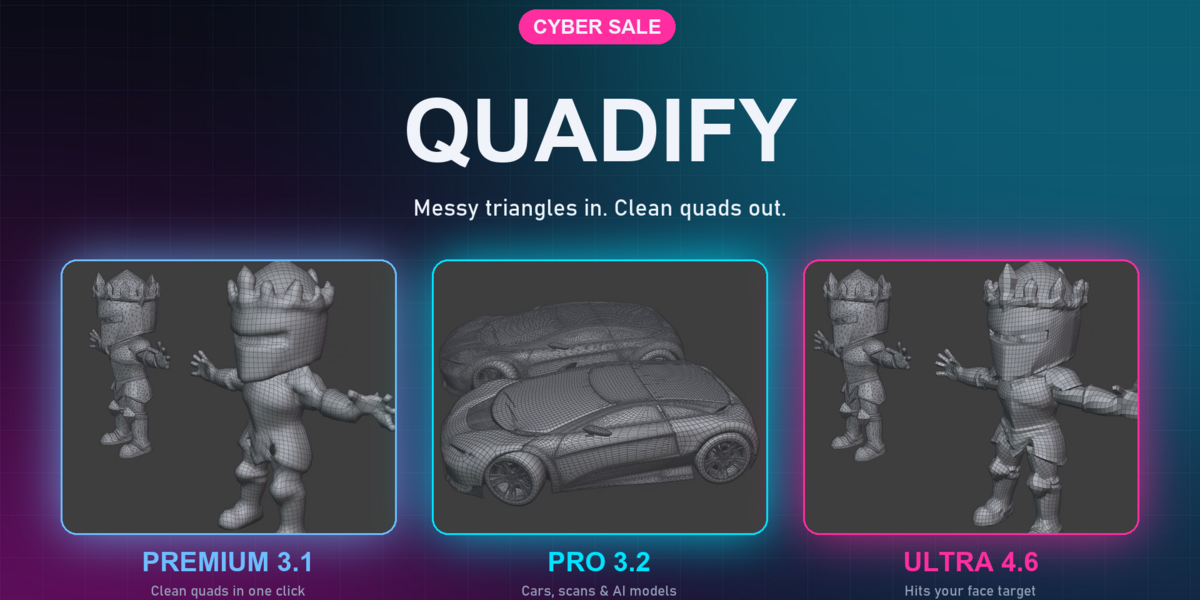
Pro 3.2 · AI-generated model. 17,537 triangles → 12,595 faces, 100% quads in 38 s, with Target Faces set to 12,000. UVs, materials and weights are carried over.
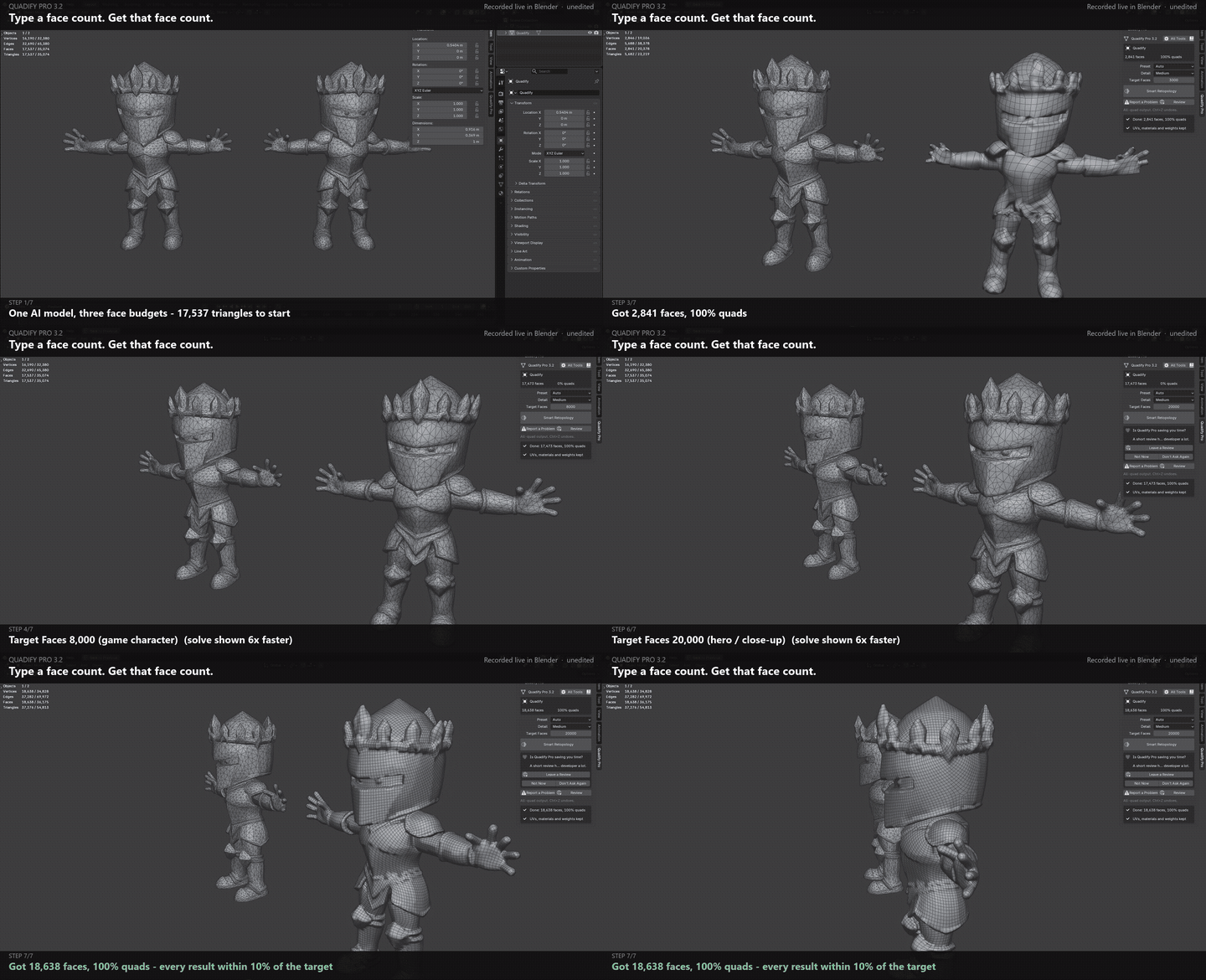
Pro 3.2 · Target Faces. The same model at 3,000, 8,000 and 20,000: it came back at 2,841, 7,502 and 18,638 faces, all 100% quads.
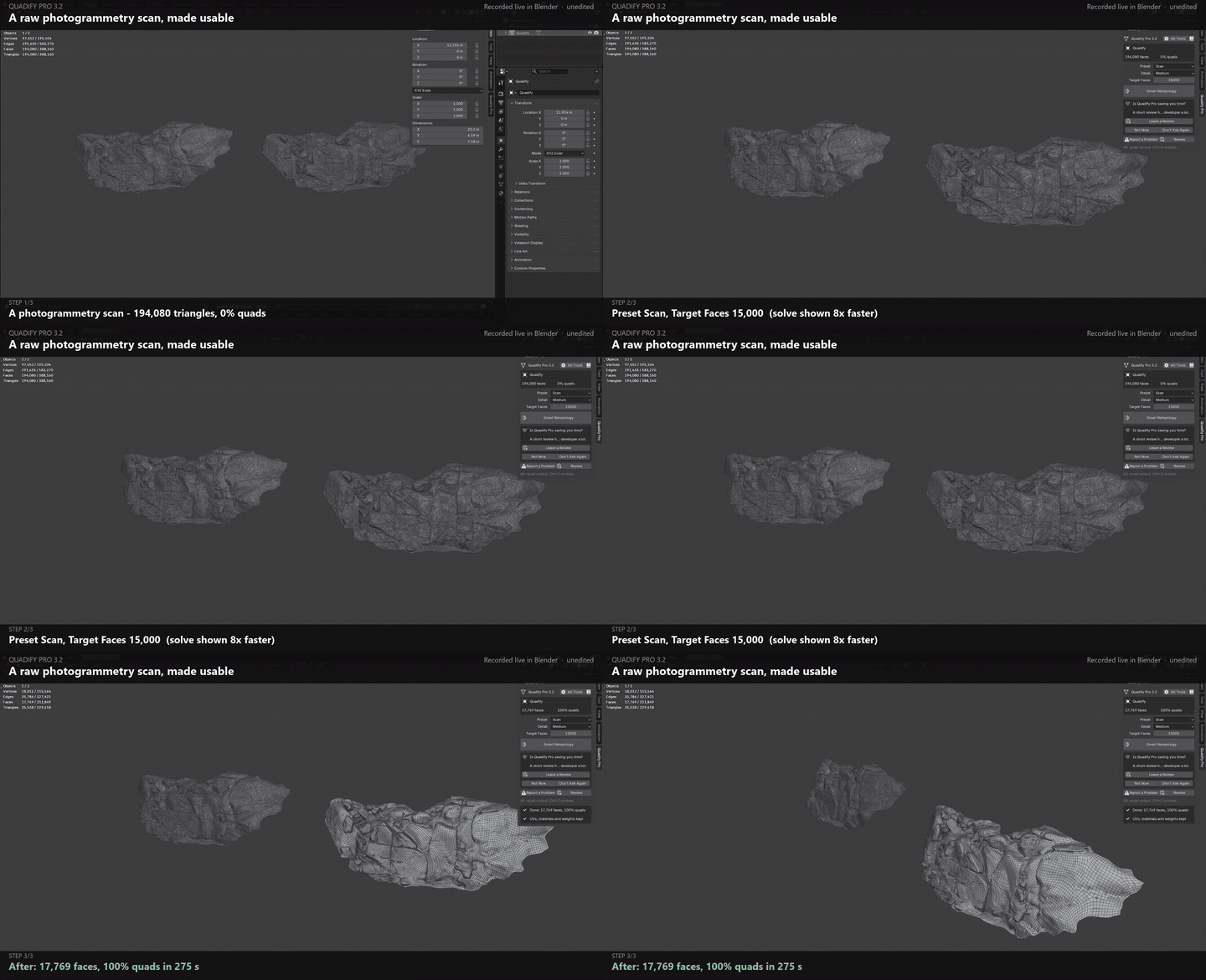
Pro 3.2 · Photogrammetry scan. A 194,080-triangle cliff → 17,769 faces, 100% quads in about 4.5 minutes.
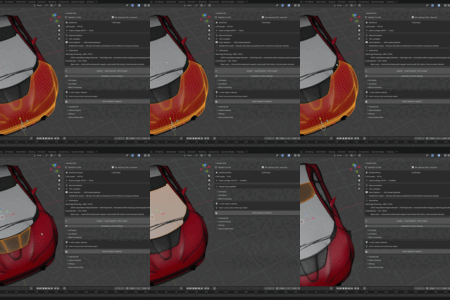
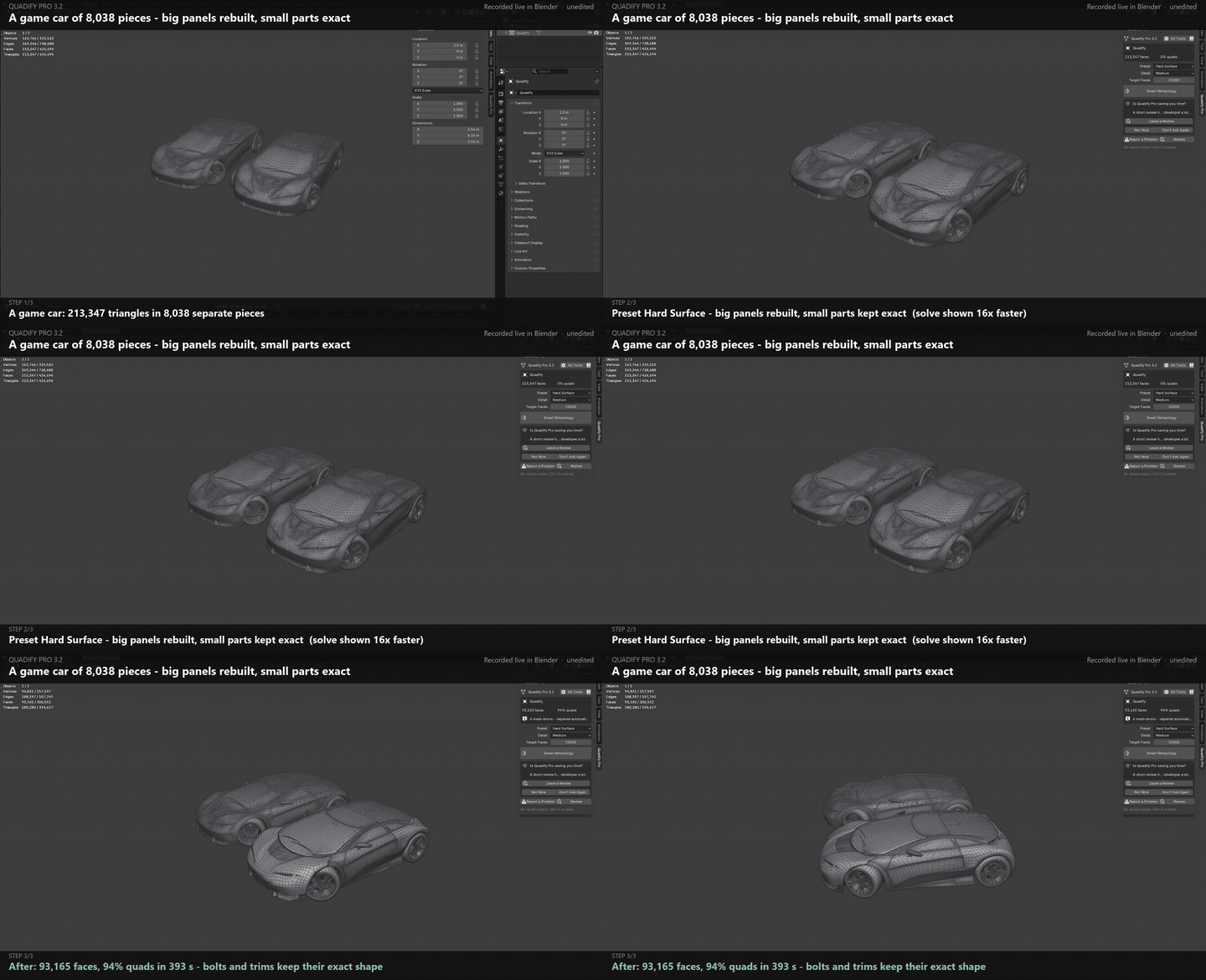
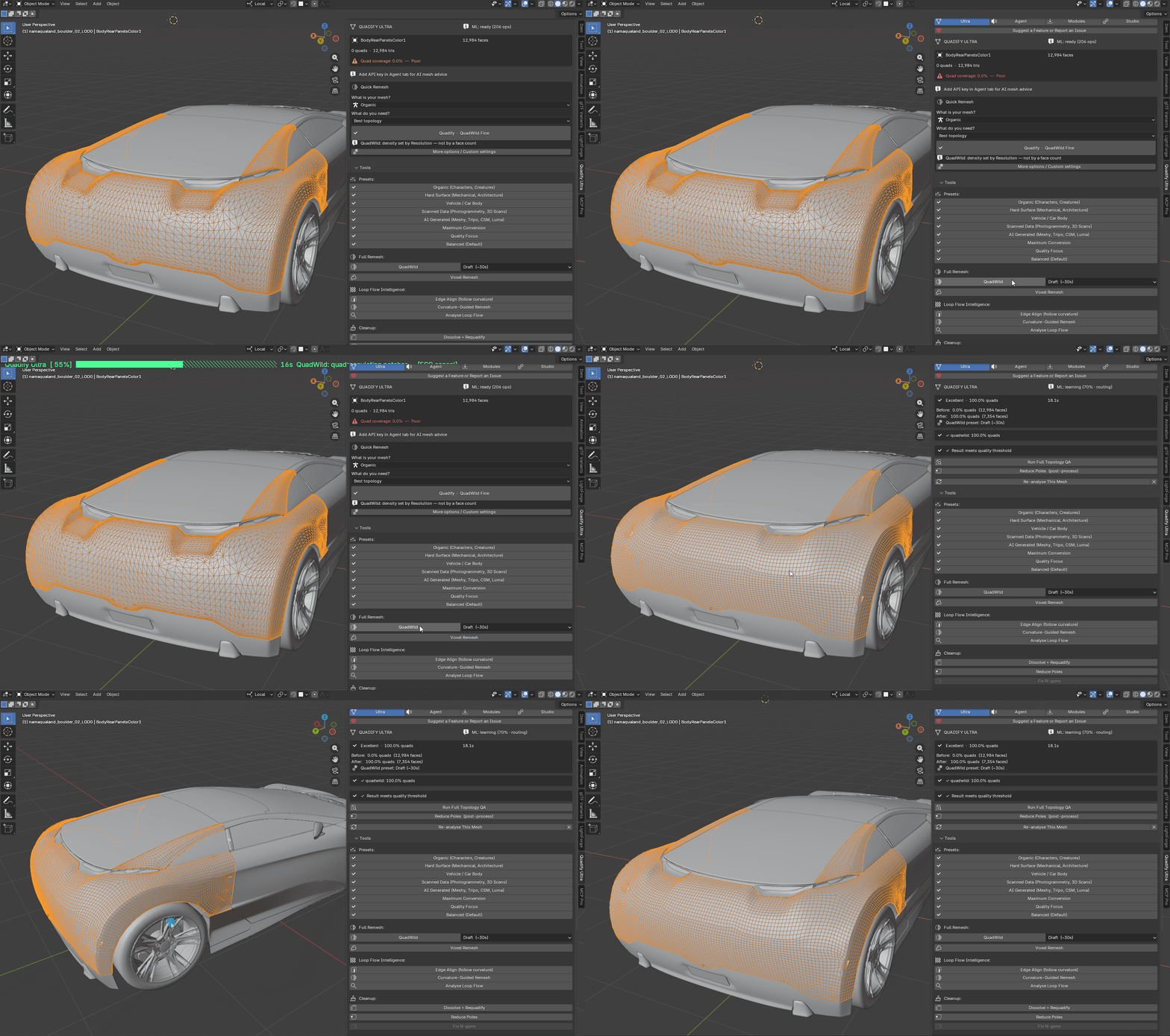
Pro 3.2 · Game car, 8,038 separate pieces. 213,347 triangles → 93,165 faces, 94% quads in about 6.5 minutes. Large panels are rebuilt; bolts and trims are paired into quads without moving a vertex, which is why a 15,000 target can't be reached on a model like this.
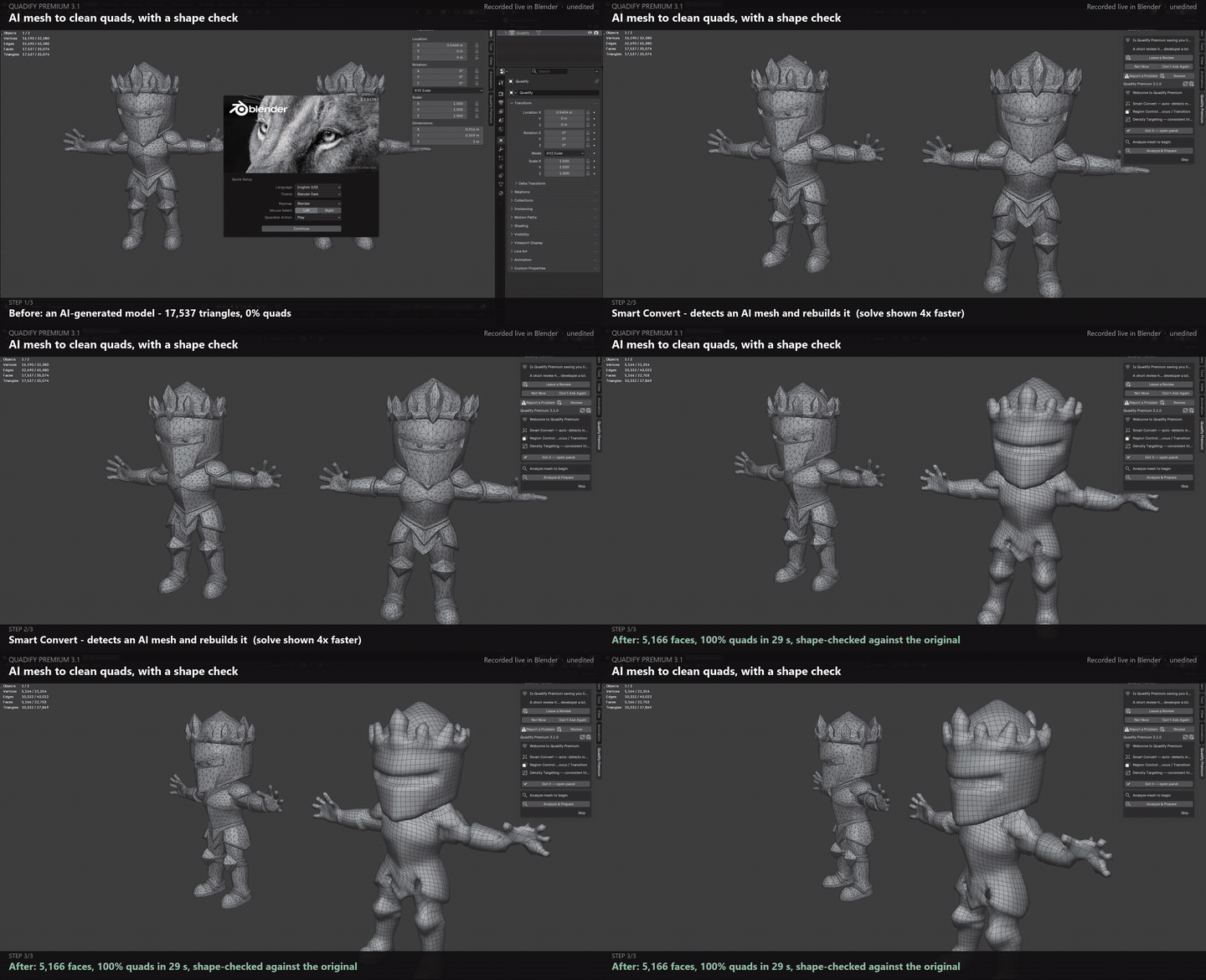
Premium 3.1 · Smart Convert. The same AI model → 5,166 faces, 100% quads in 29 s, checked against the original before it's kept.
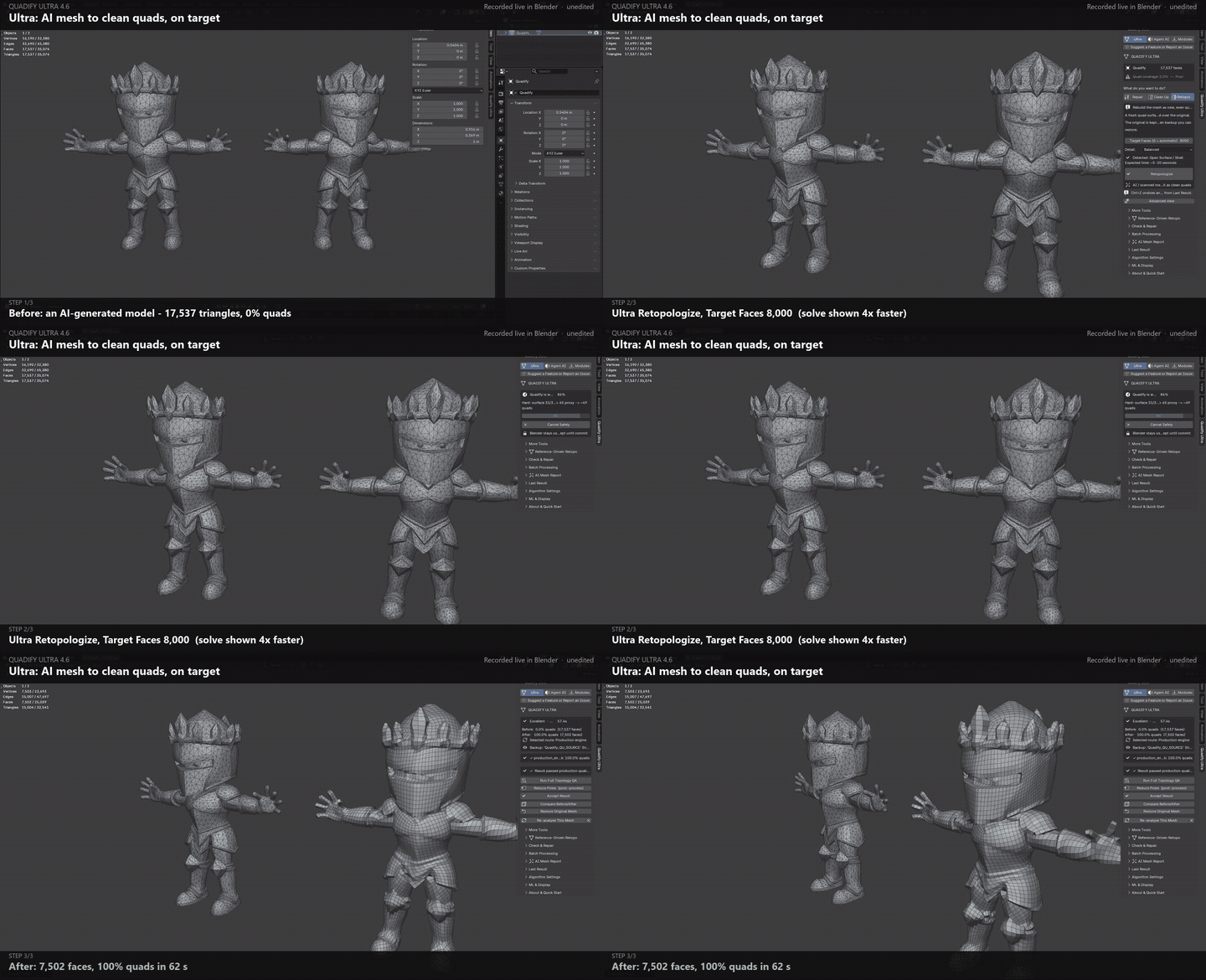
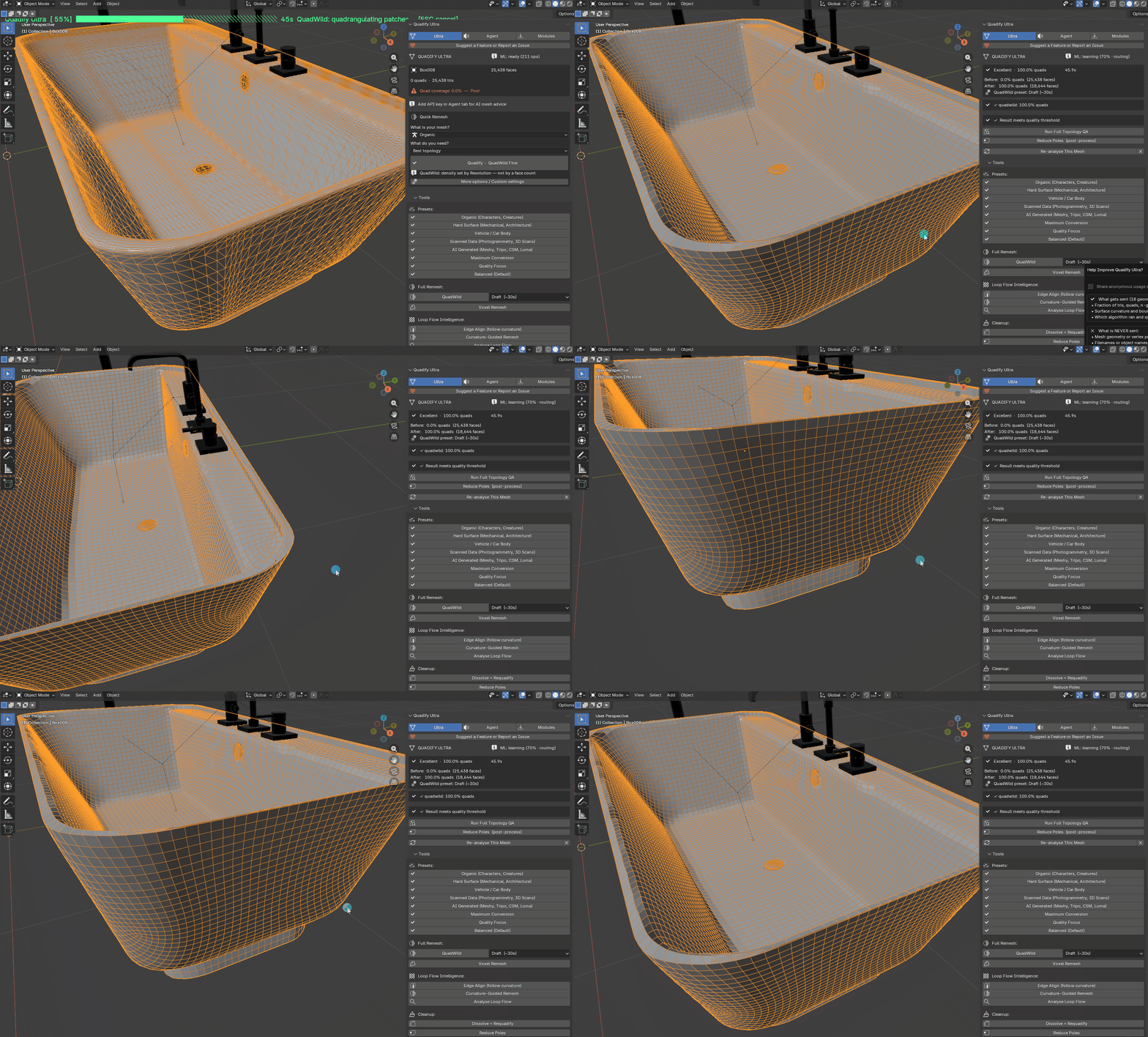
Ultra 4.6 · Retopologize. The same AI model with Target Faces 8,000 → 7,502 faces, 100% quads in 62 s.
TESTED, NOT PROMISED
100% quads means nothing if the model melts. So we measure both.
Every release runs the same 10 real meshes (AI-generated models, photogrammetry scans and hard-surface car parts) through each edition, installed from the exact file you download. We record quad coverage, face count, time and how far the new surface moves from the original.
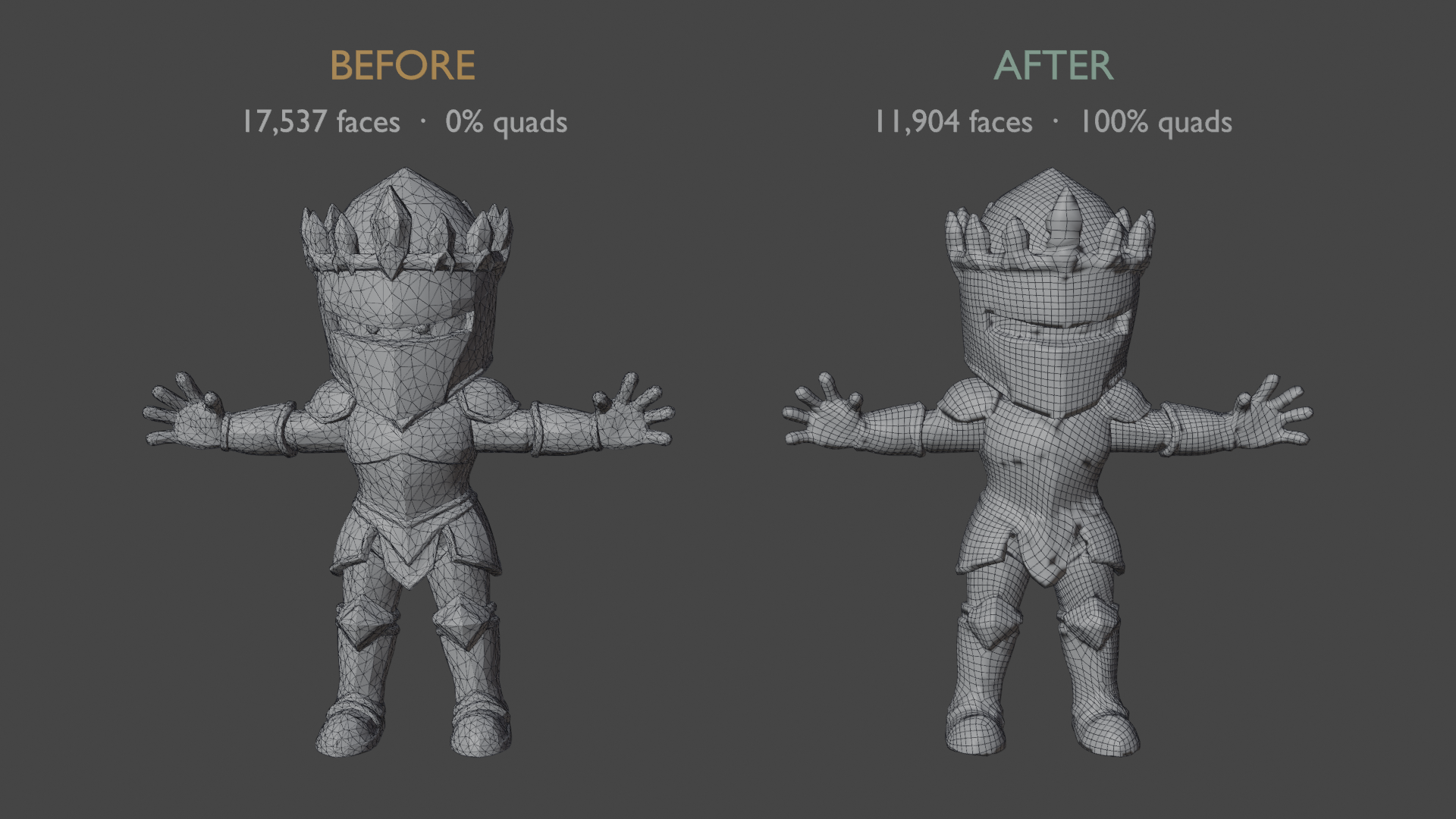
AI-generated mesh in Quadify Pro. Left: 17,537 triangles, 0% quads. Right: 11,904 faces, 100% quads, with 95% of the new surface within 0.21% of the model's size from the original.
| Mesh | Before | Premium · Smart Convert | Pro · Smart Retopology |
| AI character | 17,537 tris · 0% quads | 11,714 · 100% quads · 0.31%
| 11,904 · 100% quads · 0.21%
|
| AI building | 51,211 tris · 0% quads | Premium 3.2: 99.9% quads · 0.5% of surface lost (part by part) | 21,453 · 100% quads · 0.89%
|
| Cliff scan | 194,080 tris · 0% quads | 21,701 · 100% quads · 0.11%
| 42,730 · 100% quads · 0.10%
|
| Car hood (hard surface) | 13,296 tris · 0% quads | 7,042 · 89% quads · shape unchanged
| 10,215 · 100% quads |
Green figures: 95% of the rebuilt surface lies within this distance of the original, as a share of the model's overall size. Lower is better; under 1% is hard to see. On hard-surface meshes Smart Convert only merges existing triangles, so the surface doesn't move at all; the triangles it leaves are the ones that would bend the shape.
NEW IN BASE 3.2 · PREMIUM 3.2 · PRO 3.3 · ULTRA 4.7
Thin parts survive. Multi-part AI models become quads.
"My AI burger came back as triangles."
Raw AI models made of many pieces, rebuilt part by part PREMIUM 3.2
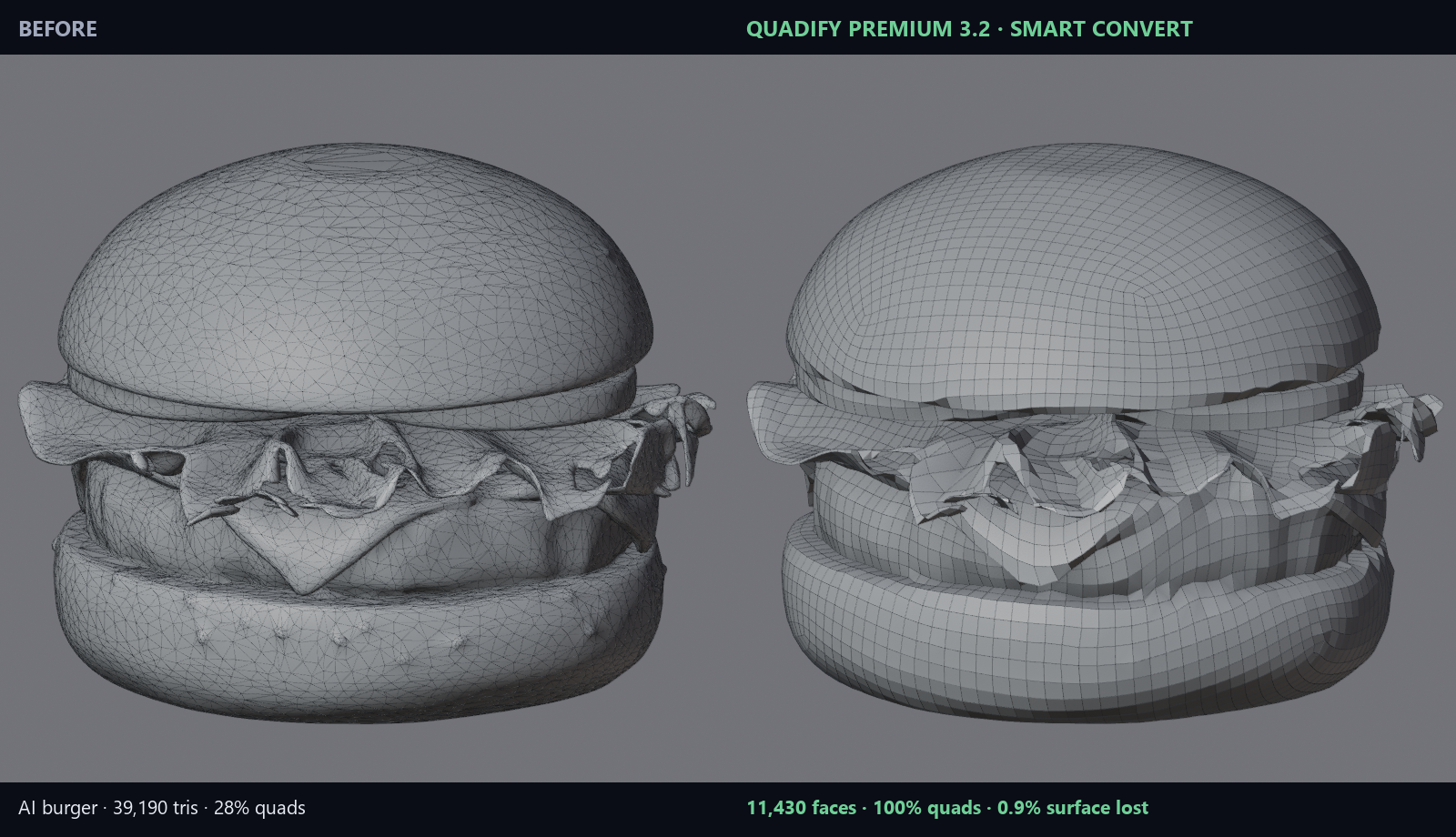
Smart Convert now repairs and rebuilds each large part on its own, then snaps every result back onto your original surface. In our tests: AI burger 28% → 100% quads (0.9% of the surface lost), AI cathedral 3% → 99.9% quads (0.5% lost).
Premium 3.2, one click. Left: AI burger, 39,190 triangles, 28% quads. Right: 11,430 faces, 100% quads in 82 s. The lettuce keeps its folds; small details like the sesame seeds are smoothed.
"The leaves and the lettuce got flattened."
Thin parts keep their shape PRO 3.3 · PREMIUM 3.2
Leaves, cloth edges, fins and spires are thickened for the solve, then mapped back onto the real surface. On our tree test in Pro, the surface lost dropped from 40% to 11%.
"Ultra's result looked melted."
Retopology that keeps the shape ULTRA 4.7
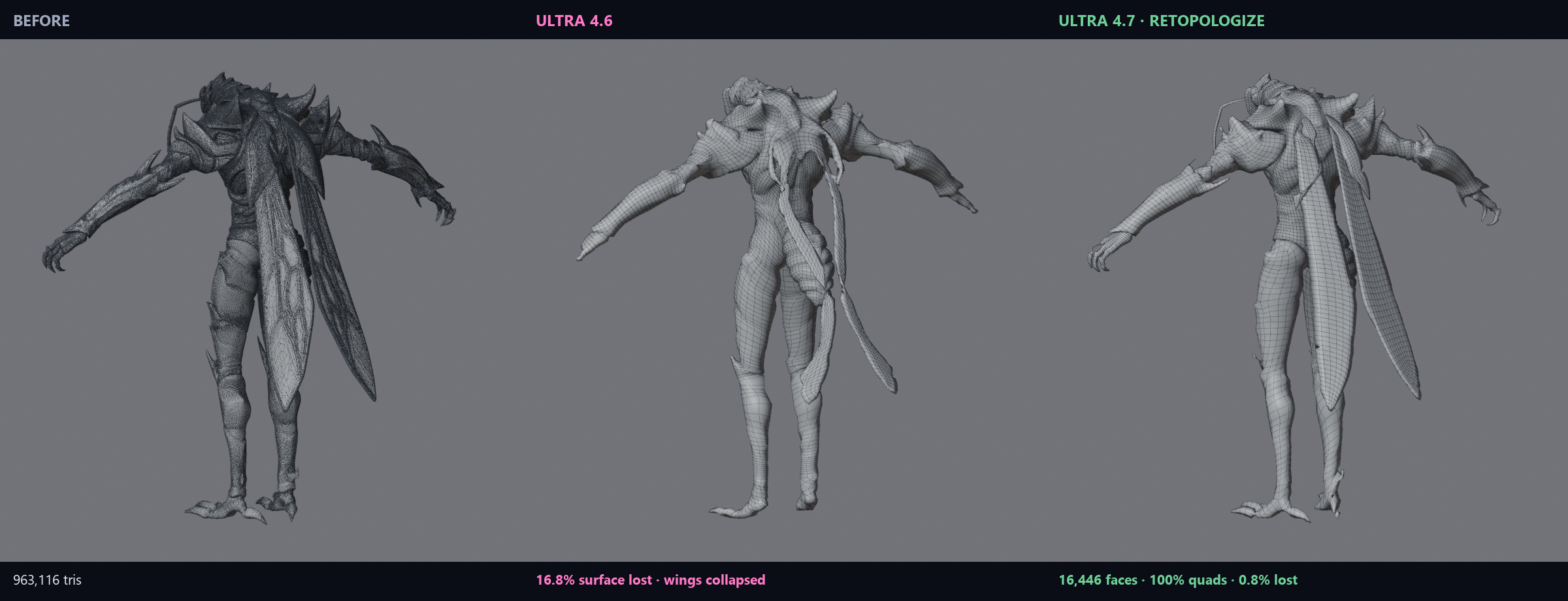
Ultra now measures how much surface each result loses. If its own engine loses more than 1%, Pro 3.3's engine runs as a challenger and the better result is kept. Surface lost: creature 16.8% → 0.8%, cathedral 10.3% → 2.0%, burger 7.4% → 2.1%, tree 40.8% → 11.1%. Hard meshes now take about 2–5 minutes.
Same 963,116-triangle sculpted creature, back view. Ultra 4.6 squashed the wings into strips (16.8% of the surface lost). Ultra 4.7 keeps the wings, spikes and claws: 16,446 faces, 100% quads, 0.8% lost, in about 5 minutes.
"I only need to clean up one model."
Quadify Base is back, $5 BASE 3.2
The Smart Convert core for one object at a time, on Windows, macOS and Linux. Every rebuild is snapped onto your surface and rejected if more than 1% of it would move.
EARLIER: PRO 3.2 AND ULTRA 4.6
Big models, exact parts, honest targets.
"My car took forever and the bolts came out melted."
Models made of thousands of pieces PRO 3.2 · ULTRA 4.6
The largest parts are rebuilt one by one. Bolts, clips and trims are turned into quads without moving a single vertex, so their shape stays exact. A 213,347-triangle car made of 8,038 pieces now finishes at 92–94% quads in about 5–8 minutes in Pro, and in about 10 minutes in Ultra, which used to take about 24.
"Ultra ignored my face count."
Target Faces now works on every Ultra route ULTRA 4.6
Three Ultra routes used to size the result from the original, so a 15,000 target could come back at 100,000 faces. Every route now aims for your number. If a model can't reach it without losing shape, the result tells you instead of silently returning more.
"It said it failed and left my mesh unchanged."
No more dead ends, and correct shading ULTRA 4.6
When Ultra's own engine rejects a result, it now rebuilds with the production engine from Pro instead of giving up. On our 5 hardest meshes, 4.5.4 failed on all 5; 4.6 returns 100% quads on all 5. Results also no longer come out with dark, inside-out shading.
EARLIER: 3.1
Problems you reported. Fixed.
"It left triangles all over my scanned and AI meshes."
AI and scan meshes are rebuilt, not just paired PREMIUM 3.1 · PRO 3.1
Smart Convert now detects AI-generated and scanned meshes and rebuilds them into all-quad topology, instead of pairing triangles (which gave only 3–33% quads on these meshes). The rebuild runs in a separate process, so a solver crash can't take Blender down. In Premium, a shape check compares the result with your original; if the rebuild would change the shape, the original is kept and you're told why. Pro rebuilds multi-part models part by part instead.
"I set the target to 15,000 and still got far more."
Target Faces: type a number, get that number PRO 3.1
A Target Faces field sits next to the main button. If the first solve misses, Pro re-solves with a corrected target and keeps the closer result. In testing, 9 of 10 meshes landed within 15% at a 5,000 target, and 7 of 7 did at 15,000 when the model had enough detail to reach it. If a target can't be reached, the result message says so. Ultra 4.6 has it too.
"The polycount went up."
Small meshes are no longer inflated PREMIUM 3.1 · PRO 3.1
A 3,084-triangle model used to come back at 10,834 faces in Pro's Auto mode. It now comes back at about 3,500. Premium's AI and scan rebuild never returns more faces than you started with.
"I couldn't find the button, and the tutorial didn't match."
Clear main button, plus Report a Problem PREMIUM 3.1 · PRO 3.1
The main action is Smart Convert in Premium and Smart Retopology in Pro, named the same in every view. Report a Problem copies your edition, Blender version, mesh stats and last error to the clipboard, so support can reproduce your case quickly.
RECOVER WHEN YOU CAN. REBUILD WHEN YOU MUST.
Not every triangulated mesh needs to be rebuilt.
A triangulated car panel already hides its original quads, so Quadify recovers them and leaves the shape untouched. A scan or AI mesh has no quads to recover, so Quadify builds new topology on the original surface. It decides which job it's looking at before it touches your mesh.
HARD SURFACE / CAD
Recover the quads that triangulation buried.
Smart Convert checks planarity, edge proportions, boundaries, creases and likely original diagonals before pairing triangles. It never merges across UV seams, materials or sharp edges.
SCANS & AI-GENERATED MESHES
Generated mesh doesn't mean usable mesh.
Quadify checks mesh health, welds seam splits, removes debris and rebuilds clean quads, then measures how far the result moved from your original before keeping it.
NEW EDITION · $5
Quadify Base 3.2 is back.
The same Smart Convert core, one object at a time. Recover quads on triangulated hard-surface models, rebuild single-piece scans and AI meshes into clean quads, and keep your shape safe while you do it.
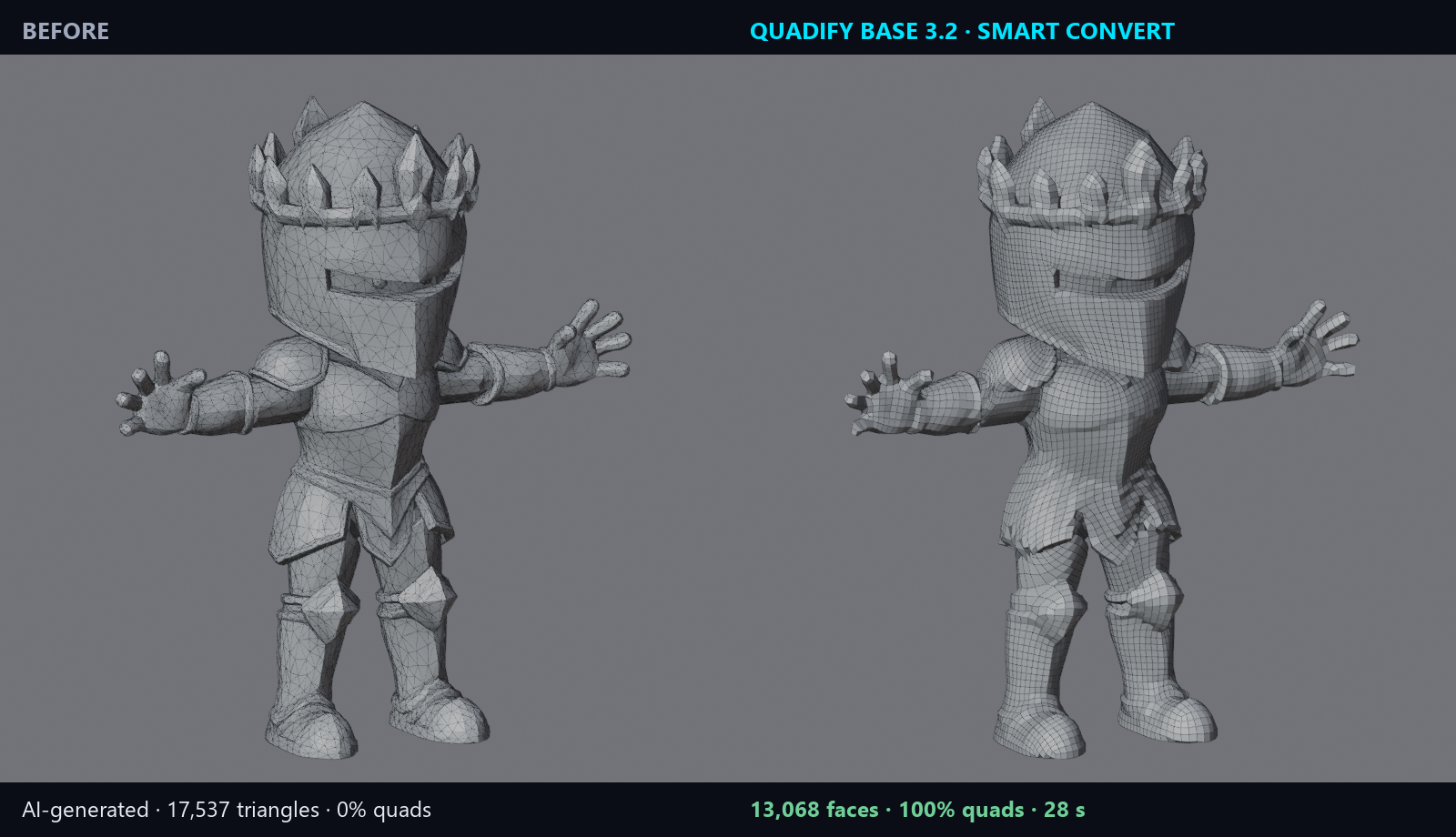
Base 3.2, one click. Left: AI-generated character, 17,537 triangles. Right: 13,068 faces, 100% quads in 28 s, snapped onto the original surface.
Photogrammetry cliff
194,080 tris → 22,603 faces · 100% quads · 34 s |
Scanned heads
1,037,272 tris → 23,336 faces · 100% quads · 58 s |
AI character
17,537 tris → 13,068 faces · 100% quads · 28 s |
Game car, 7,264 pieces
213,347 tris → 78% quads, shape unchanged · 14 s |
✓ Every rebuild is snapped onto your original surface and measured. If more than 1% of the surface would move, the rebuild is rejected and your mesh is kept.
✓ Mesh health check and safe repair, full backup with before/after toggle, poly reduction, bookmarks.
✓ Windows, macOS and Linux · Blender 4.2 LTS to 5.2 LTS.
Where Base stops: AI models made of many loose pieces (a burger, a cathedral) and very thin parts are kept as paired triangles in Base, because a single whole-mesh rebuild would lose their shape. Premium rebuilds those part by part (burger 28% → 100% quads). Base has no batch, regions, LODs or Production Rebuild.
Measured with Base 3.2 on our own test meshes; results depend on the source. "Move" means more than 1% of the model's size.
CHOOSE YOUR EDITION
Which one do I need?
Each edition includes everything in the one before it. Choose your edition from the options on this page.
| Base 3.2
$5
| Premium 3.2
$25
| Pro 3.3
$50
| Ultra 4.7
$150
|
| Best for |
One object at a time: quick cleanup of imports, scans and single-piece AI meshes | Cleaning up imports and AI meshes in batches | Game assets: exact face counts, then engine-ready export | Difficult meshes: automatic solver comparison and AI agents |
| Health check, safe repair, full backup, poly reduction |
✓ |
✓ |
✓ |
✓ |
| Hard-surface quad recovery |
✓ |
✓ |
✓ |
✓ |
| Automatic AI / scan rebuild |
✓ single pieces, with shape check |
✓ part by part, with shape check |
✓ part by part |
✓ |
| Production Rebuild, density presets, regions, batch, LODs |
— |
✓ |
✓ |
✓ |
| Exact Target Faces |
— |
— |
✓ within ~15% |
✓ every route |
| Asset Compiler: textures, engine packing, baking, collision, Ship Gate |
— |
— |
✓ |
✓ |
| Adaptive Solver Search, confidence scoring, Agent Studio |
— |
— |
— |
✓ |
READ BEFORE BUYING
What Quadify won't do.
Thin parts: Pro 3.3, Premium 3.2 and Ultra 4.7 now thicken thin parts for the rebuild, but a dense crown of paper-thin leaves is still hard: our tree test loses about 11% of its surface in Pro and Ultra. Base and Premium keep your original when a rebuild would lose shape. Check thin parts before you ship. For vehicles and other hard-surface models, Smart Convert keeps the shape exactly.
Sharp hard-surface bevels: Smart Convert keeps the shape exactly but leaves some triangles (typically 75–95% quads). A full rebuild gives 100% quads but can soften corners.
Animation loops: clean quads aren't hand-placed edge loops around eyes, mouths and joints. For hero characters, use the result as a base for manual retopology.
Speed: most meshes take seconds to 2 minutes. Large scans (around 200,000 faces) can take 3–6 minutes in Pro, hard meshes about 2–5 minutes in Ultra, and a 200,000-face car made of thousands of pieces takes about 5–8 minutes in Pro and about 10 in Ultra. Blender stays responsive and shows progress.
Platform: Pro and Ultra solvers are Windows x64 only. Base and Premium Smart Convert work on Windows, macOS and Linux.
Shape keys: anything that changes vertex count can't keep shape keys. Your original, with its shape keys, is kept as a backup.
FAQ
Does it work with Meshy, Tripo and Rodin meshes?Yes. Smart Convert detects generated meshes and rebuilds them into clean quads. Base rebuilds single-piece meshes; Premium 3.2 and up also rebuild models made of many pieces, part by part. See the test results above.
Does Quadify always produce 100% quads?On AI and scan meshes, the rebuild gives 100% quads unless it would damage the shape. On hard-surface meshes, Smart Convert keeps triangles that would bend the surface if forced into quads, typically leaving 75–95% quads with the shape untouched.
Which Blender versions are supported?Base 3.2, Premium 3.2 and Pro 3.3 are tested on Blender 4.2 LTS and 5.2 LTS, and support everything in between. Ultra 4.7 needs Blender 5.0 or newer.
Does it work on Mac and Linux?Base and Premium Smart Convert, including the AI and scan rebuild, work on Windows, macOS and Linux. Premium's Production Rebuild and the Pro and Ultra solvers ship as Windows x64 executables; on macOS and Linux, Production Rebuild falls back to Smooth Remesh.
What happens if a result is bad?Every rebuild keeps a hidden backup and supports Ctrl+Z. If a result fails the quality or shape checks, your original is restored automatically and the panel tells you why. If something still looks wrong, press Report a Problem and send us what it copies.
Does Ultra's Agent Studio send my mesh to an AI provider?No. Mesh geometry stays local. Only instructions, compact statistics and tool results are sent to the provider you choose, and the search system also works without AI.
Clean quads. Same shape. Measured.
 Anvil Interactive Solutions