 peterz






Quick Boolean Visualizer - Documentation
Introduction
Quick Boolean Visualizer is a powerful Blender add-on designed to streamline your hard-surface modeling workflow. It provides a centralized control panel to manage Boolean modifiers, toggle their visibility, and visualize cutter objects instantly, saving you from the tedious task of manually adjusting modifiers and object display settings.Installation
- Download: Download the quick_boolean_visualizer.zip file from your Blender Market orders page.
- Install:
- Open Blender.
- Go to Edit > Preferences > Add-ons.
- Click Install... at the top right.
- Select the downloaded quick_boolean_visualizer.zip file.
- Enable: Search for "Quick Boolean Visualizer" in the list and check the box to enable it.
- Access: The tool will appear in the 3D Viewport Sidebar (N-Panel) under the tab named "Quick Bool".
Key Features
1. Global Visualization Control
Instantly toggle the visibility of Boolean results in the viewport.- Toggle Boolean: Switch between the final boolean result and the original mesh geometry with a single click.
- Preview Mode: Great for checking topology flow without applying modifiers.
2. Intelligent Cutter Management
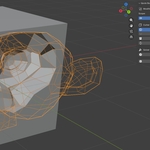
Manage your boolean cutter objects (operands) effortlessly.- Show Wireframe: Display cutters as wireframes to see the shape without obstructing the view.
- Show Solid: Display cutters as solid objects with a custom highlight color (configurable in Preferences).
- Hide/Unhide: Quickly hide all cutter objects to clear up the viewport.
- Select Cutters: One-click selection of all cutter objects affecting the target scope.
3. Flexible Operation Scope
Choose which objects the operations affect using the Scope selector:- Selected: Only affects the currently selected objects.
- Visible: Affects all visible objects in the current View Layer (Default).
- Scene: Affects all objects in the entire scene.
4. Solver & Application
- Fast / Exact: Switch the solver type for all boolean modifiers in the scope to optimize performance (Fast) or accuracy (Exact).
- Apply All: Batch apply all boolean modifiers on the target objects.
5. Organization
- Move to Collection: Automatically move all cutter objects into a dedicated collection (default: "Cutters") to keep your Outliner clean.
Usage Guide
The Panel
Locate the panel in the N-Panel > Quick Bool tab.- Scope: Set your desired target scope at the top.
- Visibility: Use the eye icon buttons to toggle boolean effects and cutter visibility.
- Solvers: Click "Fast" or "Exact" to batch update solver types.
Pie Menu
For an even faster workflow, use the Pie Menu:- Shortcut: Shift + Alt + B (Default)
- Functions: Access all core features (Toggle Modifiers, Wire/Solid Cutters, Select Cutters, etc.) directly under your cursor.
Preferences
You can customize the add-on in Edit > Preferences > Add-ons > Quick Boolean Visualizer:- Cutter Highlight Color: Change the color and transparency of cutters in "Solid" mode.
- Default Collection Name: Set the name for the cutter organization collection.
$6
Have questions about this product?
Login to message
Discover more products like this
3d asset for visual effects blender plugins 3d model blender boolean Blender boolean addon blender