Quick Ops Bundle
 Mohamed Targam





What’s New in This Update:
-
Separated Add-on Files: Each add-on is now available as an individual
.zip
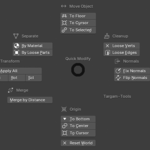
- Added "QuickOps": Renamed and upgraded our multi-utility toolset with improved features and performance.
-----------------------------------------
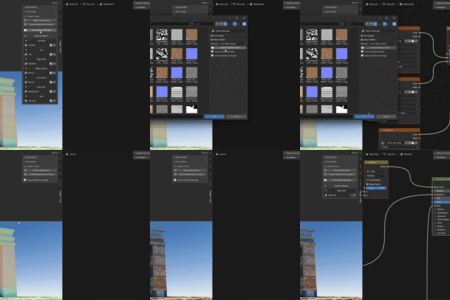
- AutoTex update
- Available in Auto Assign Folder mode. Review the proposed material updates securely:
- Toggle individual texture maps on or off.
- Resolve conflicts between multiple valid images.
- Review overwrite actions (Replace, Add, Reconnect).
- Designate specific Target Principled BSDF nodes.

------------------------------------------------------------
- ShakeCut Update
- Shake Cut’s monitoring system has been completely redesigned for improved performance and stability.
- The add-on no longer runs a continuous background monitor. Shake detection is now activated only when you select or move nodes, and automatically stops after one second of inactivity.
- This update reduces unnecessary background processing and improves stability when switching editors, changing node trees, deleting nodes, or rebuilding connections.
- New temporary shake detection system.
- Automatically stops after inactivity.
- Reduced background resource usage.
- Improved stability and safer node handling.
- Lower risk of errors or crashes when switching editors.
- The E shortcut and multi-node disconnect behavior remain unchanged.
---------------------------------------------------
New Update v1.2
ShakeCut:
- This update adds improved multi-node disconnect support.
- You can now select multiple connected nodes and disconnect them as one group using Shake or the "E" shortcut. Internal links between the selected nodes are preserved, while only the external connections are removed or dissolved.
- The update also improves support for nodes inside Frames, reduces accidental shake triggers, and adds safer background monitor handling for better stability.
AutoTex (Auto Assign)
-
Added editable naming preferences for texture types. Edit > Preferences > Add-ons > Quick Tools > Texture Naming
Users can now customize keywords for Albedo, Roughness, Normal, Specular, Metallic, AO, and more.
Default texture names are included automatically, so the add-on works right away.
Improved matching flexibility for different texture naming styles.
-
Small stability and usability improvements.

$25
Have questions about this product?
Login to message
| Blender Extension Compatible | Yes |
| Published | 8 months ago |
| Blender Version | 5.0 - 5.2 |
| Extension Type | Add-on |
| Render Engine Used | Blender-Internal |
| License | GPL |