 eFcoelum


QUiKV
Quick Keyframe Value
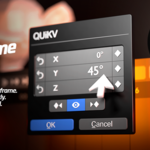
Double-click any keyframe. Instantly edit its exact value — without touching the playhead. The fastest way to precision-animate in Blender.
New v1.4.0 Update:
Now with intelligent popup positioning, playhead sync, enhanced visual feedback and Multi-channel bone properties.

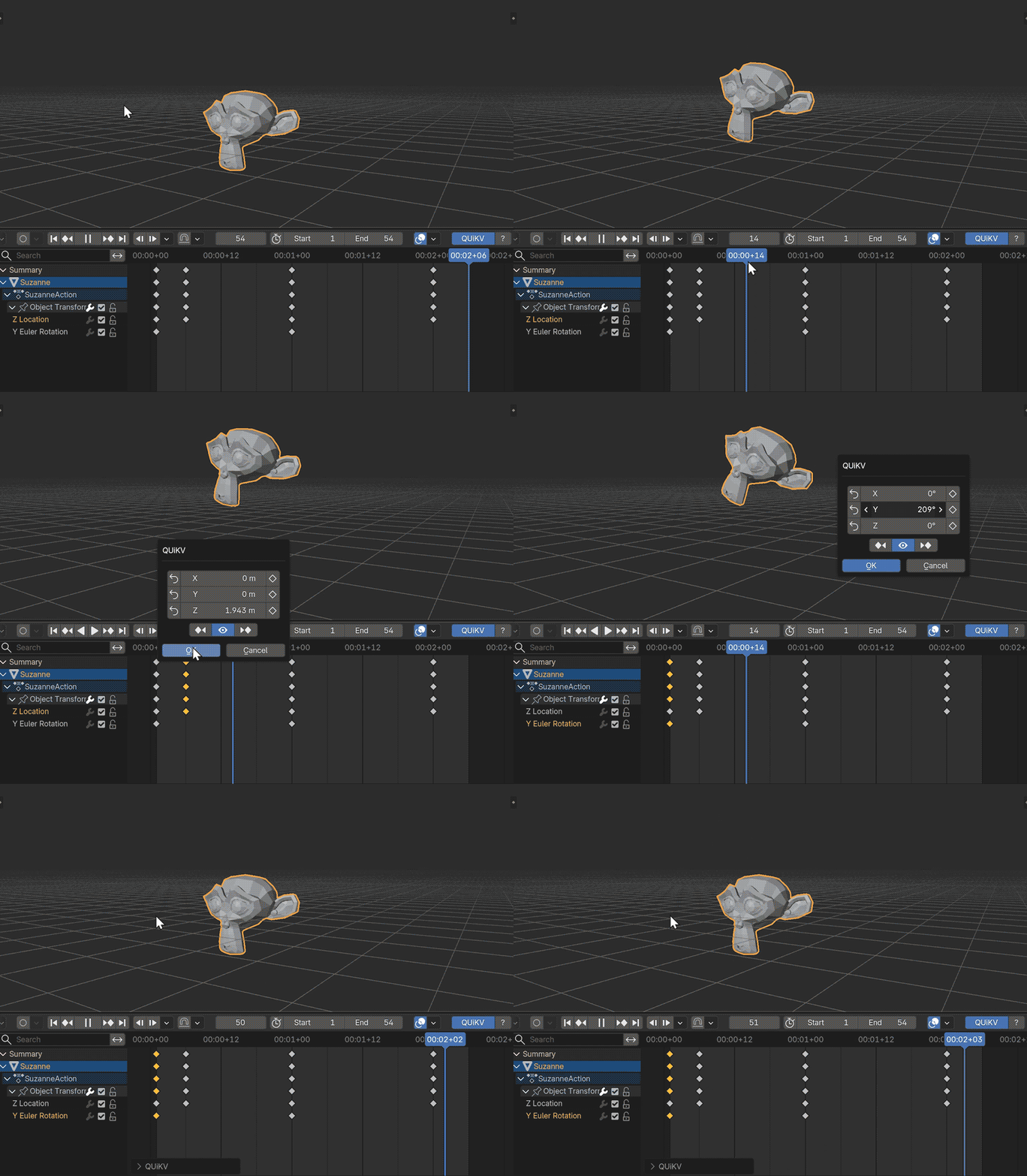
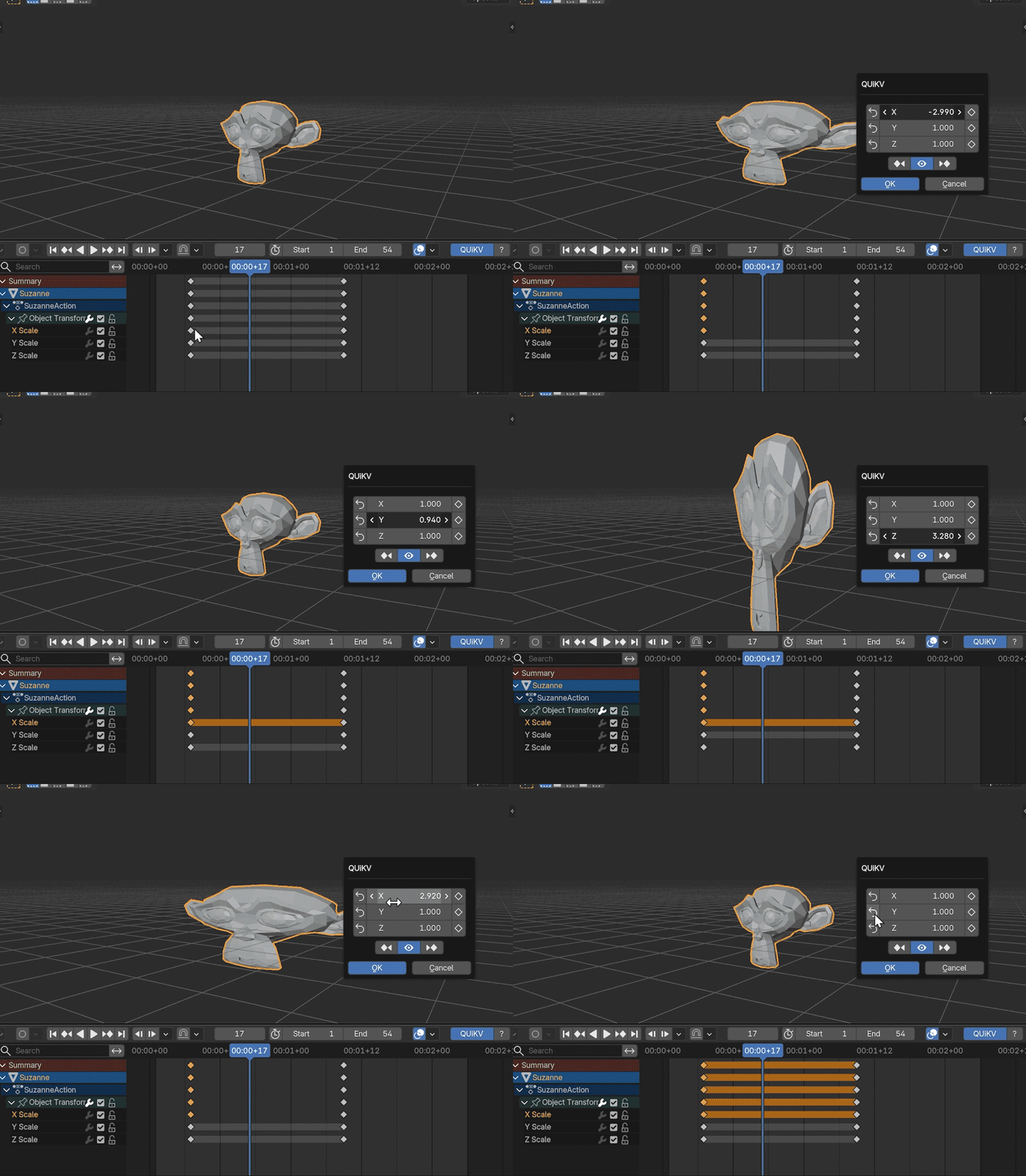
1. Double-Click to Edit
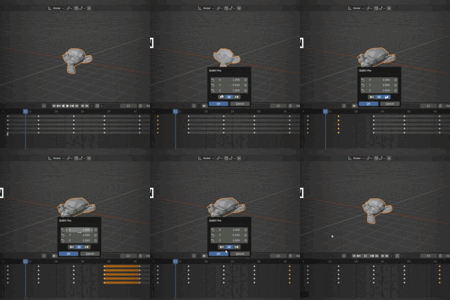
Edit keyframe values without having to move the playhead
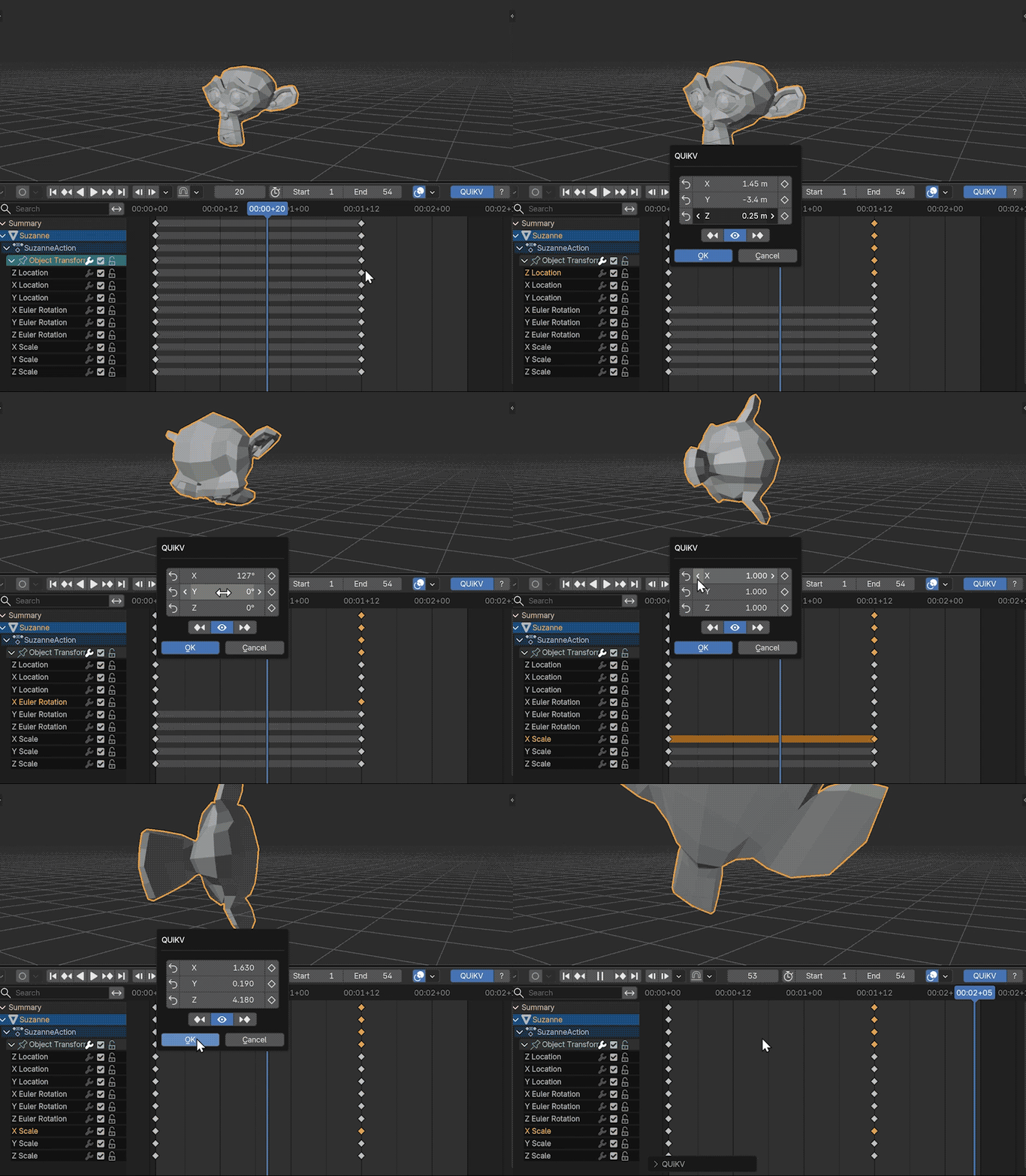
2. Multi Channel Editing
Select any keyframe, automatically detects all related channels.
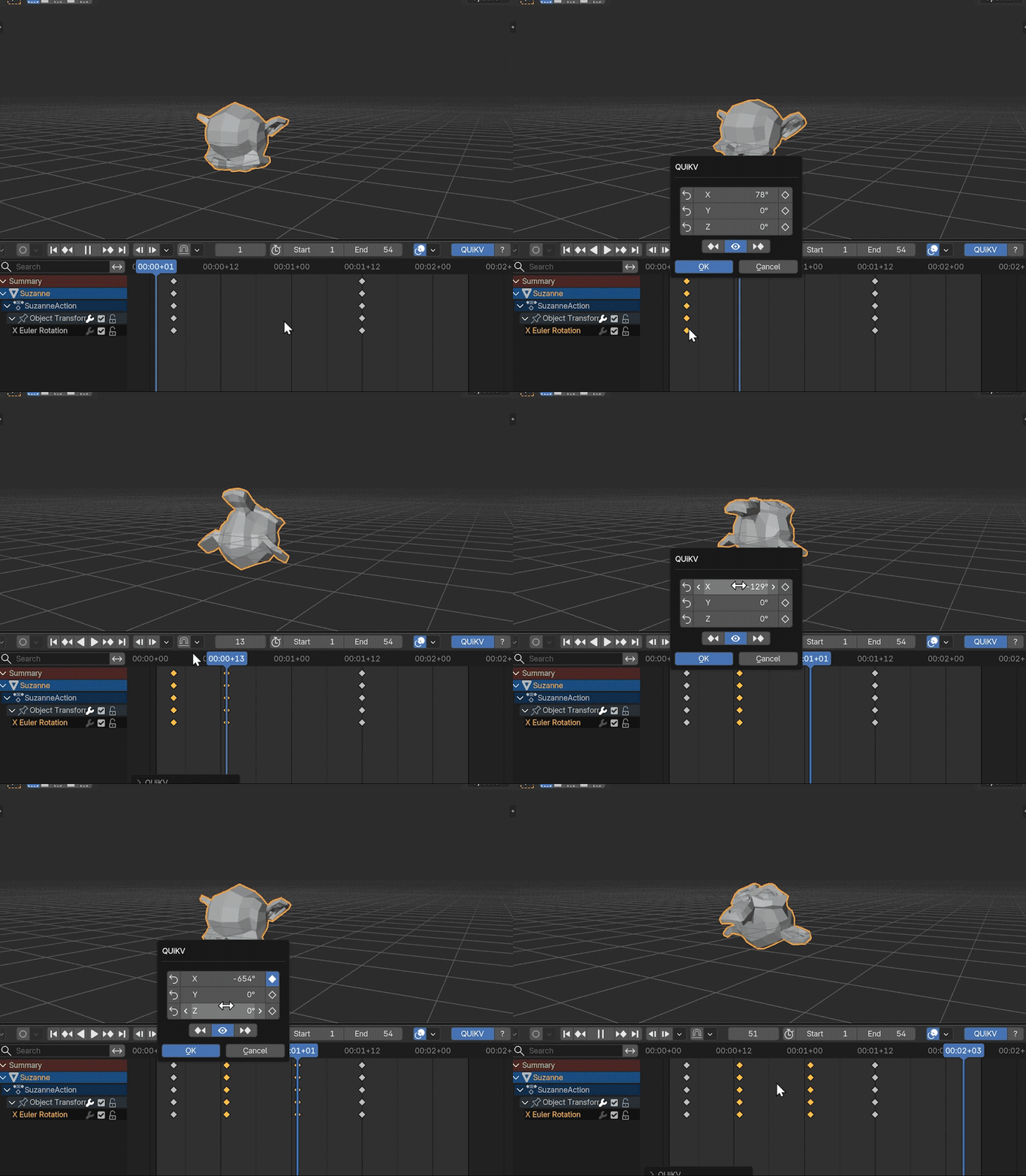
3. Add New Keyframe
One click to add, one click to remove — per axis, non-destructively.
4. Jump Selection Keyframe
Move and Edit animation keyframes without reopening the dialog.

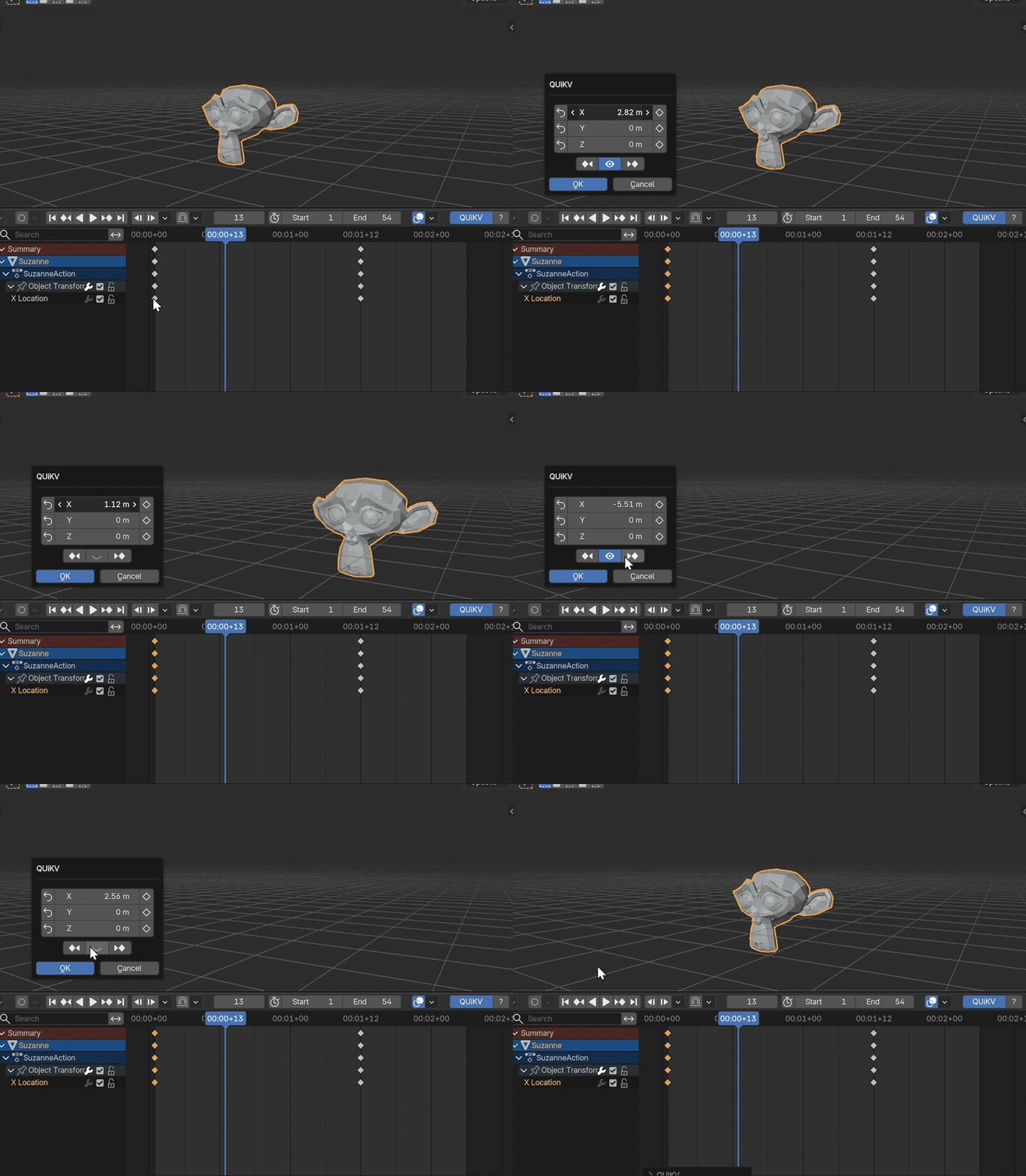
5. Real-time Live Preview
Toggle the eye icon to watch 3D viewport update in real-time.
6. Full Undo Per-Channel
Undo or Cancel restores everything to the original state.
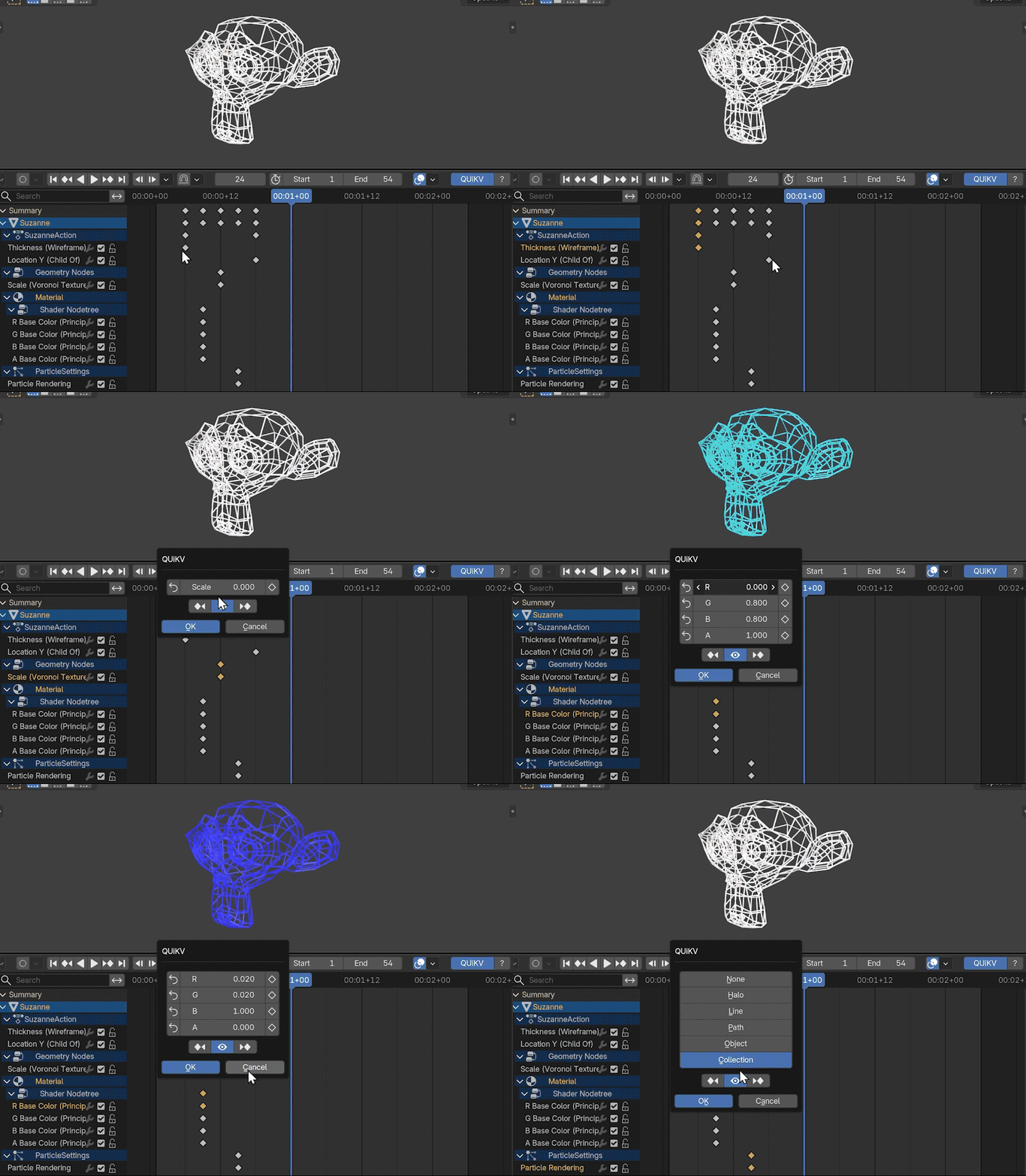
7. Universal Node Support
Edit node values directly Geometry Nodes, Shader Nodes, all of it.
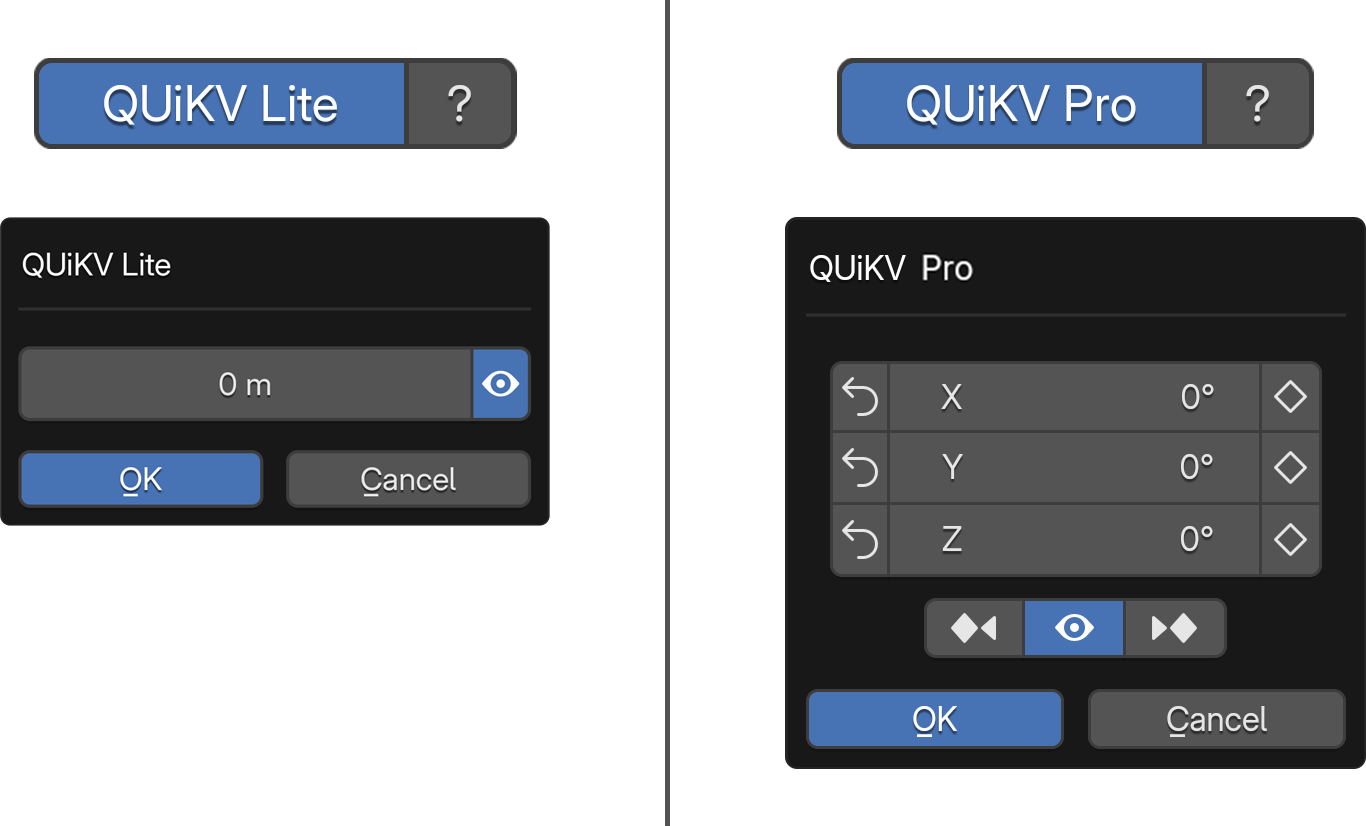
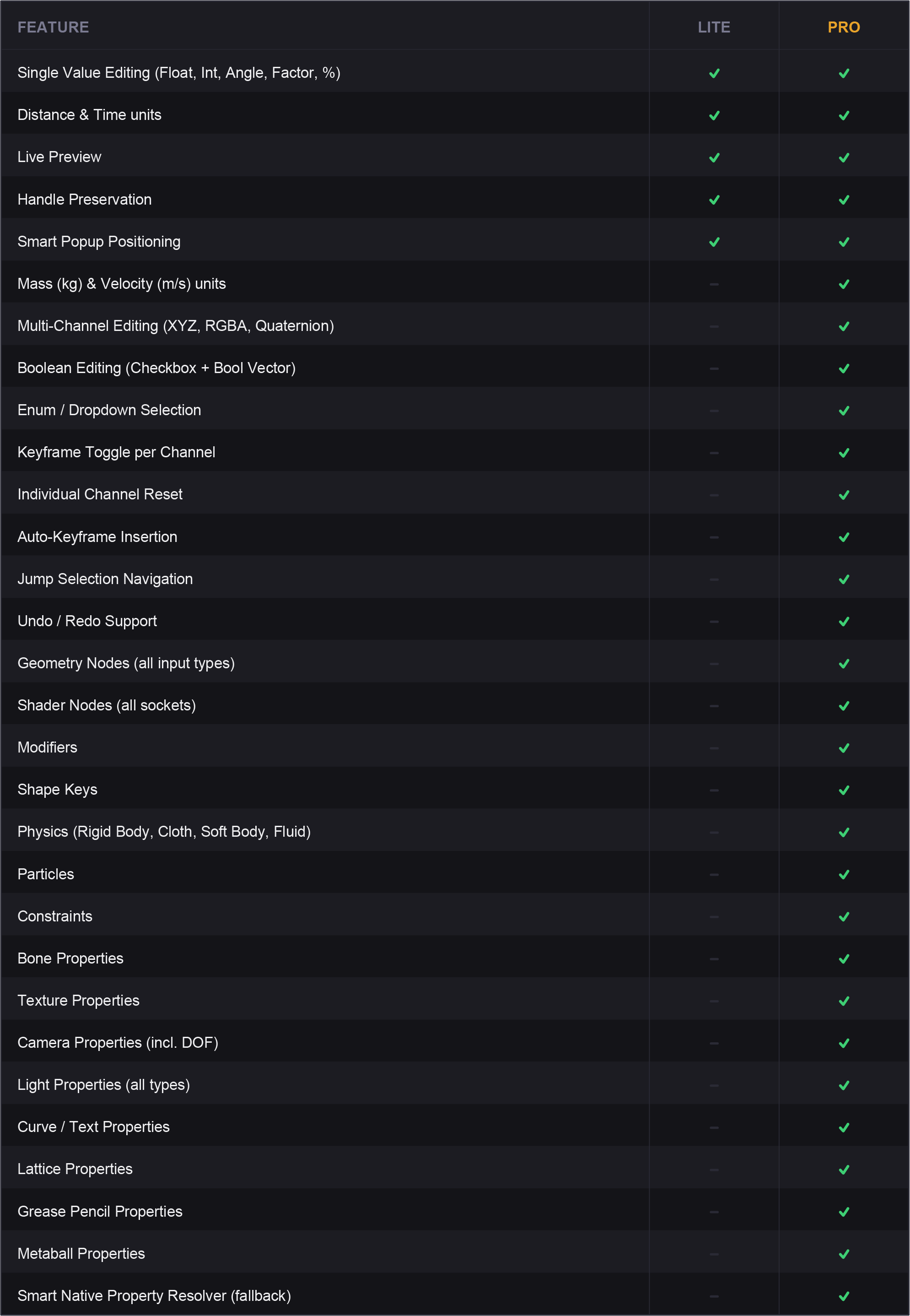
QUiKV Lite Vs QUiKV Pro
TROUBLESHOOTING
Q: Popup doesn't appear when double-clicking?
A: - Make sure a keyframe is selected (highlighted)
- Check that QUiKV is enabled in header
- Verify the F-Curve is not locked or muted
- Try clicking on the keyframe itself, not just the curve
Q: Multi-channel editing not working?
A: This is normal for certain property types. Not all properties have
multiple channels. Single-value properties show single-channel UI.
Q: Preview is slow or laggy?
A: Turn off live preview (eye icon) for complex scenes with many objects,
modifiers, or geometry nodes. Edit, then click OK to apply once.
Q: Handles changed after editing?
A: This shouldn't happen. QUiKV preserves handle offsets for all
channels. If it occurs, please report the bug with your .blend file.
Q: Geometry Node input not detected?
A: Make sure you're double-clicking on a keyframe on the Geometry Nodes
modifier property, not on a node inside the node editor.
Q: Enum/Menu showing wrong options?
A: QUiKV reads enum items from RNA. If they appear wrong, this may
be a Blender API issue or custom property setup.
Q: Shape key value not updating?
A: Ensure the shape key exists and is not locked. Check that the data
block (Mesh/Lattice/Curve) has shape keys enabled.
Q: Physics property not editable?
A: Verify the physics system is enabled (Rigid Body, Cloth, etc.) and
the property is keyframable in Blender.
Q: Keyframe toggle button not working?
A: The property must be keyframable. Some properties don't support
keyframe_insert/keyframe_delete via RNA.
Q: Reset button doesn't restore deleted keyframe?
A: QUiKV tracks deletions made during the current edit session.
Keyframes deleted before opening the popup cannot be restored.
Q: Property not detected correctly?
A: v1.3.0 includes improved detection systems. If a property still isn't
detected, it may be a very specialized or custom property type. Check
console output for detection information.
Q: Jump Selection not working?
A: - Ensure there are multiple keyframes on the F-Curve
- The primary channel must have keyframes to navigate
- If only one keyframe exists, navigation buttons will be inactive
KNOWN LIMITATIONS
* Some custom properties may not be fully detected
* Nested modifier properties may require specific selection
* Array properties larger than 4 elements show limited UI
* Jump Selection requires keyframes on the primary channel
PERFORMANCE NOTES
* Live preview may be slow with:
- Complex Geometry Nodes setups
- Heavy modifier stacks
- High-poly meshes
- Multiple particle systems
* Solution: Disable live preview, make edits, click OK once
* Multi-channel editing is optimized to update all channels efficiently
* Jump Selection maintains edit history - very long navigation sessions
may accumulate memory (automatically cleaned up on popup close)
WHAT'S NEW IN v1.4.0
1. POPUP OPENS NEAR YOUR CURSOR
The edit popup now appears right next to where you double-clicked, no more dialog jumping to the center of the screen. Position adapts to which quadrant you clicked in, the estimated dialog height, and screen boundaries.
2. KEYFRAME STATE INDICATORS
Reset and Keyframe Toggle buttons now visually highlight when a keyframe exists at the current frame. Instant visual feedback without reading the timeline.
3. PLAYHEAD NAVIGATION
Next/Prev keyframe buttons now correctly move the playhead to the target frame in all cases.
4. POSE MODE MULTI-CHANNEL FIX
Bone rotation and location properties now correctly display all channels in Pose Mode. Previously, a gap in the property detector could cause these to resolve as single-axis.
COMPATIBILITY
Blender Version: 3.0.0 and above
(Note: Full UI support including Cancel button requires Blender 4.1+)
Tested on: Blender 3.6, 4.0, 4.1, 4.2, 4.3, 4.4, 4.5, 5.0
OS Support: Windows, macOS, Linux
SUPPORT & FEEDBACK