 ArtTalentStudio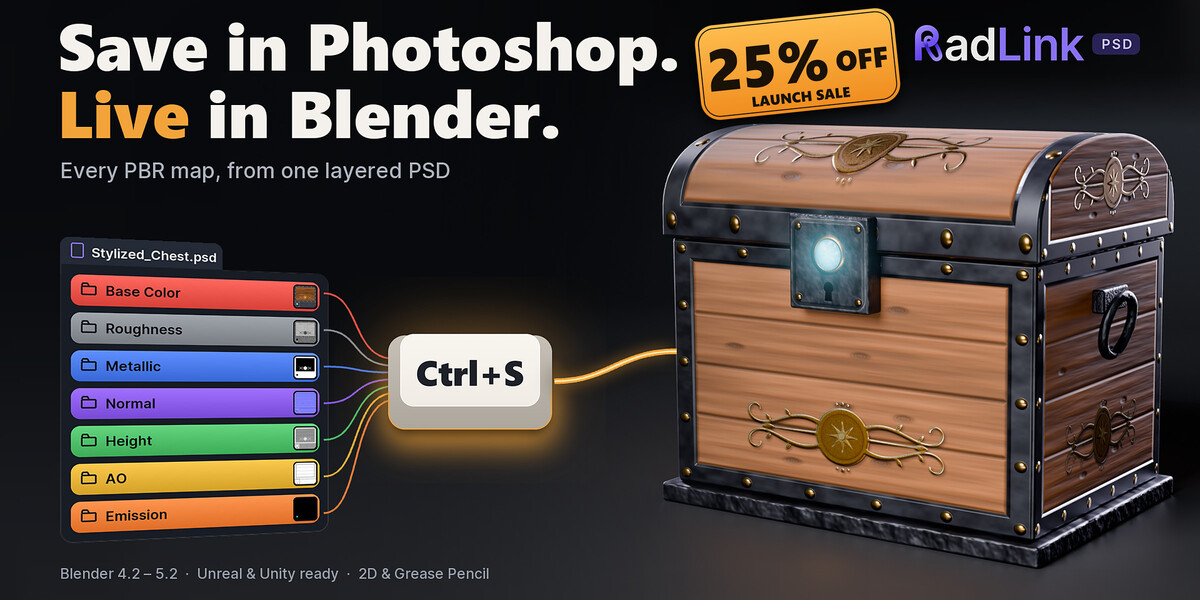
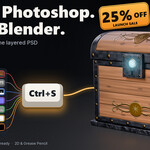
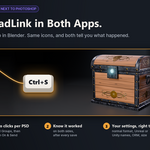
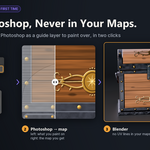
Save in Photoshop. Live in Blender.
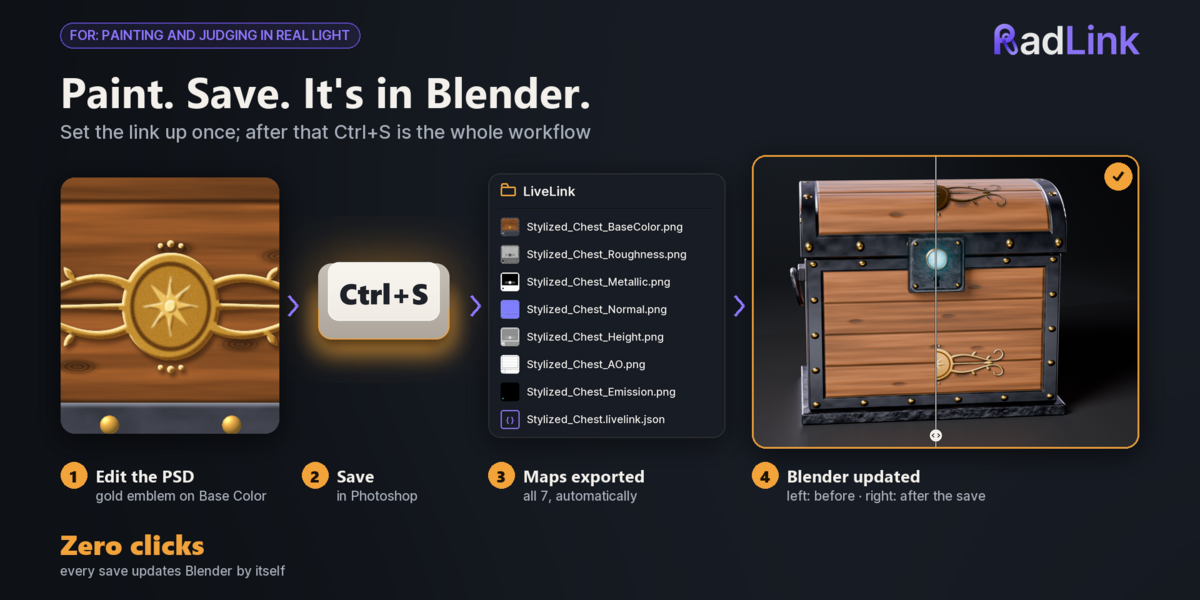
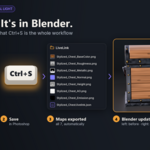
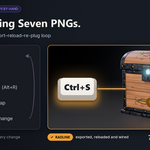
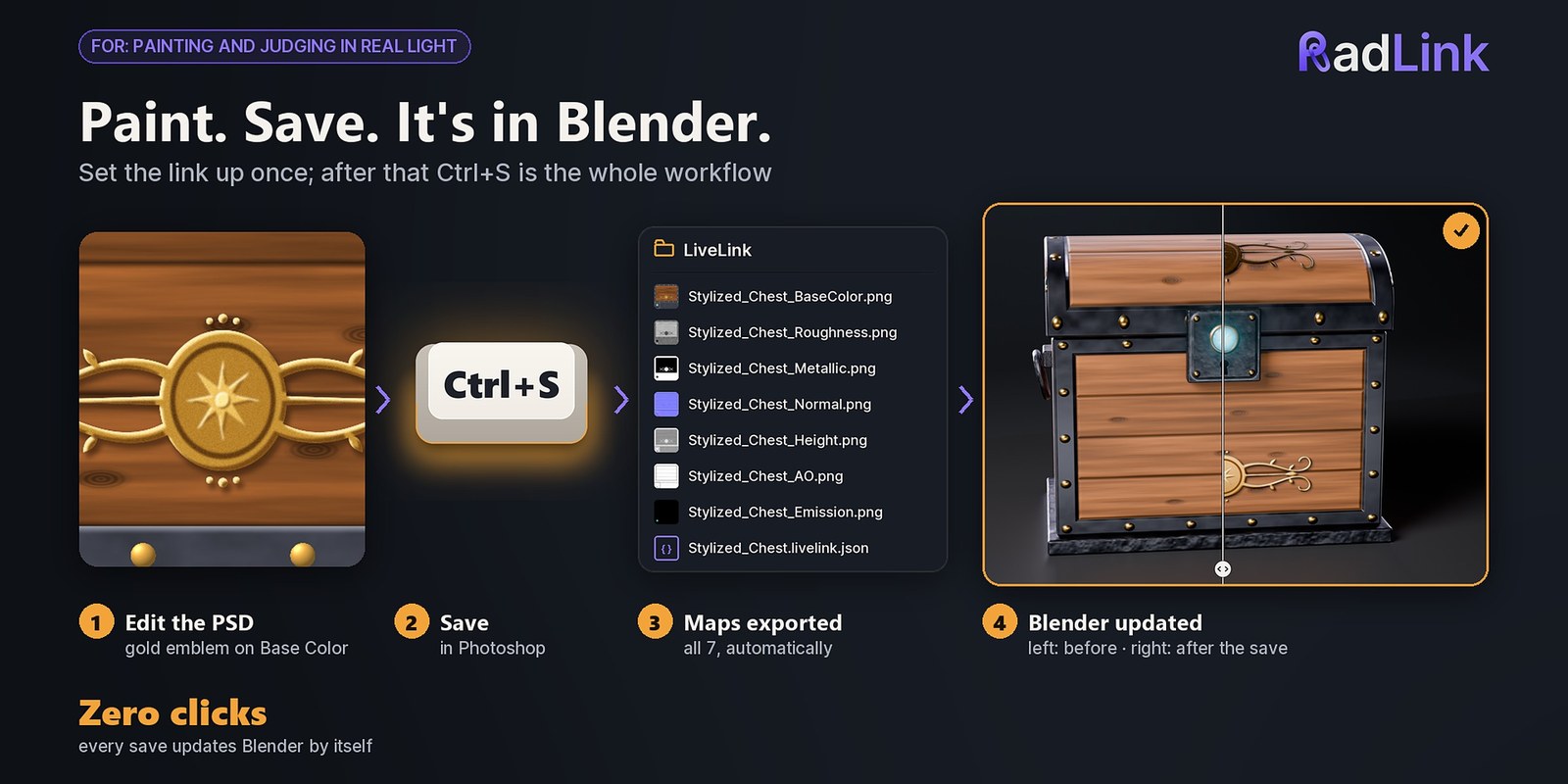
Paint your layered PSD, press Ctrl+S, and every PBR map is exported, reloaded and connected to your Blender material. No exporting, no Alt+R, no re-plugging.
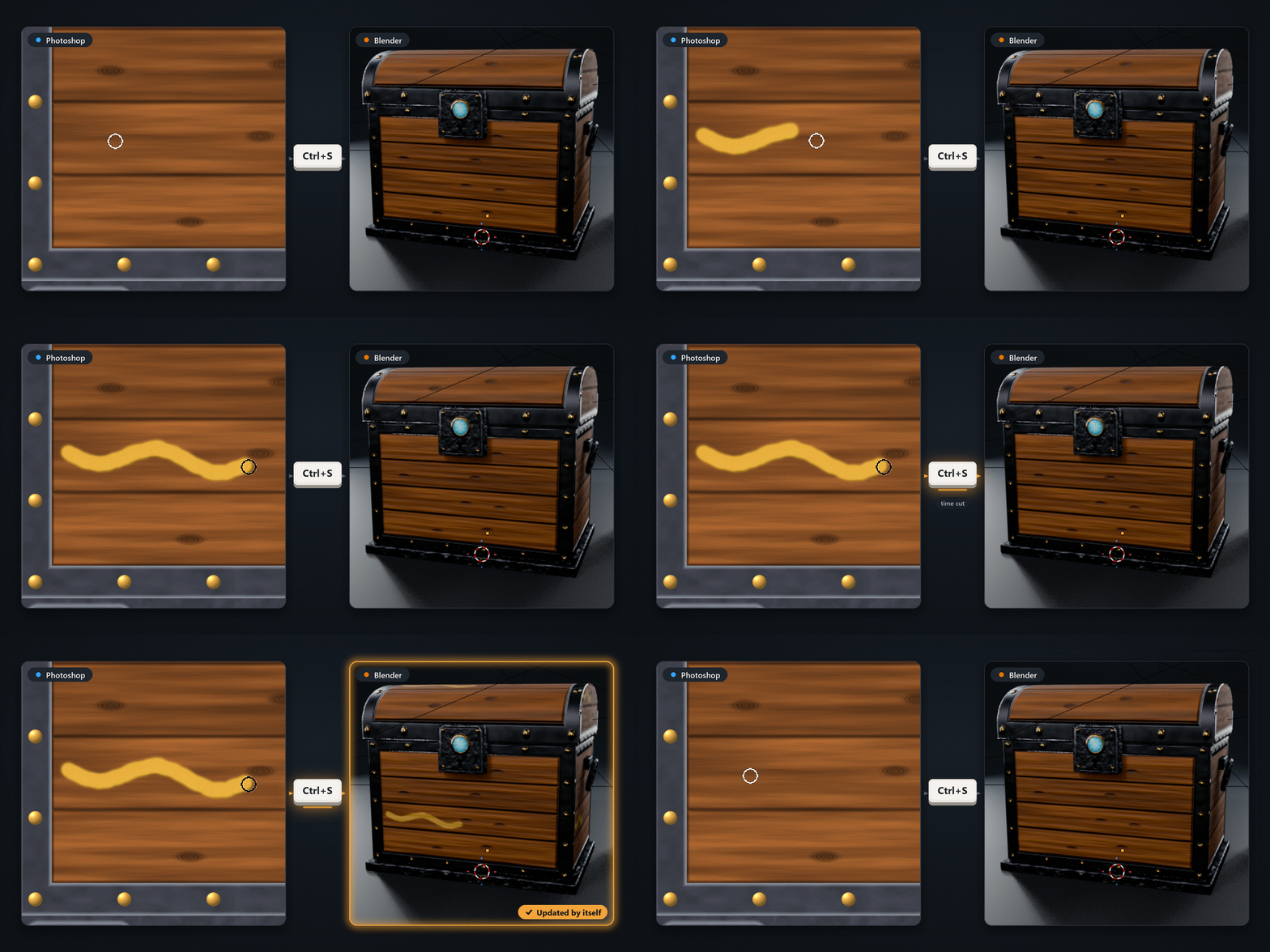
2–3 s
from Ctrl+S to Blender: the sample label, 2048 × 512, 8-bit
|
< 1 s
for Blender to load the maps once Photoshop has written them
|
7 maps
from one layered PSD, on every save
|
4.2 – 5.2
Blender versions tested: 4.2, 4.5, 5.1 and 5.2
|
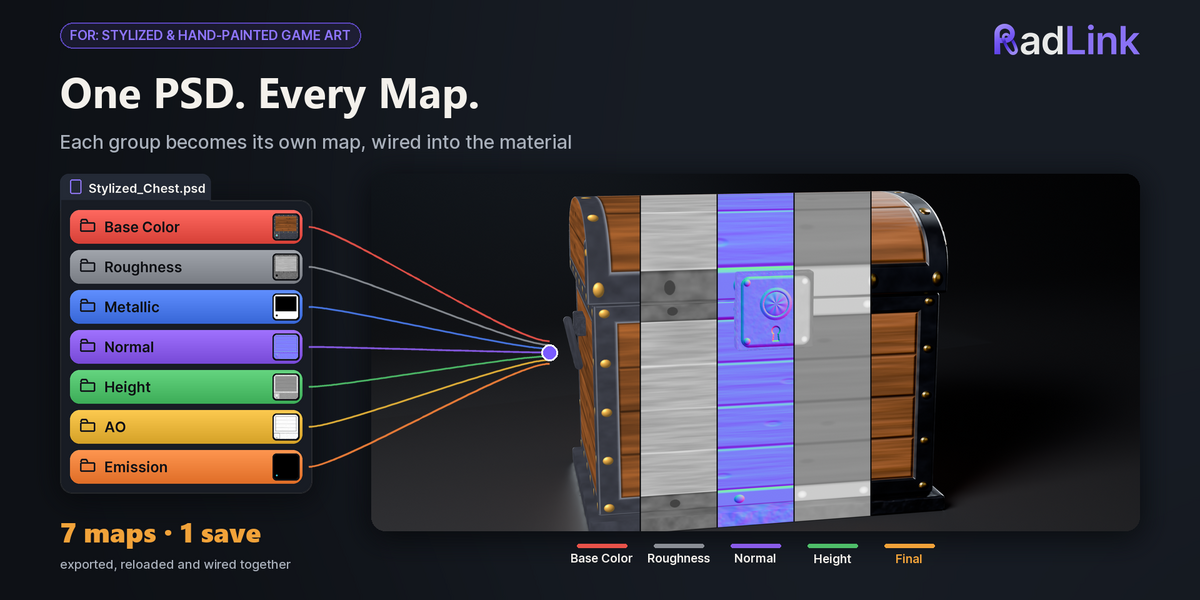
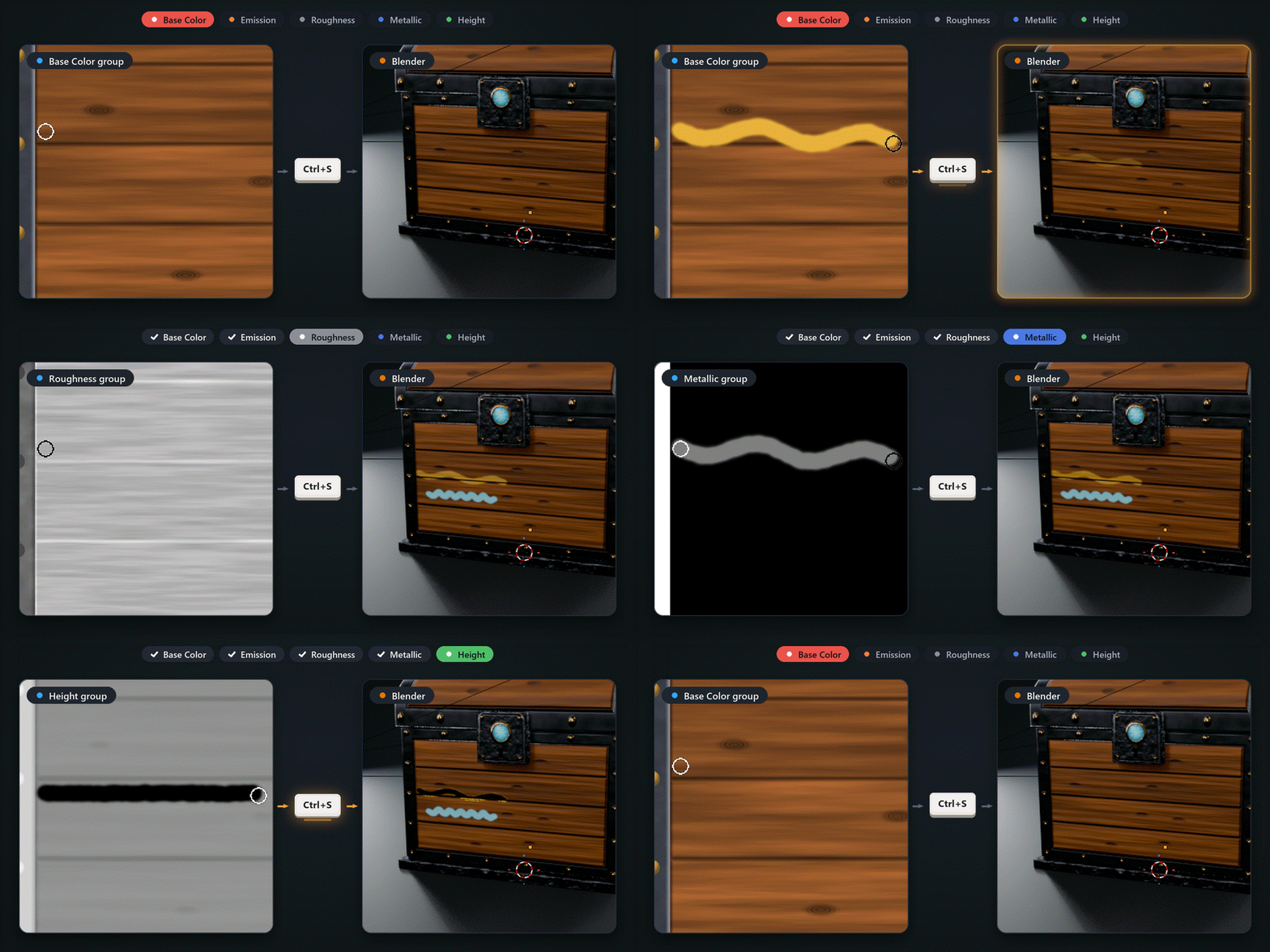
Seven maps. One save.
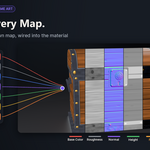
Keep each map in its own group (Base Color, Roughness, Metallic, Normal, Height, AO, Emission or Alpha) and every Ctrl+S writes each one as its own PNG. Blender reloads them and connects them to your material, so you judge the paint on the model, in Blender's light.
| ✓ | Common names work too: Albedo, Rough, Metalness, NRM, Bump, Glow, Opacity and more. |
| ✓ | # guide layers never reach a map; _shared layers go into every map. |
| ✓ | Colour maps are sRGB, data maps aren't; Normal and Height are 16-bit. |
| ✓ | Your open PSD is never changed: RadLink exports from a copy. |
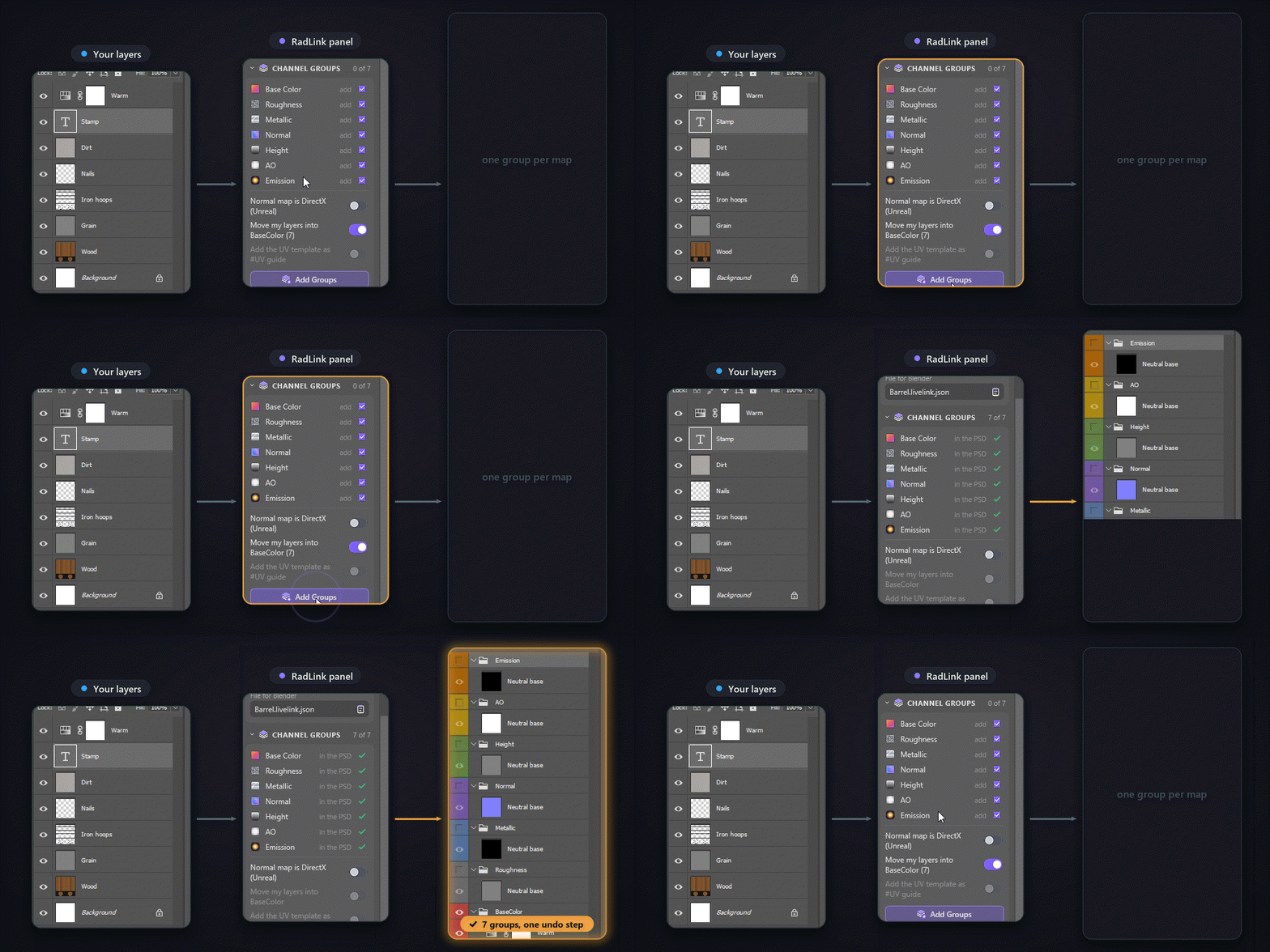
Your layers, sorted into map groups.
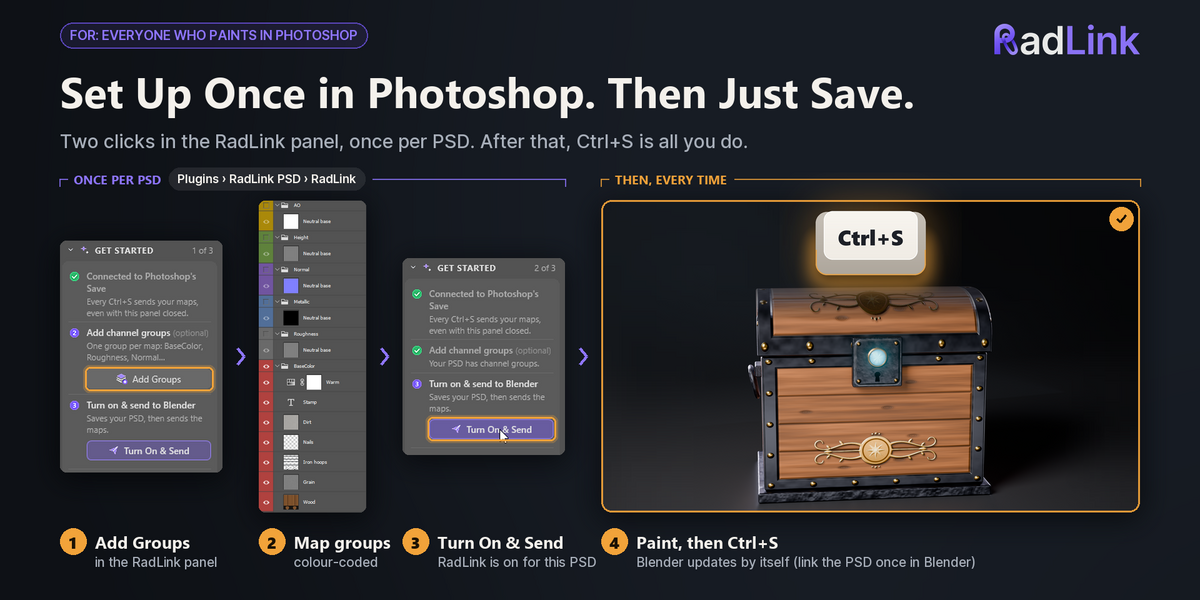
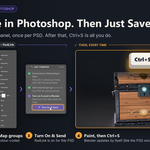
One click on Add Groups in the RadLink panel adds the seven colour-coded groups, each on a neutral base, and can move your existing painting into Base Color. It is one History step, so Undo takes it all back.
| ✓ | A flat painting with no groups works too: it becomes the Base Color map. |
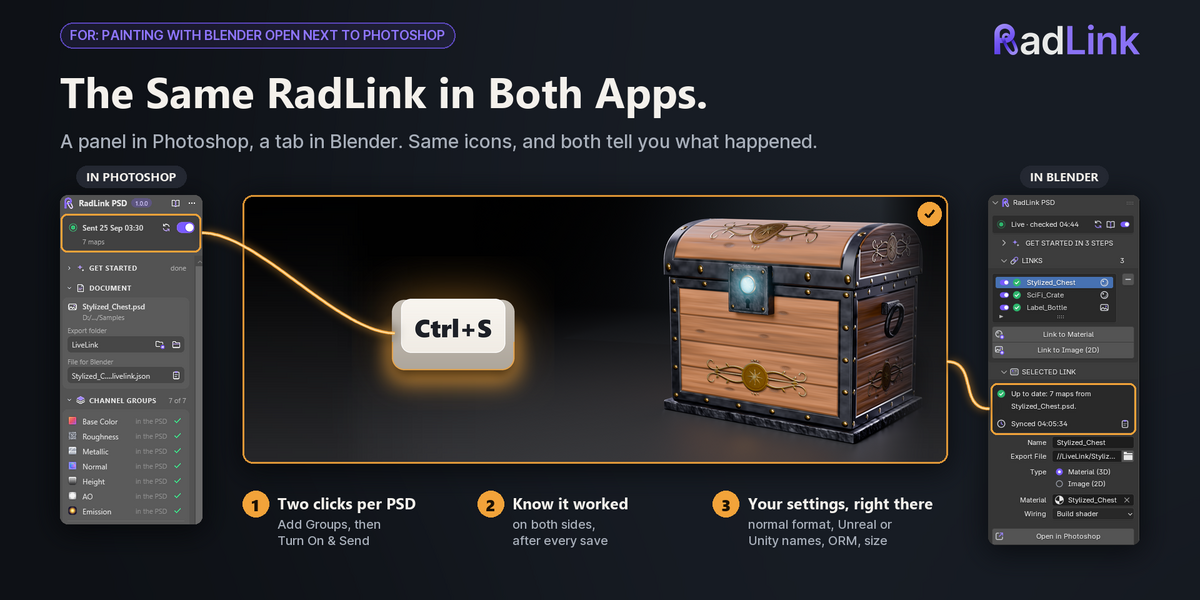
| ✓ | The map colours are the same in Photoshop and in Blender's RadLink tab. |
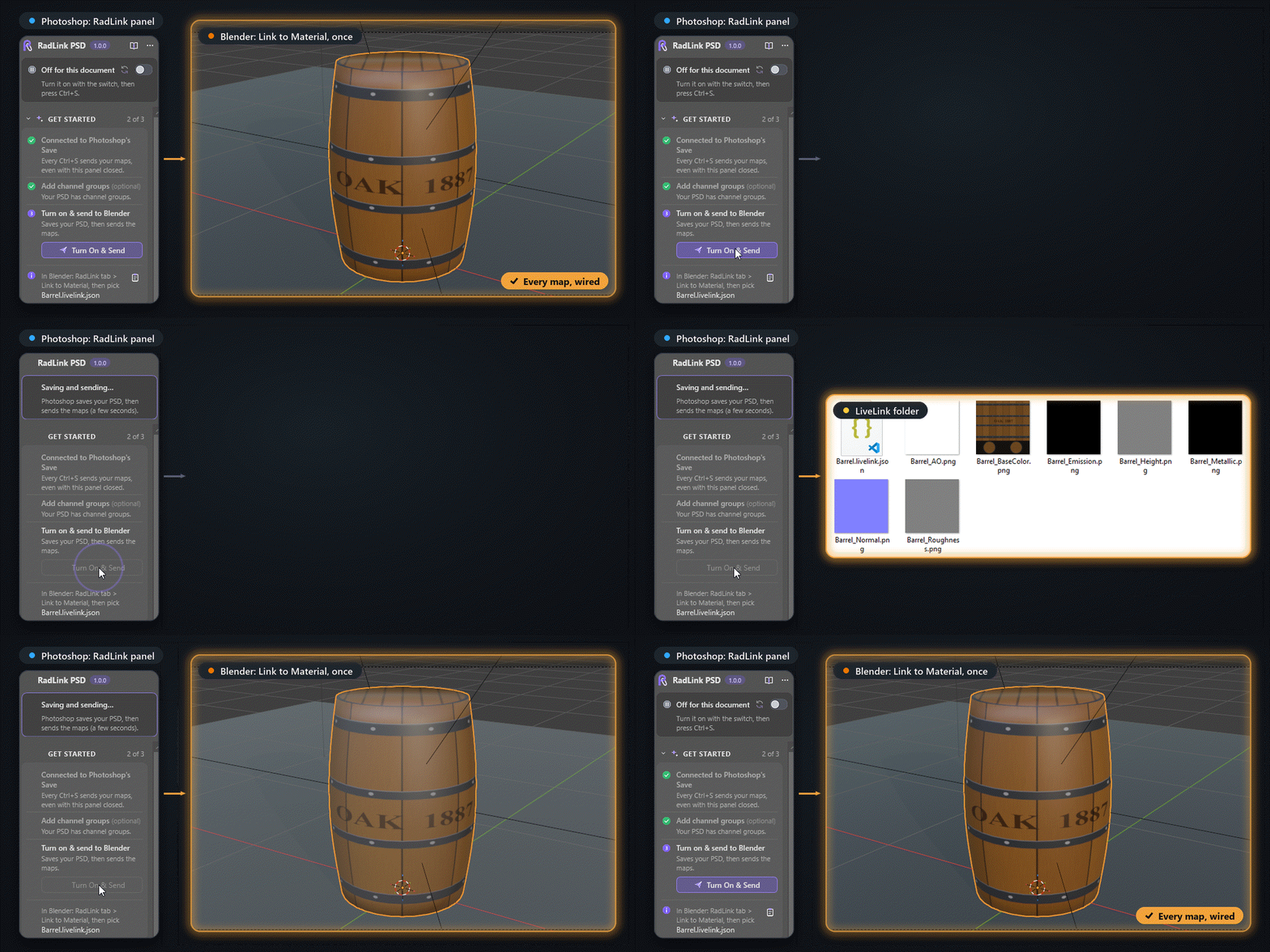
Two clicks per PSD. Then only Ctrl+S.
Turn On & Send saves your PSD and writes the maps to a LiveLink folder next to it. In Blender, select the mesh, click Link to Material and pick the .livelink.json file: every map is connected.
| ✓ | Only the PSDs you turn on are exported. Saving any other file sends nothing. |
| ✓ | Links are stored relative to the .blend, so a project folder you move as a whole keeps working. |
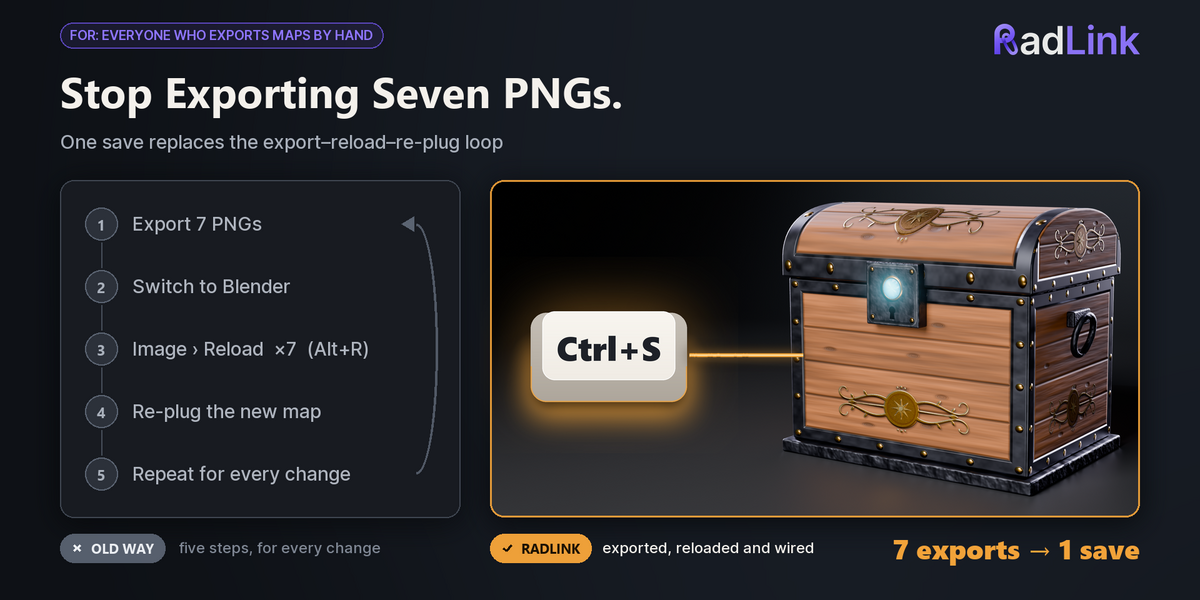
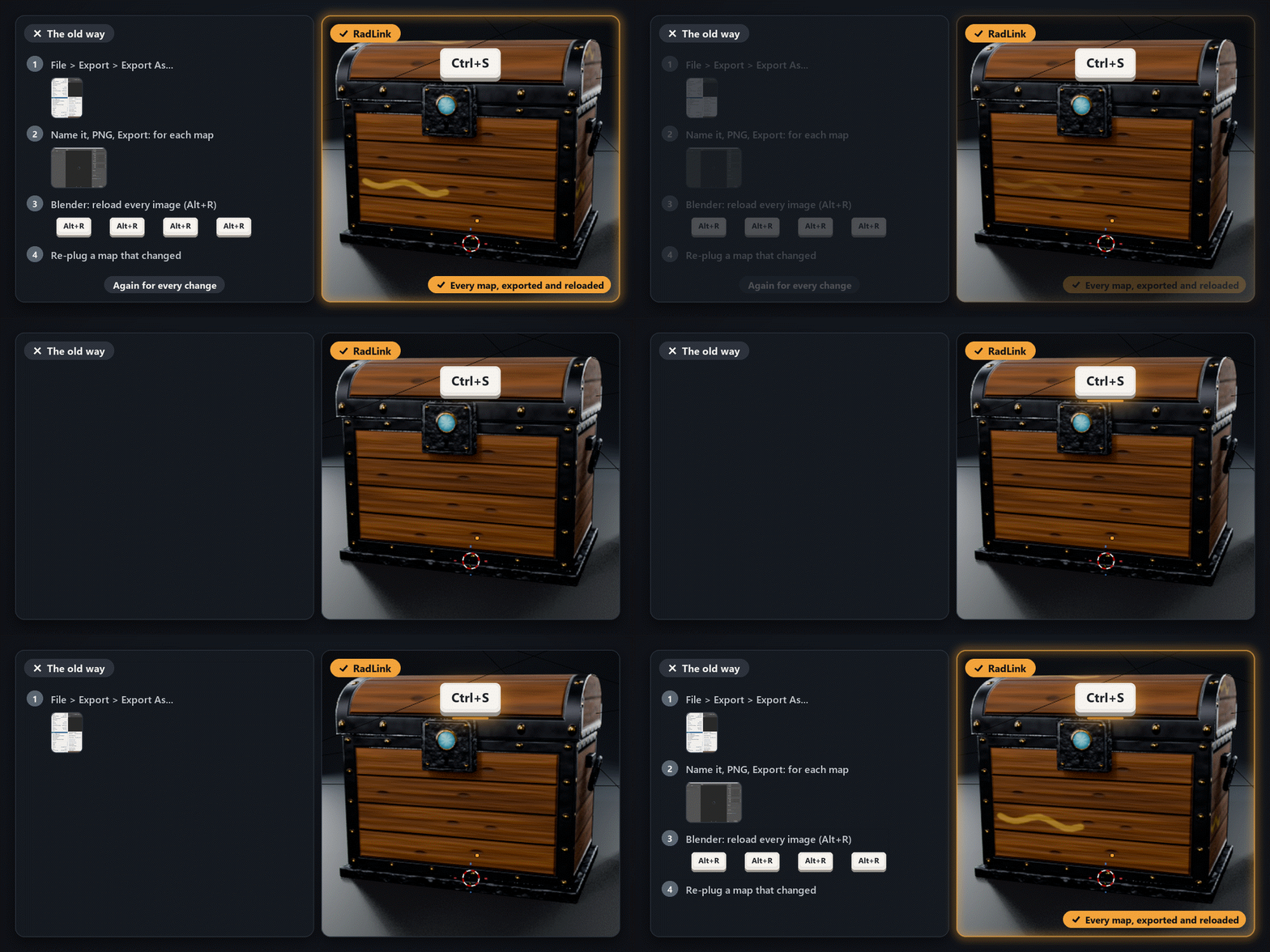
No exporting, no Alt+R, no re-plugging.
Without RadLink, every change means exporting each map, switching to Blender, reloading each image and plugging a new map back into the shader. Blender only reads a PSD's flattened image, so your layer groups never turn into maps on their own. With RadLink, Ctrl+S does all of it.
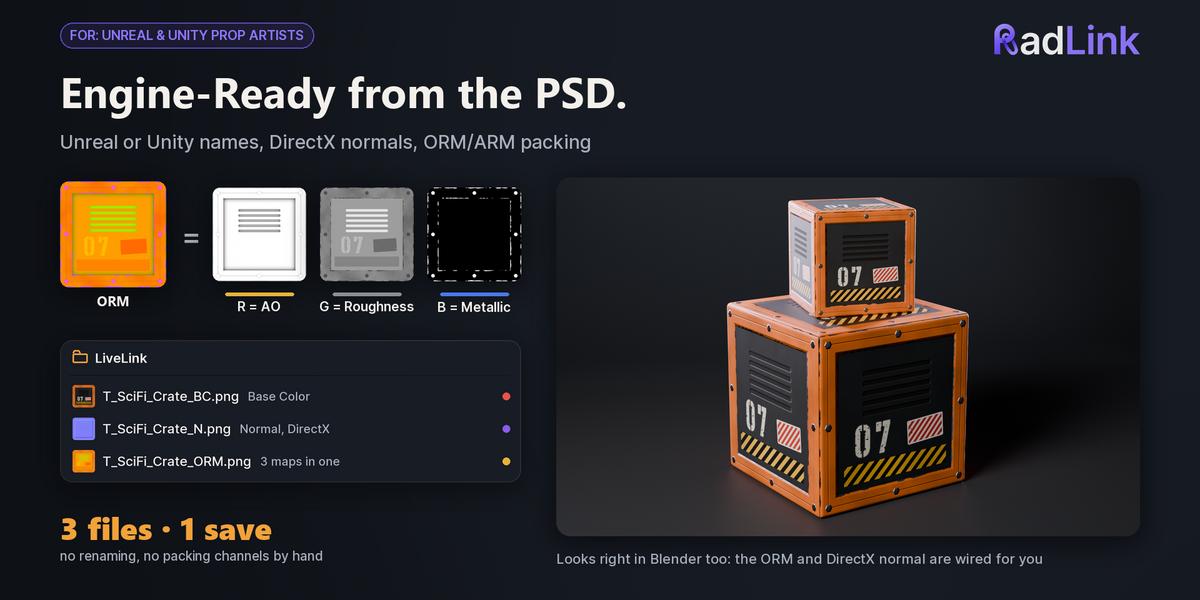
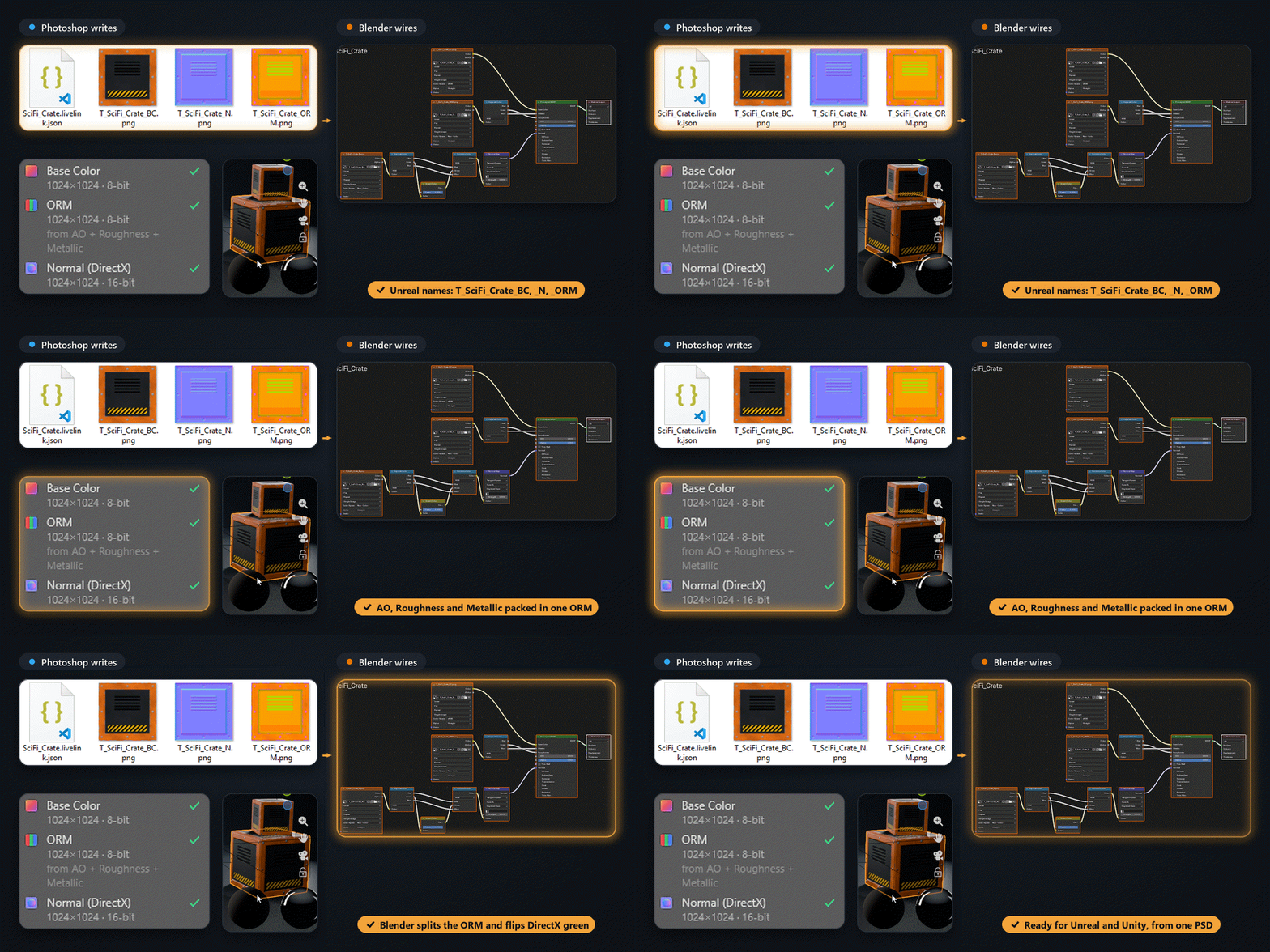
Unreal and Unity names, a packed ORM.
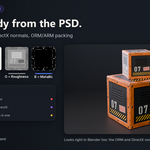
Pick Unreal in the panel's settings and the same PSD writes T_Crate_BC, T_Crate_N with DirectX normals and an T_Crate_ORM packed from your AO, Roughness and Metallic groups. Blender splits the ORM and flips the DirectX green for you.
| ✓ | Unity names, OpenGL or DirectX normals, ORM or ARM packing, or your own name templates. |
| ✓ | Settings travel inside the PSD, or cover a whole folder with a livelink.config.json. |
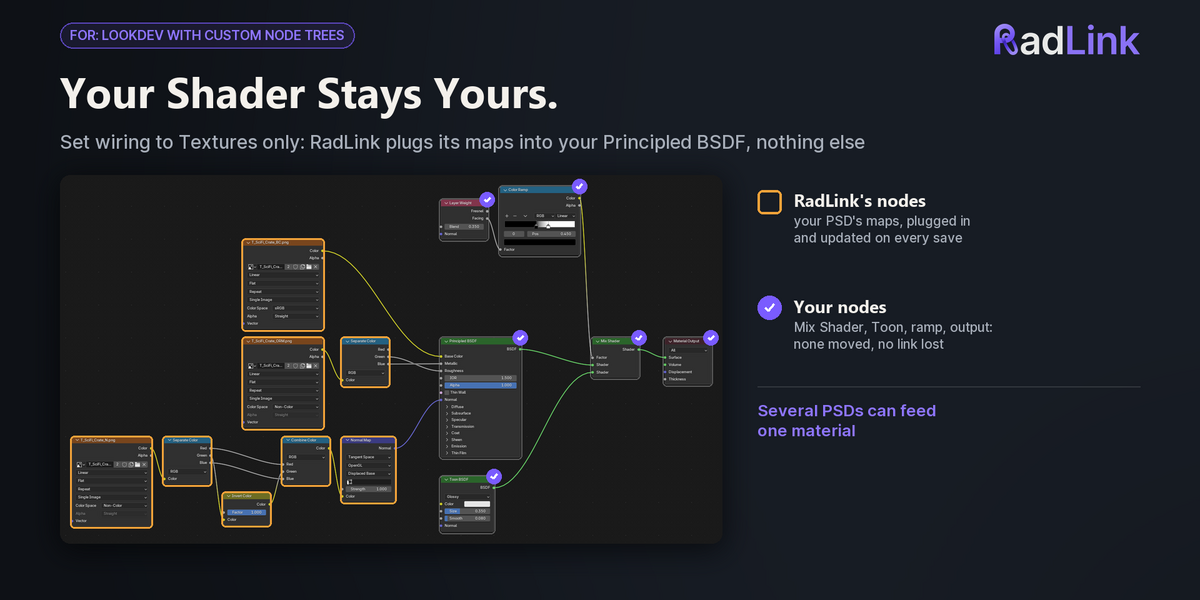
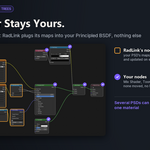
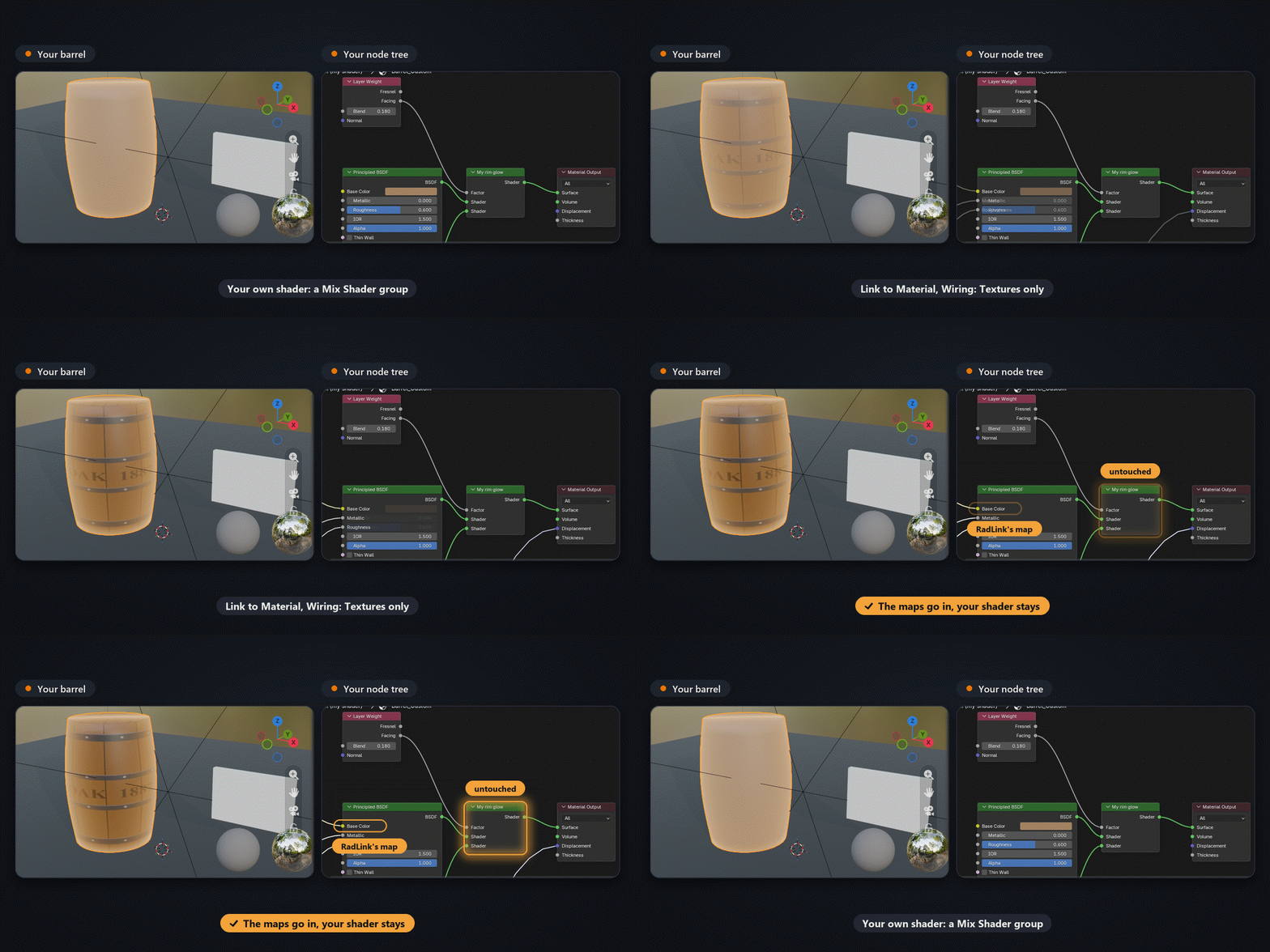
Your node tree stays yours.
Set Wiring to Textures only and RadLink adds its image nodes and plugs them into the Principled BSDF you already use. A Mix Shader, a node group or a toon setup stays exactly as it was.
| ✓ | Build shader makes a new Principled setup with Normal Map, Displacement and ORM nodes. |
| ✓ | Several PSDs can feed one material; each link only changes its own nodes. |
| ✓ | A map you painted in Blender and haven't saved is never replaced without asking. |
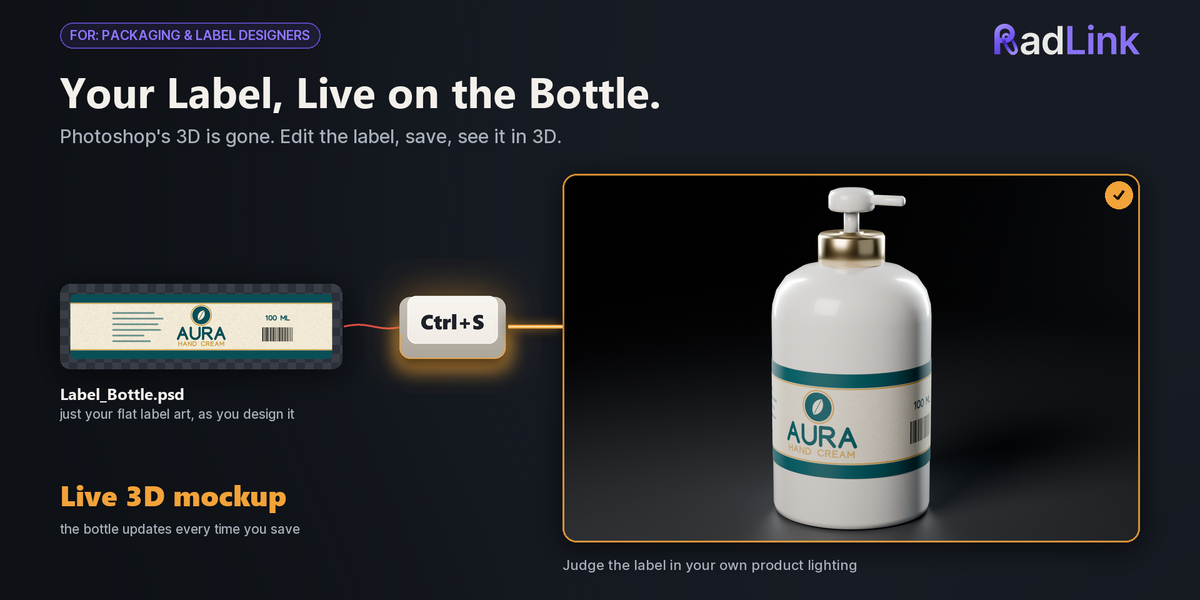
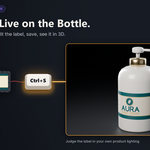
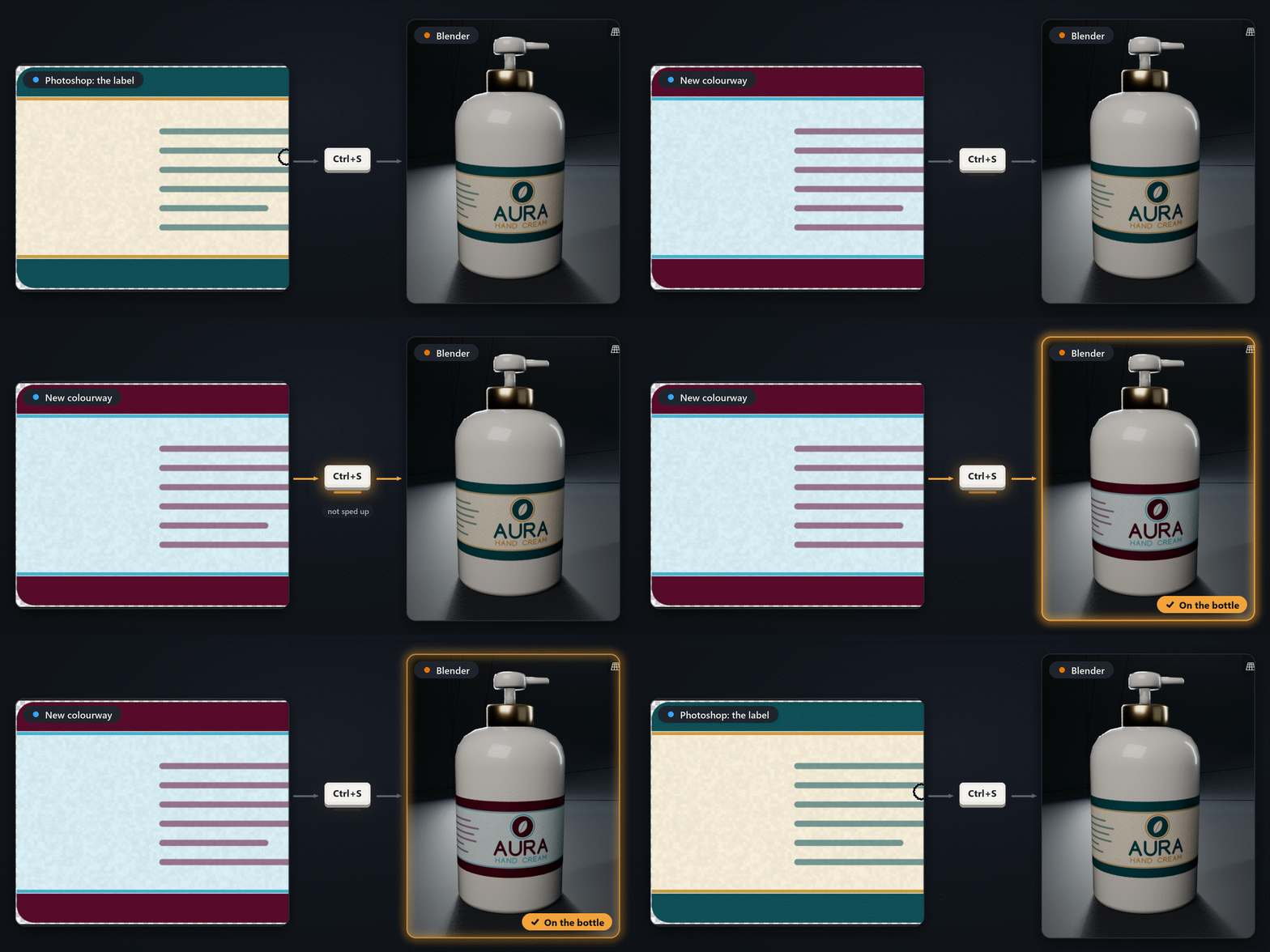
Edit the label. See it on the bottle.
Photoshop's 3D features are gone. Keep the label in Photoshop, save, and see it on the 3D bottle or box in proper light. The wait in this GIF isn't shortened: the sample label (2048 × 512 px, 8-bit) shows up in Blender about 2 to 3 seconds after Ctrl+S.
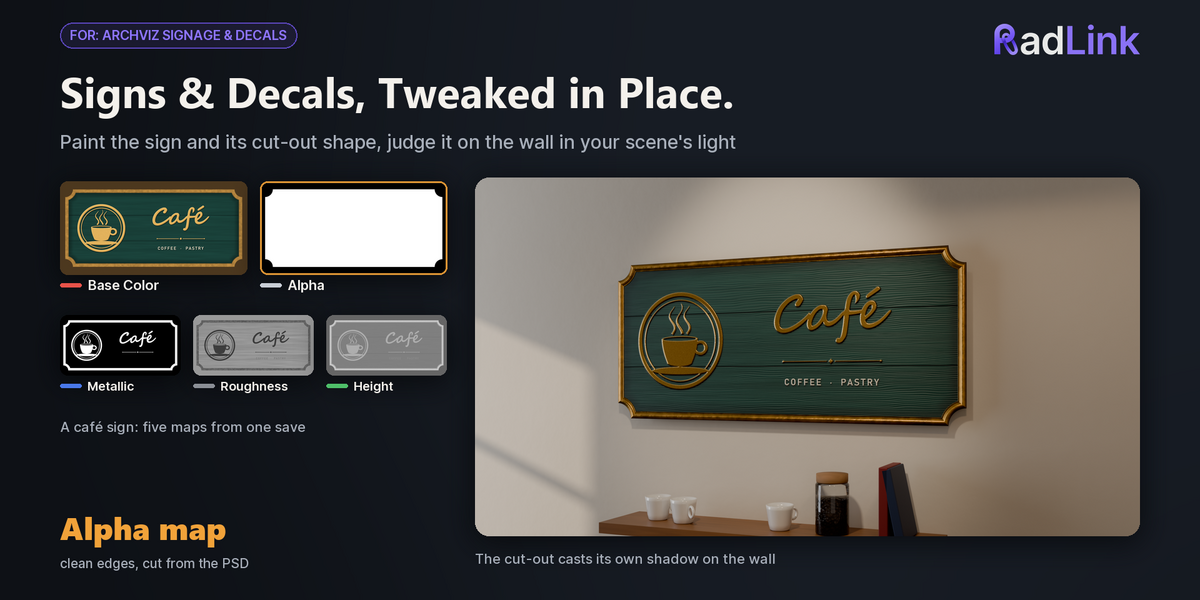
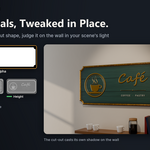
| ✓ | Signs, posters and decals get clean cut-out edges from an Alpha group. |
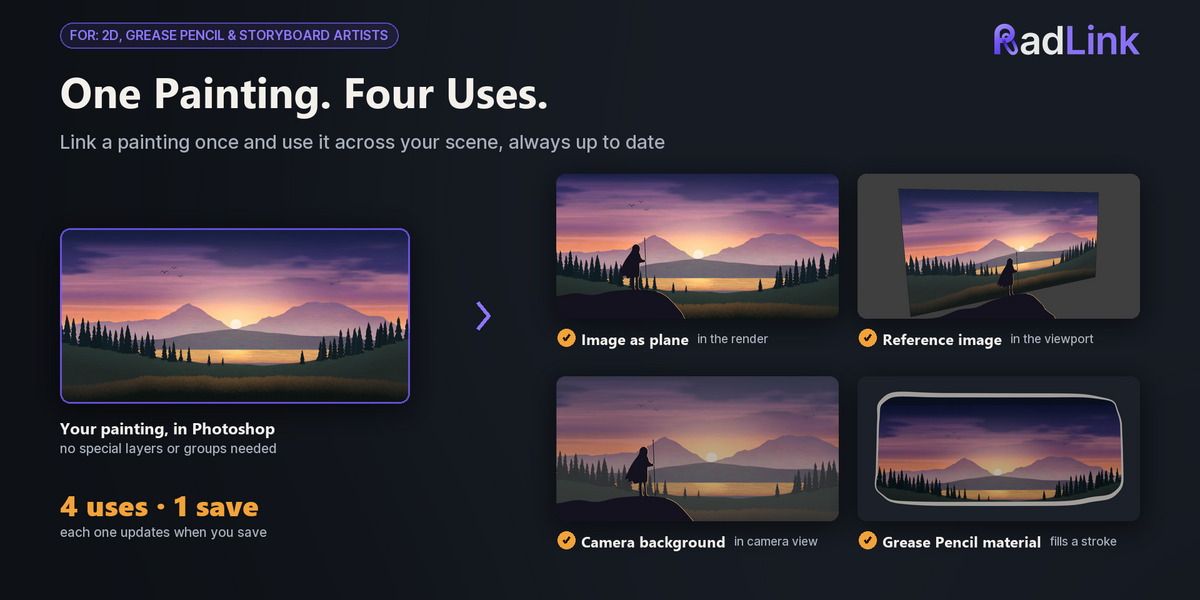
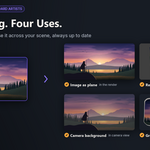
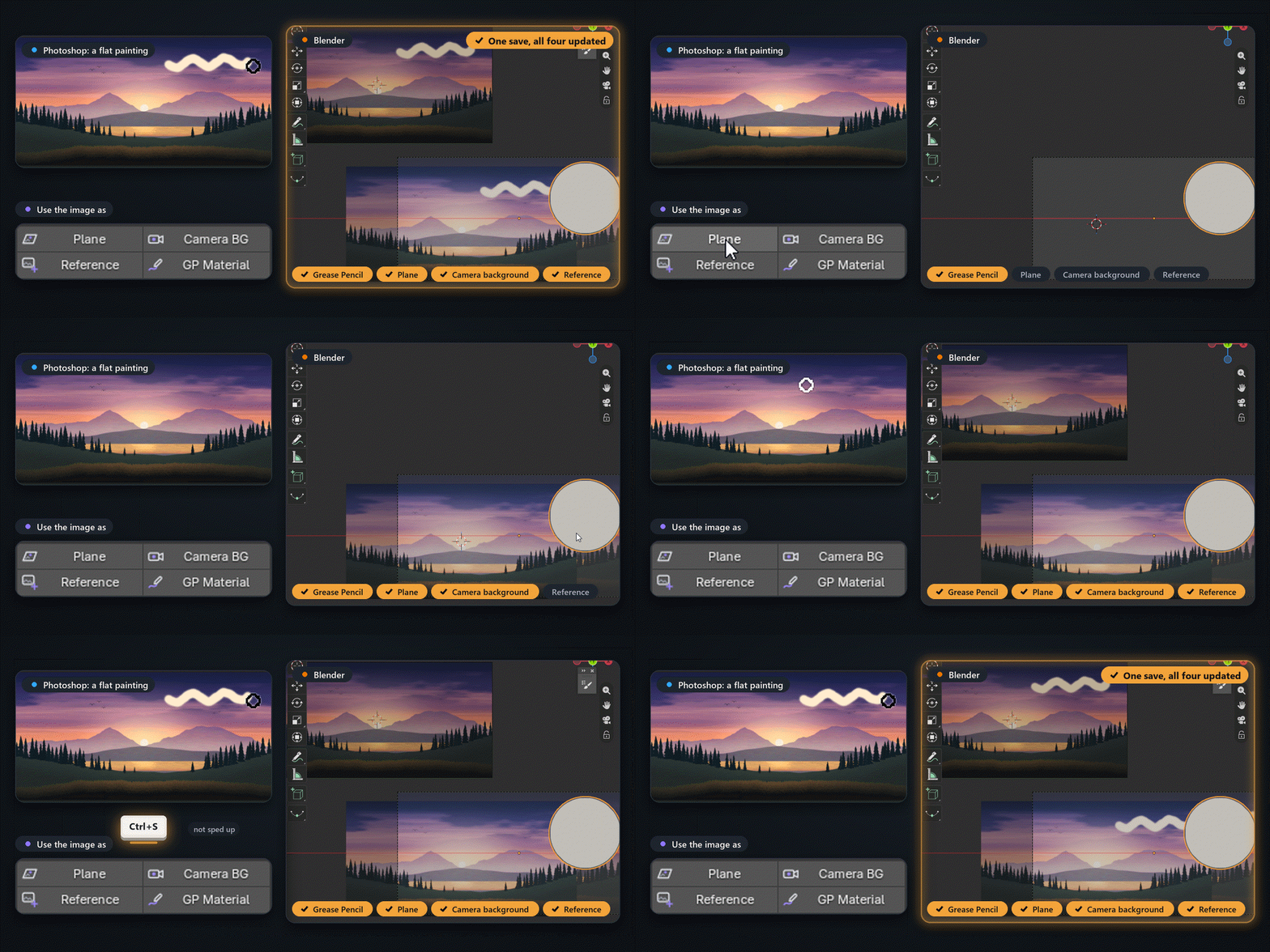
One painting, four uses.
Link to Image (2D) keeps one image updated, and everything that uses it updates with it: a Grease Pencil material, an image plane, the camera background and a reference image. A flat painting needs no groups at all.
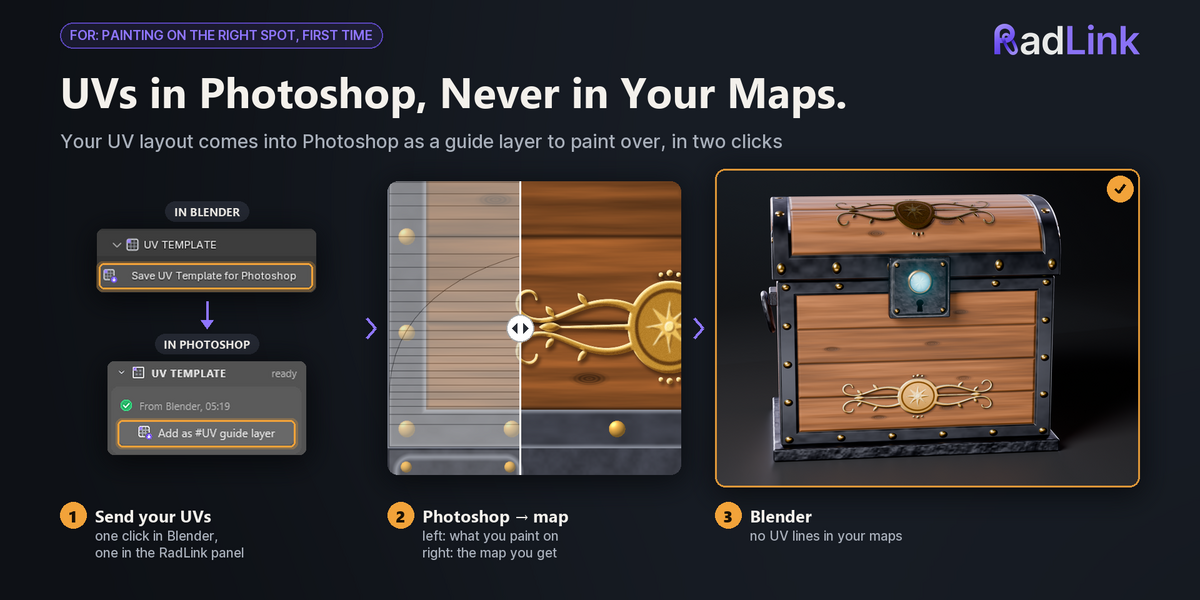
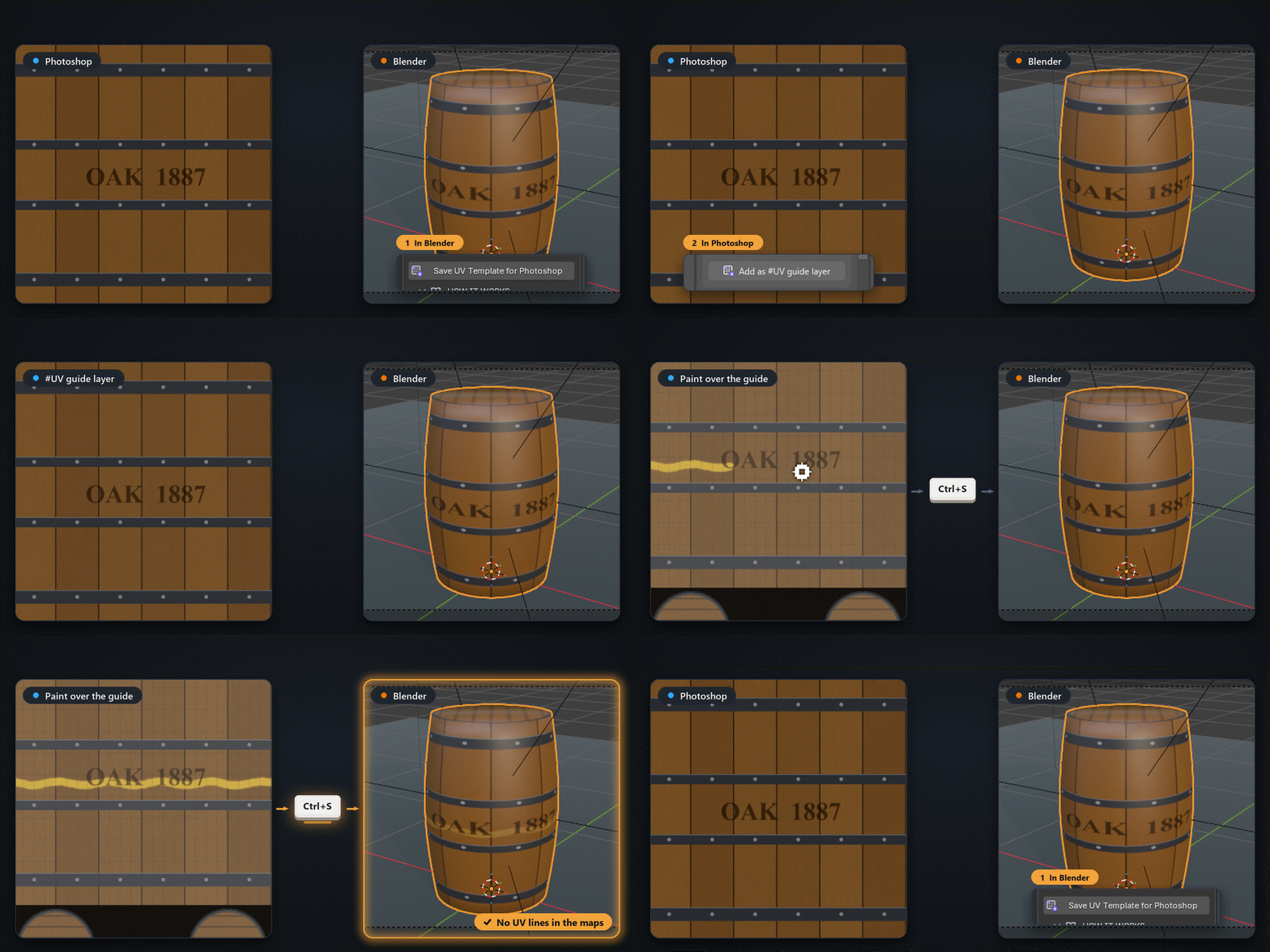
Paint on the right spot, first time.
Click Save UV Template for Photoshop in Blender, then Add as #UV guide layer in the panel: your UV layout sits on top of the PSD as a guide. Paint over it; it never ends up in a map.
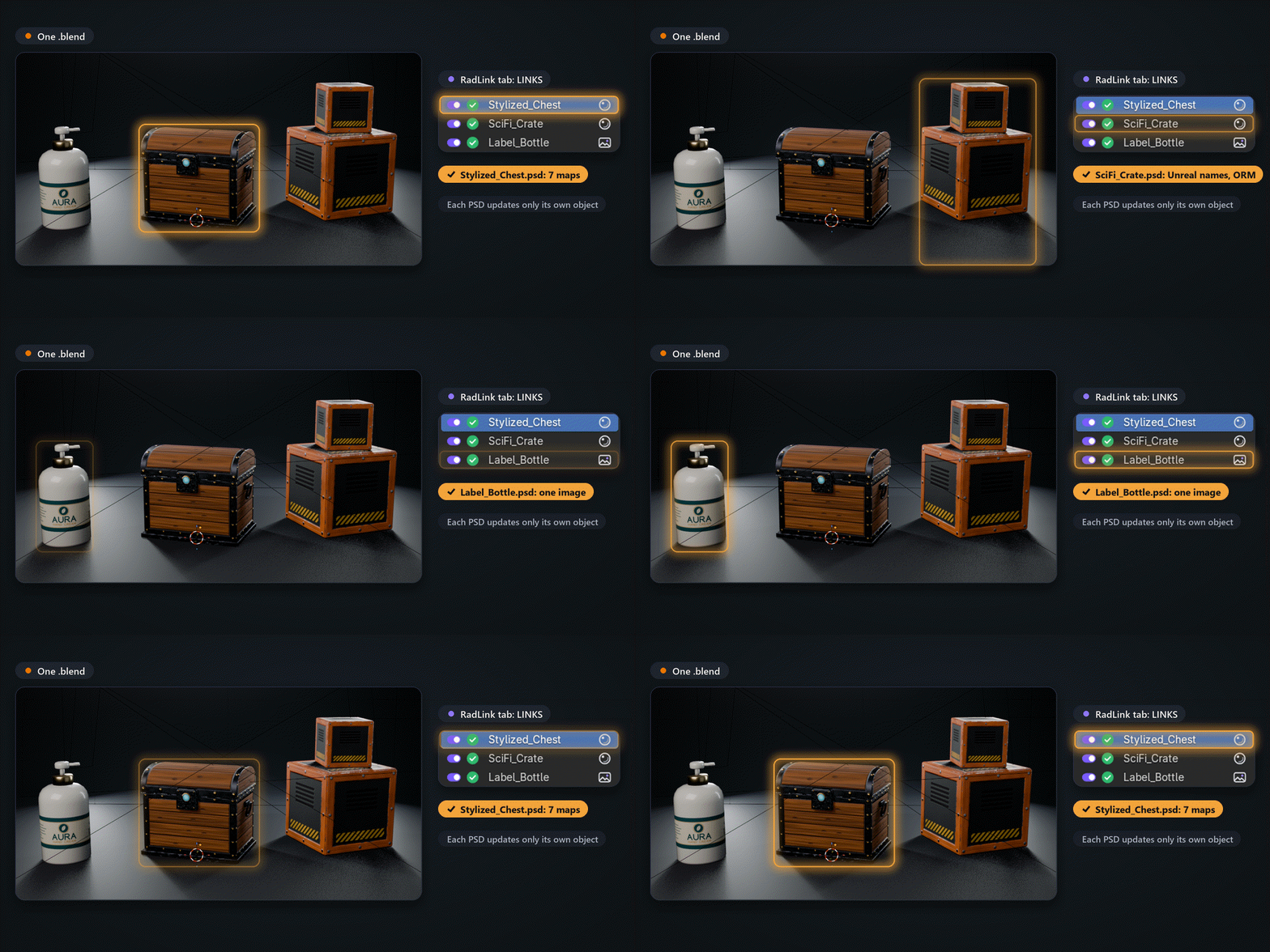
One scene, a PSD per object.
Each link is its own row in the RadLink tab, with its own switch and status, so a chest, a crate and a label can all stay live in one .blend. The demo scene in the download has these three linked and ready to paint.
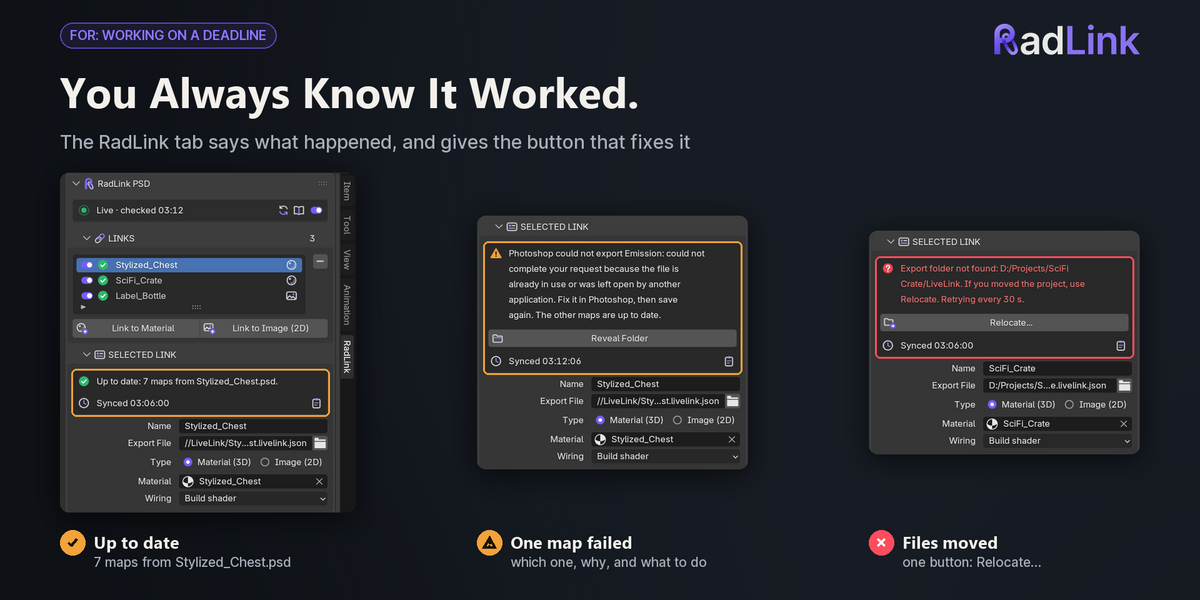
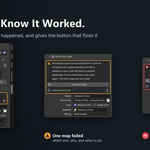
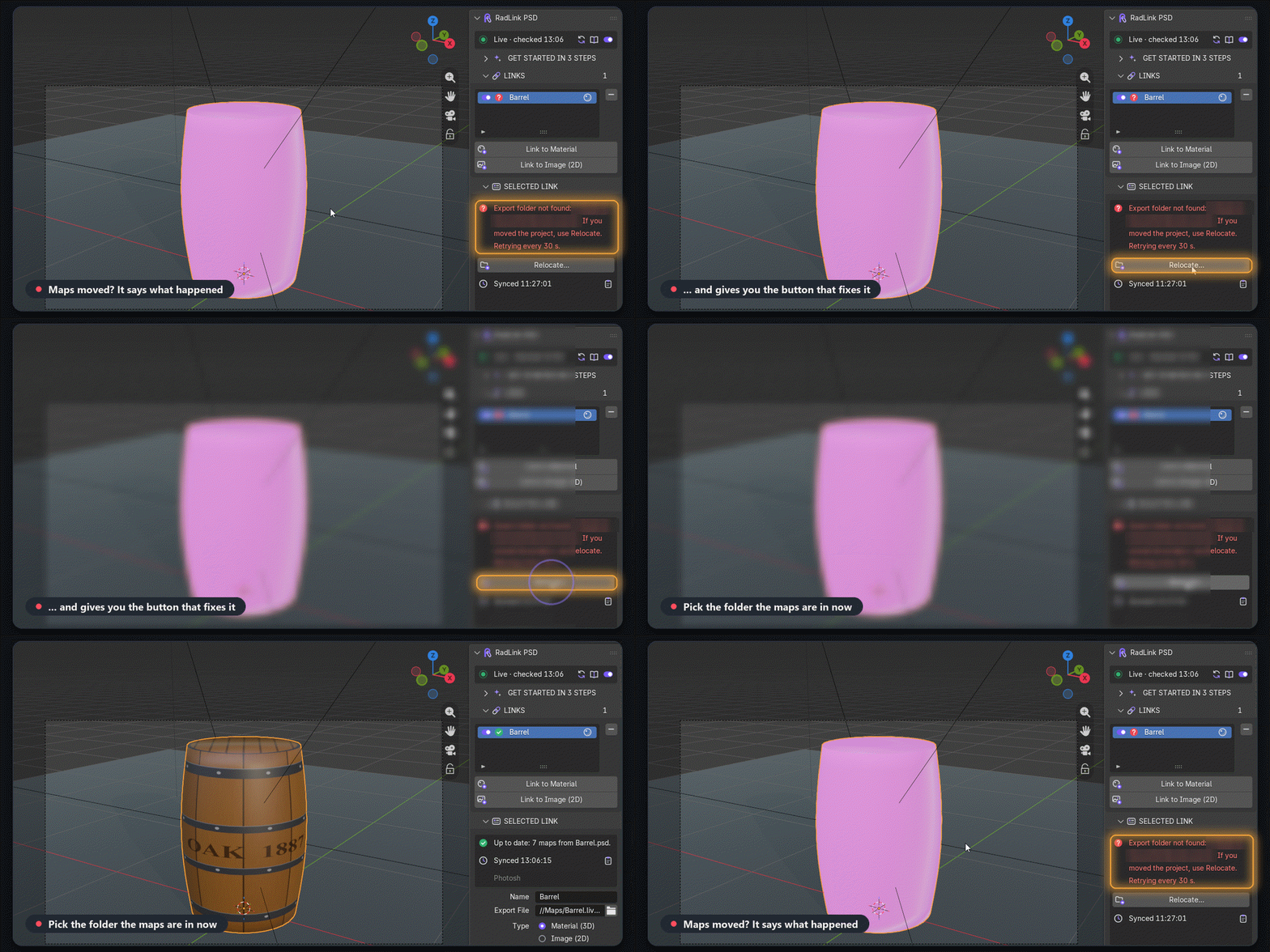
It tells you what happened, and the fix.
Every link has a one-sentence status with the button that fixes it. Moved the maps? It says so and offers Relocate. A map Photoshop failed to write keeps its last good version, and both apps show why.
| ✓ | Copy Report puts your versions, the link's status and the end of Photoshop's log on the clipboard for a support email. |
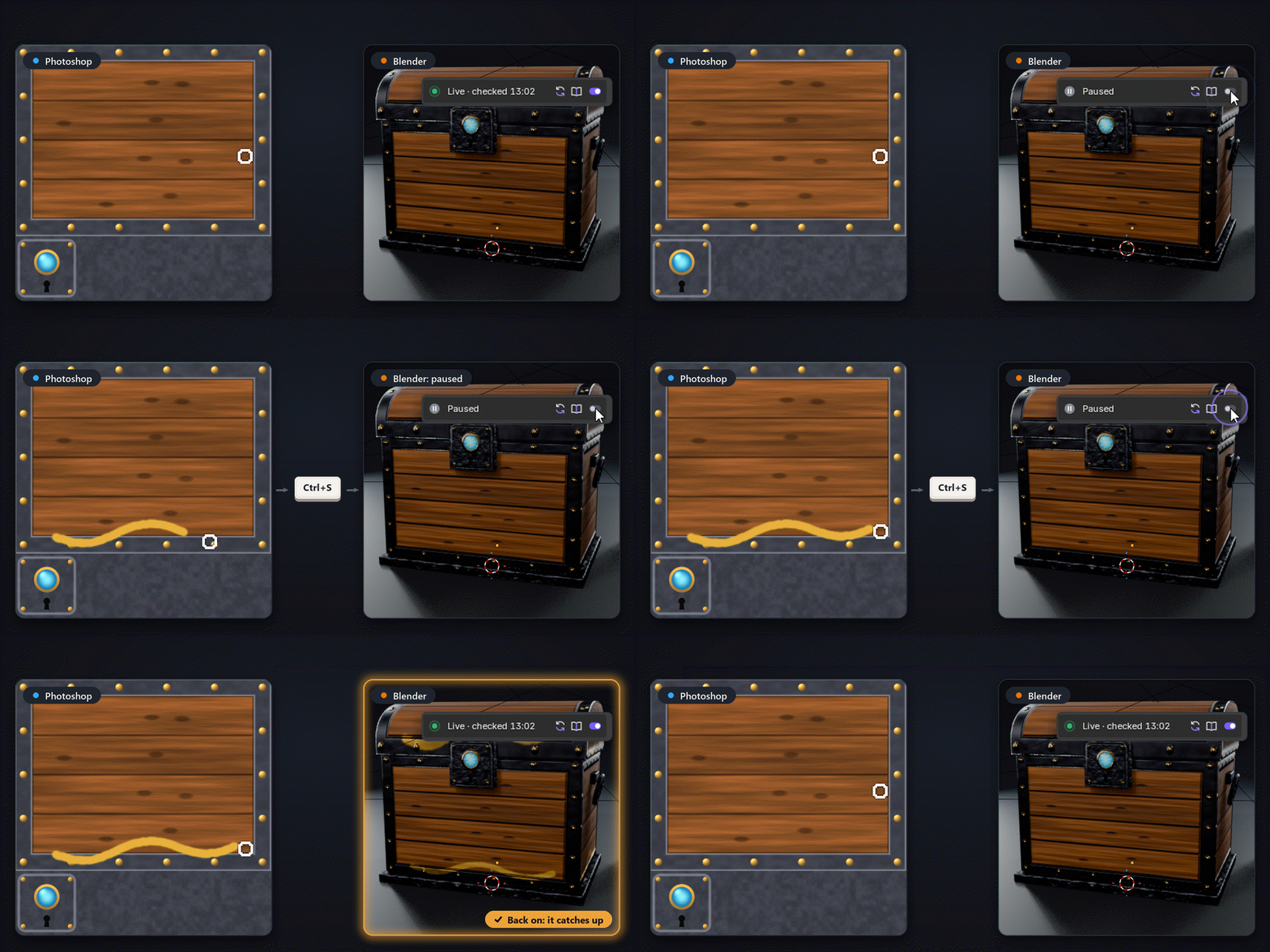
Pause any time. It catches up.
One switch pauses live sync while you try things in Photoshop. Switch it back on and Blender loads the latest maps. You can also switch off a single link.
| ✓ | RadLink waits while Blender renders or bakes. |
| ✓ | Blender checks for new maps once a second by default (as often as every 0.2 s). |
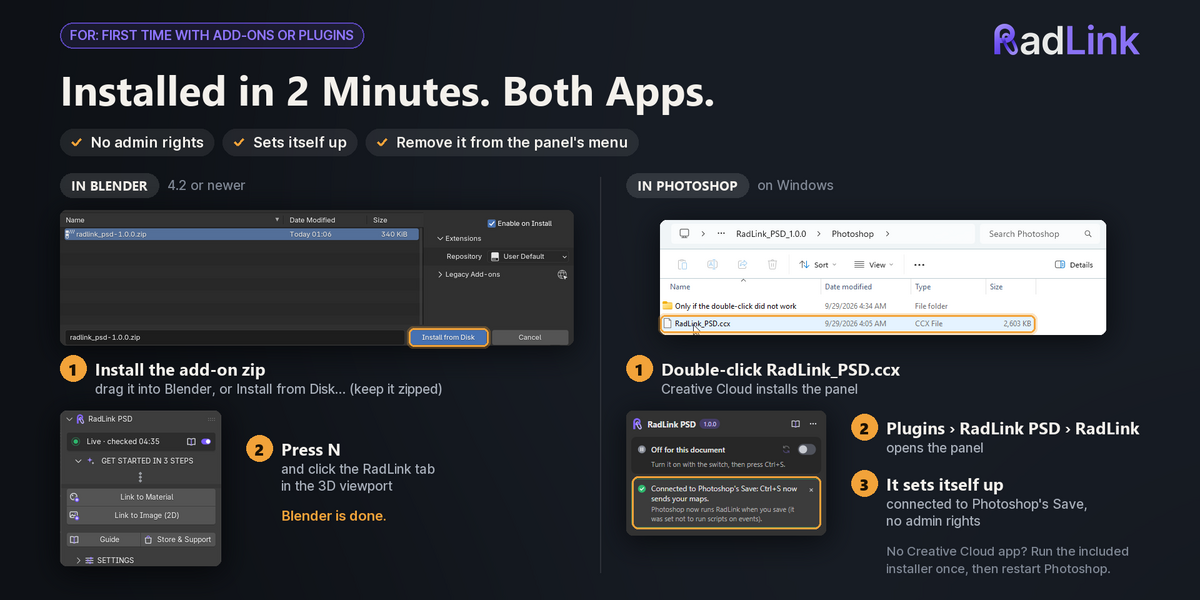
Both apps, in about two minutes.
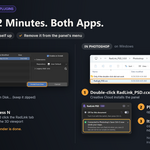
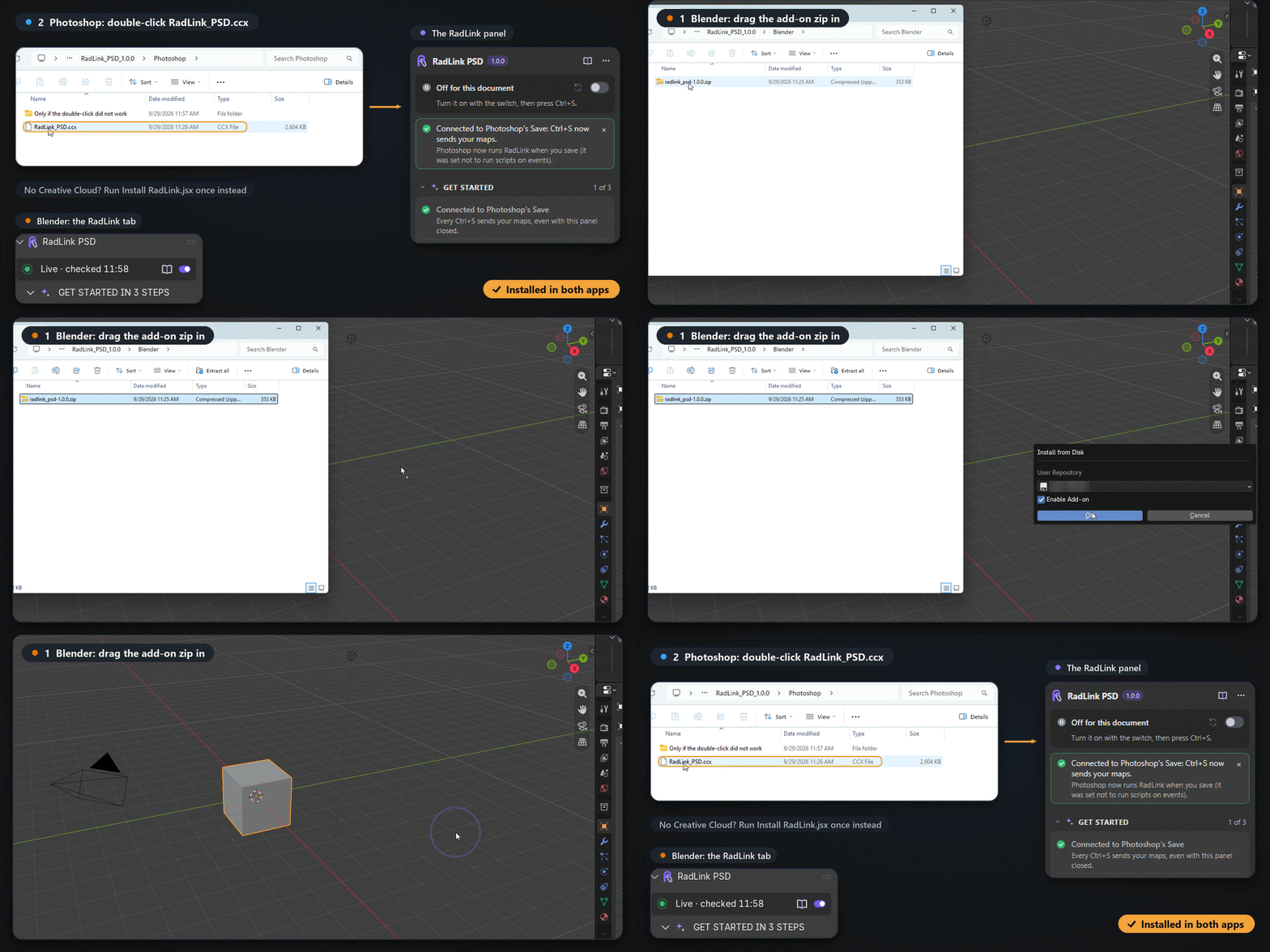
Drag the add-on zip into Blender. For Photoshop, double-click RadLink_PSD.ccx; without the Creative Cloud app, run Install RadLink.jsx once and restart Photoshop. Neither needs administrator rights, and the panel connects itself to Photoshop's Save.
| ✓ | Remove it any time from the panel's menu; your PSDs and maps stay as they are. |
Made for people who paint in Photoshop
Hand-painted & stylized game art
Judge colour and value on the model, in Blender's light, one save at a time. AO can multiply into Base Color for the hand-painted look.
|
Unreal & Unity prop artists
One PSD becomes T_Name_BC, _N and _ORM, ready for the engine, and Blender previews them correctly.
|
Packaging, labels & signs
Edit the artwork in Photoshop and see it on the bottle, box or wall, in the scene's own light.
|
2D, Grease Pencil & storyboards
One painting stays live as a Grease Pencil fill, an image plane, the camera background or a reference.
|
Set it up once. Then just save.
1. Add Groups in the RadLink panel (optional). 2. Turn On & Send. 3. In Blender, Link to Material and pick the .livelink.json. 4. Paint, press Ctrl+S, repeat. The demo scene has three PSDs already linked, so you can try it before you touch your own files.
- It isn't a cloth simulator: no draping or gravity. It fits instantly and keeps the folds you already have.
- It doesn't model or tailor clothes. They should already sit roughly on the character.
- Pose Check and cross-mesh refit need a humanoid rig; quadrupeds aren't supported in 1.0.
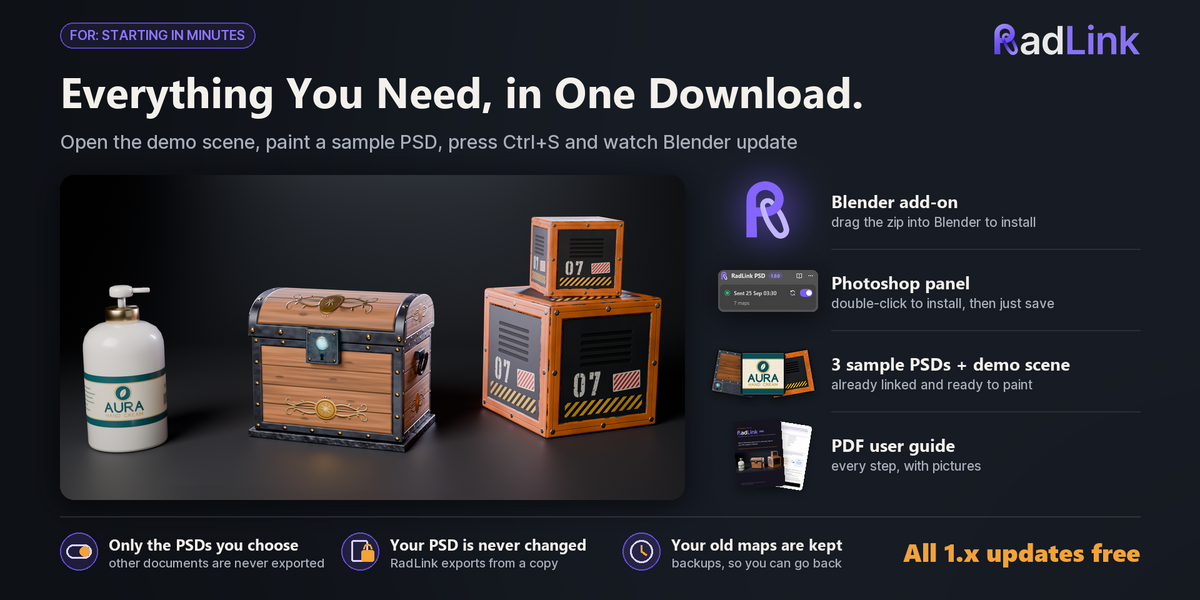
- The Blender add-on (install the zip as it is): Blender 4.2 LTS to 5.2, tested on 4.2.23, 4.5.10, 5.1.1 and 5.2.0.
- The RadLink panel for Photoshop (RadLink_PSD.ccx), an installer for Photoshop without the Creative Cloud app, and RadLink's scripts for older Photoshop.
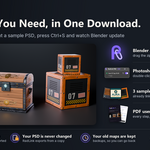
- Three sample PSDs (a stylized chest, a sci-fi crate with Unreal names and ORM, a bottle label), their maps and a demo .blend with all three linked.
- A PDF user guide, step by step, plus README and changelog. No internet, no server, no open port: the two apps only share files on your disk.
- Free updates for every 1.x version. The add-on is GPL-3.0-or-later; the textures and models you make are yours.
Questions, or a PSD that doesn't sync? Message me here or at [email protected] with the text from RadLink tab ▸ Copy Report. I answer every message.
Adobe and Photoshop are trademarks of Adobe Inc.; Blender is a trademark of the Blender Foundation. RadLink PSD is not made, endorsed or supported by Adobe or the Blender Foundation.
