 EnnJinn


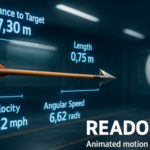
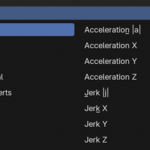
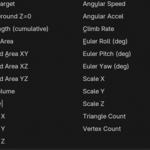
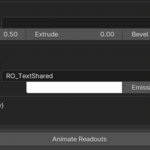
-
In Blender: Edit ▸ Preferences ▸ Add-ons ▸ Install…
-
Select the zip → enable Readout Pro.
The add-on panel appears in 3D Viewport ▸ Sidebar (N) ▸ Readout Pro.
Quick Start
-
Select the object you want to measure.
-
Open Readout Pro panel ▸ click Add Set.
-
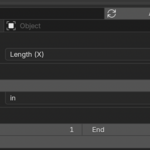
Choose a Measurement Type (e.g. Length (X) or BBox Diagonal).
-
(Optional) For Distance: 2 Verts, go to Edit Mode, select exactly two vertices, then click Capture 2 Vertices.
-
In Placement & Rotation:
-
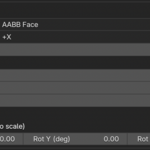
Set Mode to AABB Face (or AABB Corner).
-
Pick the face/corner and set Face/Corner Margin (e.g.
0.25 m). -
Leave BBox Follow behavior on (it’s built-in and on by default).
-
-
In Sampling, set Start / End frames and Every N Frames (step).
-
Adjust Units & Precision, Text Style, and Shared Material.
-
Click Animate Readouts (bakes all enabled sets), or Update Set (bakes just the active set).
You’ll get one mesh per sampled frame, with visibility keyed to that frame. Render-proof.
Have questions about this product?
Login to message
| Dev Fund Contributor | |
| Published | 11 months ago |
| Blender Version | 4.0 - 4.5 |
| Extension Type | N/A |
| Render Engine Used | Arnold, Blender-Internal, Blender-Game-Engine, Cycles, Eevee, Freestyle, Luxrender, Mental-Ray, Octane, Vray, Yafaray |
| License | GPL |
