 Gllone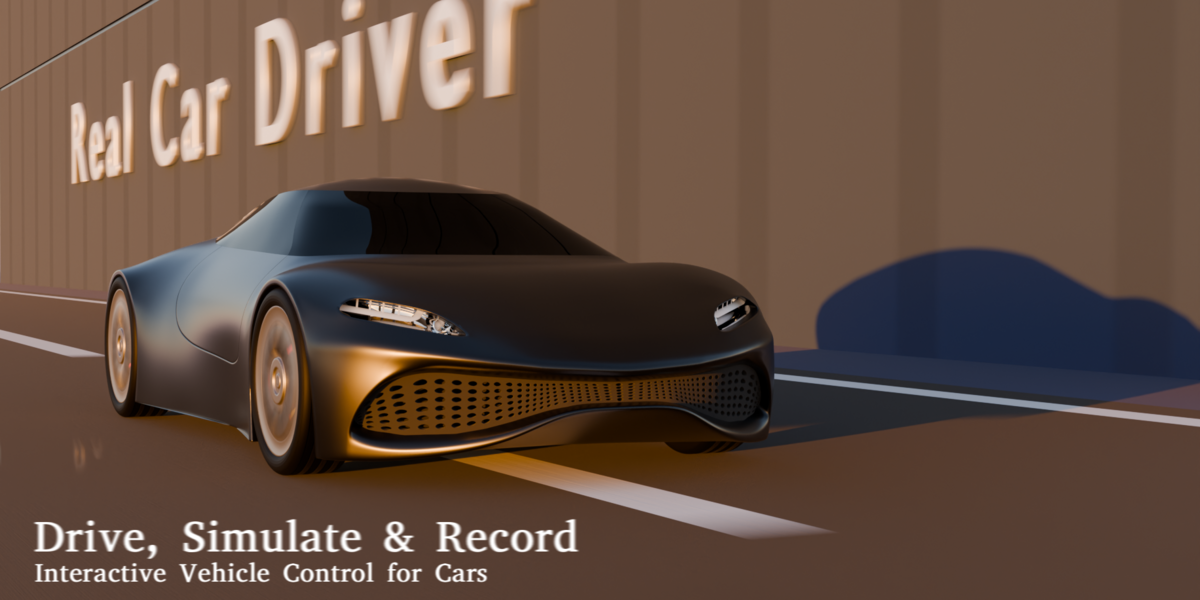
DRIVE IT. TUNE IT. RECORD IT.
Real Car Driver turns a prepared four-wheel car into an interactive vehicle inside Blender.
Assign the body and wheels, choose any mesh road or ground, prepare the custom solver, and drive directly in the 3D Viewport. When the motion feels right, preview the take and export it as editable Blender timeline keyframes.
Drive Live · Use Your Model · Use Your Road · Keep the Take
Driving Mode runs through its own fixed-step road-vehicle solver. It does not require a Blender rigid-body world or timeline playback while you drive.
BUILT FOR YOUR VEHICLE SETUP
Real Car Driver provides two assignment workflows for a conventional four-wheel vehicle.
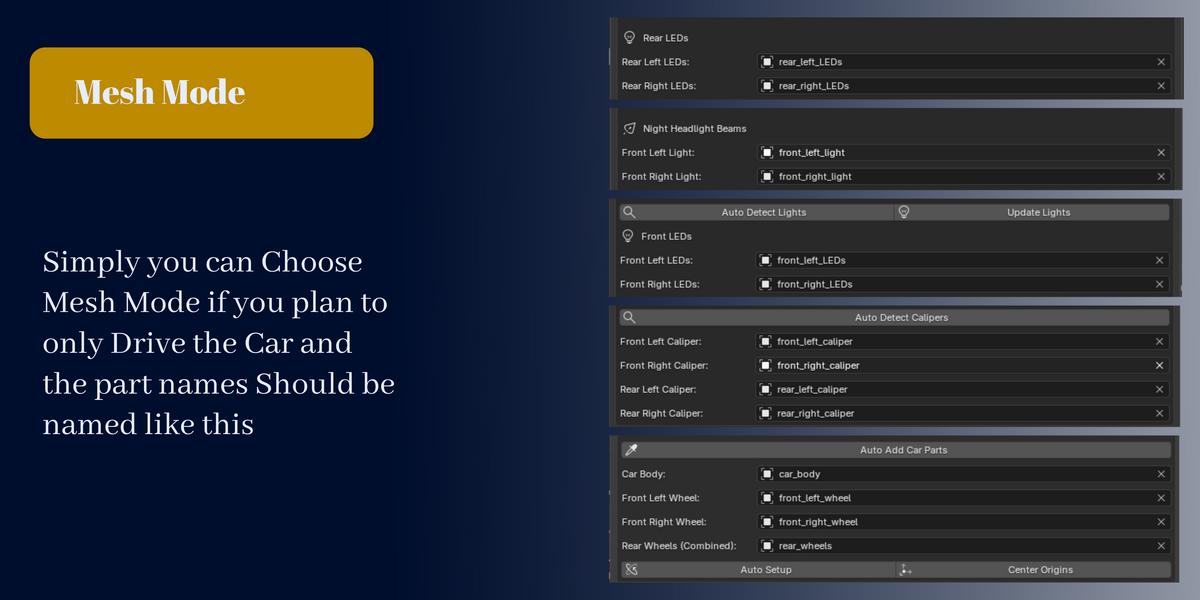
MESH MODE
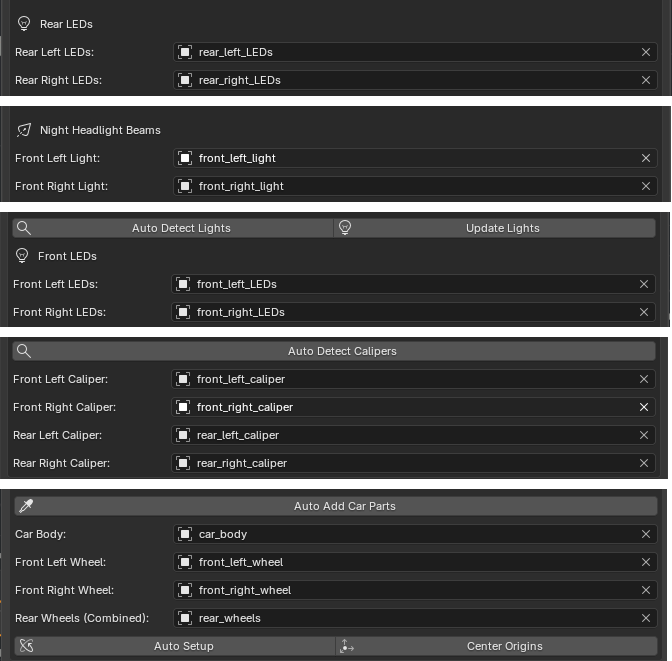
Mesh Mode directly assigns one body mesh, two front-wheel meshes, and one combined rear-wheel mesh.
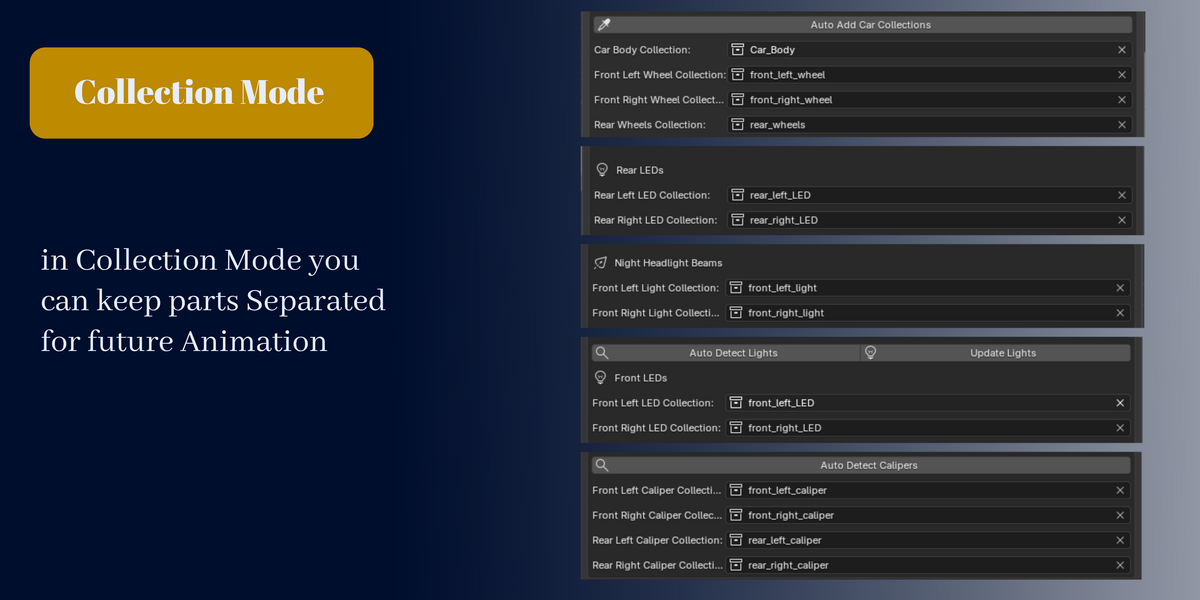
COLLECTION MODE
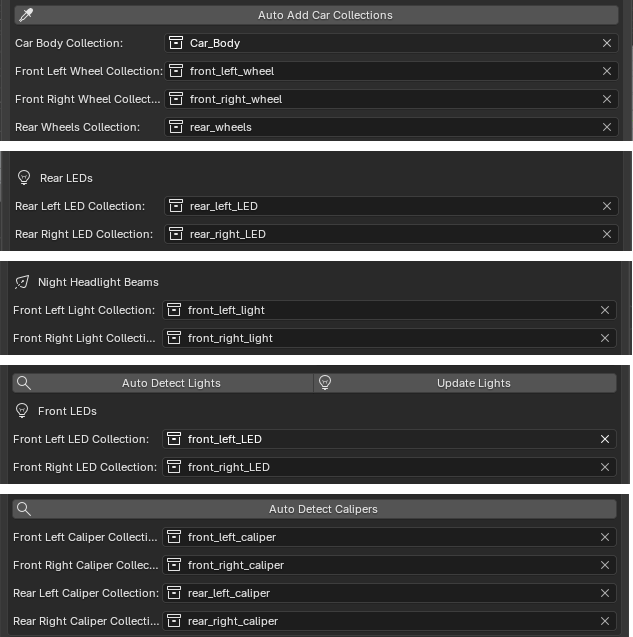
Collection Mode accepts separate objects through role collections. Doors, windows, wheel assemblies, and other organized parts can remain separate. Nested collections and existing internal parent relationships are supported.
Both workflows use the same vehicle solver. Collection Mode creates non-rendering controllers and does not join or replace the source vehicle meshes.
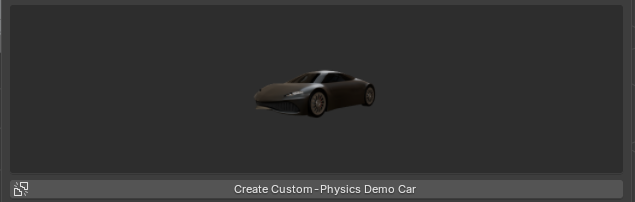
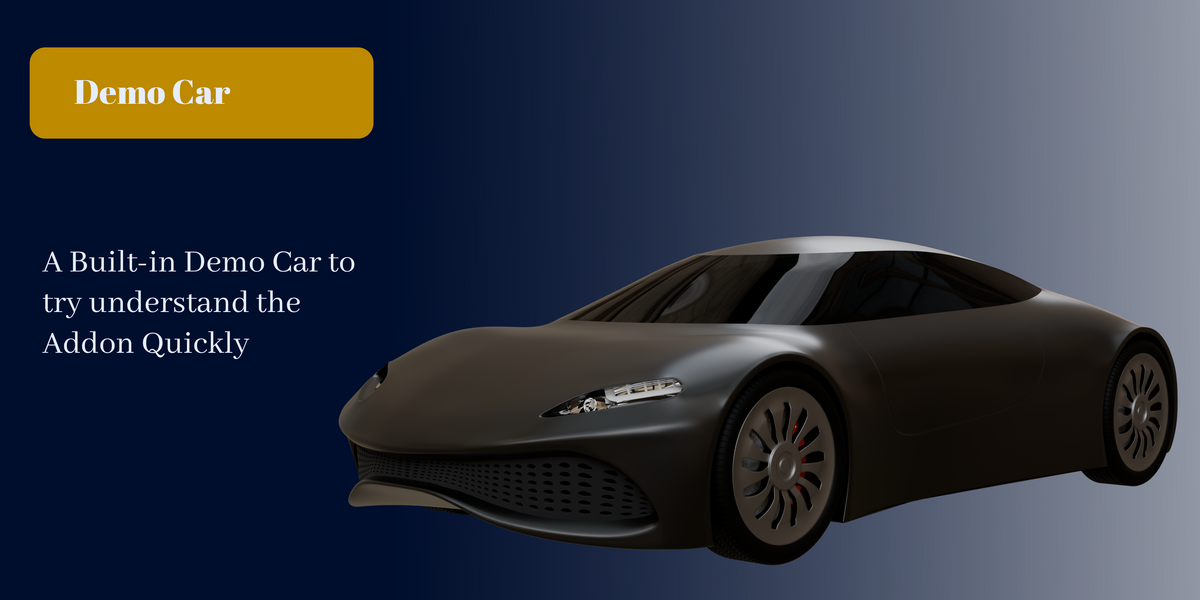
The included prepared concept-car scene provides a guided example. Your own model still needs one body role, individual front-wheel roles, and one combined rear-wheel role.
FROM MODEL TO MOTION
- Assign: choose Mesh Mode or Collection Mode, assign the supported vehicle roles, and select a mesh road or ground.
- Prepare: let the add-on detect orientation, wheel positions, wheel dimensions, and suspension layout, then adjust the presets or settings you need.
- Drive: steer, accelerate, and brake directly in the 3D Viewport.
- Record: capture the drive internally, preview it, and export supported motion to the Blender timeline.
LIVE CONTROL IN THE VIEWPORT
Keyboard steering
Use A and D for progressive keyboard steering while Driving Mode is active.
Optional analog mouse steering
Optional mouse steering uses relative left-right pointer movement as a continuous steering target. Keyboard steering remains available as a temporary override.
Temporary driving view
The temporary driving view follows the moving vehicle during Driving Mode and remains outside the exported timeline animation.
DEFAULT CONTROLS
- W / S — forward and reverse
- Space — brake
- A / D — steering
- 1–9 — accelerator power level
- Shift — boost
- B — Brake Hold
- C — Cruise Control
- M — optional mouse steering
- O or Pause — pause or resume the solver
- R — reset to the entry pose
- Esc — finish Driving Mode
An optional live P-R-N-D selector is available when separate Park, Reverse, Neutral, and Drive behavior is preferred. It is off by default.
Cruise Control can capture the current speed, resume a stored target, and adjust that target while driving.
USE YOUR OWN ROAD

Assign any mesh object as the Road / Ground. Custom roads can keep their own vertex and face layout, materials, and modifiers. The add-on uses the evaluated mesh for collision and does not rebuild or reshape a custom surface.
After changing physical road geometry, exit Driving Mode and press Prepare Custom Physics again to refresh collision data.
Wheel and surface contact
This clip shows the demonstrated vehicle responding to the assigned driveable surface.
Suspension response
Suspension travel, damping, anti-roll response, progressive bump stops, and tire settings can be tuned for the vehicle setup.
Wheel and caliper motion
Optional calipers follow their matching wheel positions without receiving tire spin. They are visual roles and do not change the physics.
TUNE HOW THE CAR RESPONDS
Included controls cover:
- Front-wheel or rear-wheel drive
- Automatic transmission or direct wheel torque
- Engine torque, RPM, gears, shifting, and engine braking
- Suspension travel, damping, anti-roll response, and bump stops
- Tire grip, transient tire response, and camber contribution
- Traction Control and ABS
- Ackermann and speed-sensitive steering
- Aerodynamic drag and downforce
- Curb, wheel, and visible-body road contact
- Per-material grip and rolling-resistance values
Start with Road Car, Sports Car, Off-Road, or Drift, then edit the values freely. Reusable vehicle tuning can be imported and exported as JSON profiles.
Simulation quality presets provide Performance, Balanced, and Maximum Realism starting points for different scene workloads.
BRAKING AND OPTIONAL LIGHTING
Body response under braking
This clip shows the supplied demo vehicle responding under braking with its configured suspension and tire settings.
Brake and reverse light behavior
Optional rear LED roles can brighten while braking or reversing, then return to the chosen rear strength. Rear hazard-light flashing and managed night headlight beams are also available when the corresponding visual roles are assigned.
JUMPS, DROPS, AND UNSTABLE MOMENTS
These clips demonstrate how the supplied setup behaved in the recorded scenes. They do not claim exact real-world behavior, and results vary with the vehicle, road, tuning, quality settings, scene workload, and hardware.
Jump response
Drop response
Drift and loss-of-control example
CAPTURE THE PERFORMANCE
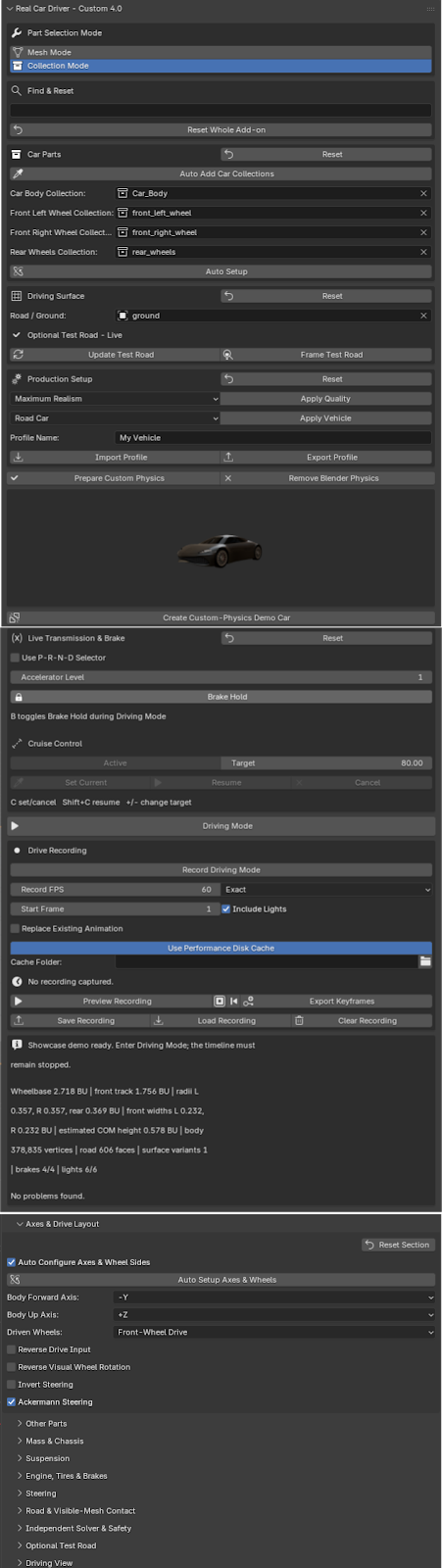
Enable Drive Recording before or during Driving Mode. After the drive, you can:
- Preview, pause, resume, stop, and reset the take
- Save or load a compressed .rcdrec recording
- Choose Exact, Balanced, or Light keyframe export
- Select the timeline start frame
- Export body, wheel, and supported light-animation data
- Keep the driving camera outside the exported animation
The finished timeline animation can be edited with Blender's normal animation tools.
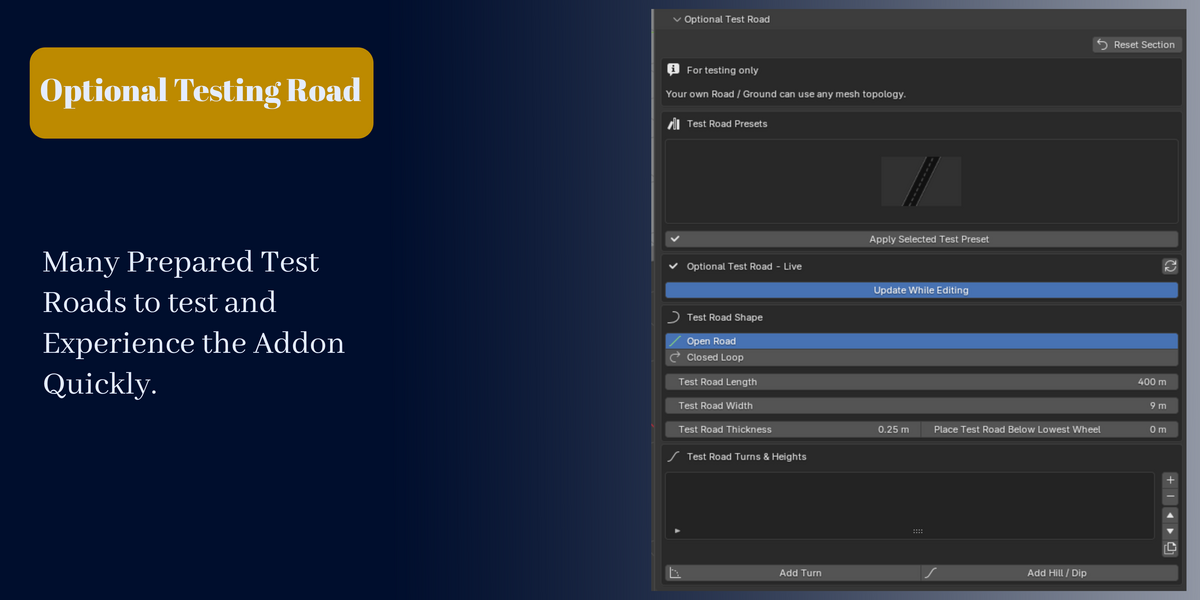
OPTIONAL TEST-ROAD LAB
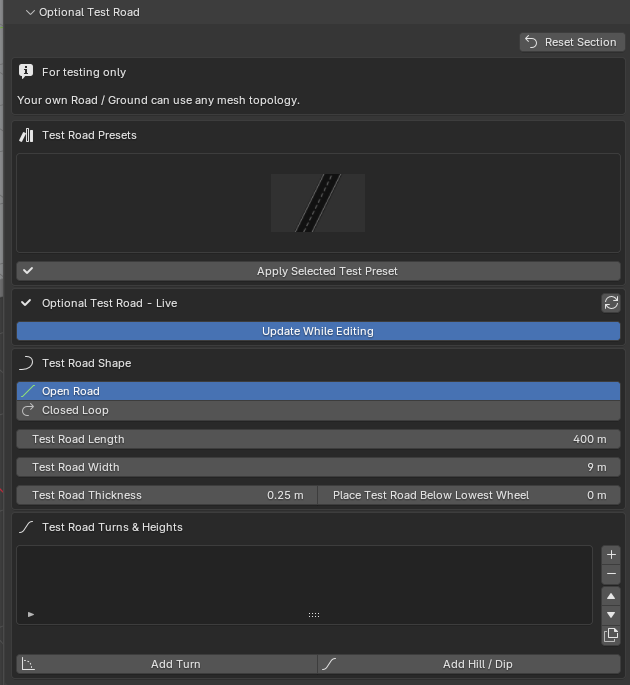
FOR TESTING ONLY
Real Car Driver includes an author-supplied asphalt test surface for quickly checking a setup. It is optional, and customers may instead assign any mesh road or ground.
Its length, width, thickness, and placement can update live. Add smooth left or right turns, hills, and dips, or choose one of six supplied layouts:
- Straight Test Road
- Circle Circuit
- Oval Loop
- Rounded Circuit
- Technical Loop
- Rolling Hills Loop
This builder is a testing aid. It is not required and is not intended to replace a customer's production road or environment.
INCLUDED
- Real Car Driver — Custom Physics add-on
- Prepared concept-car demonstration scene
- Concept-car panel preview
- Author-supplied procedural asphalt test asset
- Six test-road preset previews
- Installation and usage documentation
No third-party binary dependency is included.
REQUIREMENTS AND EXPECTATIONS
- Blender 4 minimum
- Directly tested in Blender 5.2, 5.1.2 & 4.0.0 on Windows
- A conventional four-wheel vehicle organized into the supported body and wheel roles
- A mesh road or ground
- One active Driving Mode session at a time
Scene performance depends on vehicle complexity, road complexity, quality settings, and computer hardware.
Real Car Driver is a dedicated road-vehicle solver, not a general-purpose rigid-body replacement. It does not currently provide all-wheel drive, arbitrary wheel counts, vehicle-to-vehicle rigid-body simulation, or a final production-road generator.
The road collision surface is held constant while Driving Mode is active. Exit and prepare again after physical road edits.
