RealKit - RealConnectors: I/O Ports Pack (KitOps Inserts + Asset Browser)
 Vikar Zhang


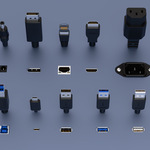
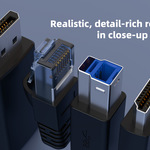
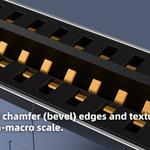
-
$15
Licensed to one natural person. Commercial use allowed in renders, videos, games, interactive apps. You may modify assets for your projects. No redistribution of source files (blend/asset browser entries/KitOps inserts/materials/textures/presets). Not shareable with colleagues, clients, or subcontractors. Non-transferable except as part of a compiled deliverable where assets are not extractable.
-
$45
Licensed to one company (same legal entity), up to 8 named users. Install on multiple machines used by those users. Commercial use & modifications permitted. No cross-company sharing (clients, partner studios, external contractors not under the same legal entity). No redistribution of source files or inclusion in asset libraries/templates. Non-transferable except inside compiled deliverables where assets are not extractable.
-
$90
Licensed to one company (single legal entity) for 9+ users (choose seat count). Suitable for multi-team pipelines and secure internal distribution within the same legal entity. Commercial use & modifications permitted. No cross-company sharing; external vendors must hold their own license. No redistribution of source files or asset-pack re-publishing. Non-transferable except inside compiled deliverables where assets are not extractable.
Have questions about this product?
Login to message
| Sales | 10+ |
| Published | 11 months ago |
| Blender Version | 3.6 - 4.5 |
| Render Engine Used | Cycles, Eevee |
| License | Royalty Free |
Discover more products like this
connectors 3c electronics product Design Photoreal industrial design USB inserts hard surface ports blender assets kitops