topchannel1on1


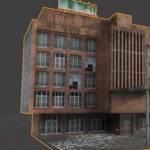
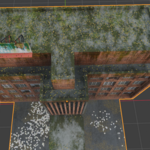
Real Materials includes
Texture scattering
Map to face/lazy texturing
Texture Tiles/Atlases
Browse PBR materials, blend shaders, place images, and build detailed surfaces with procedural masks and texture layers. Real Materials brings material creation, editing, and UV tools into a dedicated Blender sidebar.
Get Real Materials
Find your starting point
Browse and apply AmbientCG PBR materials, or start with glass, emission, copper, gold, and silver shader presets. Save your own materials and textures to build a collection you can reuse across projects.
Layer materials and surface detail
Combine materials with controllable masks. Add procedural textures and shape their influence with noise, gradients, images, and layered adjustments.
Add wear where it belongs
Create masks for cavities, edges, dirt, curvature, thickness, and selected faces. Use flow masks for surface-following effects, preview the results, and bake masks to images.
Place graphics and scatter textures
Map images onto selected faces for labels and surface graphics. Scatter image sprites or procedural shapes with adjustable density, scale, rotation, and variation. Build texture-tile layers and define regions from a texture atlas.
Keep UV tools within reach
Unwrap meshes, manage seams, adjust islands, and create UV maps alongside your material workflow.
Main operators
| Toolset | Operators |
|---|---|
| Materials | Load AmbientCG Materials · Apply PBR Material · Apply Shader · Add Material Layer |
| Library | Save Material · Apply Saved Material · Save Object Textures · Add Texture Folder |
| Procedural textures | Add Procedural Texture · Add Texture Coordinates |
| Masks | New Mask Node · Add Texture Layer · Paint Mask Layer · Preview Mask · Bake Mask to Image |
| Surface masks | Build Mask · Compute Flow · Bake Curvature · Bake Thickness |
| Image mapping | Map to Face · Re-map to Selection · Copy to Selected · Connect to Material |
| Texture scatter | Add Texture Scatter · Add Sprite · Duplicate Sprite · Add Shape · Bake Selected Node |
| Texture tiles | Add Texture Tiles Layer · Draw Atlas Region |
| UVs | Unwrap · UV Seams · UV Islands · Add UV Map · Remove UV Map |
Made for Blender 5.2. Install Real Materials and open Sidebar → Real Materials to get started.
Real Materials is also included as the material module in the Super Addon. The standalone version works independently.