 Ferasyahya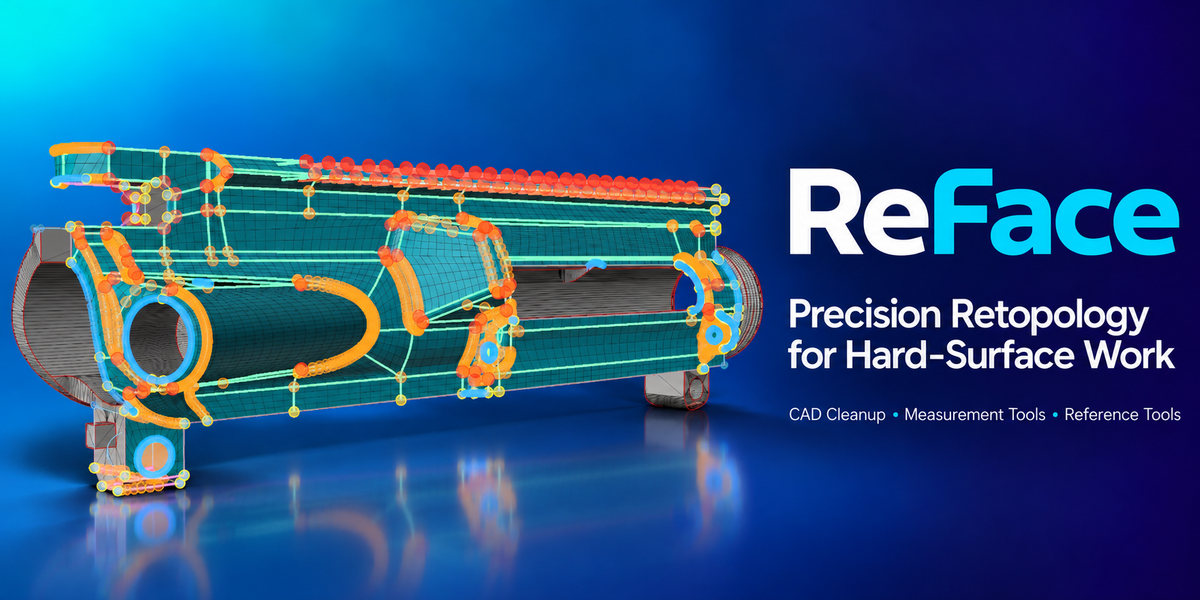



ReFace 2.0 Add-on

ReFace is a precision modeling toolkit for Blender built around mesh cleanup, CAD-style measurement, reference-based editing, retopology helpers, viewport overlays, and object isolation.
Use it to inspect geometry, set exact lengths and angles, rebuild circular loops, clean boolean cuts, create reference planes, align selections, and repair hard-surface meshes without constantly jumping between disconnected tools.
Download ReFace2.0.5.zip to access the new features at no extra cost.
What Makes ReFace 2.0 Different
What’s New in ReFace 2.0
- New ReFace ViewMode measurement overlay.
- Displays edge lengths, angles, circle radii, face areas, normals, loop perimeters, and min/max edge indicators.
- Includes Show All, Drag Handles, and Face Info toggles.
- Quick HUD actions for length, angle, radius, references, and clearing references.
- Drag selected edge lengths directly in the viewport.
- Adjust selected angles through interactive handles.
- Set circular loop radius from center or active vertex workflows.
- Exact input tools still remain available for precise values.
- Boolean Clean Up for merging vertices along selected cut edges.

- Guided Grid Refill for rebuilding selected face islands.
- Adjust Circle for re-circularizing loops and changing vertex count.
- Match Active Circle for rebuilding clean faces between matching circular loops.
- New face path, edge path, inside-loop, boundary-loop, and non-flat face selection tools.
- Find similar closed edge shapes using a selected loop as a template.
- ReFace Isolate with protected objects and protected collections.
- Custom transform orientation creation, switching, deletion, and cleanup.
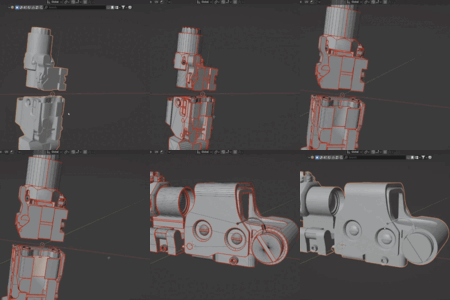
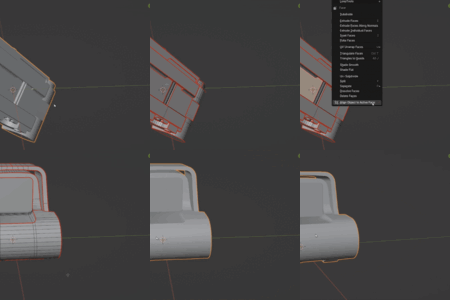
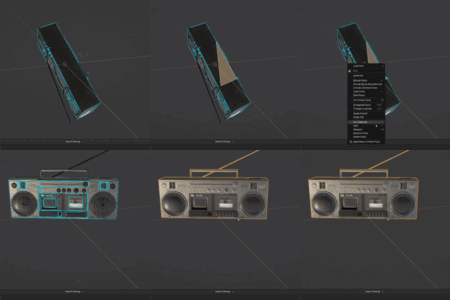
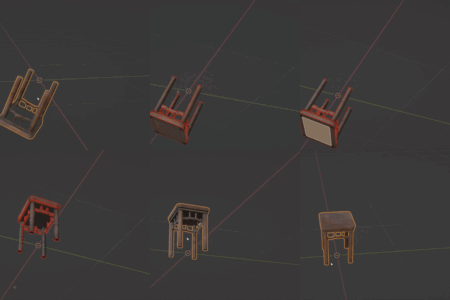
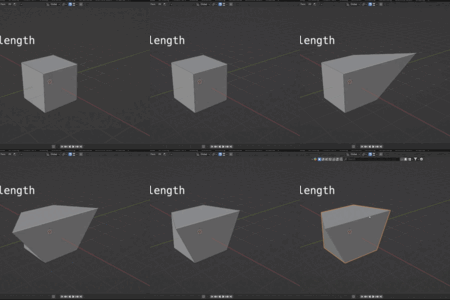
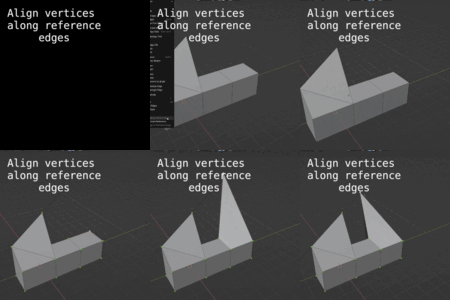
Few Demos of the New Tools!
Core Workflow Areas
Live ViewMode Measurements
ReFace ViewMode turns the viewport into a live inspection surface. Use it to check dimensions, angles, circular loops, face information, and topology problems while staying in edit mode.
- Edge lengths
- Edge angles
- Circle radii
- Face areas and face normals
- Loop perimeters
- Min/max edge indicators
- Parallel and perpendicular indicators
- Quick HUD actions
Exact Measurement Tools
ReFace keeps the original CAD-style measurement tools and expands them with radius and interactive workflows.
- Set Edge Length: set an exact edge length.
- Match Active Edge Length: match selected edges to the active edge.
- Set Edge Angle: set the angle between connected edges.
- Set Circle Radius: set circular loop radius.
- Drag Handles: adjust lengths, angles, and radii visually.
Reference-Based Editing
Store a reference edge or reference plane, then use it as a stable guide for alignment, projection, mirroring, orientation, and cleanup operations.
- Set Alignment Reference from edge, face, two vertices, or three vertices.
- Align vertex or edge to reference edge.
- Project vertices to reference face or plane.
- Mirror selection from reference edge or plane.
- Align object to active face.
- Align disconnected edges parallel or perpendicular to active edge.
Mirror Selection from Reference
Mirror the current vertex, edge, or face selection using a stored reference edge or reference plane. This is useful for repeating cleanup work across symmetrical details without manually reselecting geometry.
- Reference Edge Mirror: mirror selections across a stored edge direction.
- Reference Plane Mirror: mirror selections across a stored face or three-vertex plane.
- Works with vertex, edge, and face selections for flexible edit-mode cleanup.
- Fast symmetry workflow for hard-surface repairs and repeated feature selection.
Selection Tools
ReFace 2.0 adds selection helpers for finding surfaces, paths, boundaries, enclosed regions, shape matches, and mesh quality issues.
- Select Face Surface
- Select Contiguous Face Path
- Select Contiguous Edge Path
- Select Faces Between Loops
- Select Faces Inside Loop
- Select Boundary Loops
- Select Similar Edge Shapes
- Select Non-Flat Faces
- Select Sharp Edges
- Checker Deselect
Create Tools
Object Mode Tools
Transform Orientation Tools
ReFace 2.0 includes custom orientation tools for keeping precision edits aligned to the geometry you are working on.
Ideal For
- Hard-surface modelers who need exact dimensions and cleaner topology.
- CAD-style Blender workflows where faces, loops, circles, and angles need to be controlled.
- Boolean cleanup after cuts, holes, bevels, and repair work.


- Mesh repair and retopology where selection tools and guided rebuilds save time.
Why Use ReFace?
- Work faster without constantly switching tools, panels, and manual setup steps.
- Inspect geometry directly in the viewport instead of guessing measurements.
- Use references, orientations, and overlays to keep edits controlled.
- Clean and rebuild hard-surface details with fewer repetitive operations.
Original Precision Tools Still Included
ReFace 2.0 keeps the original precision tools from earlier versions. These tools still exist, but are now accessed through the main ReFace menu instead of the old N-panel-only workflow.
Product History
- Drawn Patch Mode: create and retopologize patches by drawing the boundary directly, without requiring an existing face selection.
- Patch Extensions: grow patches interactively using segment extrusion or Knife-based extension workflows.
- Sector Decomposition: break hole-containing regions into editable sectors using radial splits while reusing the existing quad-patch solver.
- Display Mode: Focus Mode has been removed and replaced by Display Mode for sub-island inspection and corner editing; Display Mode count editing remains experimental.
- Dynamic Edges: no longer experimental and now part of the standard workflow.
- Knife Tool: create new splits directly with anchor, spline-point, snapping, and hard-point workflows.
- Fixed a native Blender crash when leaving Edit Mode or undoing past the Edit Mode entry point.
- Reworked viewport draw-handler lifecycle to prevent stale or duplicate callbacks.
- Added safe undo, mode-change, object-change, and topology-change handling.
- Prevented stale Edit Mode mesh data from surviving undo or object transitions.
- Improved stability when switching objects, workspaces, viewports, or selection modes.
- Added robust cleanup for add-on disable, reinstall, and live reload.
- Preserved existing Viewmode overlays, measurements, drag handles, UI, and shortcuts.
- Major Corner Guided Grid Refill update focused on more reliable retopology for complex selected face patches.
- Added improved face split workflows, including editable split lines, spline control points, hard split points, and support for L-shaped split layouts.
- Added Import Sharp Edges, allowing marked sharp edges to be converted into face split guides automatically.
- Improved support for continuous loop selections and patches with holes, including solver switching and boundary spacing controls.
- Improved sub-island handling with focus mode, per-island corner control, and cleaner preview behavior.
- Refined preview and highlighting so face/sub-island highlighting appears only when relevant.
- Added Blender extension system support for the newer Blender add-on packaging workflow.
- Includes stability, overlay, and final build fixes for the 2.0.4 release.
- Added advanced Hole Patch and Continuous Loop solvers with automatic detection and manual solver switching.
- Added Continuous Loop controls for outer/inner loop counts, radial ring density, and boundary resampling modes.
- Integrated the ReFace menu into Blender’s right-click context menu and expanded the Viewmode shortcut HUD system.
- Major improvements to smoothing, boundary stitching, triangulation, normal recalculation, and overall solver stability for complex topology scenarios.
- Added live preview for Corner Guided Grid Refill, allowing users to inspect results before applying.
- Added interactive smoothness control for Corner Grid Refill with improved smoothing quality.
- Improved face split handling and boundary protection for more reliable refill results.
- Added connected-edge total length markers in ReFace ViewMode.
- Added new ViewMode preferences for Show All measurement visibility, total length color, and marker offset.
- Added preference options for controlling the position of the ReFace shortcut HUD menu.
- Users can now adjust HUD placement to better fit their viewport layout and workflow preferences.
- Added ReFace ViewMode with live measurement overlays and quick HUD actions.
- Added interactive drag handles for lengths, angles, and circle radii.
- Added major selection tools for surfaces, paths, loops, enclosed regions, shape matching, and mesh inspection.
- Added cleanup and retopology tools including Boolean Clean Up, Adjust Circle, Match Active Circle, and Corner Guided Grid Refill.
- Added Object Mode tools for isolation, protected lists, transform copying, mesh-center curves, and orientation management.
- Project Vertices to Reference Plane/Face: plane-normal or edge-slide behavior.
- Set Edge Angle: set angle between neighboring edges with anchor control.
- Match Edge Lengths to Active Edge: normalize multiple edges fast.
- Units Sync: edge length input matches Scene Properties units.
- Set Reference (Edge or Face): store stable world-space references.
- Align Vertex / Edge to Reference Edge: offset, anchors, translate-only or rotate-to-ref.
- Set Edge Length: exact length with endpoint/center anchoring.
Notes
- For face references and object alignment, use planar faces for best results.
- Some precision tools require specific selection types, such as one edge, two connected edges, a closed loop, or an active element.
- Retopology and cleanup tools are destructive by design. Save your work or duplicate important geometry before large rebuild operations.
