ReFace 2.0
 Ferasyahya


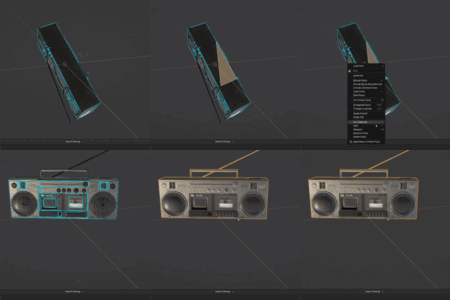
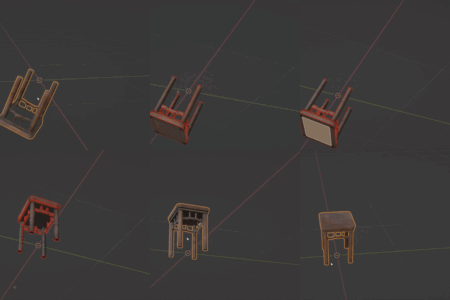

ReFace Viewmode Stability Fix
- Fixed a native Blender crash when leaving Edit Mode or undoing past the Edit Mode entry point.
- Reworked viewport draw-handler lifecycle to prevent stale or duplicate callbacks.
- Added safe undo, mode-change, object-change, and topology-change handling.
- Prevented stale Edit Mode mesh data from surviving undo or object transitions.
- Improved stability when switching objects, workspaces, viewports, or selection modes.
- Added robust cleanup for add-on disable, reinstall, and live reload.
- Preserved existing Viewmode overlays, measurements, drag handles, UI, and shortcuts.


Major Corner Guided Grid Refill update focused on more reliable retopology for complex selected face patches.
Added improved face split workflows, including editable split lines, spline control points, hard split points, and support for L-shaped split layouts.
Added Import Sharp Edges, allowing marked sharp edges to be converted into face split guides automatically.
Improved support for continuous loop selections and patches with holes, including solver switching and boundary spacing controls.
Improved sub-island handling with focus mode, per-island corner control, and cleaner preview behavior.
Refined preview and highlighting so face/sub-island highlighting appears only when relevant.
Added Blender extension system support for the newer Blender add-on packaging workflow.
Includes stability, overlay, and final build fixes for the 2.0.4 release.
Context Menu Integration
- Added the ReFace menu to Blender’s right-click context menu.
- Supports both Object Mode and Edit Mode with the same context-sensitive structure as the original shortcut menu.
Viewmode Shortcut HUD
- Added integrated shortcut HUD support to ReFace Viewmode.
-
Added quick toggles for:
-
Edge Length Measurements (
Q) -
Angle Markers (
A) -
Total Edge Length Markers (
Z)
-
Edge Length Measurements (
- HUD toggles are synced with the corresponding preference settings.
- Added preference controls for positioning the Viewmode top toolbar.
Advanced Face Split Editing
- Added support for converting Face Split points into Hard Corners via double-click.
- Hard Corners can now be toggled back to spline points.
- Added visual differentiation for Hard Corner points.
-
Added support for snapping Face Split points to existing vertices on the original mesh using
Ctrl. - Improved projection and dragging behavior for Face Split and split-edge points on complex surfaces and hard edges.
Sharp Edge Workflow
-
Added new
QEdge Mode for Face Splits. -
Users can now iterate through Face Split lines and mark them as Sharp using
M. -
Sharp Face Split lines:
- are excluded from smoothing
- are preserved during topology generation
- are marked as Sharp in the final Blender mesh
- Added visual feedback for Sharp Face Split edges.
-
Added ability to delete selected Face Split lines while in
Qmode usingDel.
Locked Vertex Improvements
- Added support for marking Hard Corner Face Split points as Locked Vertices.
-
Hard Corner points now appear in Locked Vertex mode (
V) as selectable lock targets. - Locked constraints are now treated as highest-priority constraints across all solver paths.
Hole-Aware Retopology Solvers
- Added dedicated Hole Patch Solver for selections containing holes.
- Added dedicated Continuous Loop Solver for circular/ring-like patches.
-
Added automatic solver classification between:
- standard patch solver
- hole-aware solver
- continuous loop solver
-
Added manual solver switching using
U.
Continuous Loop Solver Features
- Added full support for continuous/ring-like retopology without requiring corner vertices.
-
Added support for:
- Outer Loop Count
- Inner Loop Count
- Radial Ring Count
-
Added Boundary Spacing Mode (
B) with:- Preserve Original Boundary Vertices
- Equal Boundary Resampling
- Added support for full-loop edge count preservation.
- Added support for equal boundary resampling while preserving locked vertices.
Face Split Improvements for Hole Patches
-
Added support for Face Splits between:
- outer boundaries and hole boundaries
- hole boundaries in multi-hole scenarios
- Face Splits now properly affect topology flow and edge distribution in hole-aware solving.
Corner Grid Refill
- Added P shortcut to toggle a live temporary preview mesh before applying the Corner Grid Refill result.
- Preview updates when operator constraints change, including corners, locked vertices, locked edges, face splits, split controls, and smoothness.
- Preview uses the same refill generation path as final apply, so preview and committed results stay consistent.
- Preview is cleaned up when toggled off, confirmed, cancelled with Esc / Right Mouse, or when temporary preview data is orphaned.
Corner Grid Refill Smoothness
- Added HUD display for the current Smoothness / Relax value.
- Added R shortcut to adjust Smoothness interactively by moving the mouse left/right.
- Added Shift precision adjustment while changing Smoothness.
Corner Grid Refill Boundary Protection
- Fixed multiple smoothing issues where face splits could allow protected boundary vertices to move.
- Original outer boundary vertices are now explicitly protected from projection and smoothing.
- Smoothing protection is applied only after topology generation, so it no longer interferes with face split rebuilding or resampling.
- Fixed regression where valid split sub-islands could incorrectly fall back to whole-island refill with odd edge-count warnings.
ViewMode Edge Totals
- Added connected selected-edge total length display in ViewMode using the existing Σ label style.
- Selected edges are grouped into connected edge islands, and each group gets its own total length label.
- Total length is calculated in world space, respecting object transforms.
- Duplicate Σ labels are avoided for closed-loop totals already handled by existing Show All behavior.
- Total edge length markers now only appear when Show All is enabled.
ViewMode Preferences
- Added Edge preference for Total Edge Length Text Color.
- Added Edge preference for Total Edge Length Marker Offset.
- Added new Show All Settings section under ReFace ViewMode preferences.
- Added Show All toggles for:
- Length Measurements
- Angle Markers
- Total Edge Length Markers
- These toggles affect Show All mode only; normal active-edge and two-edge angle behavior is unchanged.
Added options in addon preference menu for controlling position and size of shortcut HUD menu
ReFace 2.0 is a major update that expands the add-on from a small alignment toolset into a broader precision modeling toolkit for Blender.
Added ReFace ViewMode, a live edit-mode measurement overlay for edge lengths, edge angles, circle radii, face areas, face normals, loop perimeters, min/max edge indicators, and parallel/perpendicular indicators.
Added interactive drag handles for adjusting selected edge lengths, edge angles, and circle radii directly in the viewport.
Added Quick HUD Actions for Set Length, Set Angle, Set Radius, Set Reference, and Clear Reference.
Added the main ReFace popup menu, available with Ctrl + Shift + V.
Added ReFace Isolate, allowing selected objects or collections to be isolated while keeping protected objects and protected collections visible.
Added a Protected Objects / Collections manager in the N-panel for adding, removing, and clearing objects or collections that should remain visible during ReFace Isolate.
Added Copy Transform to Active, allowing selected location, rotation, and optional scale channels to be copied from one selected object to the active object.
Added Curve Through Mesh Center, which generates a curve through the center axis of tubular or spring-like meshes by marching through cross-sections from the object origin.
Added transform orientation tools for switching built-in orientations, creating custom orientations from selected geometry, deleting the active custom orientation, and clearing all ReFace-managed custom orientations.
Added new selection tools for surface selection, contiguous face paths, contiguous edge paths, loop regions, enclosed faces, boundary loops, similar edge shapes, non-flat faces, sharp edges, and checker deselect workflows.
Added Create Arc for creating a circular arc between two selected unconnected vertices.
Added Create Tangent Arc (G1) for creating a tangent arc between two connected selected edges.
Added Array Mesh Along Path for destructively duplicating a selected mesh object along a selected edge path or face path.
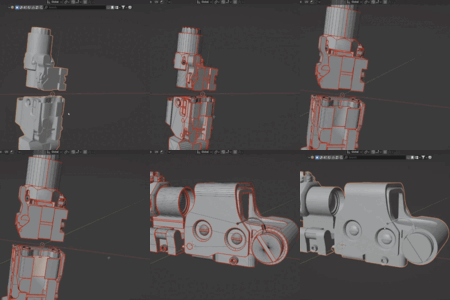
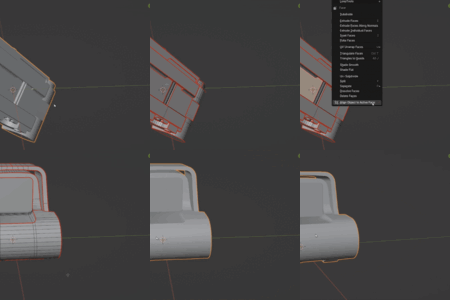
Added cleanup and retopology tools, including Adjust Circle, Match Active Circle, Boolean Clean Up, and Corner Guided Grid Refill.
Added Set Circle Radius for setting the radius of a selected circular edge loop using the scene unit system.
Added Mirror Selection from Reference, allowing the current vertex, edge, or face selection to be mirrored using a stored reference edge or reference plane.
Added Align Edges to Active for aligning selected disconnected edges parallel or perpendicular to the active edge.
Improved reference creation. References can now be created from selected edges, faces, two vertices, or three vertices.
Reorganized tools into the new ReFace menu while keeping the original ReFace tools available in version 2.0.
Original tools are still included, including Align Object to Active Face, Set Edge Length, Match Active Edge Length, Set Edge Angle, Set Alignment Reference, Align Vertex / Edge to Reference Edge, and Project Verts to Reference Face.
Existing customers can download ReFace2.0.zip to access all new features.
Added several new features including:
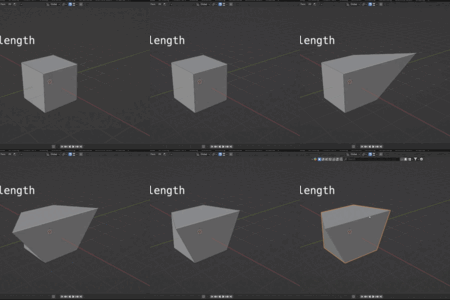
- Set edge length
- Add reference edges/faces depending on selection
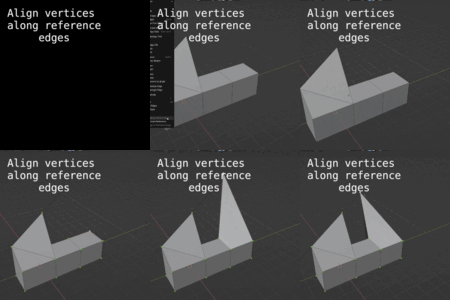
- Align vertices/edges to reference edges/faces
- Precise alignment with ability to specify specific offset, change anchor point for edge alignment, enable co-linear alignment of edges and similar settings for edge length mode
