 GPolygon Design


ReferenceMesh:
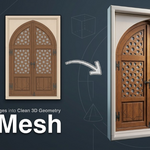
Turn Reference Images into Clean 3D Geometry
ReferenceMesh is a professional Blender add-on designed for environment artists, game artists, and archviz creators.Stop wasting hours manually tracing reference photos with Blender's Knife tool or struggling with unpredictable AI-to-3D generators. Select regions directly from your reference images and instantly convert them into clean, manifold 3D geometry, architectural reliefs, and game-ready modular props with effortless precision.
KEY FEATURES
• 4 Precision Selection Tools:
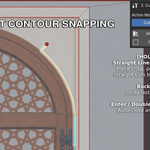
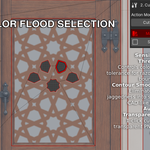
- Magic Wand: Color flood-fill with sensitivity threshold and adaptive contour smoothing.- Magnetic Pen: Intelligent edge-snapping contour tracer that clings to carving details and high-contrast edges.
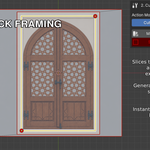
- Smart Box: Rapid 2-click rectangular framing for windows, doors, brickwork, and tiles.
- Interactive Knife (K): Precise polygonal custom cuts directly on the reference plane.
• 3 Distinct Action Modes:
- Cut: Slices the active surface into independent editable regions while keeping them 100% flush with the facade.- New Face: Creates independent relief layers.
- Remove: Completely removes geometry (open cutouts) or carves recessed basins when extruded.
• Non-Destructive Layer Studio:
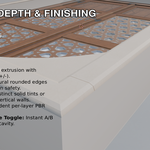
- Extrude & Carve: Real-time 60 FPS slider control for embossed relief (+) or carved recesses (-).- Edge Beveling: Production-grade rounded highlights and soft transitions for realistic lighting.
- Per-Layer PBR Roughness: Assign custom roughness per layer (e.g., 0.05 mirror-shine for window glass, 0.85 matte for stone walls) without losing reference textures.
- Per-Layer Side Wall Colors: Apply dedicated solid palette colors or reference textures to extruded walls.
- Smart Hierarchy & Nesting: Child cuts (rosettes, window panes, inner moldings) automatically follow parent elevations.
• 1-Click Game-Ready Finalize & Export:
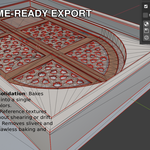
- 1-Slot Unified Material: Consolidate multi-layer side colors, textures, and roughness maps into a single PBR draw call via vertex color attributes.- Unfolded UVs: Distortion-free texture projection on top faces and clean unfolded UVs on extruded side walls.
- Clean Triangulation: One-click N-gon triangulation ready for Unreal Engine 5, Unity, and Godot.
WHO IS IT FOR?
• Environment Artists: Rapidly generate historical facades, ornate doors, gothic arches, stone reliefs, and modular trims.• Game Developers: Build lightweight, optimized decorative props and trim sheets with zero wasted topology.
• ArchViz Artists: Turn blueprints, elevation photos, and baroque references into 3D paneling without tedious manual vertex placing.
THE WORKFLOW
Reference Image → Select (Wand/Pen/Box/Knife) → Cut or New Face → Extrude & Bevel → Adjust Roughness → Finalize & ExportReferenceMesh doesn’t guess or hallucinate like AI tools. It gives you 100% vector precision, full creative control, and clean, editable quad-friendly geometry every single time.
COMPATIBILITY & PERFORMANCE
• Blender Versions: Blender 4.2 LTS, 4.5 LTS, 5.0, and 5.1+• Zero Dependencies: Runs natively with Blender's built-in NumPy.
• Platforms: Windows, macOS, and Linux.
SUPPORT & CONTACT
Have questions, feedback, or need assistance? Feel free to reach out anytime:
Contact & Support: [email protected]
ReferenceMesh v1.2 — Safer Editing & Improved Bevel Controls
Safer Sync: checks the mesh without rebuilding geometry, changing bevel values or removing hidden layers.
Manual edit protection: layer regeneration stops when manual mesh changes are detected, preserving your work.
Improved bevel controls: choose Both, Outer or Inner upper rims, with improved handling of nested shapes and shared edges.
Mirror Cuts: create new symmetrical outlines across X, Y or both axes.
Finalize Copy: create an independent mesh for manual editing while retaining the original layer source.
Clearer sidebar: larger selection tool buttons, separated settings and collapsible sections.
Additional fixes for Undo/Redo, transparent-image cuts and selection tools.
Updating: Save your work, install the new ZIP and restart Blender.
Existing v1.1 projects: Use Finalize Copy to continue with the current geometry, or Backup & Rebuild to retain a hidden backup and regenerate from saved layer settings. Sync does not convert arbitrary manual edits into editable layers.