



Render Raw - Color Grading & Camera Effects

Orange Turbine in Rendering


Item Rating

This item has an average rating of 5 from 41 ratings by the community.

79%
18%
0%
5%
0%

Purchase this item to leave a review!

  • Spencer Magnusson
    over 2 years ago

    As a compositor, both in Blender and Nuke, this is amazing. Great effects for glare, grain and lens effects. Highly recommend to beginning artists wanting to step up their renders.

    Blender's CPU-driven render compositor is slow <4.0. It's planning to get faster in 4.1, but the GPU-driven realtime compositor handles it just fine. So if this add-on feels slow to you, most of it is Blender's fault, but it'll get better.

  • Matt McKee
    over 2 years ago

    Who boy! I've been waiting for something like this. Coming from a photo background, I have been struggling with color management, exposure, etc in Blender. Yes, you can do a lot with composite nodes. Yes, you can bring it into photoshop (or other post editor), but there are always a lot of steps and trial and error. Render Raw treats the render like I would a raw camera file. Easy to use, fun to play with. And, awesome results! I can't wait to see how this addon evolves!

  • Nick
    almost 2 years ago

    Great addon, makes renders really beautiful in just few clicks. Love included presets!
    I don't know much about color grading, but your plugin doing all heavy lifting for me.
    Not 5 starts because blender sometimes crashes while rendering animation after about 30-50 frames. Crash log points to your plugin. I can provide full info, just message me.

    • Orange Turbine

      almost 2 years ago

      Ah yes, please message me with the details! You can use the 'Ask a Question' button below the life preserver on the product page, or email us at orangeturbine at cgcookie.com. Would love the opportunity to get that fixed.

  • Mikael Rouca
    almost 2 years ago

    Great addon ! Excellent value for money !
    Could be improved on a few points : a check box for every setting group (as already done for Values, Colors and Effects), LUT and better algorithms (for Values at least).

    • Orange Turbine

      almost 2 years ago

      Thanks for the feedback! Please email me and let me know where the current value algorithms aren't holding up and I'll see what I can do to improve them.

  • Kaleido
    about 2 years ago

    Excellent product! Only reason it doesn't get 5 star is lack of luts implementation and how it forces you to keep the compositor on at all times because it looks too dark otherwise, and you have to keep turning it on and off.

    It should have a function to only enable the raw transform and comp nodes when the compositor is set to always and through camera, and return to the normal filmic or RGB or agx when viewport compositor is set to off.

    • Orange Turbine

      about 2 years ago

      Thanks for the review! Each 3D viewport can have a different compositor option, which makes a setting like that a lot more complicated than it appears at first, but I will try to make it a bit smarter and more convenient in future versions.

  • N-Gon Models
    about 2 years ago

    Great time saver!

    • Orange Turbine

      about 2 years ago

      Thanks! Let me know if there's anything we can do to earn that last star!

  • William Oglesby
    about 2 years ago

    Agree with Romain, Although one Caveat, the effects are loaded and then operate almost instantly in viewport... but then take forever on render post process. I can render the same samples and see exactly what I want in the viewport very quickly, but then if I go to render, I might get a 5 second frame, and then a 1 minute long process time for the plugin?

    • Orange Turbine

      about 2 years ago

      Hey, thanks for the review! The compositor in Blender 4.2 has been sped up significantly, and if you switch it over to the GPU compositor, you'll get the exact same near-instant processing time that you see in the viewport. The slower behavior in 4.1 is due to the render compositor only being able to use the CPU.

  • freddee
    about 2 years ago

    The possibility of adding luts is missing...

  • Romain Paindavoine
    over 2 years ago

    A lot of potential, only 4/5 stars for now because it has some fixable issues :
    - It's enabled in the material preview, and there is no quick way to disable it (disabling the compositor will lead to a scene with a wrong exposure if the lighting of the cycles rendering is too different)
    - The addon is not updating the image when it's rendered, you have to adjust you image in viewport mode
    - During the rendering, the exposure is way to dark so it's virtually impossible to verify if there is no issue until the compositor has finished.
    - The effects are quite slow for now, but i'm not too surprised

    For the good things:
    - Every Adobe Lightroom/Camera Raw sliders in Blender, that's awesome !
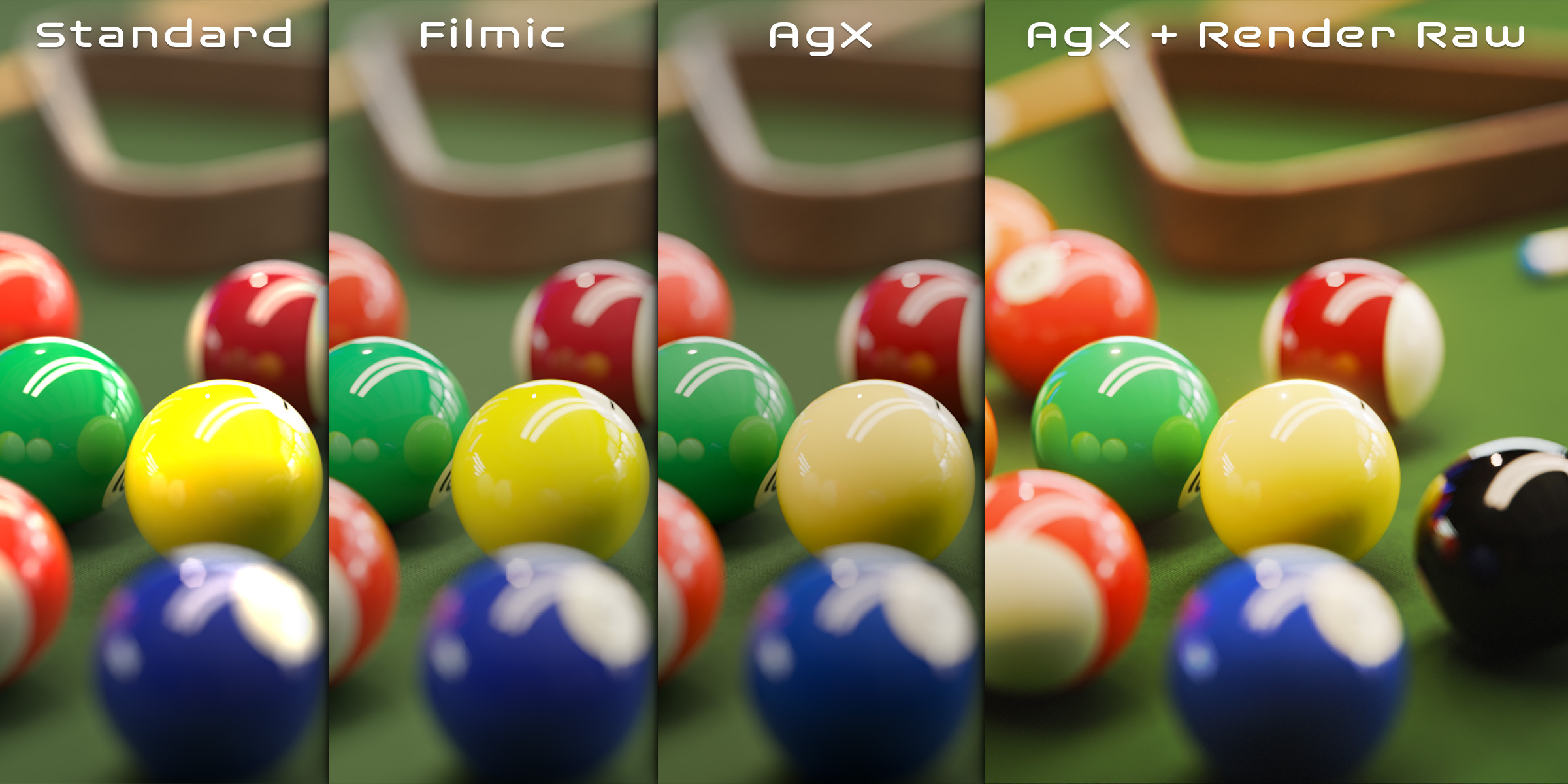
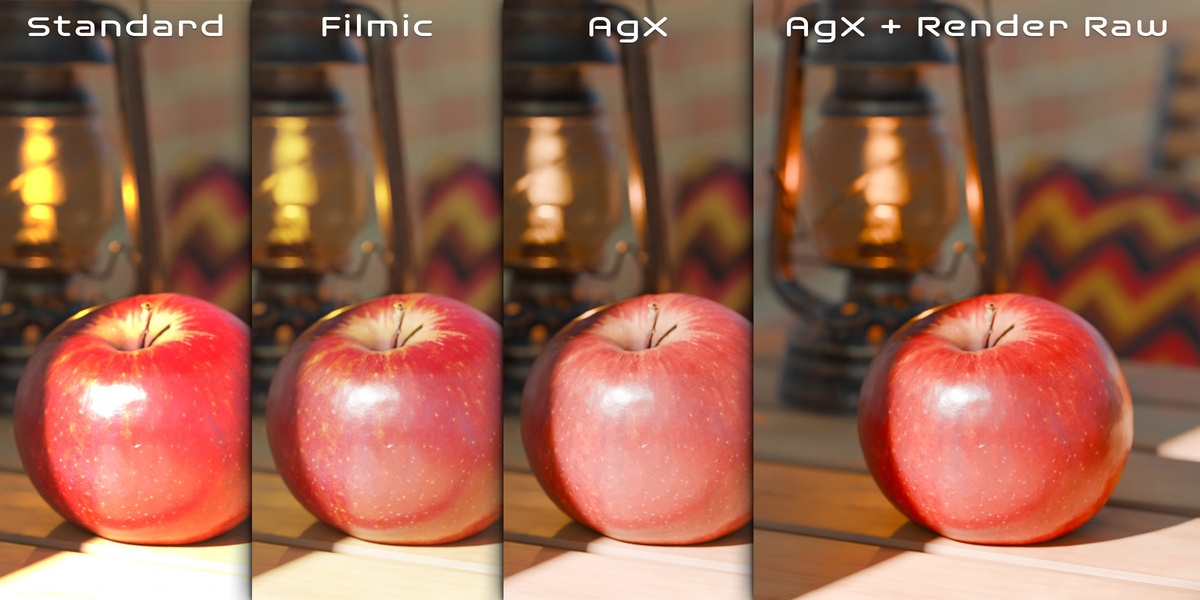
    - Finally a way to have a proper orange color with Agx (instead of salmon color)

    Thumbs up to the development team and I wish the best for this addon !

    • Orange Turbine

      over 2 years ago

      Thank you for the feedback! Unchecking the 'Enable Render Raw' option in the panel is the quick way to enable and disable it. I'll try to find a workaround for the other things mentioned.

  • GeorgeK
    about 1 year ago

    i installed the addon and when i click to enable it and try to change the gamma for example it does not has any effect appreciate your help

    • Orange Turbine

      about 1 year ago

      Hi, please contact us via support so that we can help! We only get one response per review, so it's very difficult to assist here. Please be sure that you are in rendered or material preview mode so that you can see the changes occurring.

  • $24.99
$24.99

Support Period Included

Includes 12 months of

Extend this product’s Support Period +12 months: 50% of product price

Have questions before purchasing?
Login to message

Details
Blender Extension Compatible Yes
Sales 3300+
Rating
41 ratings
Published over 2 years ago
Blender Version 4.1 - 5.2
Extension Type Add-on
License GPL