RenderOne
 AmuroSakura


Installation
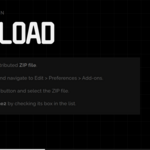
Download the ZIP file of this add-on.
Open Blender and go to Edit > Preferences from the top menu.
In the Preferences window, click the Add-ons tab.
Click Install..., then select the downloaded ZIP file.
After installation, find RenderOne in the add-ons list and enable it by checking the box.
Download the ZIP file of this add-on.
Open Blender and go to Edit > Preferences from the top menu.
In the Preferences window, click the Add-ons tab.
Click Install..., then select the downloaded ZIP file.
After installation, find RenderOne in the add-ons list and enable it by checking the box.
Notice
If you are updating to a new version of RenderOne, please delete the old version and restart Blender before using the latest one.
How to Use
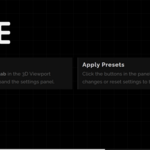
In the 3D Viewport, press N to open the sidebar.
Select the RenderOne tab.
Click the “Apply RenderOne” button.
Your Eevee render settings will now be optimized for faster performance.
In the 3D Viewport, press N to open the sidebar.
Select the RenderOne tab.
Click the “Apply RenderOne” button.
Your Eevee render settings will now be optimized for faster performance.
Have questions about this product?
Login to message
| Blender Extension Compatible | Yes |
| Published | 6 months ago |
| Blender Version | 5.0 - 5.1 |
| Extension Type | Add-on |
| Render Engine Used | Eevee |
| License | GPL |
Discover more products like this
AmuroP eevee performance one-click rendering tool optimization Compositing blender render speed Add-on