Render Pilot
 pl_workshop


Overview
--------
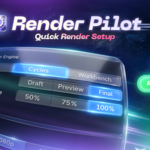
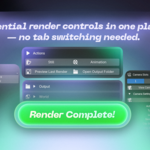
RenderPilot is a compact Blender sidebar panel for fast render setup and iteration.
It brings the most-used render, camera, output, lighting, and preview controls into one clean place, so you can quickly build a simple studio scene and send it to render without constantly switching between Blender tabs.
Where to find it
----------------
1. Open the 3D Viewport.
2. Press N to open the Sidebar.
3. Open the RenderPilot tab.
Installation
------------
Blender 4.2 - 5.1: Extension package
1. Use the file:
RenderPilot_1.10.7_(blender4.2-5.1)_extension.zip
2. In Blender, open:
Edit > Preferences > Get Extensions > Install from Disk
3. Select the extension zip.
4. Enable RenderPilot.
Blender 3.6: Legacy add-on package
1. Use the file:
RenderPilot_1.10.7_(blender3.6_legacy).zip
2. In Blender, open:
Edit > Preferences > Add-ons > Install
3. Select the legacy zip.
4. Search for RenderPilot and enable it.
Important
---------
Do not install RenderPilot_1.10.7_(blender4.2-5.1)_extension.zip in Blender 3.6.
Blender 3.6 does not use the Blender Extensions format. Use the legacy zip instead.
Main features
-------------
- One organized sidebar panel for render preparation.
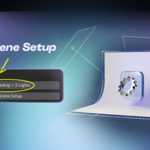
- Studio Backdrop + 3 Lights setup in one click, based on the bundled RenderPilot scene layout.
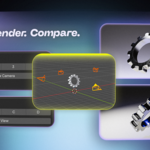
- Camera slots for quickly switching between camera angles.
- Delete Slot Cameras action for removing RenderPilot camera slots.
- Render slots A, B, C, and D for comparing results.
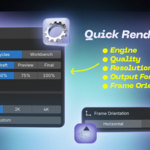
- Quick render presets for resolution, frame rate, quality, and render scale.
- Render engine controls for fast engine switching and common settings.
- Top-level Cycles Settings controls for device, render samples, viewport samples, motion blur, and denoise.
- Top-level Eevee Settings controls for render samples, viewport samples, ray tracing, and motion blur when available.
- Collapsible advanced Cycles settings for sampling, adaptive sampling, denoising, light sampling, light paths, Fast GI/AO, performance, and tiles.
- Collapsible advanced Eevee settings for shadows, ambient occlusion, GI, reflections, bloom, and volumetrics.
- Output controls for image, Multi-Layer EXR, and video workflows.
- Format-aware color, color depth, and compression options.
- Smart preview for still renders and rendered animations.
- Quick Open Output Folder action.
Typical use cases
-----------------
- Fast look development.
- Product and studio render tests.
- Lighting and camera angle comparison.
- A/B render comparison.
- Quick still render and animation preview workflows.
Notes
-----
- RenderPilot output settings are applied before rendering.
- Some controls depend on the active render engine and the Blender version.
- If a setting is not available in the current Blender version, RenderPilot will keep the UI available where possible and show a warning when needed.
 Included
Includes 12 months of
- Support from pl_workshop
- Product updates
Extend this product’s Support Period +12 months: 75% of product price
Have questions before purchasing?
Login to message
| Blender Extension Compatible | Yes |
| Dev Fund Contributor | |
| Published | 3 months ago |
| Blender Version | 3.6 - 5.2 |
| Extension Type | Add-on |
| Render Engine Used | Blender-Internal, Cycles, Eevee |
| License | GPL |
Discover more products like this
render workflow Studio Lighting camera Workflow rendering eevee Lighting product render output settings render settings Cycles