Render Pilot
 pl_workshop


What is RenderPilot?
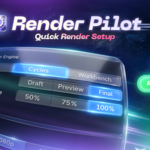
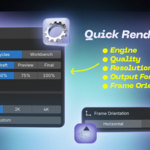
RenderPilot is a compact Blender sidebar panel for faster render setup, scene preparation, camera switching, render slots, and quick output control.
Which Blender versions are supported?
RenderPilot includes support for Blender 3.6 as a legacy add-on file and Blender 4.2 - 5.1 as a Blender Extension.
Where does the add-on appear?
After installation, RenderPilot appears in the 3D Viewport sidebar, inside the N panel.
Does RenderPilot replace Blender’s render settings?
No. RenderPilot controls Blender’s native render, output, camera, world, and color management settings from one organized panel.
Can I use it with Cycles, Eevee, and Workbench?
Yes. RenderPilot provides quick engine switching and useful settings for the supported render engines available in your Blender version.
Does it create a studio scene automatically?
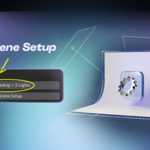
Yes. RenderPilot can create a studio backdrop, centered camera, and three-light setup for quick look development and test renders.
Can I compare different render results?
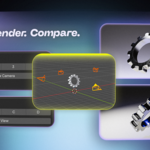
Yes. RenderPilot includes camera slots and render slots, making it easier to test angles, lighting, and render variations.
Is it beginner-friendly?
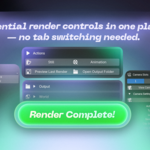
Yes. The add-on is designed to keep the most useful render tools in one clean panel, without constantly switching between Blender tabs.
$5.99
 Included
Includes 12 months of
- Support from pl_workshop
- Product updates
Extend this product’s Support Period +12 months: 75% of product price
Have questions before purchasing?
Login to message
| Blender Extension Compatible | Yes |
| Dev Fund Contributor | |
| Published | 3 months ago |
| Blender Version | 3.6 - 5.2 |
| Extension Type | Add-on |
| Render Engine Used | Blender-Internal, Cycles, Eevee |
| License | GPL |
Discover more products like this
Cycles output settings rendering product render camera render settings render workflow Workflow Studio Lighting eevee Lighting