 Pixel Makers Labs


RenderRegion Pro 0.1
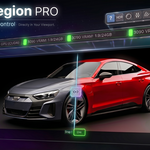
Snapshot. Compare. Control — Directly In Your Viewport.
Blender's native render region is limited, static, and not built for fast lookdev.
RenderRegion Pro fixes that — giving you full control directly in the viewport.
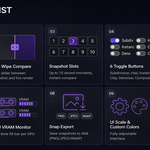
Draw and resize your region on exactly what matters. Compare snapshots with a live wipe slider to see what each change actually did. Toggle Subdivision, Hair, Instances, Clay override, Denoiser, and Compositor in one click — everything restores automatically. Switch HDRI environments without touching a single panel. In camera view, the region locks and follows your camera automatically.
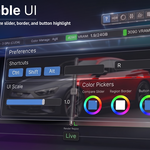
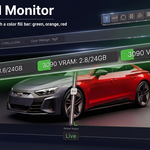
Monitor your GPU VRAM in real time. Scale the entire UI to your screen. Customize shortcuts, colors, and export format — all from preferences.
This is the missing tool for serious Blender artists.
Once you use it, you can't go back.

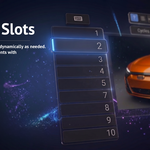
Compare Moments Side by Side
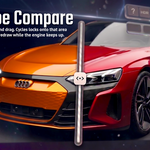
Store up to 10 snapshots and drag a live wipe slider between your stored render and the live result. See exactly what your change did — instantly.

Live compare mode — wipe slider between snapshot and live render
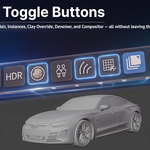
Six Toggles. Zero Interruptions.

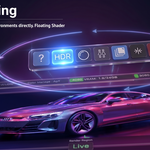
Toolbar — Help, HDR, and all toggle controls
| Subdivision Disable all SubD modifiers globally. New objects auto-caught. Hair Hide particle, Curves, and GeoNodes hair in one click. Instances Hide collection, vertex, face, Alt+D duplicates and linked objects. | Clay Mode Apply neutral grey PBR override to entire view layer. Denoiser Toggle viewport denoising instantly. Shift+Click for both engines. Compositor Toggle viewport compositor. Shift+Click opens floating editor. |
Real-Time GPU VRAM Monitor
Color-coded VRAM bars show exactly how hard your hardware is working. Supports multiple GPUs simultaneously — green, orange, red as usage climbs.

HDRI Lighting at Your Fingertips
| Cycle files Ctrl+Scroll over the HDR button to cycle .hdr/.exr files instantly. Rotate environment Ctrl+Shift+Scroll to rotate the environment Z axis with live flash feedback. Custom HDRI folder Point to any folder of your own .hdr or .exr files. Ctrl+Shift+Click HDR button to change folder anytime. Ships with 3 bundled HDRIs — outdoor, indoor, studio. | World preserved Your original world is saved and restored on toggle off. Never lost. Floating Shader Editor Shift+Click HDR button to open a floating World Shader Editor instantly. Intensity control A live intensity slider appears above the HDR button. Drag to adjust, click to type an exact value, Backspace to reset to 1.0. Works on any world with a Background node. |
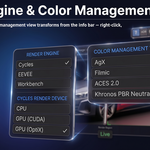
Info Bar — Engine & Color Management
 Render Engine pill |  Color Management pill |
Switch engines, cycle color transforms, toggle False Color — all from the info bar pills. Right-click, Ctrl+Scroll, or keyboard shortcut.
Fully Customizable

|
|
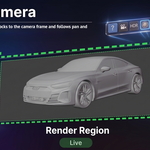
Camera Tracking
Switch to camera view and the render region locks to the camera frame automatically. Pan, zoom, or adjust the camera — the region follows every move without any manual adjustment.
Right-Click Context Menus
Everything is accessible from right-click — no need to hunt for buttons:
| Viewport Right-Click Draw Region and Clear Region operators directly from Blender's native viewport menu. | Pill Right-Click Right-click the Engine or Color Management pill to open their option menus. Always draws on top of everything. |
Built-in Help & Shortcuts Reference

Every button has a tooltip. The Help (?) button opens a full two-column shortcut reference with icons — right inside the viewport.
What's Included
| 🔌 Addon ZIP Ready to install in Blender 5.0+ | 📄 Full Documentation User guide included | 🌅 3 Bundled HDRIs Start using HDRI lighting immediately |
Requirements
| Blender Version | 5.0 or later |
| Render Engine | Cycles · EEVEE · Workbench |
| Platform | Windows · macOS · Linux |
| VRAM Monitor | NVIDIA GPU + nvidia-smi required for VRAM monitor. All other features work on AMD & Intel. |
💬 Join the Community
Got a question, found a bug, or want to share your work? Join our Discord server for direct support, update announcements, and feedback.
Join Discord Server →Snapshot. Compare. Control — Directly In Your Viewport.
Pixel Makers · RenderRegion Pro · v0.1