Render Region Pro
 Pixel Makers Labs


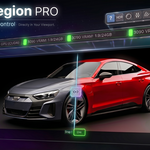
Everything you need to know before you buy.
Q1. Do I need a specific Blender version?
Yes — RenderRegion Pro requires Blender 5.0 or later. It's built specifically for Blender 5's API and fully tested on it.
Q2. Does it work with EEVEE or only Cycles?
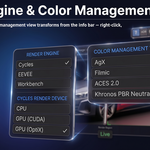
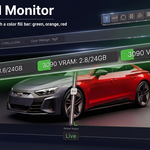
It works with both. The render region and most toggles work with any engine. The VRAM monitor requires an NVIDIA GPU.
Q3. Will my scene settings be affected permanently?
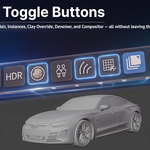
Never. Every toggle — subdivision, hair, instances, clay, denoiser, compositor — restores automatically when you turn it off or clear the region. Nothing is permanently changed.
Q4. How many snapshots can I store?
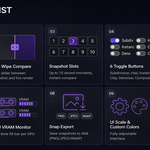
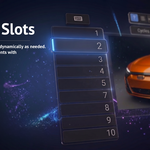
Up to 10 per session, created dynamically as you need them. Each slot saves to disk automatically so you never lose a reference.
Q5. Can I use my own HDRI files?
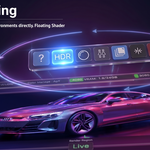
Yes. Point the addon to any folder containing .hdr or .exr files and cycle through them directly from the viewport.
Q6. Does it slow down Blender or the viewport?
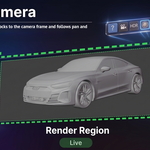
No. The addon draws using Blender's GPU API with a minimal footprint. The render region actually speeds up your workflow by focusing Cycles on a smaller area.
Q7. Can I customize the keyboard shortcuts?
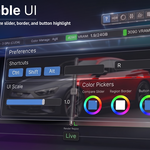
Yes — all key bindings are fully configurable in the addon Preferences, with individual Ctrl, Shift, and Alt modifiers.
Q8. Does it work on Mac and Linux?
Yes. Windows, macOS, and Linux are all supported. The VRAM monitor requires NVIDIA + nvidia-smi — on AMD or Intel GPUs the VRAM pills won't appear, but all other features work fully.
Q9. Is the UI scale adjustable?
Yes. A UI Scale slider (0.5x to 2.0x) scales every element — buttons, pills, fonts, labels — live in real time.
Q10. Where do my snapshots get saved?
By default to a temp folder organized by scene name. You can set a custom path and choose PNG, JPEG, or WebP format in Preferences.
Q11. I have an AMD or Intel GPU — will anything not work?
Only one feature is affected: the GPU VRAM Monitor requires an NVIDIA GPU with nvidia-smi. The VRAM pills simply won't appear in the info bar. All other features work fully — render region, snapshots, compare slider, all 6 toggles, HDRI, clay, denoiser, compositor, UI scale, and shortcuts are 100% GPU-brand independent.
Q13. Does the Subdivision toggle work with SubD inside a GeoNodes tree?
No — the Subdivision toggle only affects standard Subdivision Surface modifiers on objects. Subdivision operations inside a GeoNodes tree, such as Subdivide Mesh or Subdivision Surface nodes, are not detected and will not be disabled. This is a known limitation of Blender's API — modifier-level toggles cannot reach inside GeoNodes graphs.
Q14. Does the Instances toggle detect all GeoNodes instancing setups?
It supports most standard setups. The toggle traces active connections from the Group Output node and detects Instance on Points and Duplicate Elements nodes, including inside nested groups. However, highly custom node trees that replicate instancing through non-standard nodes may not be detected. Blender's object-level API does not fully expose GeoNodes instancing, so partial support is expected for advanced setups.
Q12. Where can I get support or report a bug?
Join our Discord community for direct support, bug reports, and update announcements. It's the fastest way to reach us and connect with other users.
Join Discord Server →Snapshot. Compare. Control — Directly In Your Viewport.
-
$28
Standard license for RenderRegion Pro. Includes all features.
Have questions about this product?
Login to message
| Dev Fund Contributor | |
| Published | 5 months ago |
| Blender Version | 5.0 - 5.1 |
| Extension Type | N/A |
| Render Engine Used | Cycles, Eevee |
| License | GPL |
Discover more products like this
viewport tools render-optimization blender addon material preview snapshot compare rendering hdri-lighting Cycles blender 5 lookdev render-region GPU monitor