Reshoot — One-Click Ai Shots From Your Blender Render
 Pardesco LLC



What support do I get, and how fast?
Replies within 72 hours, and updates through the current major version. The panel can write a redacted support bundle for you, with system info and job history but no images, no credentials, and personal paths stripped, so diagnosing a problem does not mean sending me your files.
Can I reproduce a result later?
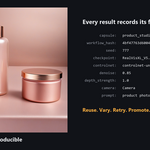
Yes. Every image is saved with a JSON sidecar recording the capsule and version, a hash of the workflow, every input value, and the seed actually used. History keeps that across Blender restarts, with Reuse, Variation, Retry, and Promote. Same seed and same settings reproduce a result; a different camera or frame will drift.
Can I use my own ComfyUI workflows?
Yes, by wrapping a workflow in a capsule: the API-format workflow export plus a small manifest describing which inputs to expose and which render passes to feed it. Drop the folder into the user capsule directory and it appears in the panel with its inputs laid out automatically. This is documented, and for a workflow you already have it takes minutes. Arbitrary workflows do not appear automatically without that manifest.
Does it work on macOS or Linux?
Windows is the tested and supported platform. The add-on is pure Python with no compiled parts and no Windows-only APIs, so macOS and Linux are expected to work, but they are not in the release matrix and are not advertised as supported. Please do not buy on that assumption. If you are on one of those platforms and hit a problem, open a support ticket and I will help.
Are there per-image costs, a subscription, or API keys?
No. Nothing runs in the cloud, so there is nothing to meter. You supply the hardware and the models, and the purchase is one-time. If you choose to point Reshoot at a paid remote ComfyUI, that provider's costs are between you and them; Reshoot neither meters nor marks up anything.
Is ComfyUI included? What else do I need to supply?
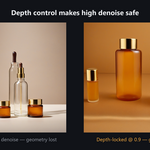
ComfyUI is not included and is not installed for you. You need your own local ComfyUI (Desktop or portable, both verified), at least one SDXL-family checkpoint, and a GPU that can already run SDXL at a speed you find acceptable. Product Studio Pro also needs an SDXL depth ControlNet, about 2.5 GB, and the documented one is Apache-2.0. None of these are bundled.
Do I need to know ComfyUI to use this?
No. You pick a capsule in Blender's sidebar, adjust a few labelled fields, and click Generate. A capsule is a pre-built ComfyUI workflow, so you never open a node graph or the ComfyUI web UI. You do need ComfyUI installed and running on your machine, but a normal local install is found automatically.
$39
Have questions about this product?
Login to message
| Blender Extension Compatible | Yes |
| Published | about 2 months ago |
| Blender Version | 4.5 - 5.2 |
| Extension Type | Add-on |
| Render Engine Used | Cycles, Eevee |
| License | GPL |
Discover more products like this
depth map sdxl ai product-visualization ControlNet img2img lookdev comfyui stable-diffusion render-passes concept art product photography