 Skava
Skava
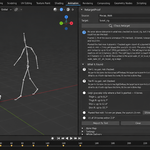
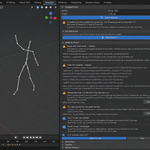
Did the retarget really match? Measured, explained, fixed — and proven.
You retarget a mocap clip onto your character and it looks almost right. The shoulders sit a little high, the feet skate, the hips float above the floor, one forearm is twisted. Is it the tool, the bone map, the rest pose, the bone roll? You scrub the timeline and guess. Every retargeting tool transfers; none of them tells you how far the result is from the motion you gave it.
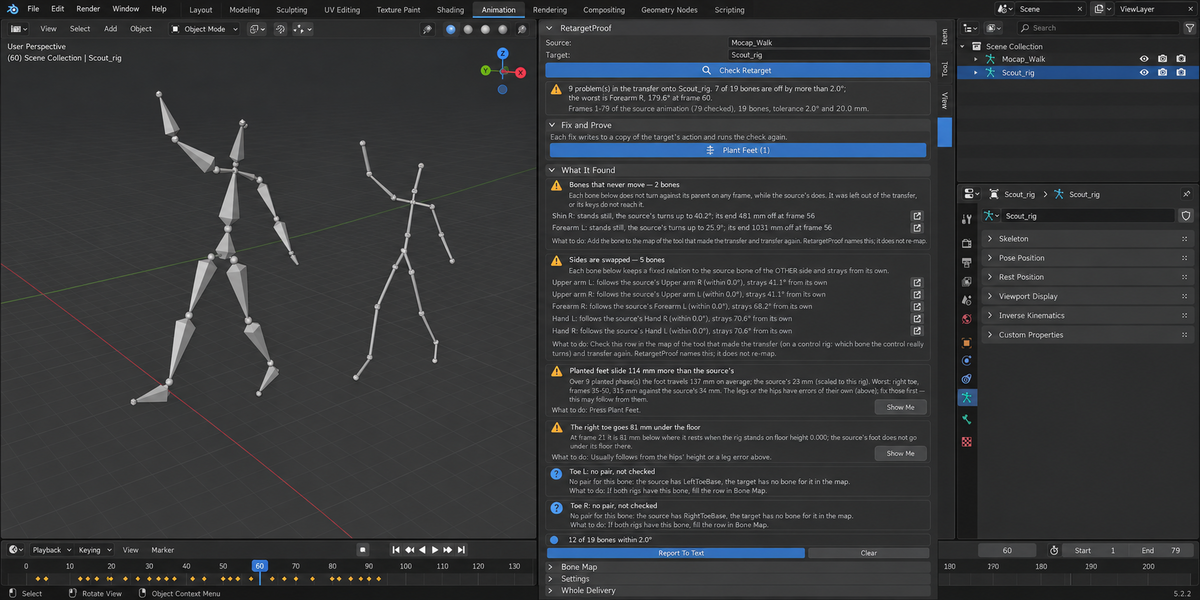
RetargetProof does not retarget. After any retarget — made by any tool — it compares the target with the source in measures that do not depend on the two characters' proportions, names the cause bone by bone, fixes what can be fixed on a copy of the action, and runs the same measurement again to prove it.
Three measurements, none of them fooled by proportions
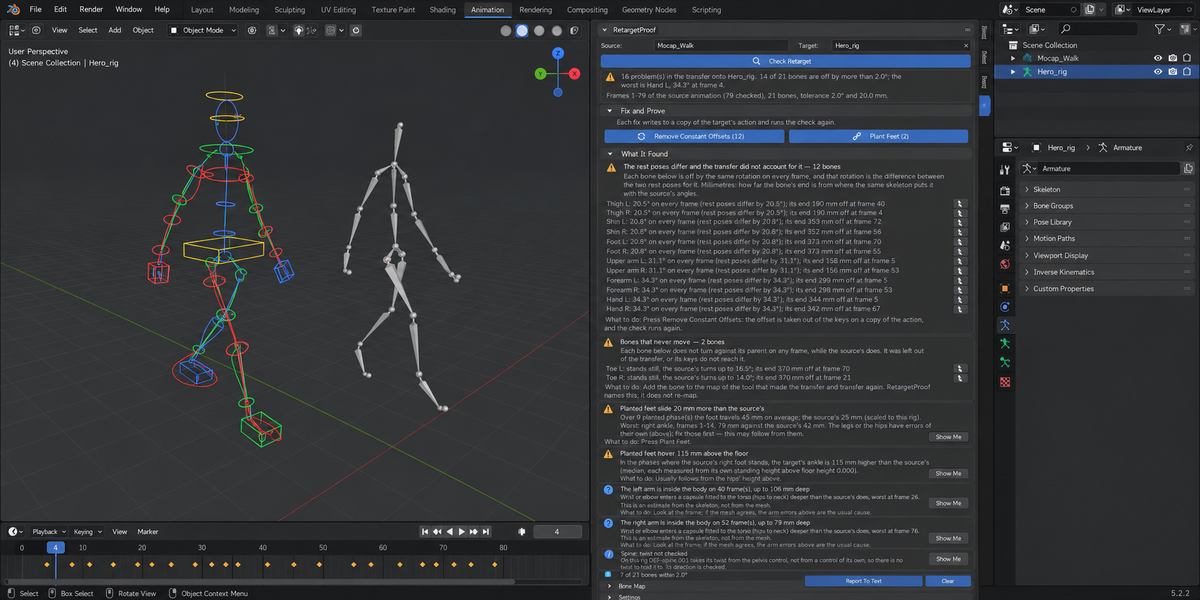
- Degrees. How far each bone of the target is from the pose the source asks for. Arms and legs are compared by the direction they point in and the twist about the bone; the torso, head and clavicles by their rotation from the character's own rest shape.
- Millimetres on the target's own skeleton. The target's joints, re-posed with the angles the source asks for, against where they really are. The distance between the source skeleton and the target skeleton is never shown as an error: on a character of other proportions a perfect transfer is far from the source in space.
- What happens, against what happens in the source. How far a planted foot travels while the source's foot stands; a foot under the floor or hovering above it; an arm entering the body; how far the hips travel and how high they ride.
The cause, or an honest "not explained"
A cause is named only when its test holds within your tolerance: the rest poses differ and the transfer did not account for it; the bone carries the source bone's world orientation (bone roll); a constant twist; left and right swapped; a bone following the wrong source bone; a bone that never moves; a limb held in place by an IK control; feet that slide because the leg angles are right and the leg proportions are not; hips travel that is not scaled to the character. Everything else is listed as not explained, with its numbers. What could not be checked is reported as a finding — never counted as passed.
Fix and Prove
- Remove Constant Offsets takes the named rest-pose and roll offsets out of the keys.
- Fix Hips Travel and Height rebuilds the hips' travel from the source's path at the scale of your character and brings the hips to the source's height.
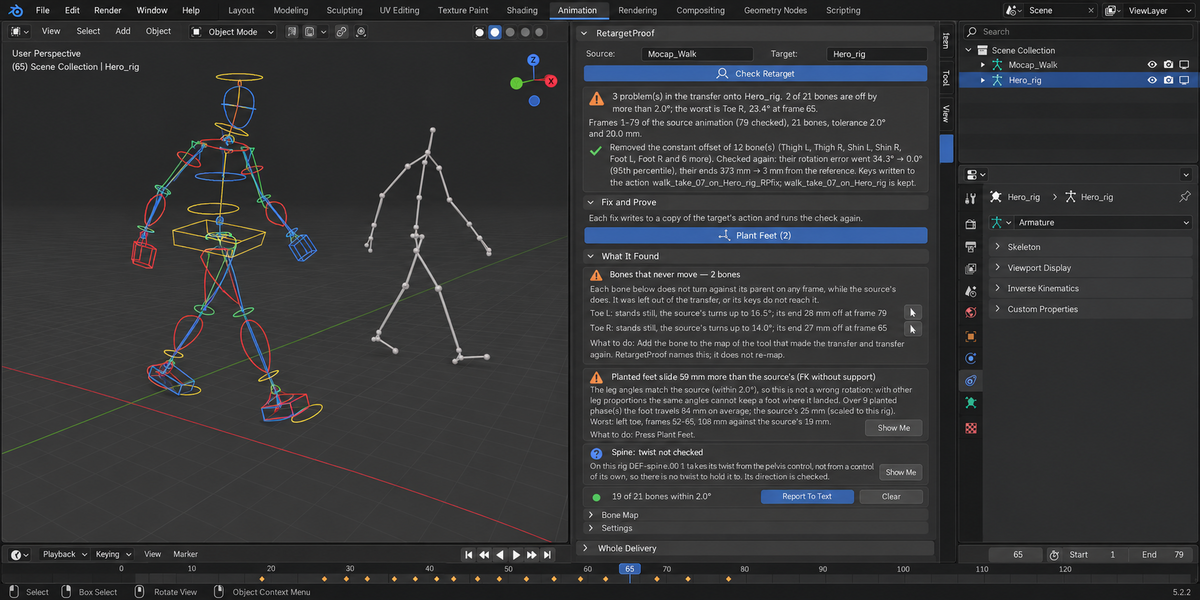
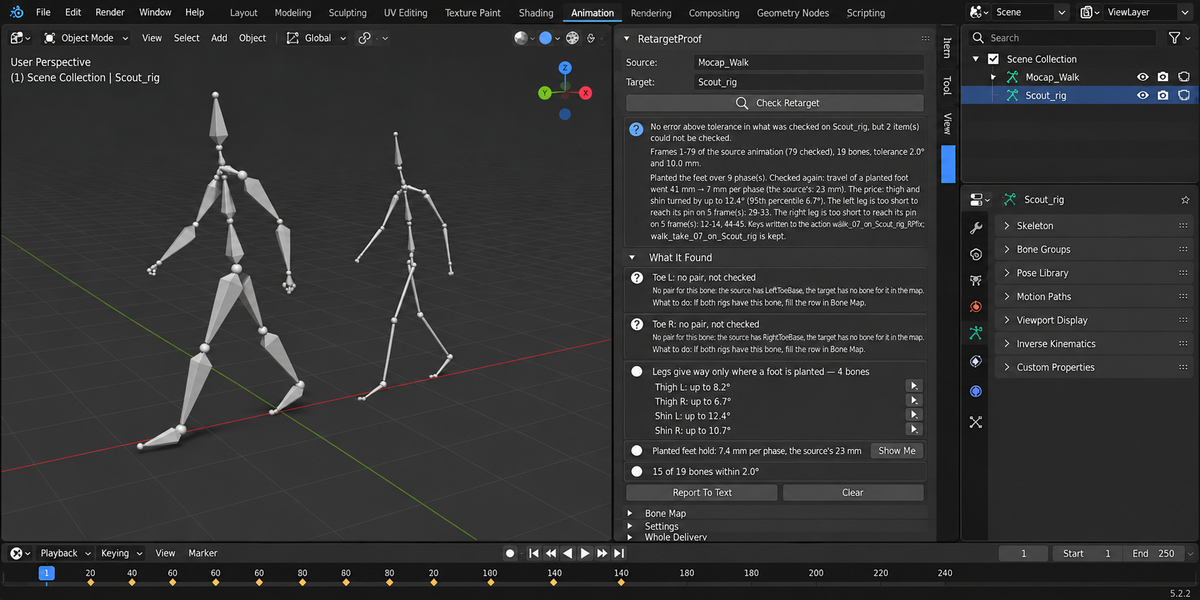
- Plant Feet pins each planted foot where it landed with two-bone IK of thigh and shin, states the price in degrees and lists the frames where the leg is too short to reach.
Every fix is written to a copy of the action — the original stays in the file — and is followed by the same check: rotation error 34.4° → 0.0°, planted feet 110 mm → 6 mm per phase (the source's: 25 mm). A fix the measurement does not confirm is taken back and the panel says so. Swapped sides and a missing bone are named, not changed: those are your decisions about the bone map.
Why the numbers are trustworthy
- 210 real transfers were measured on Blender 4.2.9 (and 150 again on 5.2.2), made with Blender's own Copy Rotation and Bake, RetargetKit, Rokoko Studio Live, KeeMap and Expy Kit: six motion-capture clips (a walk, a run, a forward jump, jumping jacks with twists and squats, sitting down on a stool, washing) onto the same skeleton, a plain humanoid, a Mixamo-style rig, a generated Rigify rig in FK and in IK, and a stylized character with short legs, long arms and an A-pose.
- A correct transfer is not blamed. On the same skeleton all 42 transfers came back with no cause named and 0.000° on every bone. A copy of the character turned in the scene by 90°, 180° or 30° and walking where it faces is not blamed either.
- On the other rigs in FK everything that was off got a cause: 2,065 findings in 147 transfers, none left as not explained. The smallest error named was 2.6°; correct transfers stay under 0.05°, so the default 2° tolerance sits in a wide gap.
- Where it cannot explain, it says so. On the Rigify rig left in IK, 324 of 357 findings were named (most of them: held in place by an IK control) and 33 were reported as not explained.
- The fixes were pressed on every one of them. Remove Constant Offsets: 156 times, 1,912 bones, from 18.6–180° down to at most 0.05° on the worst frame. Plant Feet: 71 times, the slide per planted phase from 26–631 mm down to 0–63 mm (the source's own: 5–28 mm). Fix Hips Travel and Height: 132 times; wherever the travel was named, it came out at the ratio of the two characters' standing hips heights within 0.001.
Your work is left alone
The source is only ever read. Checking changes nothing in the file. A fix writes to a copy of the target's action and keeps the original; it does not touch bone scale, the bone map of your retargeting tool or the rig.
What it does not do
It does not retarget. Human bipeds only: fingers, faces, tails and four-legged rigs are not checked. Hand-to-hand and hand-to-prop contacts are not checked. A bone that changes length (a scale key) is reported, not fixed. "Arm inside the body" is an estimate from the skeleton, not from the mesh. A time shift between source and target is reported as not explained. Auto-Rig Pro names are recognised, but RetargetProof has not been run on an Auto-Rig Pro rig.
Blender 4.2 and newer; checked on 4.2.9 and 5.2.2, on macOS and Windows. No AI model, no network, no Python packages. Works with the rest of the Proof line: Whole Delivery checks a folder of files and writes one report. Sidebar tab: RetargetProof.
The test clips come from the CMU Graphics Lab Motion Capture Database (mocap.cs.cmu.edu); they are not part of the package.