RetopoProof — Prove Your Retopology Still Is the Sculpt
 Skava
Skava
RetopoProof 1.2.2 — documentation
What it is for
You have a sculpt, a scan or a high-poly model, and a new mesh you built over it. RetopoProof measures how far the new mesh sits off the old surface, and what of the old surface the new mesh does not cover at all. It reports millimetres and vertex numbers. Measuring changes nothing; one button, Pull Them Back Onto The Surface, moves drifted vertices back onto the original when you press it.
Installing
Download the zip and leave it zipped. In Blender open Edit, then Preferences, then Add-ons. Click the arrow button in the top right corner of that window and choose Install from Disk, then pick the zip. Tick the checkbox next to the add-on name. Press N in the 3D Viewport: the RetopoProof tab appears in the sidebar.
Using it
- Set Original to the sculpt, the scan or the high-poly model.
- Set Retopology to the new mesh.
- Press Measure The Drift.
You can skip both fields: select exactly two meshes and the active one is taken as the retopology, since that is the one you are working on. If the two fields point at the same object, or at anything that is not a mesh, the panel says so instead of measuring.
What the panel tells you
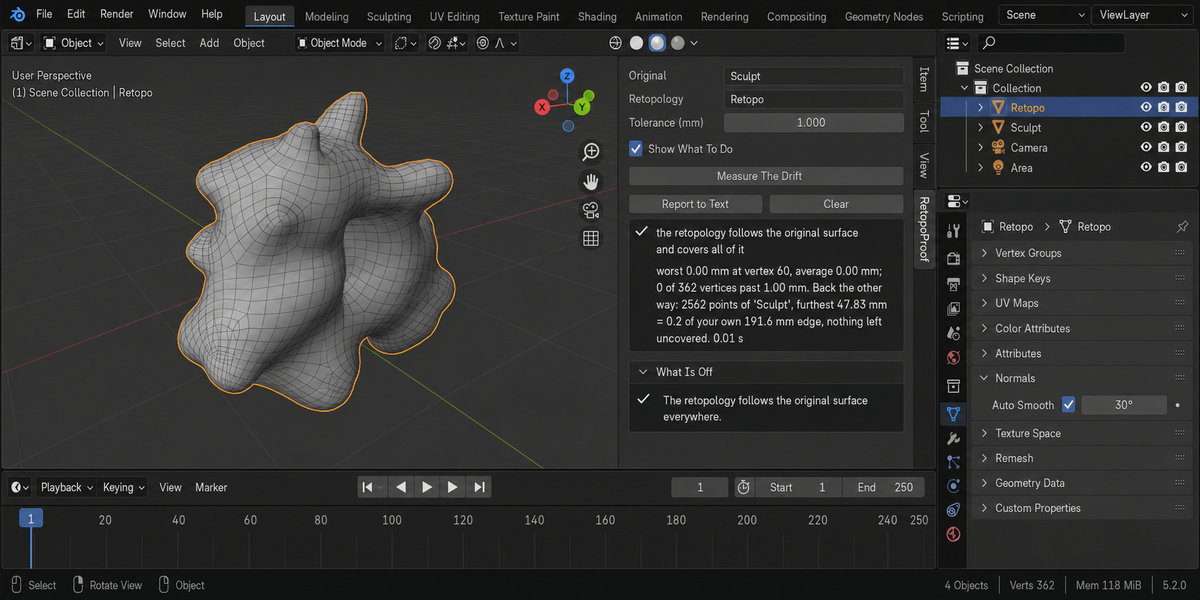
The first box is the verdict and the numbers behind it. A healthy result reads like this:
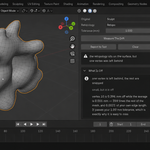
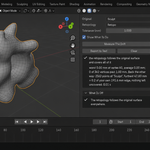
the retopology follows the surface, and covers it down to its own resolution
worst 0.00 mm at vertex 60, average 0.00 mm; 0 of 362 vertices past 1.00 mm. Back the other way: 2562 points of 'Sculpt', furthest 47.83 mm = 0.2 of your own 191.6 mm edge, nothing wider than two of your edges left uncovered. 0.01 s
Read it as two halves. The first half is your mesh against the surface: how far the worst vertex sits, which one it is, the average, and how many are past the tolerance you set. The second half is the surface against your mesh: how many points of the original were checked, how far the furthest one is from anything you built, and — the part that matters — how that distance compares with your own edge length.
The findings
the retopology does not follow the surface
Vertices sit further from the original than the tolerance you set. The line names the worst vertex, how many are past the tolerance, and the average. If any of them sit inside the original surface, that is counted separately: a vertex sunk into the high-poly bakes worse than the same distance outside, because the ray leaves from the wrong side.
one vertex is left behind, the rest are snapped
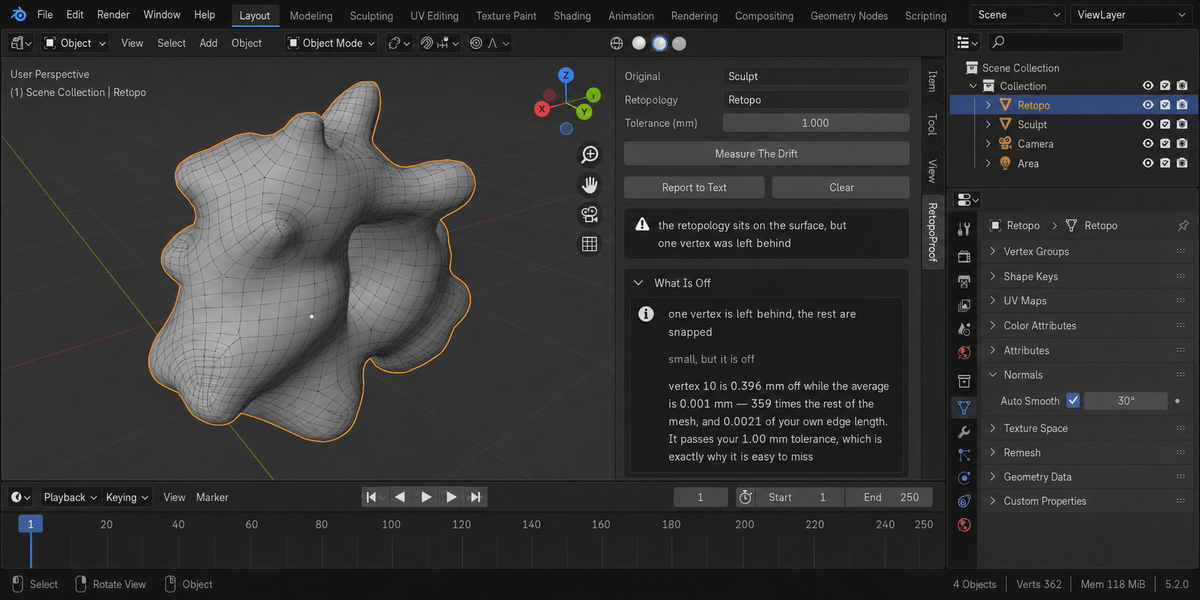
This one appears when your mesh is within tolerance and one vertex is still wrong. It is not measured against a threshold — it is measured against the rest of your own mesh. On a real case a vertex sat 0.393 mm off while the middle of the mesh sat at 0.000 mm, and the line fell at 0.192 mm. A one-millimetre tolerance lets that through. The line is drawn from the middle of the mesh rather than its average, because every straggler drags an average up with it: judged on the average, fifteen stragglers look milder than one and twenty look like nothing. It also carries a floor taken from the mesh itself — a thousandth of its own edge length — because when every distance is rounding noise no comparison means anything. When several vertices are left behind, the report says how many. It is still a vertex the snapping missed rather than a shape you chose, and it is the one place your mesh disagrees with itself.
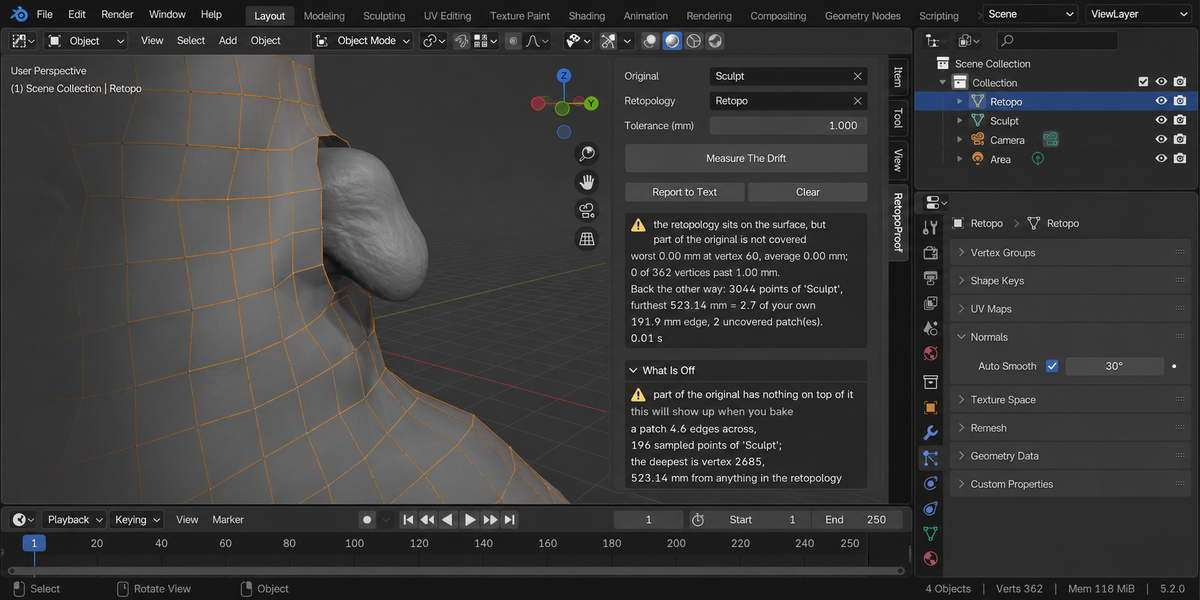
part of the original has nothing on top of it
A piece of the original surface that your retopology does not cover. This is what the forward measurement cannot see: where a feature is missing, your mesh is not wrong, it is absent, and every vertex you do have sits perfectly. Each patch is reported by how wide it is in your edge lengths, how many sampled points of the original it holds, and the deepest one.
scattered spots finer than your mesh
Not a problem, and said so. These sit further than one edge from your mesh but none is wider than two: pores, foliage, scanner grain. A mesh cannot carry detail smaller than its own face — that is what the normal map is for. They are listed so you know they were looked at.
modifiers shape the retopology besides a shrinkwrap
Everything is measured on the evaluated mesh, so a live Subdivision or Mirror is part of the number. When something other than a shrinkwrap is in the stack, it is named, because then the measurement describes the whole stack rather than the cage alone.
Tolerance
Tolerance (mm) is the distance a vertex may sit off the original before it counts. The default is 1 mm. It is a real, physical setting: it is your bake cage. Set it to what your bake will actually tolerate.
Note what the tolerance does not control. The reverse measurement — what your mesh fails to cover — ignores it entirely, and is judged against your own median edge length instead. That is deliberate. A millimetre means nothing until you know how big the model is, and a percentage of the model means nothing until you know how dense the mesh is, because any polygon cuts the corner off a curve by an amount that grows as edge length squared over radius. Judging coverage in millimetres would shout at every honest low-poly mesh.
What was measured to build that rule
| Sample | Uncovered patches |
|---|---|
| four mesh densities over a noisy sculpt | 0 |
| smooth sculpt, hard-surface model, honestly decimated organic form | 0 |
| eleven real production models | 0 |
| a twelfth, an assembly of thin pipes, coarsened until the new mesh runs beside the pipe instead of along it | 21 — correctly: it is 42.07 mm off at an edge length of 13.0 mm |
| a tree of 3 055 019 vertices | 368 specks, largest 0.38 of an edge — reported as detail, not loss |
| deliberately lost features | 2.0, 3.1, 4.6, 6.0 and 6.5 edges across |
Scale, modifiers and big scans
- Everything is measured in world coordinates, so object scale is part of the answer. At scale 0.01 and at 100 the millimetres match an independent measurement to the second decimal.
- Everything is measured on the evaluated mesh — the one your renderer and your bake see — not on the vertices sitting in the file.
- A very dense original is sampled deterministically, and the number of points actually checked is printed. A 10 242 vertex sculpt against a 1 490 vertex retopology takes 0.02 seconds. The sample is drawn with a mixed hash rather than by taking every Nth vertex: vertex numbers in a scan run in rows, an every-Nth sample lands in neat columns, and a stripe missing between them is never looked at. On a 400 by 400 scan that mistake reported full coverage over a gap 399 edges wide.
- Distances are measured against a tree built on world-space triangles. Doing it the easy way — finding the nearest point inside the object and converting afterwards — is wrong under non-uniform scale, and wrong in the direction of false alarms: on a mesh scaled (1, 1, 8) it reports 199.62 mm where the truth is 54.05.
Report to Text
Writes the whole report into a text block inside your .blend called RetopoProof Report, which you open in the Text Editor. Nothing is written to your file system.
modifiers evaluate differently in the render than in the viewport
A subdivision set to one level in the viewport and three in the render is the most common setup in Blender, and both of its switches are on, so nothing else flags it. Everything measured here comes from the viewport result — on a measured case that was 0.00 mm while the render mesh was 25.81 mm off. Both objects are checked, not only the retopology.
a narrow feature of the original is not covered
Narrower than two of your edges, so the mesh cannot carry its width — but deeper than two of them as well. A bolt recess, a nostril, a slot. A normal map does not carry 133 mm of depth, so this is reported rather than filed under surface grain.
When it refuses
Some things cannot be measured, and saying so is part of the job.
- An object with no evaluated mesh. Switched off in the viewport by the monitor icon, or held only in collections that are switched off or excluded from the view layer: Blender builds nothing for such an object, so there is nothing to measure. The eye icon in the Outliner is different — it does not switch off the evaluation, and the measurement runs normally and returns the same number.
- A mesh with vertices but no faces. Distance to a surface needs a surface; a point cloud or a set of loose edges has none.
- A mesh that comes out empty after its modifiers, and the two fields pointing at the same object.
Snapping the drifted vertices back
Vertices that sit further from the original surface than your tolerance can be pulled back onto it. Topology is not touched: not one face, edge loop or UV changes, because the whole point of a retopology is the topology.
The proof is the same measurement before and after: a worst deviation of 50.000 mm became 0.000 mm, with the face and loop counts identical either side.
Vertices that have wandered further than the mesh's own median edge length are left where they are and named instead. That limit is not a number somebody picked: pulling a vertex further than its neighbours are apart folds the mesh, and the mesh itself is the only honest source of that distance.
What it changes, and only when you ask
Measuring changes nothing. A fingerprint of the session is taken before and after every measurement and compared, and the panel prints the result every time — not only when something went wrong.
One button does write to your file, and only when pressed: the snap described above, which moves vertex positions and nothing else. Report to Text writes a text block.
Tested
229 checks on each of Blender 4.2.9, 5.1 and 5.2, zero problems. Silence is tested as hard as noise, and each half of the measurement has its own healthy sample: a snapped retopology reads 0.00 mm with no stray vertex on all twelve real production models tried, and a coarser retopology of the same shape leaves nothing uncovered on eleven of them. Sixteen deliberate sabotages of the product turn the test suite red, so the tests are known to be able to fail.
License
GPL-3.0.
Checking a whole folder
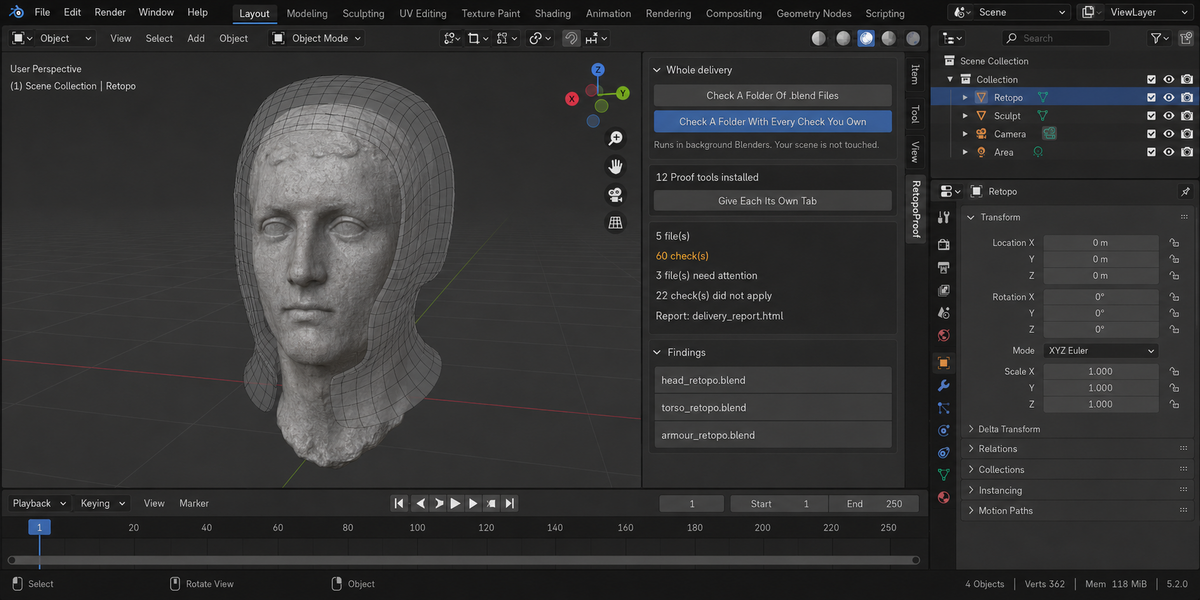
The sidebar has a Whole Delivery panel. It has two buttons.
Check A Folder Of .blend Files runs this product over every .blend in the folder you pick. Check A Folder With Every Check You Own runs every tool from this line that you have installed, over the same files, in one pass — one report, one verdict.
Each file is opened in its own background Blender. Your open scene is never touched: not opened over, not saved, not modified in any way. This is also why a file that will not open costs you only that file — the rest of the delivery is still checked. Press Escape to stop; nothing partial is written, because a report covering half a delivery is a report nobody should trust.
When it finishes, an HTML report named retopo_proof_report.html is written into the folder you picked. If a file with that name is already there, it is left as it is and the new report takes the next free name (retopo_proof_report_2.html, retopo_proof_report_3.html and so on); the message at the bottom of Blender names the file it wrote. The same goes for the baseline file when Save As Baseline is ticked. It is one file with nothing loaded from the internet, so it can be attached to an email, put in the delivery folder, or opened years later on a machine that has never seen this add-on.
Running it from a pipeline
The same check runs headless, with no interface and no person, and finishes with a code your build system can read: one code for clean, another when something blocking was found, and a third when a file could not be checked at all. Those last two are deliberately different. A check that did not run has not passed, and a gate that treats silence as success will one day wave through the delivery it existed to stop. The command is blender --background --factory-startup --python-expr "import retopo_proof; retopo_proof.proofkit_cli()" -- --folder /shots --report report.html. Return codes: 0 clean, 1 something blocking, 2 a file could not be checked, 3 the command itself was called wrongly.
Comparing against last week
Any run can be saved as a baseline. A later run then reports what changed: which numbers moved and in which direction, which findings are new, and which ones you have fixed since. Direction matters and is not guessed — each measurement carries its own sense of which way is worse, so rising coverage reads as better and rising drift reads as worse.
Signing a file off
When a file is clean you can sign it off. The record lives inside the .blend itself, not in a folder next to it, so it travels with the file: open it next month and it tells you when it was checked, by which version, and how it came out. If the file is saved after that, the record says plainly that it is out of date — a sign-off that survives an edit it never saw would be worse than no sign-off at all.
One tab instead of twelve
Every tool in this line can put its panel under a single shared sidebar tab instead of its own. One button does it for all of them at once, and each panel arrives collapsed, so twelve tools cost you one tab and no scrolling. Your choice is remembered, and a tool that you later use on its own can be given its own tab back the same way.
What is deliberately not claimed
A check that could not run is reported as exactly that, never as a pass. If a tool from this line is not installed, or is an older version that predates the combined run, the report names it in a list of checks that did not take part, so the gap is visible rather than quietly absent.
Changelog
v1.2.2 — The Whole Delivery folder check no longer replaces a file in the folder you pick. Before, the report was always written as retopo_proof_report.html (and the baseline as retopo_proof_report_baseline.json), and a file with that name already there, such as an earlier report you kept, was overwritten. Now a free name is taken (retopo_proof_report_2.html and so on), the message at the bottom of Blender names the file it wrote, and a run that fails while writing removes only the file it created. The report is written as UTF-8, as the page declares. The report and the baseline keep one number (retopo_proof_report_2.html with retopo_proof_report_2_baseline.json). A folder that cannot be written to is now refused in words instead of a Python error (and no empty report is left behind when only the baseline cannot be created), a folder that already has the report's name is skipped like a taken file, and the closing message is shown: before, a run with no problems or with unchecked files ended in a Python error instead of the message. Checking a folder no longer stalls on a file whose check prints a lot: on Windows such a file sat until the 30-minute limit and was reported as not finished. A file Blender cannot open, or one with nothing to check, is now explained in words instead of a Python error.
v1.2.1 — maintenance release. The package ships the full licence text and an updated README (install, first run, uninstall). No changes to the tools.
Have questions about this product?
Login to message
| Published | about 2 months ago |
| Blender Version | 4.2 - 5.2 |
| Extension Type | N/A |
| Render Engine Used | Cycles, Eevee |
| License | GPL |