 KacaDev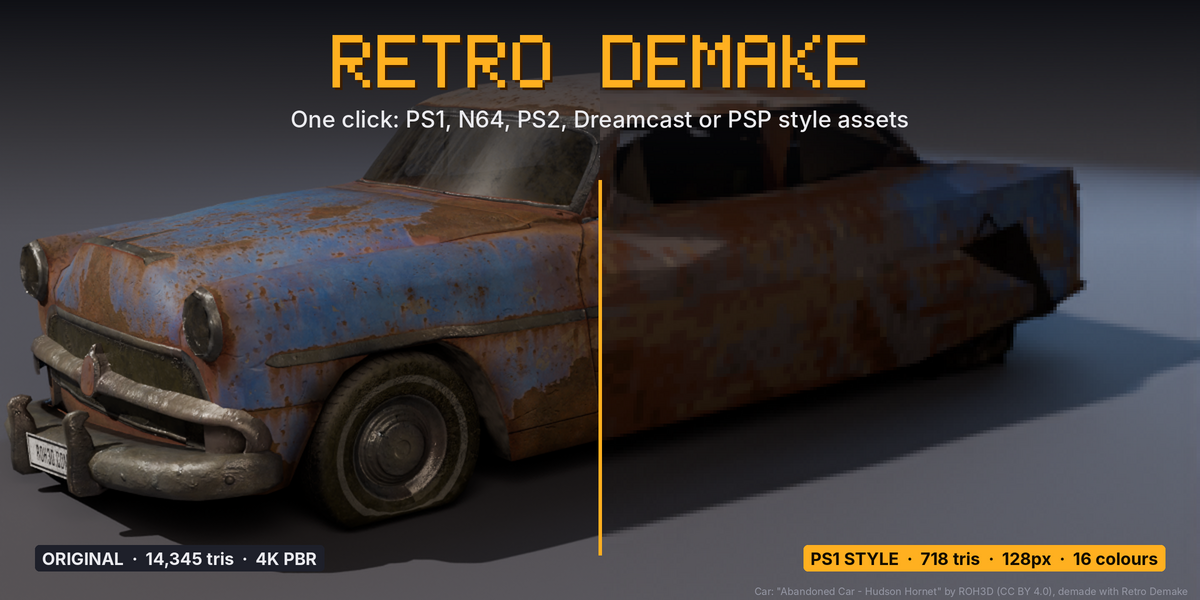
Make any asset look like it shipped in 1997.
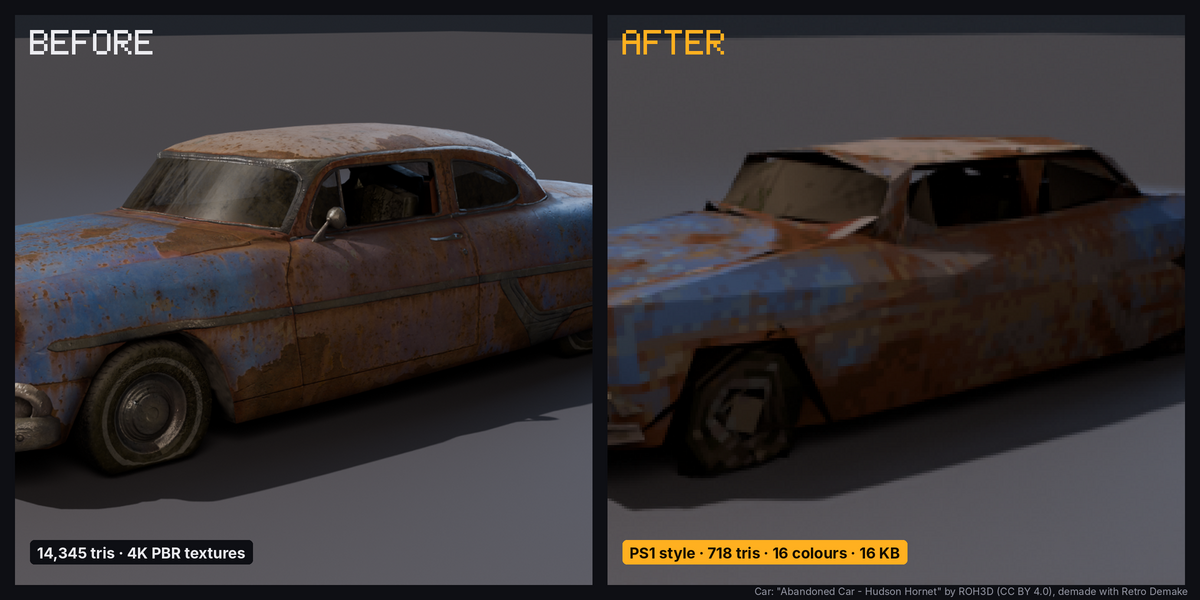
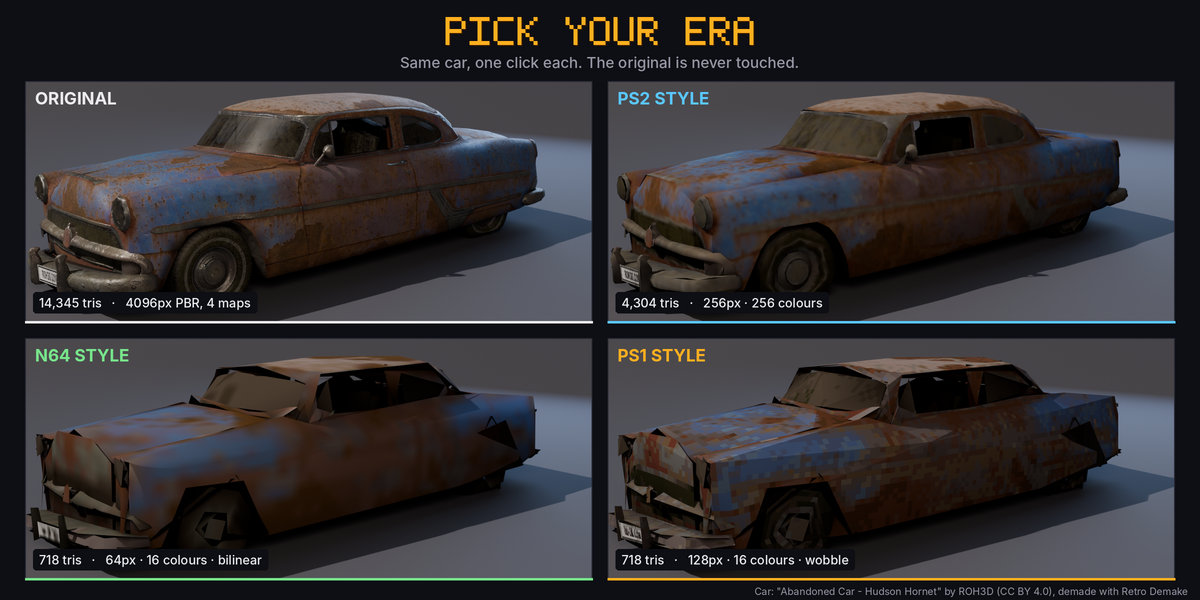
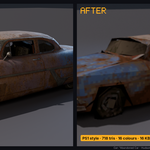
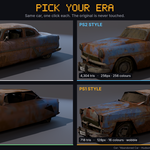
Retro Demake turns a modern Blender asset into a PS1, N64, PS2, Dreamcast or PSP style model in one click. It doesn't stop at a screen filter: you get real low-poly geometry, one small palette texture and baked vertex shading, ready to export to Unreal, Unity or Godot.
Pick a console, press Demake Selected, done. Your original is never touched; the demake is a separate copy you can flip back and forth with one button.
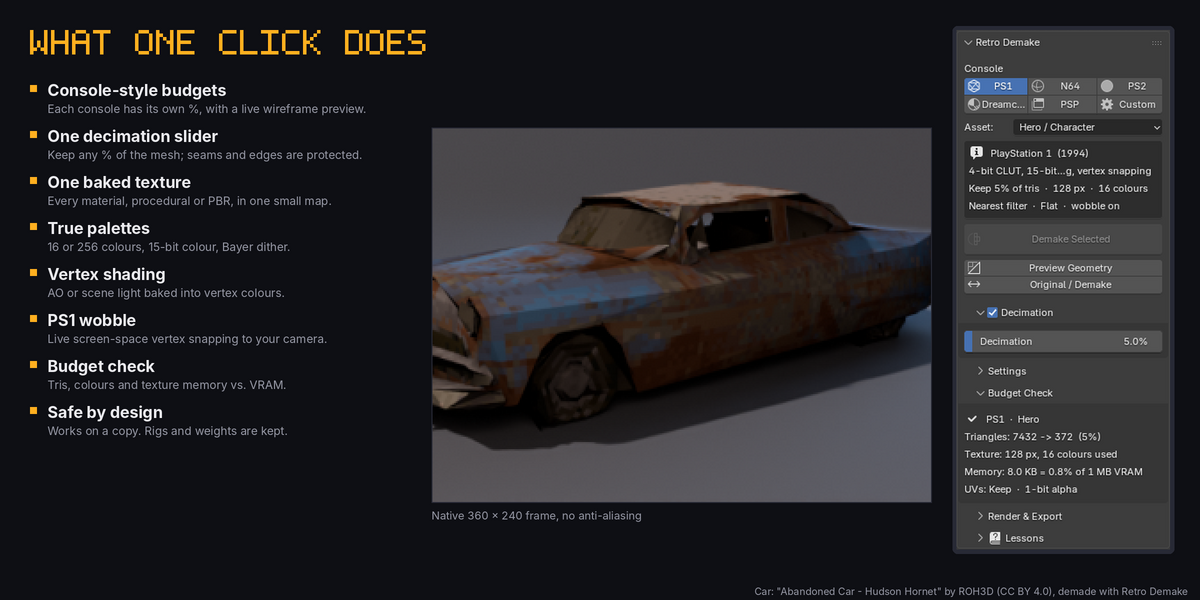
What one click does
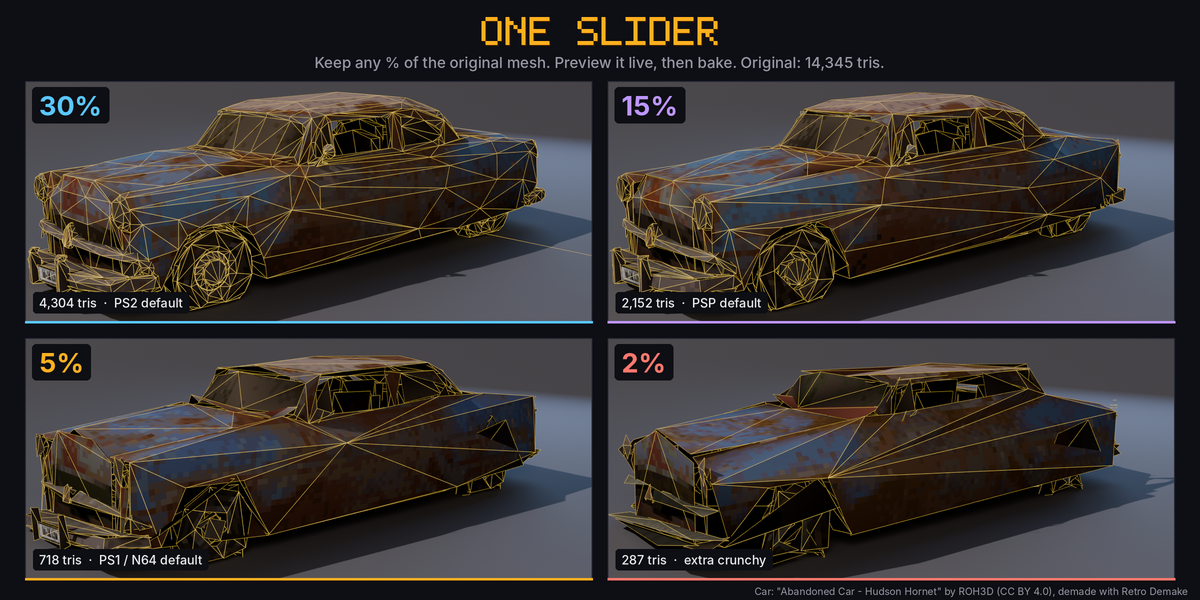
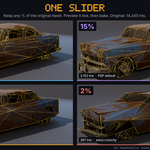
- One decimation slider. Set how much of the original mesh to keep, as a percentage. Each console starts at its own value (PS1 5%, PS2 30%) and Asset roles (Hero, Prop, Environment) scale it. UV seams, sharp edges, outlines and material borders are protected automatically, then the mesh is triangulated.
- Live preview. Preview Geometry shows the reduced wireframe in place of your model and updates as you drag the slider. Demake Selected bakes exactly what you previewed.
- One baked texture. Every material on the object, procedural, image or metallic PBR, is baked into a single small texture (64 to 256 px).
- True palettes. 16 or 256 colours like the old 4-bit and 8-bit colour tables, 15-bit colour banding, and a 4x4 ordered dither that only appears where the source has gradients.
- Nearest or bilinear filtering. Crisp pixels for PS1, soft filtering for N64, PS2 and Dreamcast.
- Vertex shading. Bake ambient occlusion or your scene's lights into vertex colours for the classic pre-lit look. Optional shadeless material.
- PS1 vertex wobble. Live screen-space vertex snapping tied to your scene camera, as a Geometry Nodes modifier.
- Cutouts and rigs. Alpha becomes clean 1-bit cutouts. Rigged meshes keep their armature and vertex weights.
- Budget Check. Triangles before and after, colours used, and texture memory as a share of the console's VRAM.
- Era render look. Console resolution and no anti-aliasing, with one-click restore.
- Save Textures. Writes the exact palette PNGs for your game engine.
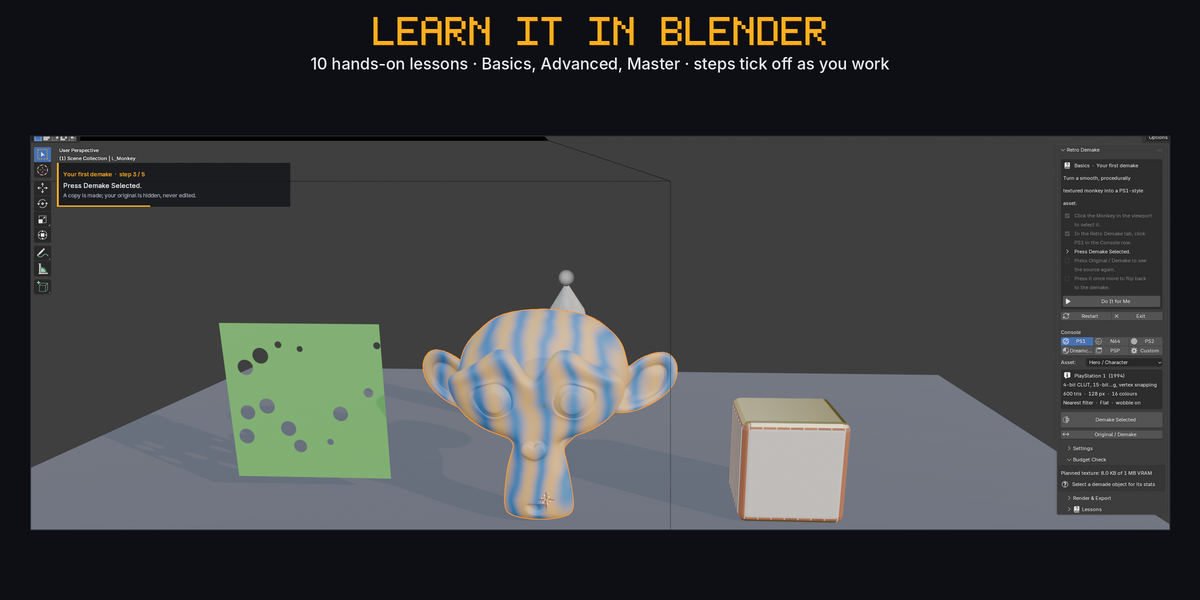
Learn it inside Blender
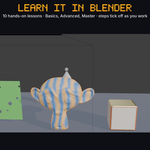
Ten interactive lessons (Basics, Advanced, Master) run in a throwaway practice scene. Steps tick off by themselves as you do them, a card in the viewport shows what to do next, and Do It for Me performs any step. Your own scene is never touched.
Presets
| Console | Mesh kept (hero) | Texture | Colours | Filter |
| PS1 | 5% | 128 px | 16, 15-bit, dither | Nearest + wobble |
| N64 | 5% | 64 px | 16, 15-bit | Bilinear |
| PS2 | 30% | 256 px | 256 | Bilinear |
| Dreamcast | 25% | 256 px | direct 16-bit | Bilinear |
| PSP | 15% | 128 px | 256 | Bilinear |
Every value can be overridden (Custom).
Good to know
- Affine texture warping is a rasteriser effect and can't be shown in Blender's viewport; use your engine's PSX shader for that part.
- Shape keys are not carried over to the demake copy.
- Vertex wobble needs a perspective scene camera.
- Works in any unit scale (cm or m scenes). Tested on Blender 4.2, 5.1 and 5.2.
Car model in the images: "Abandoned Car - Hudson Hornet" by ROH3D, licensed CC BY 4.0, demade with Retro Demake.