 Archviz Add-Ons


Rhino2Blender
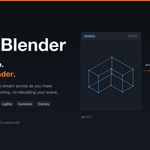
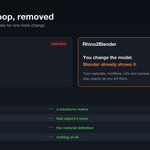
A live link between Rhino and Blender. Edits made in a Rhino document appear in a connected Blender scene without exporting or re-importing anything.
It is two components: a Blender add-on that hosts the connection, and a Rhino 8 plugin that connects to it and streams the document. Geometry, materials, textures, lights, blocks, NURBS curves, text, named views and clipping planes all cross over. Reconnecting to a document Blender has seen before transfers only what changed.
How it works
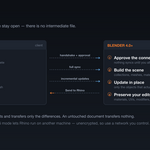
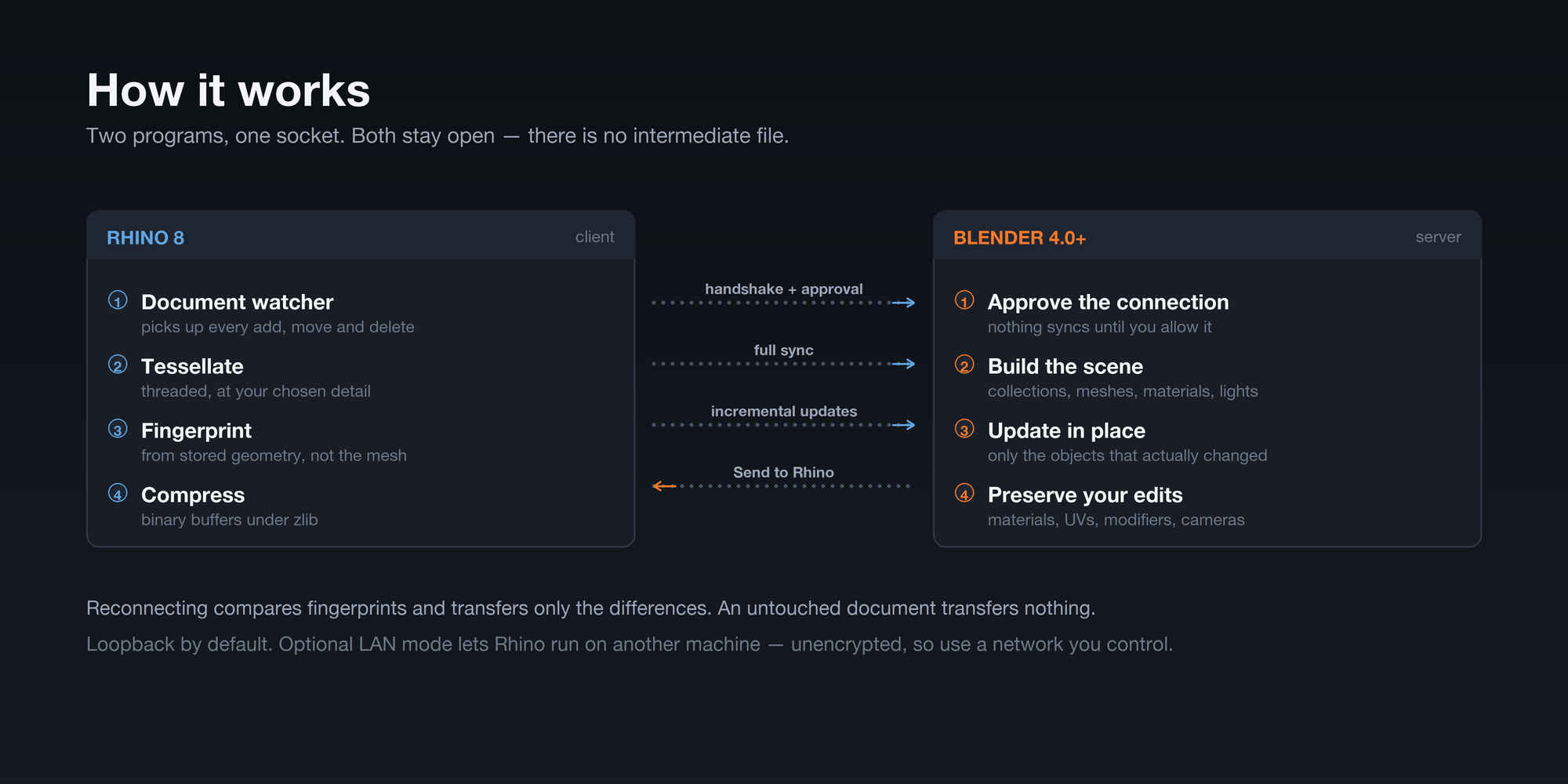
Blender listens. Rhino connects. On connect, the Rhino plugin indexes the document and sends it; from then on, document events stream across as incremental updates. Both applications stay open, and there is no intermediate file.
What crosses over
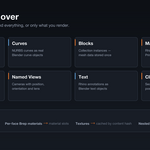
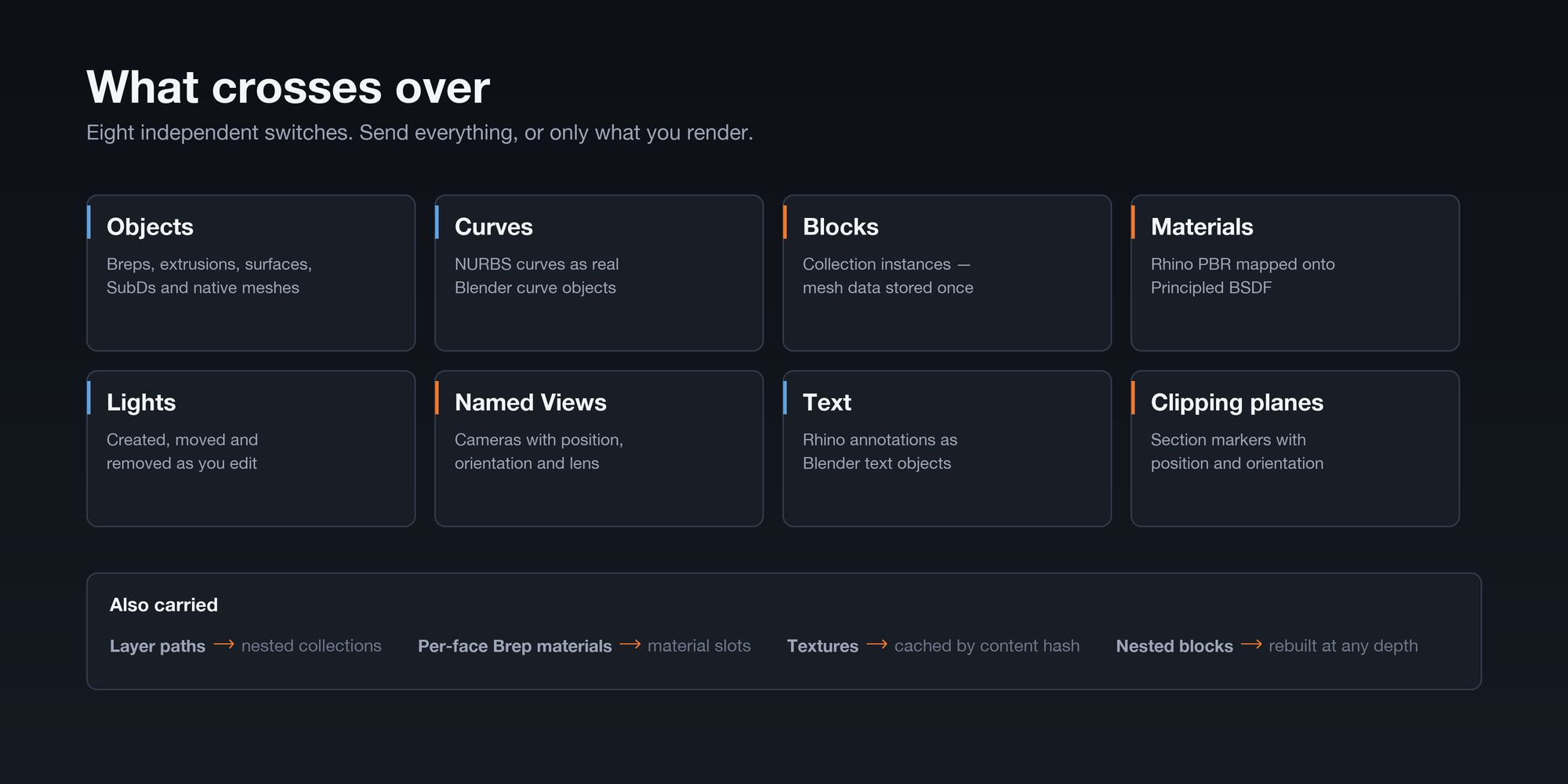
Eight independent switches in the Rhino panel, so you send exactly what you want and nothing you don't.
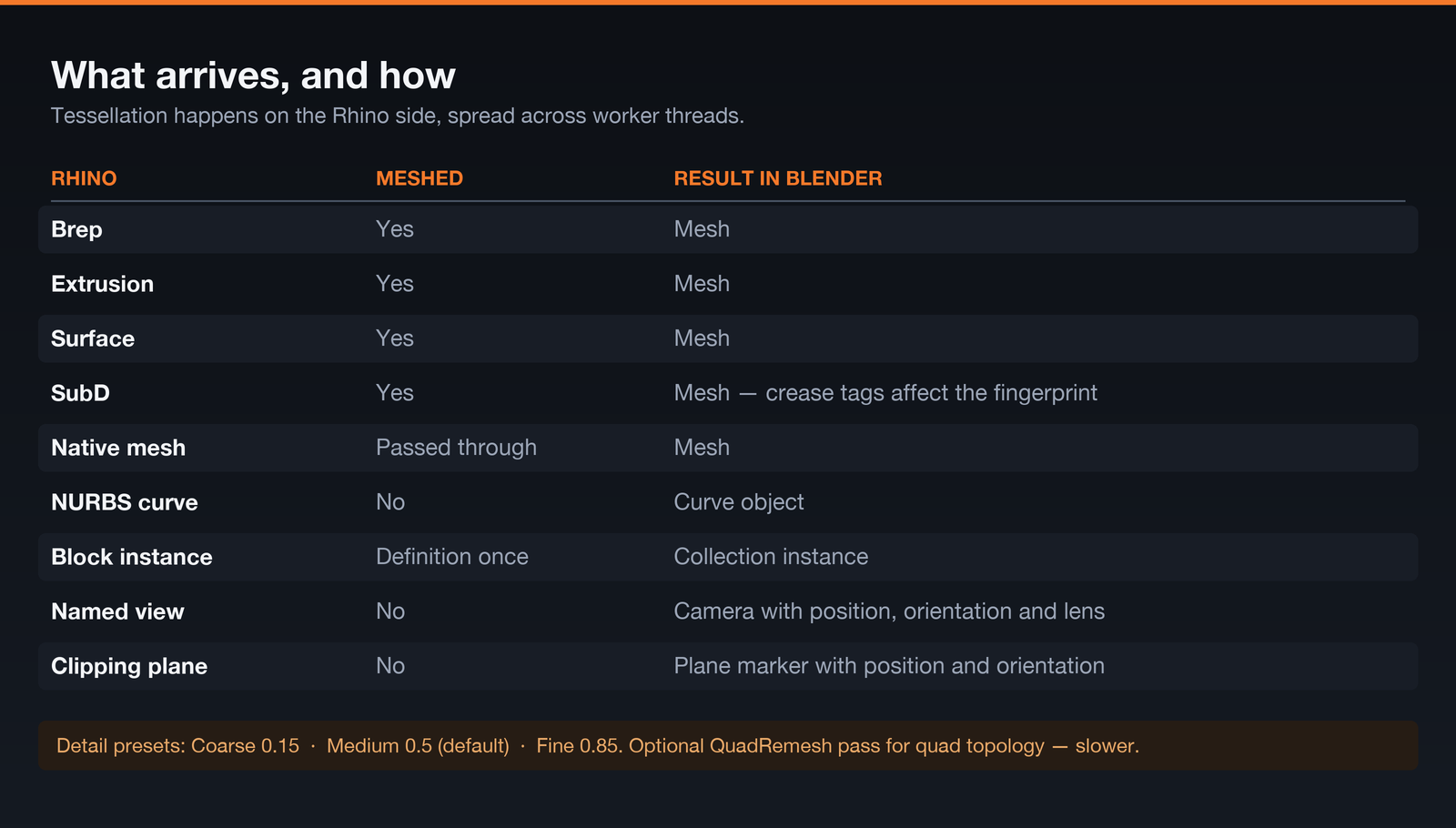
- Objects — Breps, extrusions, surfaces, SubDs and native meshes, tessellated on the Rhino side at your chosen detail.
- Curves — NURBS curves arrive as real Blender curves, ready for sweeps, arrays and hair.
- Blocks — Rhino blocks become Blender collection instances, so five hundred placements of the same chair store one chair's worth of mesh data. Nested blocks work too, at any depth, rebuilt with Rhino's own structure rather than flattened.
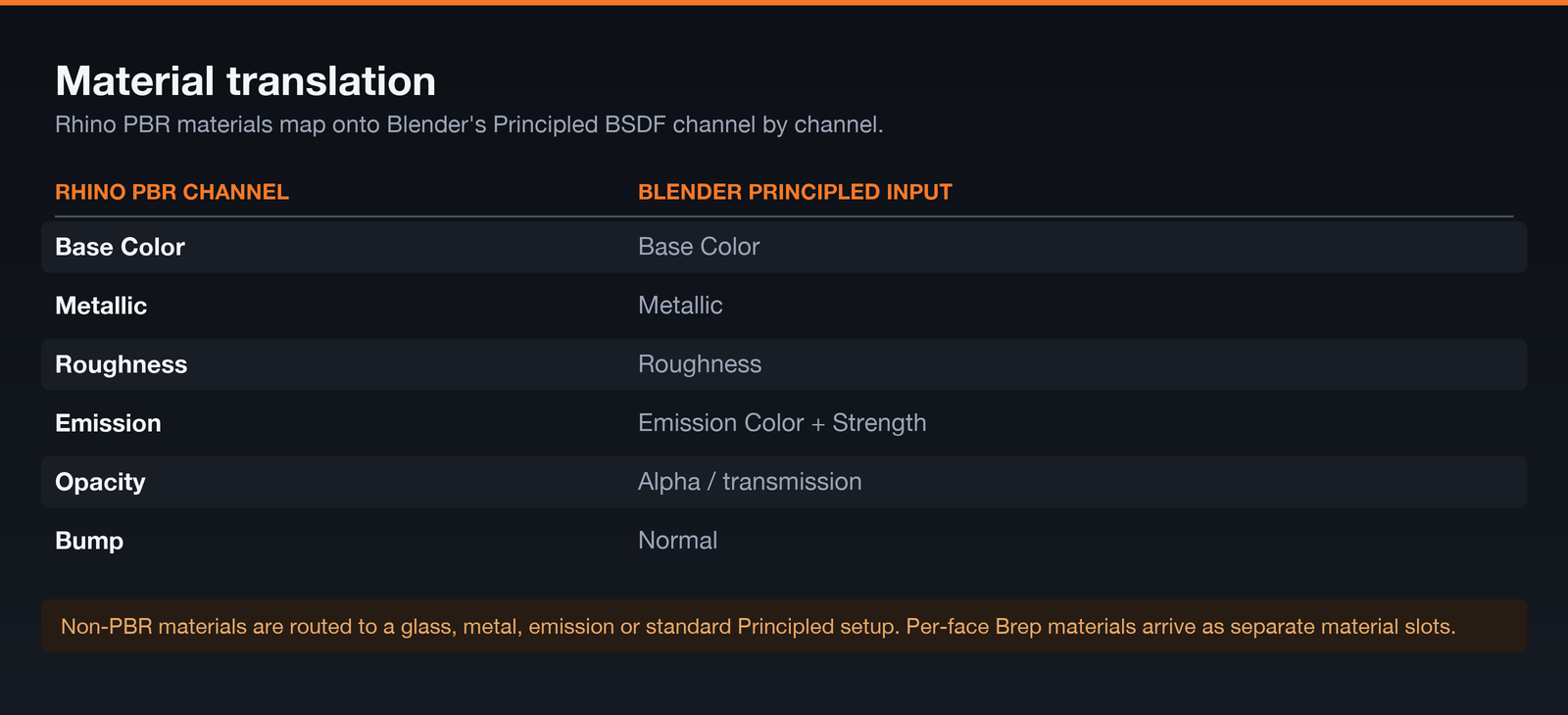
- Materials — Rhino PBR maps onto Principled BSDF with the full channel set. Textures transfer once and are cached by content hash. Glass, metal and emission get purpose-built node setups. Per-face Brep materials arrive as proper material slots.
- Lights — created, moved and deleted as you edit them.
- Named views — each becomes a Blender camera with its lens carried across.
- Text — Rhino annotations come across.
- Clipping planes — synced with position and orientation, so a section you set up in Rhino is a section you can render in Blender.
Layers mirror as collections either way, following Rhino's nesting.
Materials, in detail
Rhino PBR materials map onto Blender's Principled BSDF channel by channel. Non-PBR materials are read from diffuse colour, transparency, reflectivity and shine, then routed to whichever of four shader paths fits.
The parts that matter once the model gets big
Anyone can move a cube between two applications. Here is what happens when the file is a real one.
- Only the changes travel. Every object carries a geometry fingerprint. Edits send that object; everything else stays put.
- Reconnecting is not re-importing. The two sides compare fingerprints and transfer the difference. An untouched document transfers nothing.
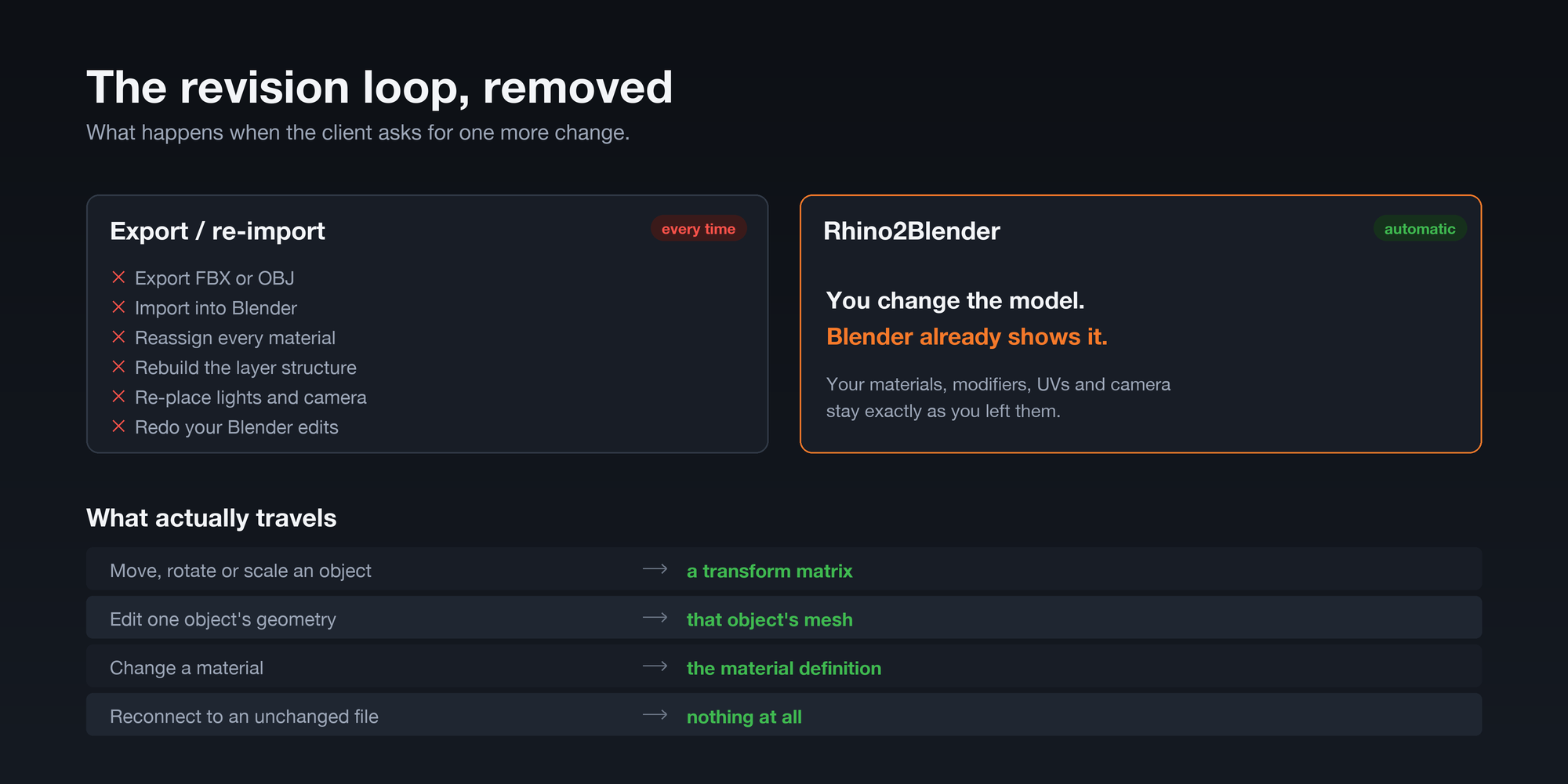
- Moving something is cheap. A transform-only change sends a matrix. The mesh never re-tessellates and never crosses the wire.
- The same file on a PC and a Mac stays incremental. Fingerprints are computed from the geometry stored in the file — control points, knots, weights, topology — quantised so both platforms produce the identical value.
- Meshing uses your cores. Tessellation is spread across worker threads rather than blocking on one.
- Geometry travels as packed binary, then compressed. Vertices, normals and faces go over as raw float and integer buffers under zlib rather than as text.
- Heavy scenes arrive in chunks with a progress bar in the Blender sidebar.
Your Blender work survives
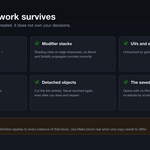
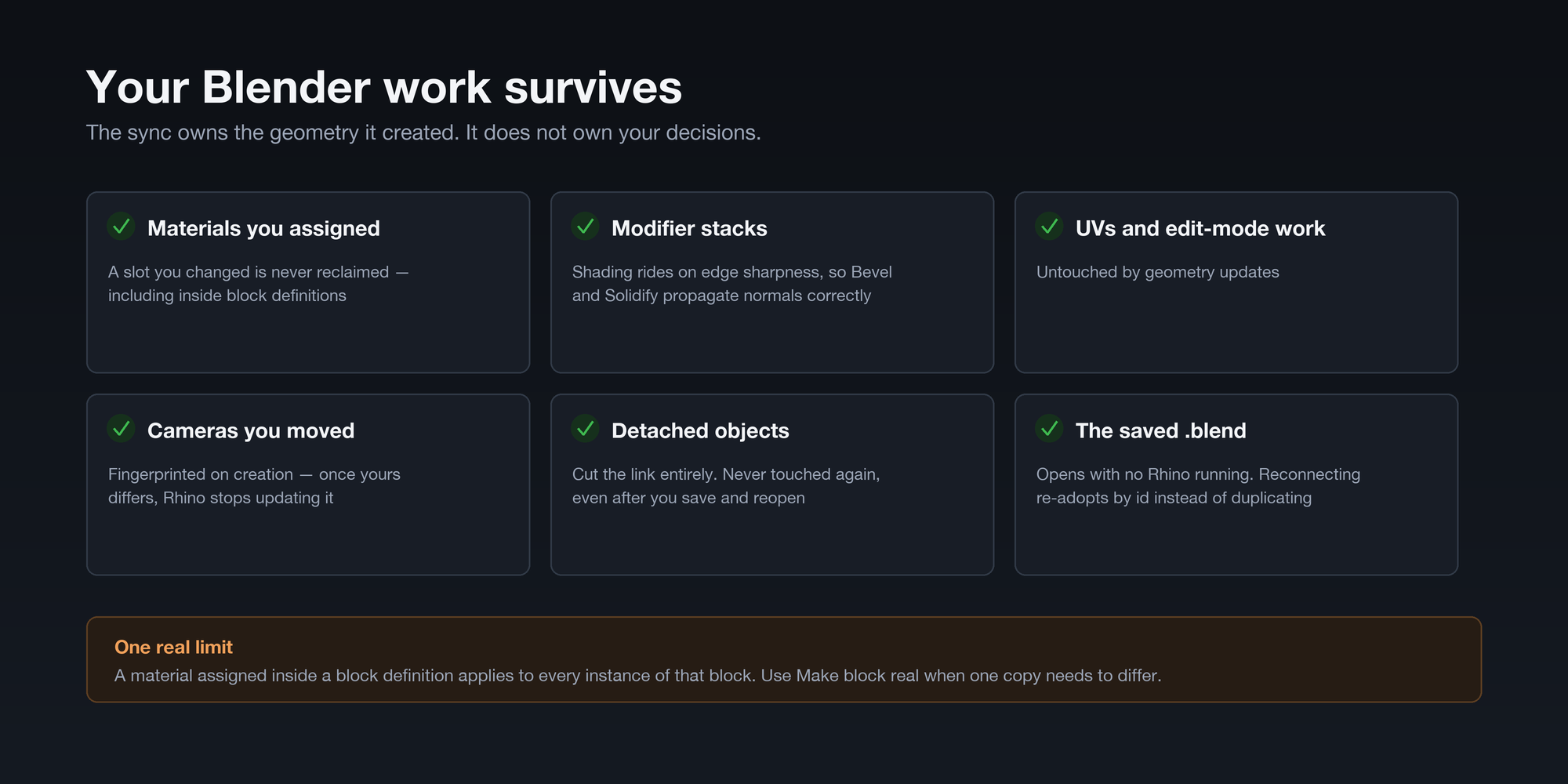
The sync owns the geometry it created. It does not own your decisions. Materials you assigned, UVs, edit-mode work, modifier stacks, cameras you re-framed and objects you detached all survive every resync — including after you save the file and reopen it.
Shading is carried by edge sharpness rather than per-face flags, so Bevel, Solidify and Subdivision propagate normals correctly across geometry they create.
Control over what you send
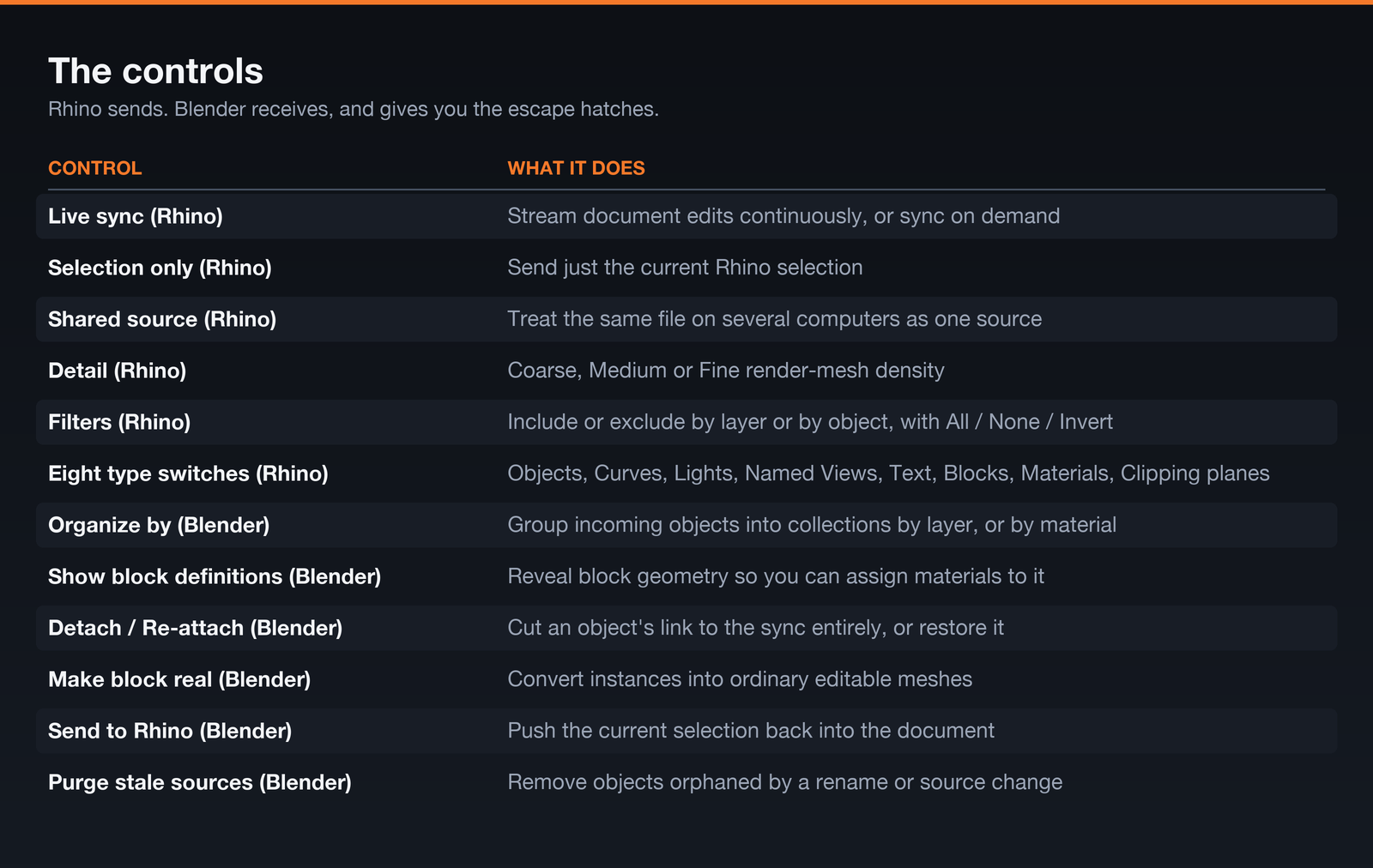
Selection only — connect a hundred-thousand-object site model and sync just the tower you are working on.
Layer and object filters — include or exclude by layer, or pick individual objects, from a searchable tree with All / None / Invert. Your choice sticks between sessions.
Mesh detail — Coarse, Medium or Fine, plus an optional QuadRemesh pass when you want clean quads to model on top of rather than render triangles.
Organise by layers or by materials — group incoming objects into collections either way, and flip between them at any time without re-syncing.
Sending work back to Rhino
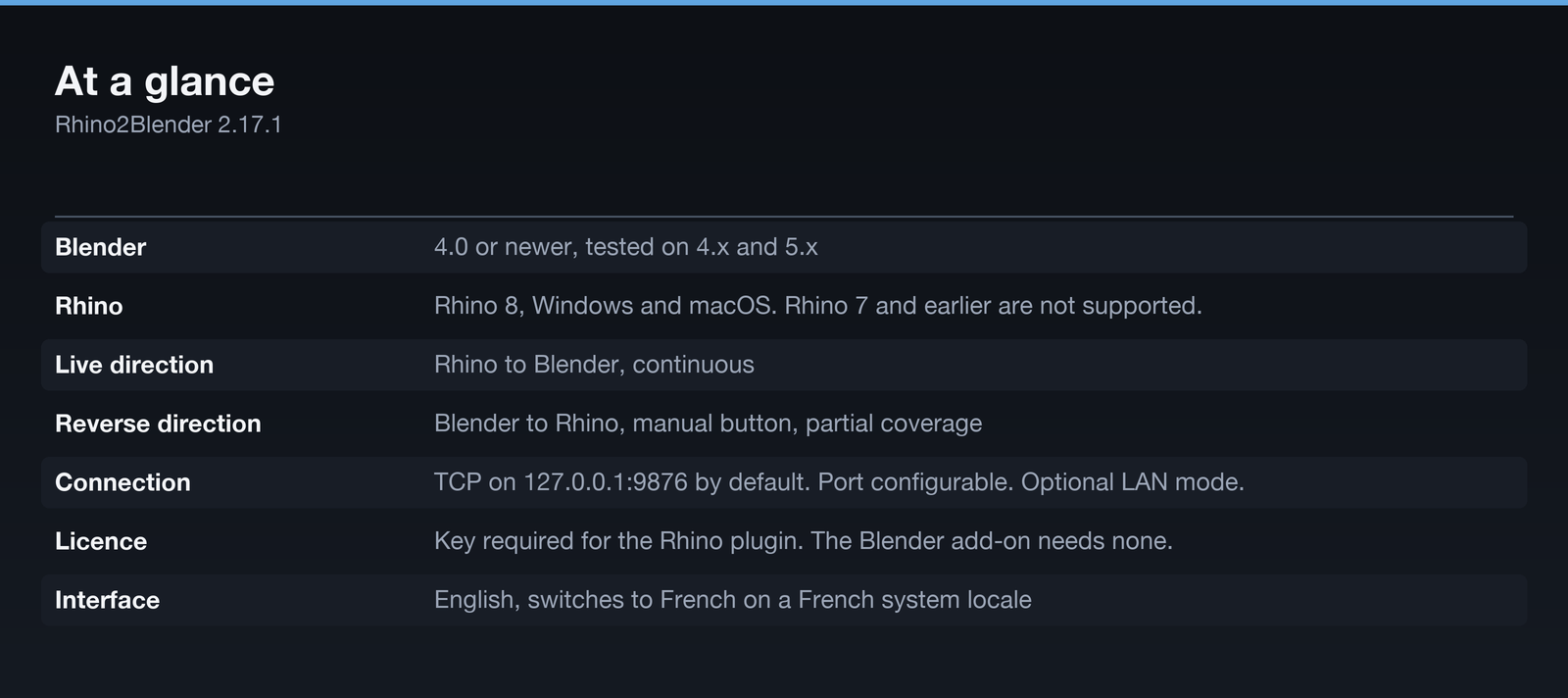
The live stream runs Rhino to Blender. When you need to go the other way, select objects in Blender and press Send to Rhino. Meshes, NURBS curves, text, cameras (as named views) and collection instances (as Rhino blocks) build themselves in Rhino, on the right layer, with their colours. The document watcher pauses while they arrive so nothing echoes back.
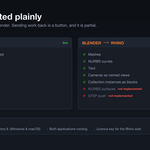
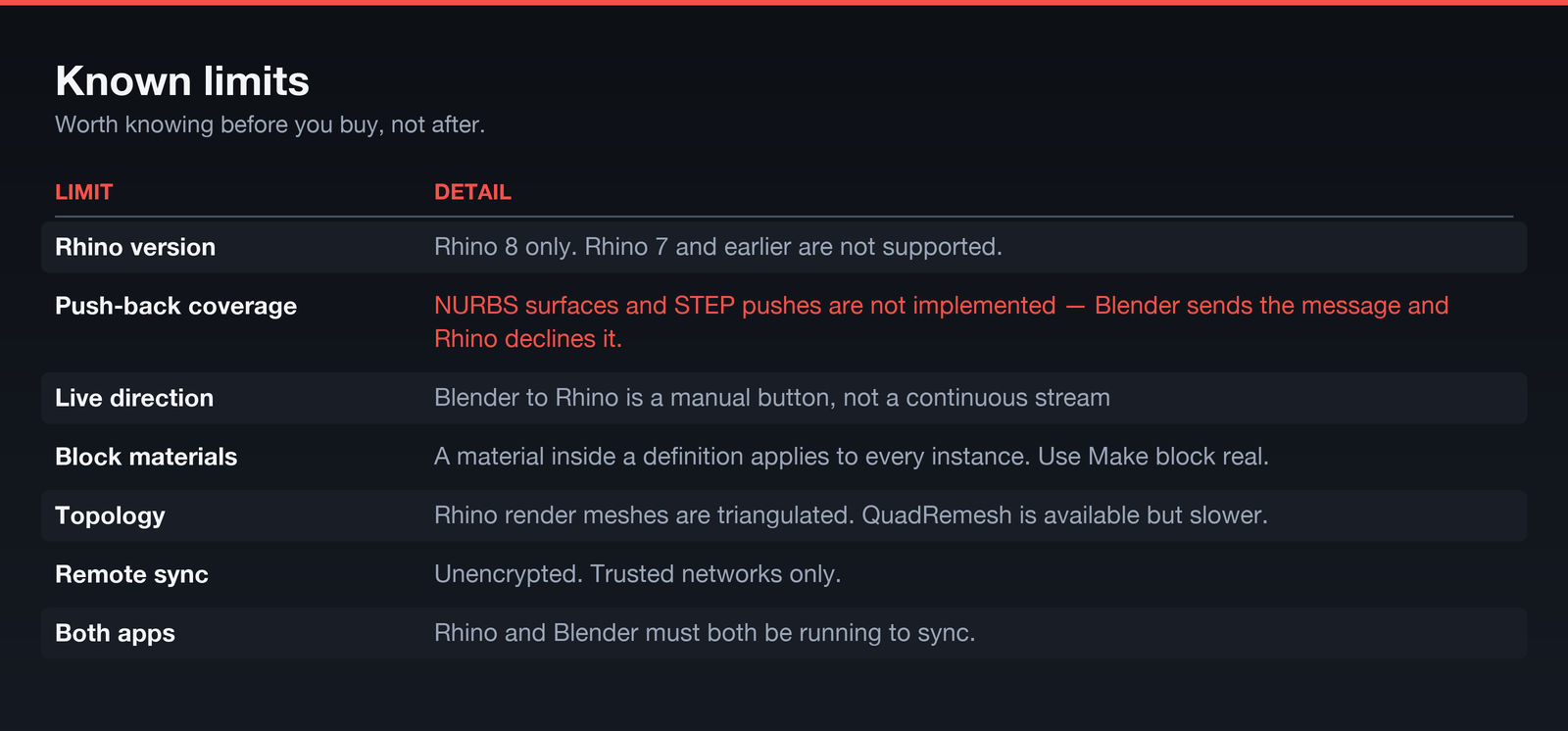
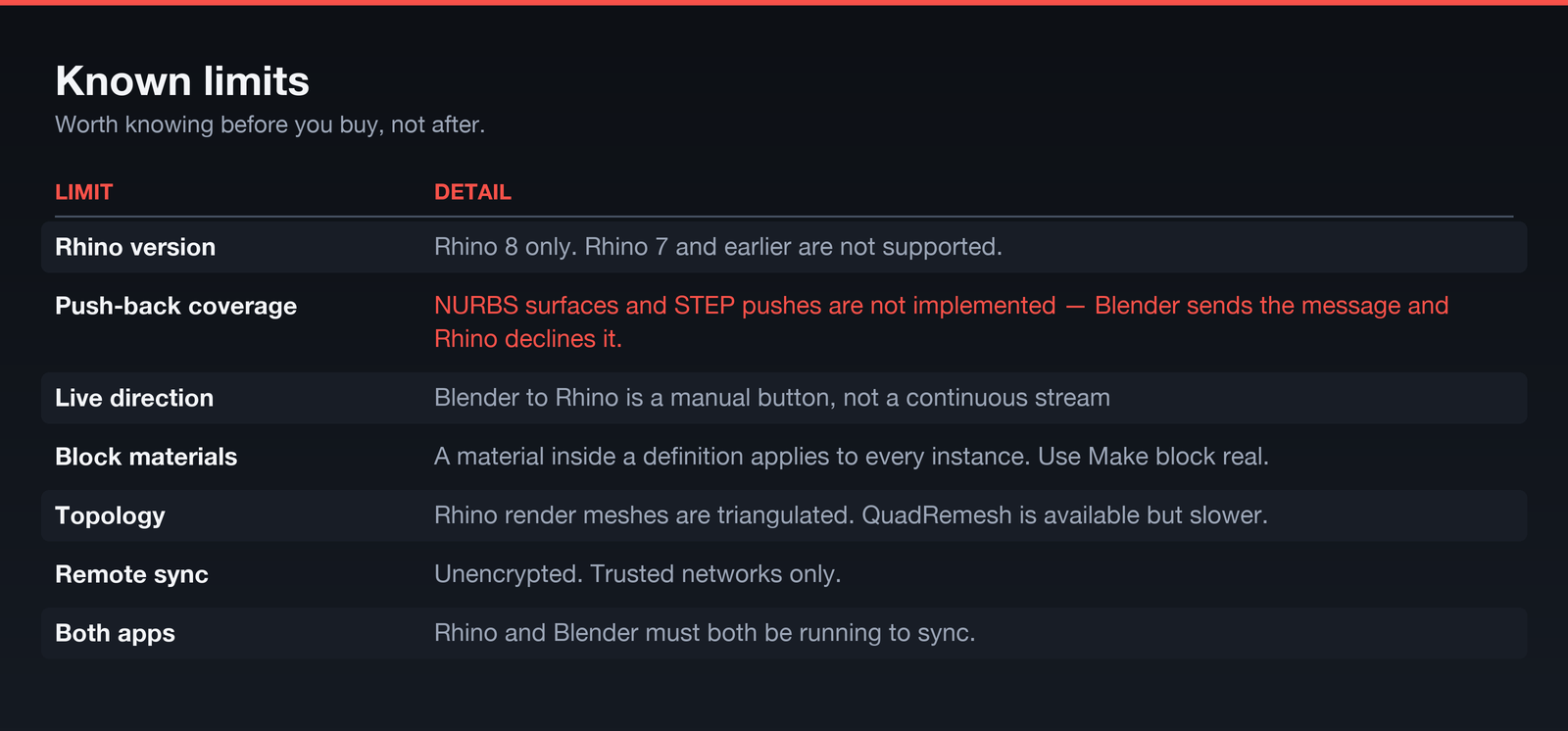
Coverage is partial, and stated plainly in the image below: NURBS surfaces and STEP pushes are not implemented. If your workflow depends on pushing surfaces back into Rhino, this add-on does not yet do that.
Working with more than one file
A Blender scene can hold several connected Rhino documents at once — the shell from one file, the interior from another, the furniture library from a third. Each appears as its own source with its own counts and its own controls to pause, rename or remove it.
Two people on two machines can also drive the same Blender scene: turn on Allow remote connections and the add-on listens for Rhino on your network. Every incoming connection asks your permission first. That traffic is unencrypted — use it on a studio network you trust.
Who this is for
You model in Rhino and you render in Blender. That is really the whole test. In practice that has meant architectural visualisation, where the model changes every week and the render has to keep up; product and industrial design, where you iterate form in Rhino and light it in Cycles; and jewellery, furniture, yacht and automotive work, where NURBS accuracy matters in Rhino and Blender does the presentation.
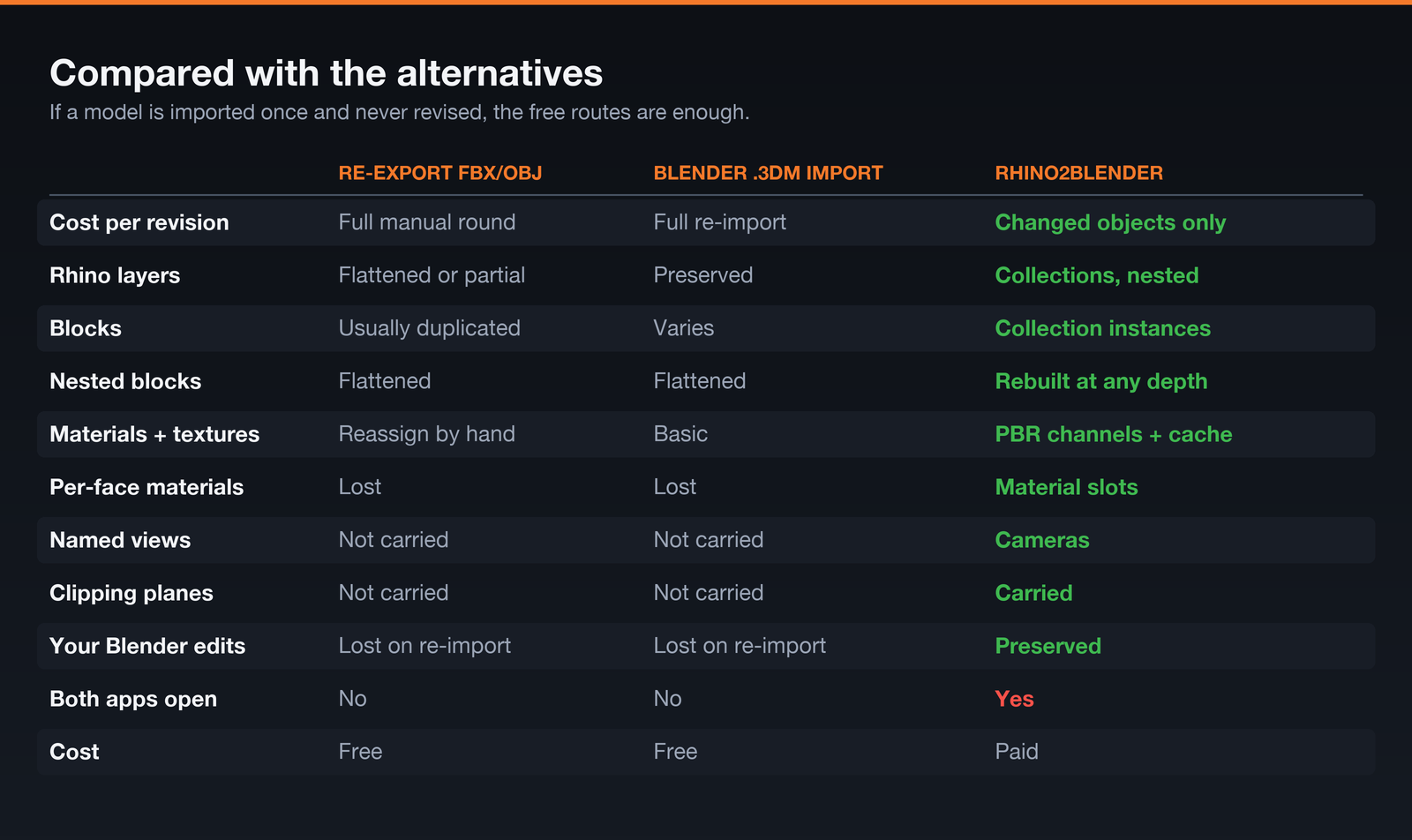
If you only ever import a finished model once and never touch it again, Blender's own .3dm import will do. Rhino2Blender is for work that changes.
Installation
Two installers, because it is two halves of one link.
- Rhino2Blender_2.17.1.zip — the Blender add-on. Install it in Preferences → Add-ons, enable it, and open the Rhino2Blender tab in the 3D viewport sidebar.
-
Rhino2Blender_2.17.1.yak — the Rhino plugin. Drag it onto Rhino, then run the
Rhino2Blendercommand to open the dockable panel.
On first run the Rhino panel asks for your licence key. The Blender add-on needs no key at all. Then press Start in Blender, Connect in Rhino, and you are synced.
[AUTHOR: confirm how buyers receive their key — Superhive does not issue them for you. Keys are currently minted by hand and expire after a year by default. Either automate issuance from your order notifications, or state the key duration and renewal terms plainly here. Undisclosed expiry on a paid add-on generates refund requests.]
Honest limits
Things worth knowing before you buy, not after.
Rhino2Blender 2.17.1 — by Lucas Azar
