 MeiU
MeiU


Your trusted Partner for Rig Alignment
RIG ALIGN
Streamlined Character Attire Adaptation
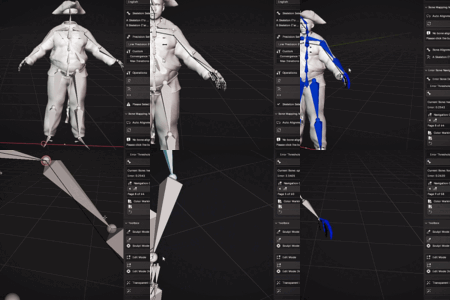
Blender Addon | One-click automatic alignment of different rigs, approximately aligning source rigs with target rigs;
Synchronized binding of clothing and accessories for rapid character adaptation.
Three Core Advantages
Achieve reasonably accurate bone alignment with just one click.
saving up to 70% of setup time.
enhancing your workflow efficiency.
Main Features
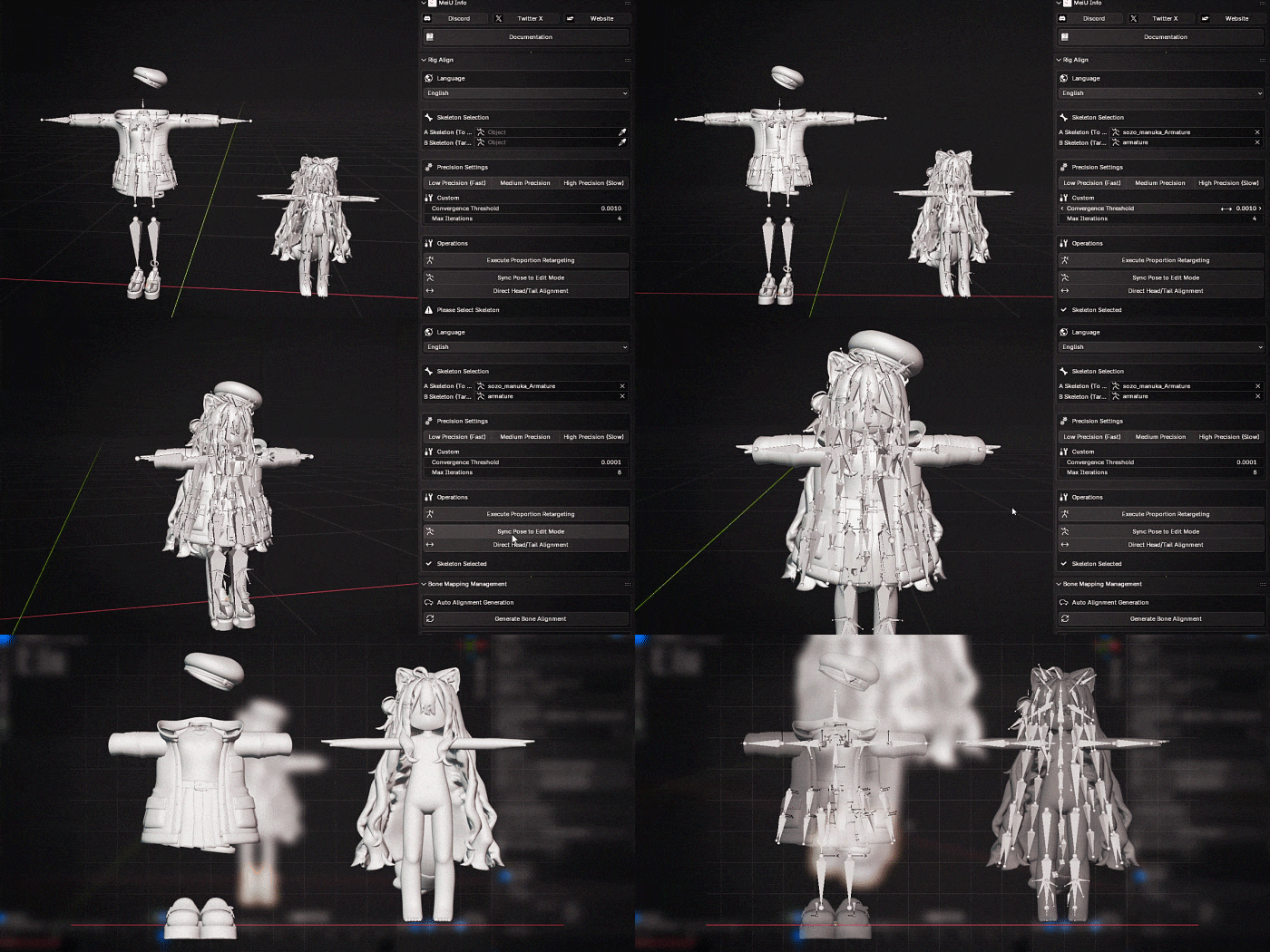
One-Click Clothing Alignment
Approximately automatic clothing alignment with synchronized bone positions.
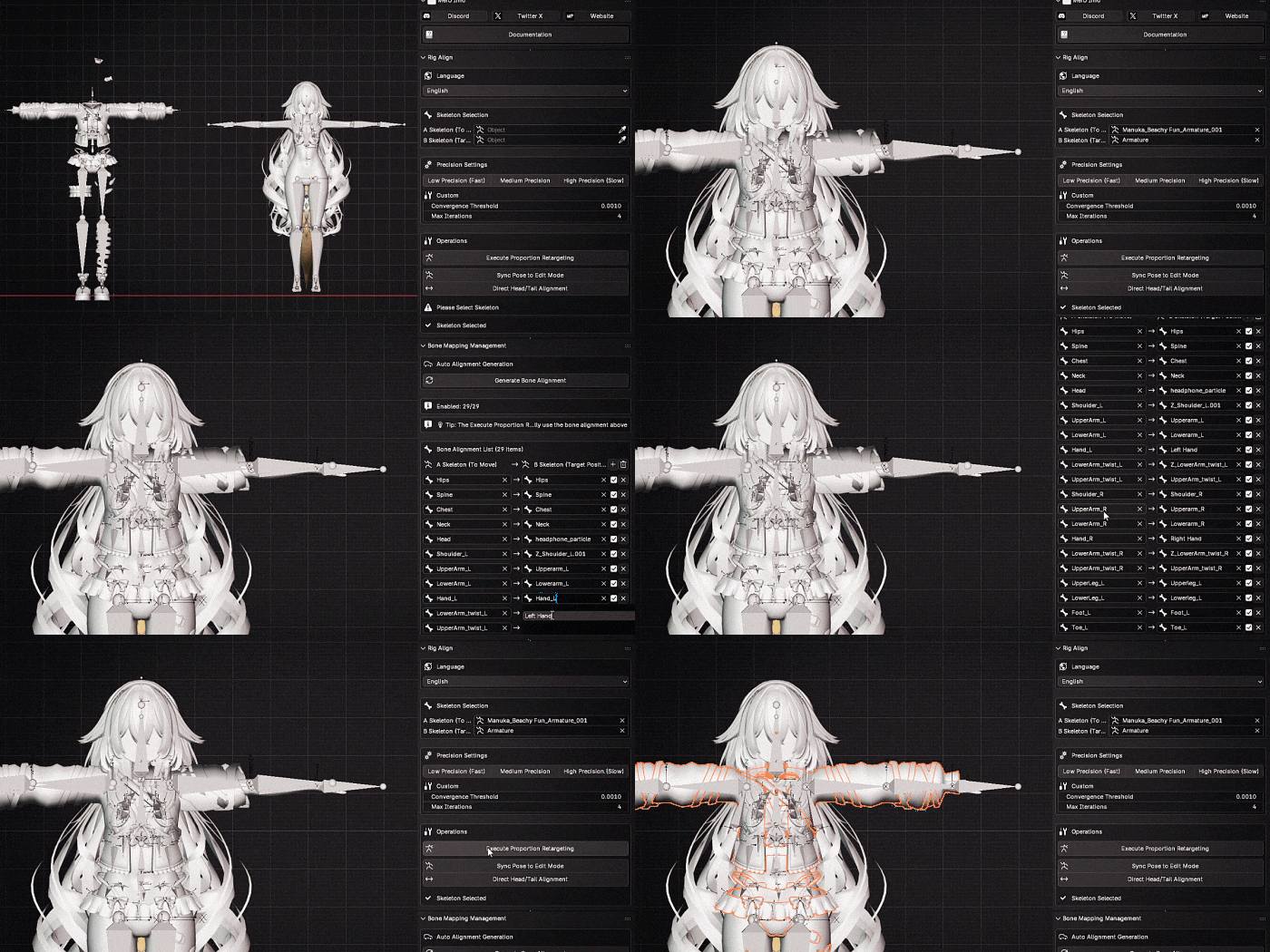
Custom Bone Selection
If automatic alignment cannot meet your needs, you can also individually select the required bones for alignment.
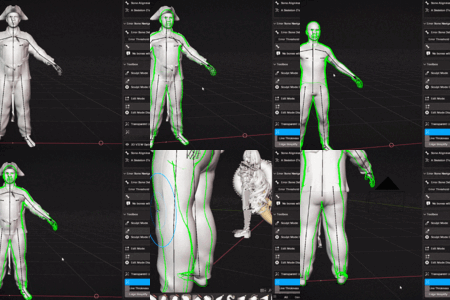
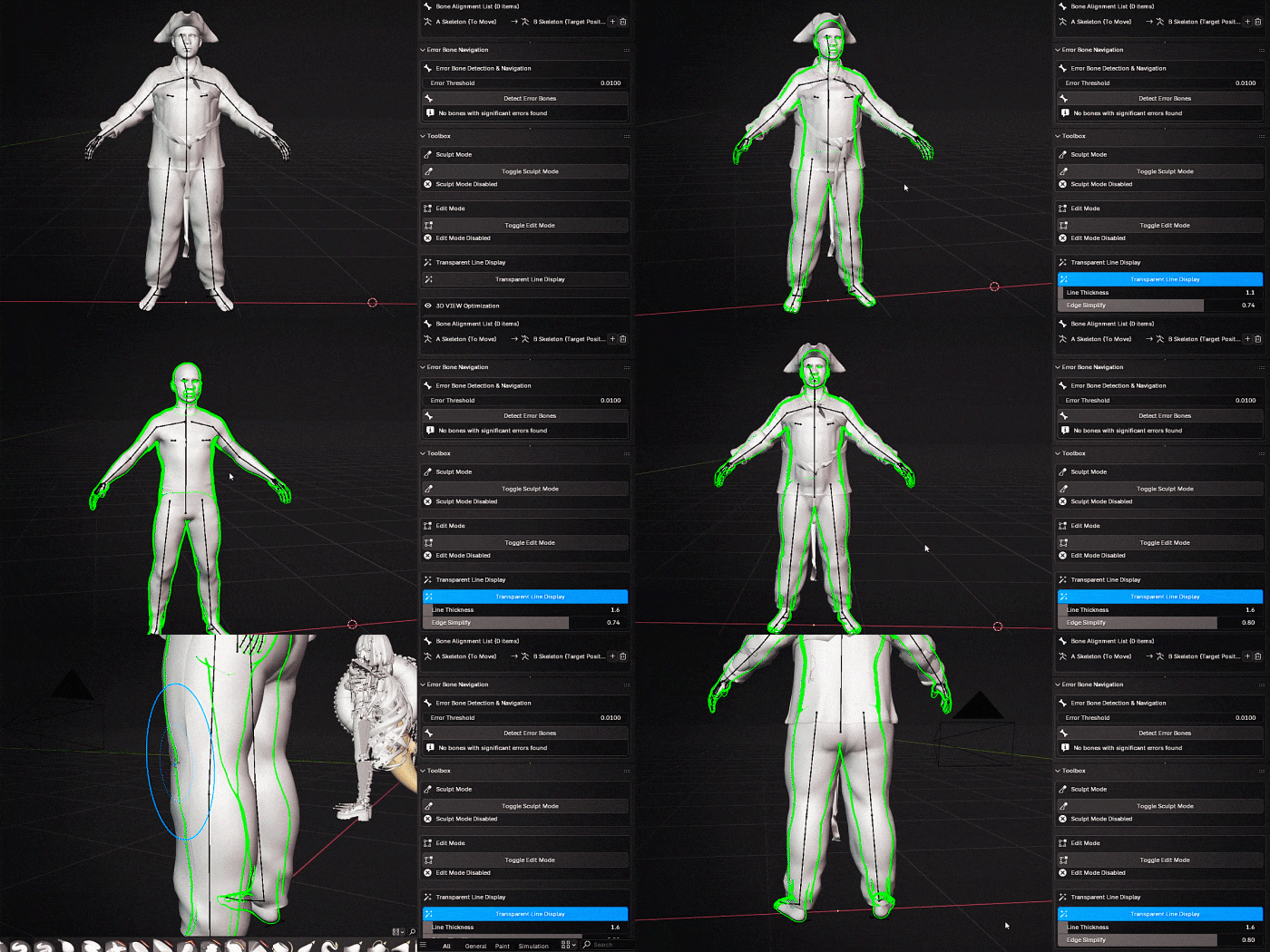
Better Model Inspection
With the tool included in the add-on, “Transparent Line Display,” you can better inspect the character mesh to check for any clipping issues.
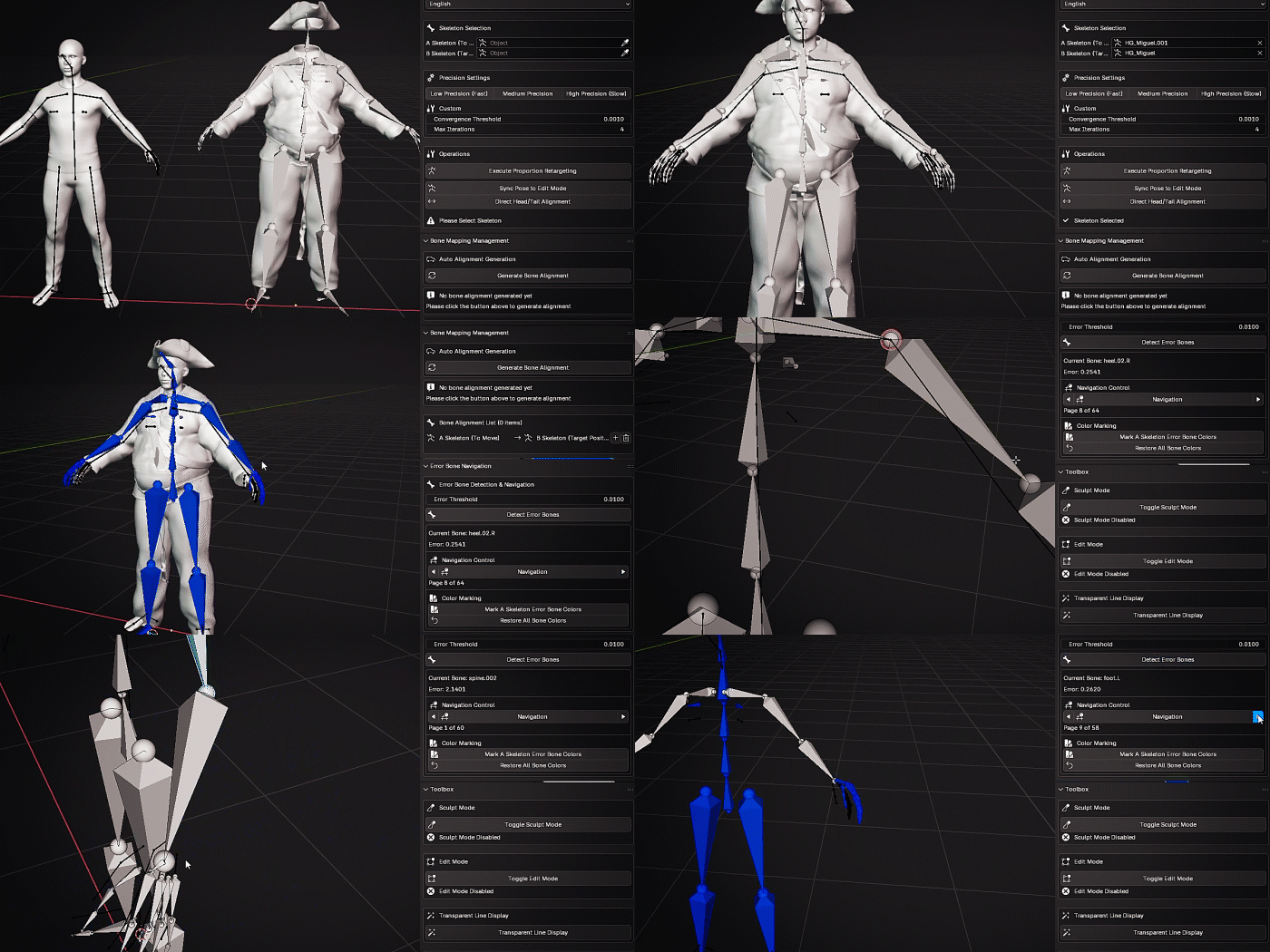
More Intuitive Error Bone Inspection
Approximately observe and check for any discrepancies in the rig bones.
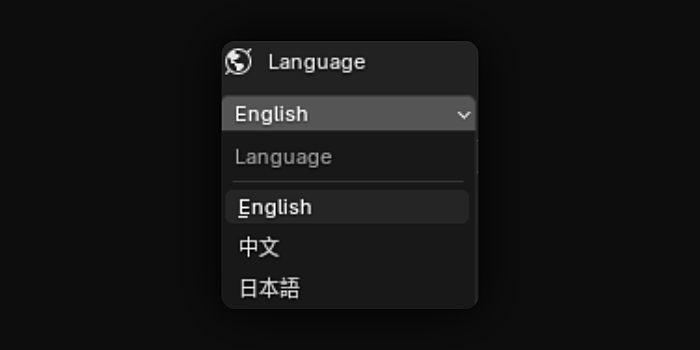
Multilingual Support
Supports multiple languages, including English, Chinese, Japanese.
Engine-Friendly Export
Bone naming approximately optimized for major engines and platforms including Unity, Unreal, VRChat, and Roblox, with additional high-tolerance naming options to approximately reduce rework on the engine side.
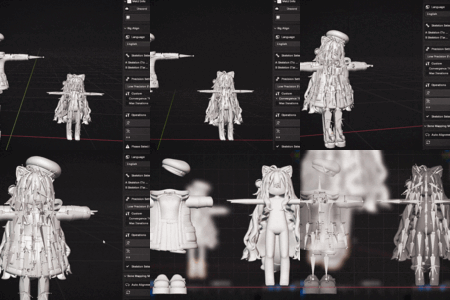
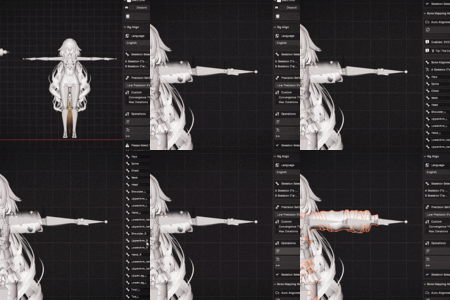
Four Steps to Approximately Complete Alignment and Dressing
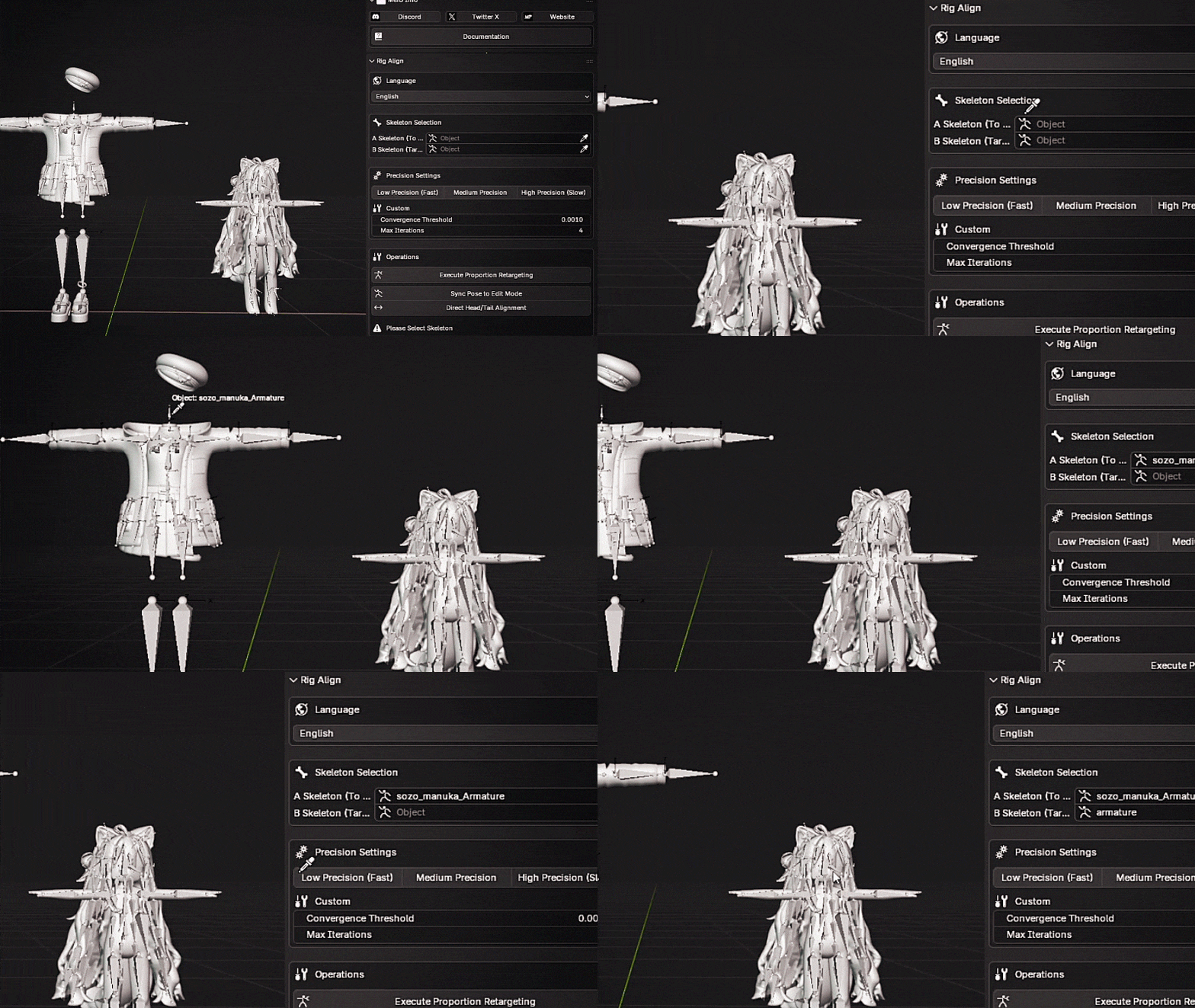
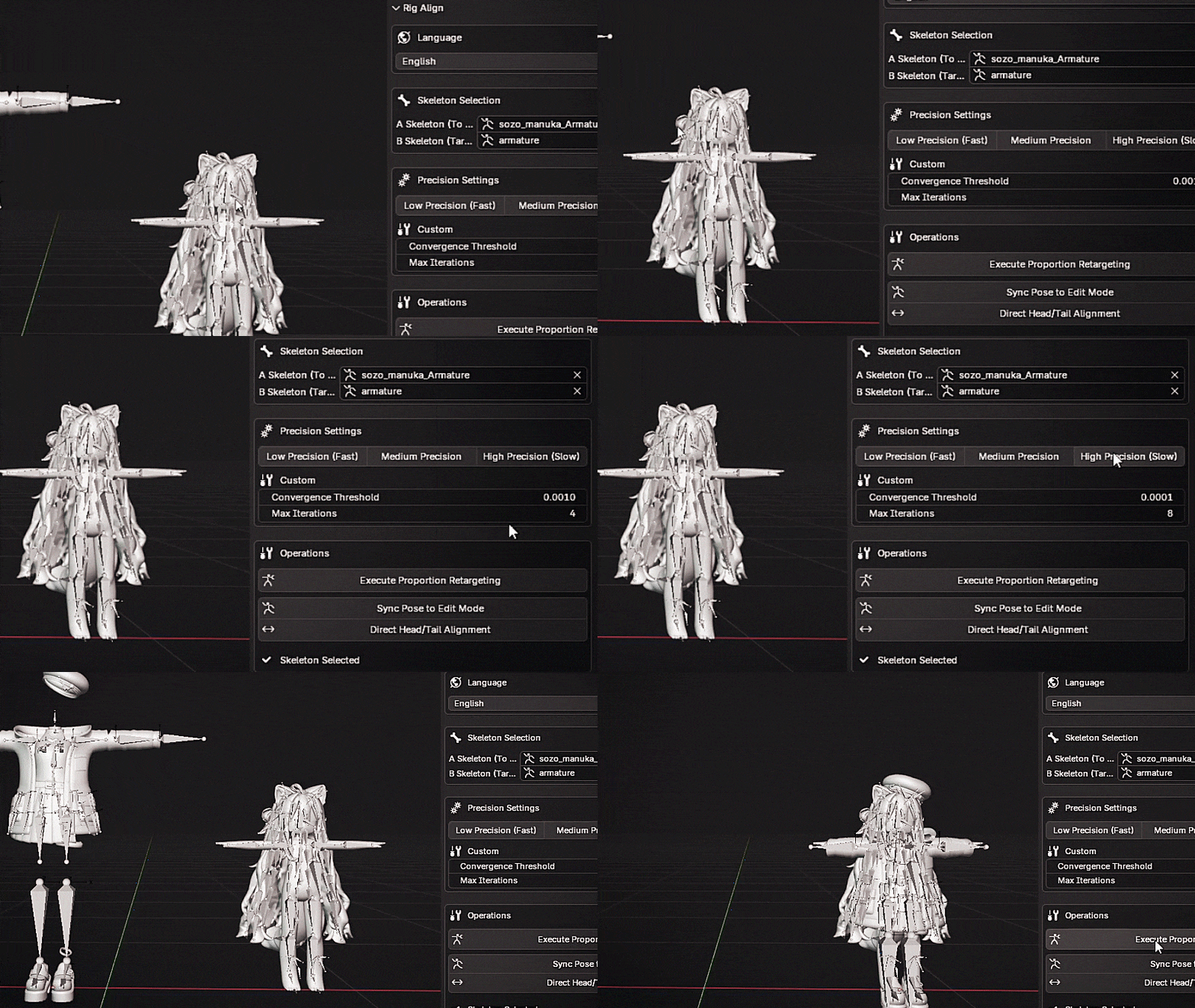
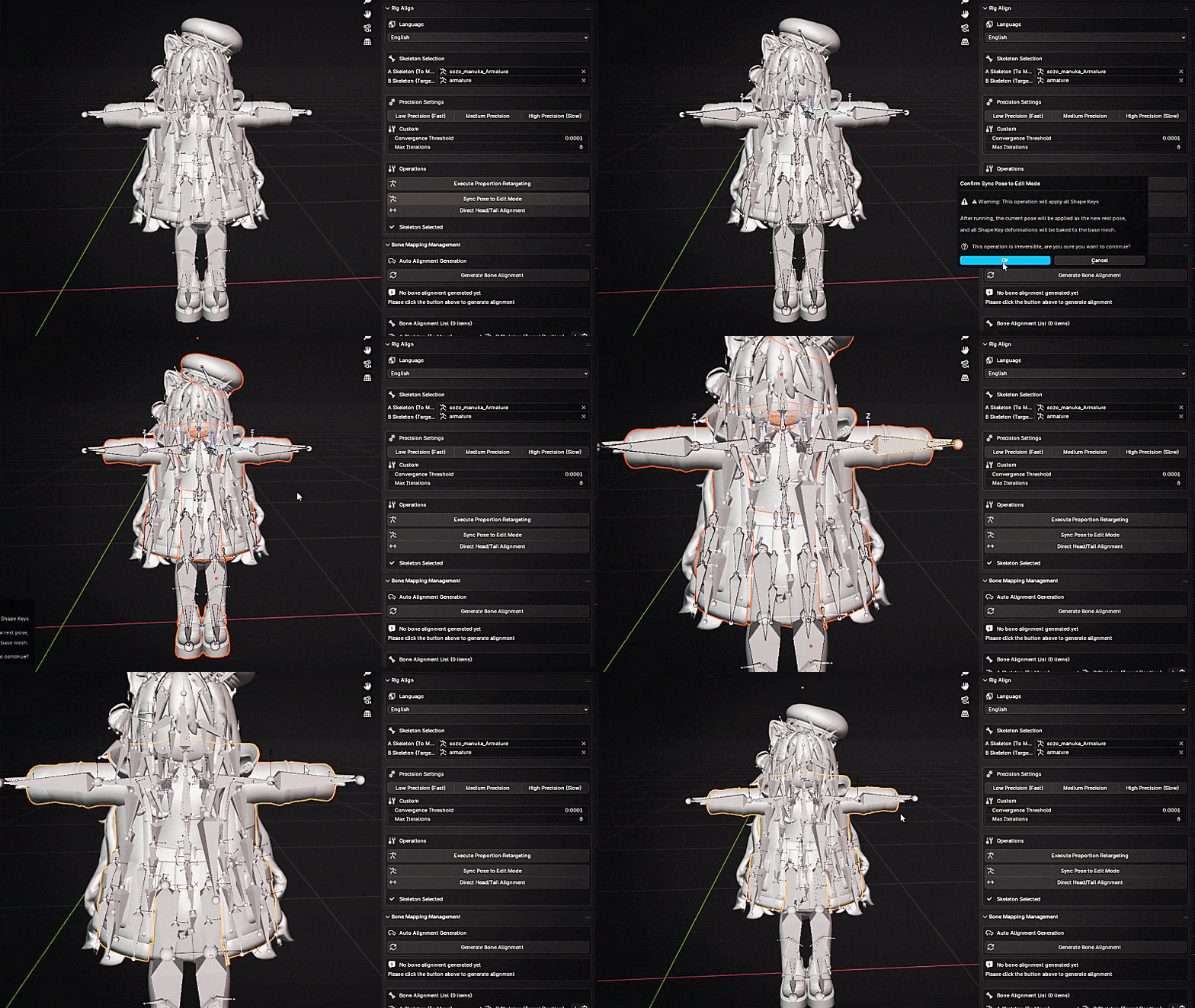
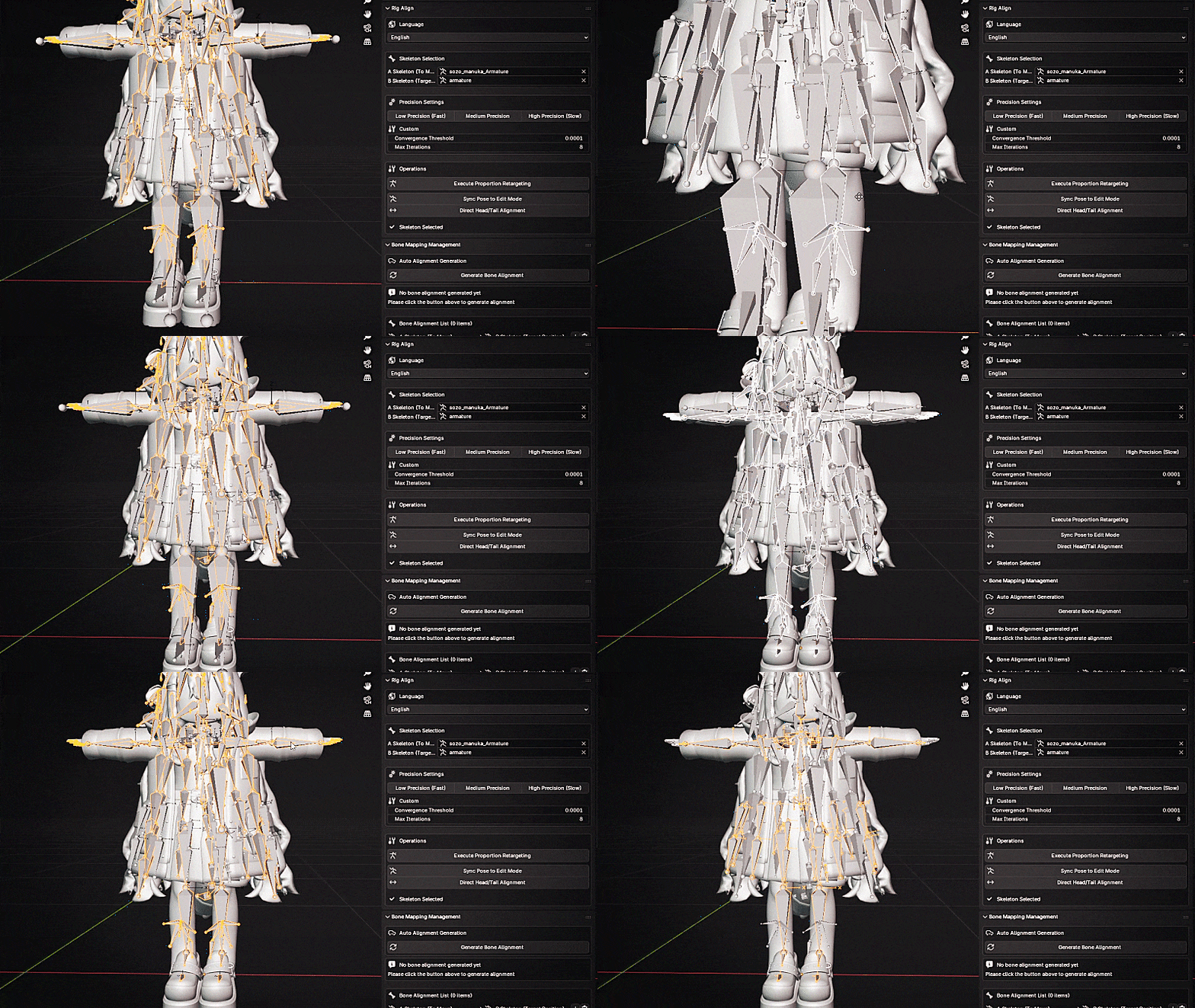
Target Audience
3D character modelers, animators, technical artists (TAs), independent game developers, outsourcing studios,
or any creators who need multi-outfit systems, quick style switching, and cross-project rig reuse.
Accelerate Your Character Rig Alignment Workflow
Your trusted partner for rig alignment.
Frequently Asked Questions (FAQ)
This add-on assists with body shape compensation and rig alignment, which can approximately reduce clipping problems.
In most cases, minor adjustments may still be needed for specific shapes, and those can be approximately corrected using the size fine-tuning tool.
Nevertheless, such adjustments will approximately reduce bone alignment time by up to 70%.
A pose should be aligned with A pose, and T pose should be aligned with T pose.
Therefore, please manually adjust the poses to be consistent before running the tool.
Disclaimer
This tool cannot guarantee that the skeleton of every character can be ideally aligned.
This is because the final alignment result depends on various factors in each project,
such as character body shape, bone structure, special naming conventions, and clothing design.
The main purpose of this tool is to speed up the alignment process and improve work efficiency.
If the alignment result is not ideal, users can make their own adjustments or manually align based on the tool's foundation.
Version Requirements
Recommended Blender 4.0 or higher
Versions below 4.0 can also be used, but the bone offset marking feature will be disabled.