 MendWorks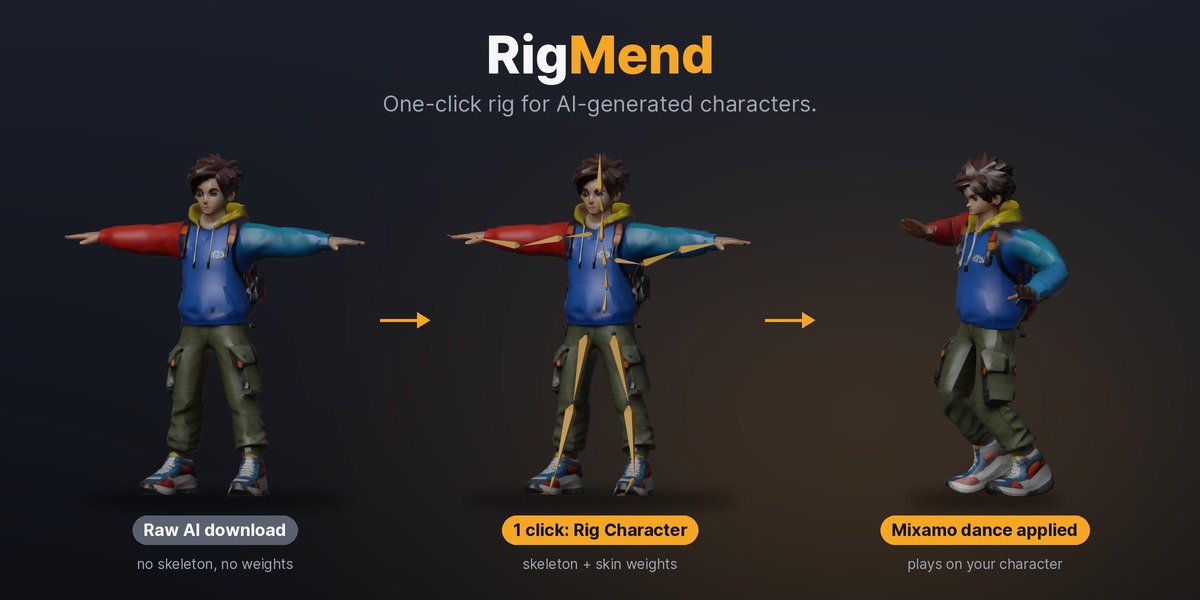



Installation
- Download rigmend-1.0.0.zip (Pro) or rigmend-lite-1.0.0.zip (Lite). Do not unzip it.
- In Blender, open Edit → Preferences → Get Extensions, click the ⌄ menu at the top right and choose Install from Disk…, then pick the zip. You can also drag the zip into Blender.
- In the 3D View, press N and open the RigMend tab.
- Install either Lite or Pro, not both. To move from Lite to Pro, disable or remove Lite first.
Rig a character
- Import your character (GLB, FBX or OBJ) and click its mesh. It should stand upright in a T-pose or A-pose. If it came with an old rig, delete that first.
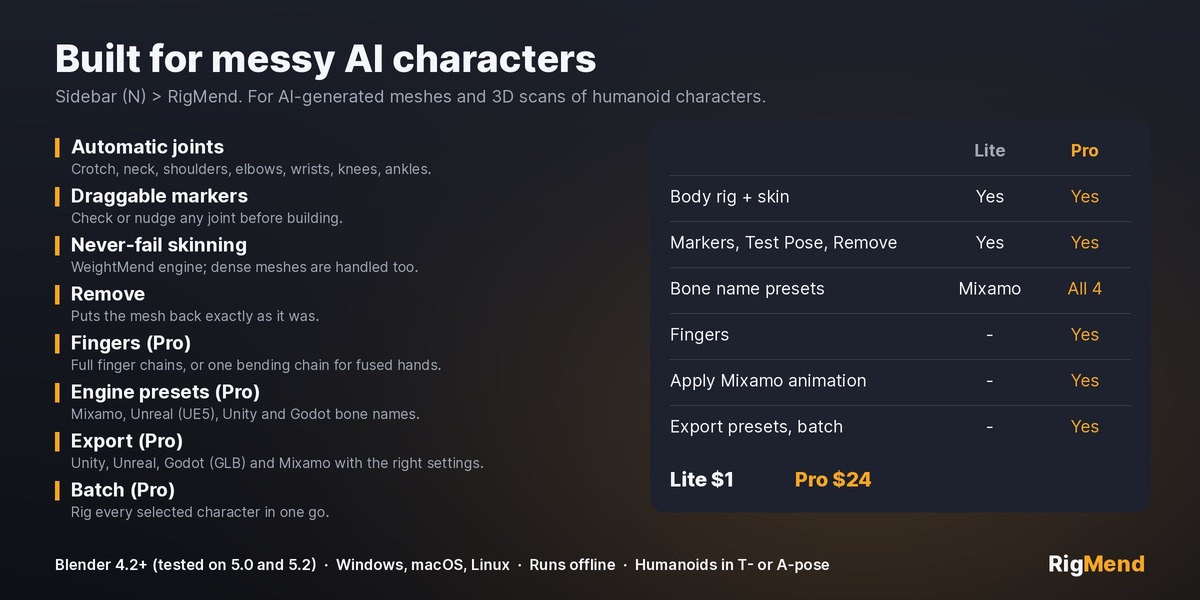
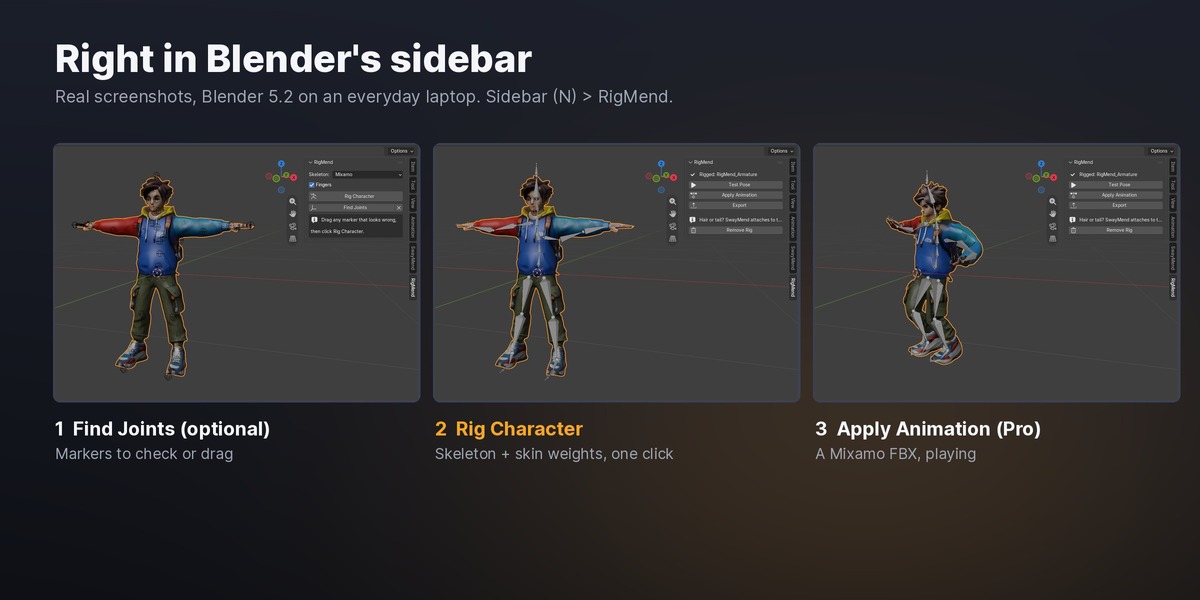
- Pick the Skeleton bone names (Mixamo in Lite; Mixamo, Unreal, Unity or Godot in Pro). Leave Fingers on (Pro) to rig the hands.
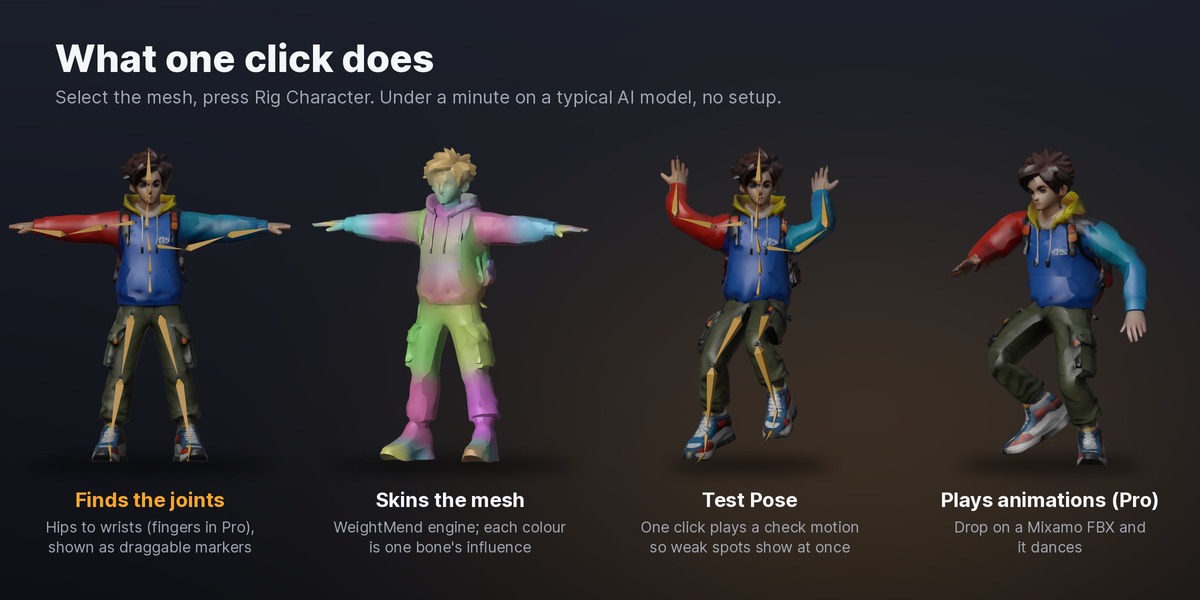
- Optional: click Find Joints. A marker appears on every joint. Drag any that look wrong (in Object Mode, click a marker and press G).
- Click Rig Character. The skeleton is built and the mesh is skinned; progress shows in the status bar and Esc cancels. Most AI characters take seconds to under a minute.
Check it
Click Test Pose. The character raises its arms, bends its knees and turns its head, so any weak spot (an armpit pulling the torso, a coat sticking to a leg) shows at once. Click again to stop. If something is off, click Remove Rig, move the markers with Find Joints, and rig again.
Animate (Pro)
- On mixamo.com, pick any animation and download it as FBX, Without Skin.
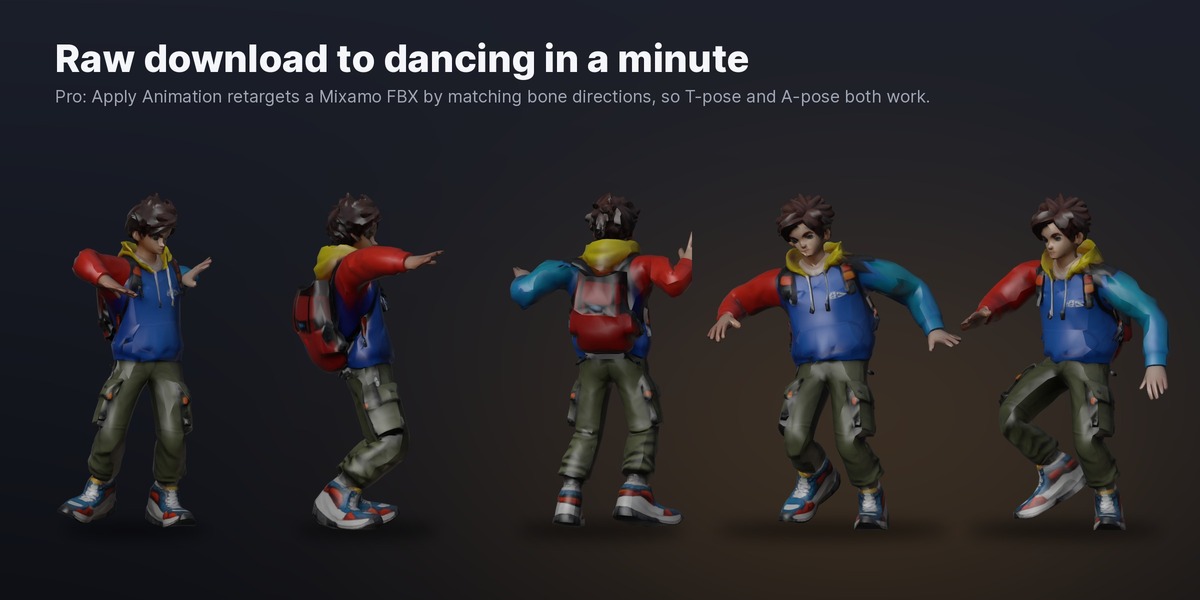
- With the rigged character selected, click Apply Animation and choose the FBX. It is retargeted onto your rig as a new action and the imported skeleton is cleaned up.
Bone directions are matched, so an A-pose character plays a T-pose animation correctly.
Export (Pro)
Click Export and choose Unity (FBX), Unreal (FBX), Godot (GLB) or Mixamo upload. Each uses the settings that engine expects.
Several characters (Pro)
Select several single-mesh characters and click Rig Each Selected to rig them all in one go.
Remove
Remove Rig deletes the skeleton, the weights and RigMend's test actions, and puts the mesh back exactly as it was.
Support
Message me through Superhive with the model if a rig comes out wrong. I reply within 72 hours.
Have questions about this product?
Login to message
| Blender Extension Compatible | Yes |
| Published | about 13 hours ago |
| Blender Version | 4.2 - 5.2 |
| Extension Type | Add-on |
| Render Engine Used | Cycles, Eevee |
| License | GPL |
Discover more products like this
rigging skin weights game assets auto-rig ai 3d character retarget meshy tripo mixamo