Rizom Uv Bridge
 Tachyon Studio


What does the RizomUV bridge do?
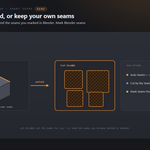
Send your meshes to RizomUV, unwrap and pack them, and get the UVs back onto your Blender meshes in one click — no manual exporting or importing. Your mesh is never changed; only the UVs come back.
Do I have to set anything up in RizomUV?
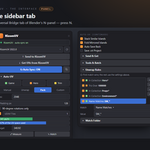
Only if you want to send into an already-open RizomUV: click "Copy Remote-Control Path" in the panel and paste it into RizomUV's Edit ▸ Preferences ▸ Remote Control File. If RizomUV is closed, the bridge just launches it — no setup needed.
What are Unwrap Rules?
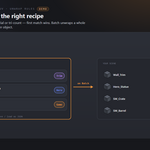
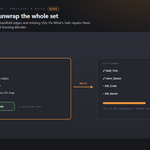
A per-object recipe list. Match objects by collection, name pattern, material or triangle count and give each match a recipe (Game / Hero / Trim) — the first rule that matches wins. Add the starter set, reorder them, and save or load rule sets as JSON to share with your team. Batch then unwraps a whole scene with the right settings per object, untouched.
Can it unwrap a whole selection at once?
Yes. Batch Unwrap Selection runs each mesh through RizomUV one at a time in the background, without freezing Blender (Esc cancels), applies each object's rule, and gives you a CSV report. Select Stale Meshes finds the ones you edited since their last unwrap so you can re-send just those.
Can it check my meshes before sending?
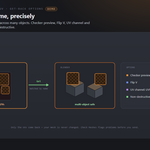
Yes. Check Meshes flags ngons, non-manifold edges, zero-area faces and missing UV maps; Fix What's Safe repairs the safe ones; and you can block sends when problems are found.
How do I keep texel density consistent?
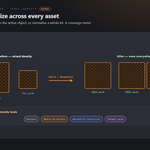
Measure the selection's density, Match it to the active object, or Normalise a whole kit to one value (average / min / max / active). A coverage meter warns when a target won't fit and suggests a px/m value or a UDIM tile count.
What is Auto Sync, and can it watch a folder?
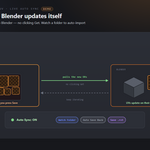
Turn Auto Sync on and every time you Save in RizomUV, Blender pulls the new UVs automatically — no clicking Get. You can also point Watch Folder at a directory and any .obj dropped in is imported and unwrapped for you.
Does it support UDIM?
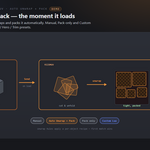
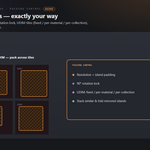
Yes — pack across as many UDIM tiles as you like, either a fixed count, one tile per material, or one per collection. Stack Similar and Fold Mirrored islands help save space.
Does it change my mesh?
No — it's non-destructive. Only the UVs come back onto your existing mesh, matched by name and topology, so it's multi-object safe. There's an optional backup collection before send, a checker preview and a UV minimap overlay to inspect the result.
Which Blender versions are supported?
Blender 3.3 through 5.2. On 4.2+ it installs as a modern Extension; on 3.3–4.1 as a classic add-on. Windows.
-
$6.99
For 1 person (1 seat). Commercial use included.
-
$27.96
For a team of up to 6 people (6 seats). Commercial use included.
-
$69.90
For a studio of up to 20 people (20 seats). Commercial use included. Need more than 20 seats? Contact us directly.
Have questions about this product?
Login to message