 Skava
Skava

SampleProof 1.2.2 — documentation
What it is for
You set a sample count in Cycles and you have no idea whether it is right. SampleProof measures how far your frame is from a converged one, what another doubling would buy, and which sample count meets the tolerance you set. It renders; it does not guess.
Installing
Download the zip and leave it zipped. In Blender open Edit, then Preferences, then Add-ons. Click the arrow button in the top right corner of that window and choose Install from Disk, then pick the zip. Tick the checkbox next to the add-on name. Press N in the 3D Viewport: the SampleProof tab appears in the sidebar.
Using it
- Set Close Enough to the difference from converged you are willing to accept, as a percentage. The default is 0.5.
- Leave Top Of The Ladder at zero to measure from the sample count this scene is set to, or type your own.
- Press Measure The Samples.
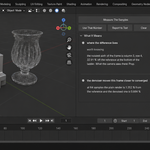
The measurement renders the ladder, two references and one extra frame with the opposite denoiser setting — on a four-step ladder that is seven frames, and the panel always prints how many it actually rendered and how long they took.
Measure At (px) is the size those frames are rendered at. Noise per pixel does not depend on resolution, so a smaller frame predicts the full one — but it cannot see detail finer than its own pixels. Measured: on a shot made of thin wires, 240 px overstated the difference by 74 to 79 per cent; on caustics the same reduction was accurate to within one per cent. Raise it when your shot lives on fine geometry.
Reading the result
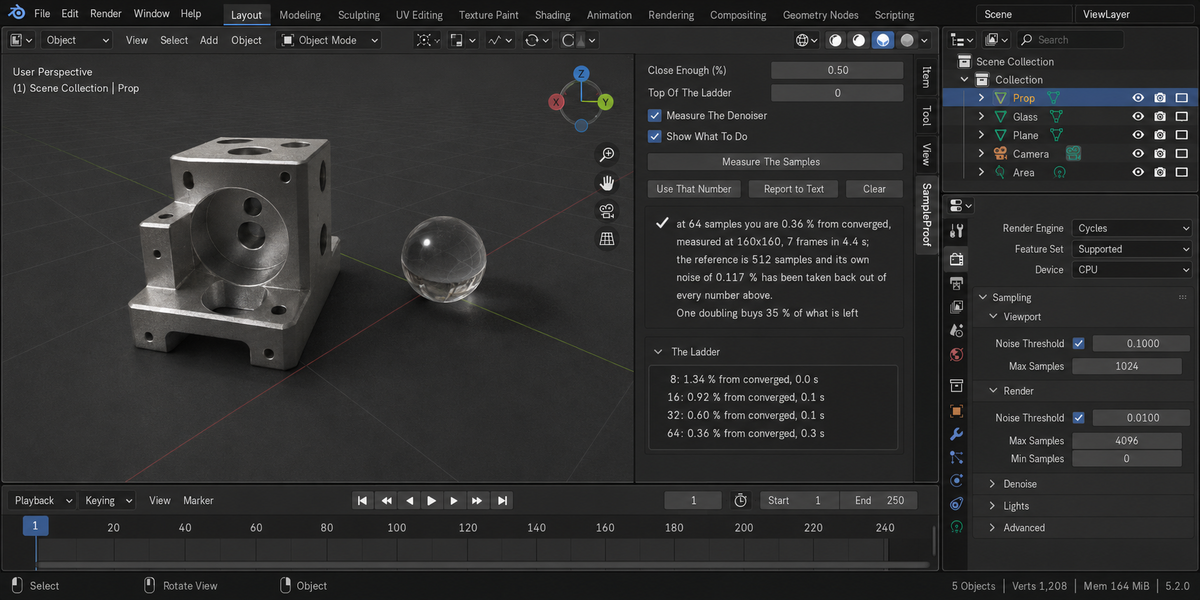
The first box is the headline and the numbers behind it:
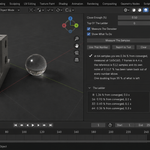
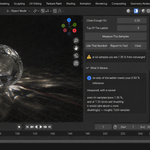
at 64 samples you are 0.36 % from converged
measured at 160x160, 7 frames in 4.4 s; the reference is 512 samples and its own noise of 0.117 % has been taken back out of every number above. One doubling buys 35 % of what is left
The Ladder panel lists every step: the sample count, how far that frame is from converged, and what it cost.
There is no magic number, and that is a finding
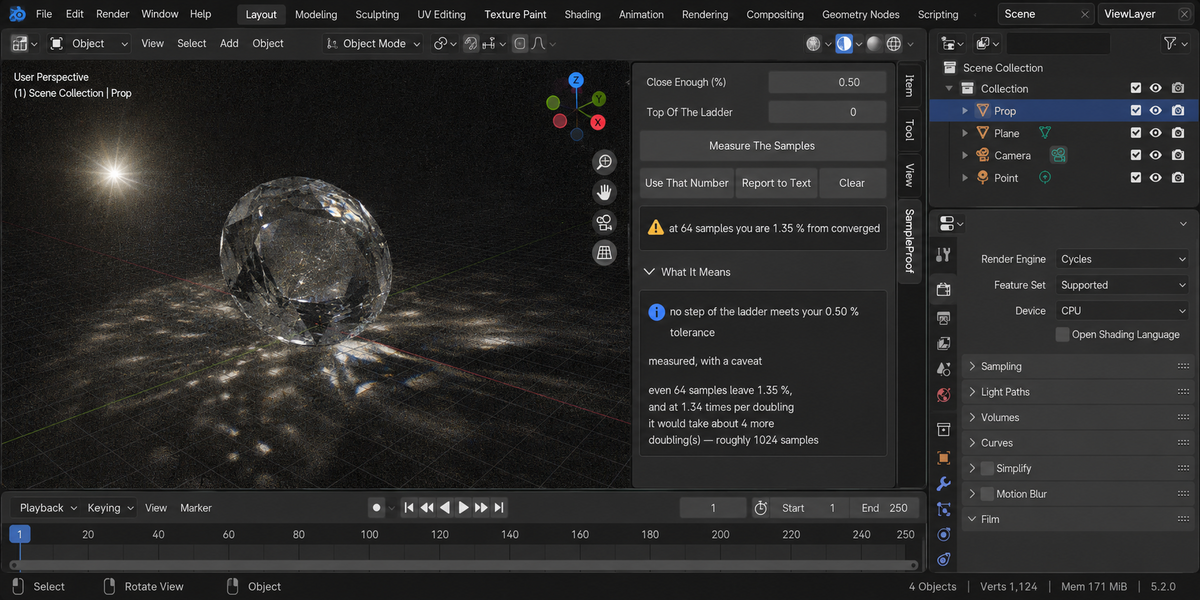
This add-on set out to find the point where a frame stops changing. It does not exist. Path-traced noise falls as one over the square root of the samples, so the difference keeps shrinking by the same fraction with every doubling, forever. Measured on a plain scene and a glass one, the ratio between neighbouring steps came out 1.42, 1.55, 1.62, 1.61 and 1.27, 1.41, 1.28, 1.38 against a theoretical 1.41 — no knee, no plateau, on either.
An earlier design judged convergence against the reference's own noise. That was wrong, and the measurement said so: the reference's noise falls as you raise the reference, so the ratio to it grows without limit. Eight samples of the plain scene read 11.17 against a reference four times the ladder, 16.93 against eight times, 25.76 against sixteen and 41.04 against thirty-two. That ratio describes the reference you picked, not the scene.
So the tolerance is yours. What the add-on supplies is the exchange rate and your position on the curve.
The reference, and why it is rendered twice
The reference is a render at eight times the top of your ladder. It is rendered twice with different seeds; the difference between those two renders is the reference's own noise, which is present in every comparison and is therefore subtracted back out in quadrature. Measured: a raw 0.3810 % against a reference whose own noise is 0.1186 % becomes 0.3717 %, matching an independent calculation to the fourth decimal.
Why a reduced frame and not a crop
| How | Difference measured at 128 samples | Time |
|---|---|---|
| full frame, 480 by 480 | 1.023 % | 3.5 s |
| a central crop, 144 by 144 | 7.973 % — off by seven points | 0.65 s |
| the whole frame at 120 by 120 | 1.065 % — off by 0.04 | 0.20 s |
Noise per pixel does not depend on resolution, so a smaller frame carries the same noise and predicts the full one. A crop measures the crop: this one landed on the glass and reported the glass.
What a reduced frame cannot see is detail finer than its own pixels — a hair, a narrow highlight, a small caustic. If your shot lives on that, measure at a larger size.
It measures the frame you render
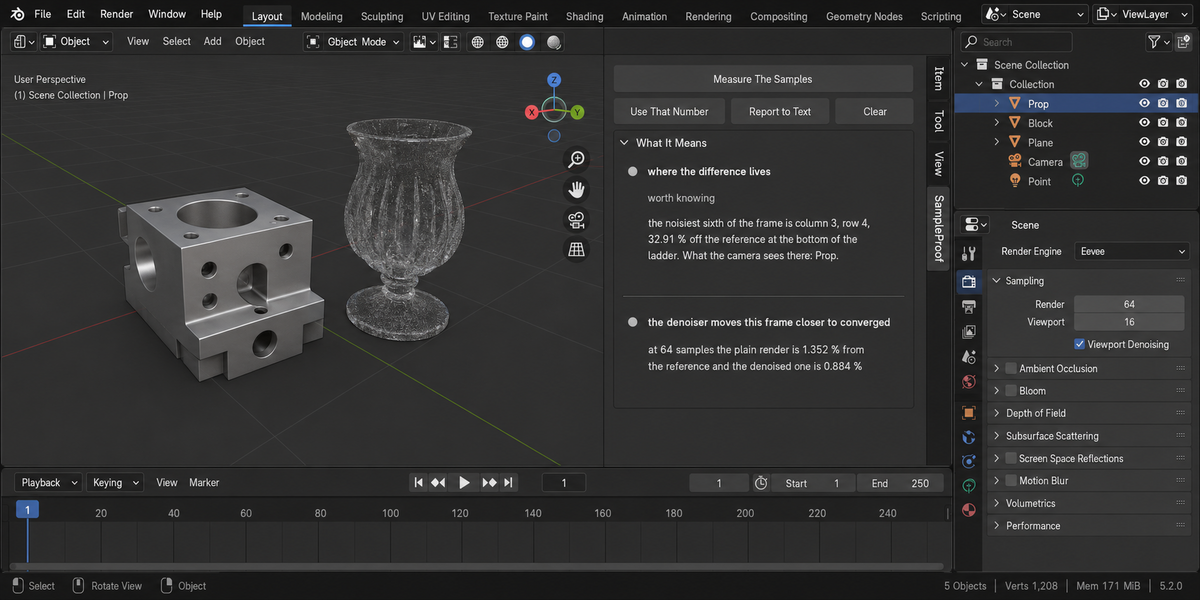
The ladder runs with your own denoiser setting, because the answer has to be about the frame you will produce. Measured: with denoising on, sixteen samples were enough where the add-on — measuring without it — was saying no sample count on the ladder would do. The reference is always rendered without denoising: it has converged, so there is nothing left to smooth.
A render border is kept, and named. Removing it silently would answer about the whole frame instead of the region you render: on a glass scene that was 1.869 % where the truth inside the border was 0.291 %.
A compositor is named too. What gets measured then is the composite, and a Denoise node in there changes the answer without the measurement being able to tell it apart from the render. If the compositor's node group has no output, Blender renders the frame and writes nothing at all — that is reported as a refusal with the reason, not as a crash.
How far the numbers can be trusted
The metric is a relative difference, and its denominator is floored at a share of the frame's own average brightness — not at a fixed absolute value. That matters: with an absolute floor the same pair of frames scaled down by a thousand read 0.0163 % instead of 0.6172 %, a spread of thirty-eight times, and a night shot would have been told that eight samples was plenty. Scaling the whole frame by any factor now leaves every number unchanged.
Pixels that are not numbers — nan or infinity from a broken material — are left out of every calculation and reported separately. One of them used to turn the entire answer into nan.
Adaptive Sampling
Switched off for the measurement and put back afterwards, with your noise threshold named in the report. With it on, the sample count is only a ceiling and the threshold decides, so a ladder of sample counts would be measuring the threshold. Measured: leaving it on flattens the top of the ladder to 0.823 % against 0.817 %, where a healthy ladder reads 0.606 against 0.381.
When it refuses
- The engine is not Cycles. Sample convergence in this sense is a Cycles idea.
- No camera. Nothing to render.
- Animated Seed is on. Every step would use a different noise pattern and the ladder would not be comparable with itself.
- The reference is no cleaner than the ladder. Then nothing here can be told apart from noise, and it says that instead of printing a number — along with the settings notes, because a compositor or a render border is usually the reason.
- The measurement would cost more than the render. The reference is eight times the top of the ladder, rendered twice; at a top of 4096 that is over sixty thousand samples. Refused before the first frame, with the number named.
- Multi-view (stereo) rendering. Blender writes one file per view and there is no single frame to compare.
- The camera is not in the scene.
Use That Number
Sets this scene's sample count to the one the measurement found. It is the only thing the add-on ever changes on purpose, and it is tested: pressing it changes the sample count and nothing else.
It puts your settings back
Samples, seed, resolution and percentage, render border, output path, file format, denoising and Burn Into Image are all recorded before the measurement and restored after. The panel prints the result of that comparison every time, not only when something went wrong. Frames are written to a folder inside your system's temporary directory, which the operating system clears on its own schedule; nothing is written into your project or next to your .blend.
Report to Text
Writes the whole report, including the ladder, into a text block inside your .blend called SampleProof Report.
Tested
98 checks on each of Blender 4.2.9, 5.1 and 5.2, zero problems. Twenty deliberate sabotages of the product turn the test suite red, so the tests are known to be able to fail — including ones that leave Adaptive Sampling on, skip subtracting the reference's own noise, pin the metric's floor back to an absolute value, read the scene's sample count after the renders instead of before, and unlock the apply button on a refused report.
License
GPL-3.0.
Checking a whole folder
The sidebar has a Whole Delivery panel. It has two buttons.
Check A Folder Of .blend Files runs this product over every .blend in the folder you pick. Check A Folder With Every Check You Own runs every tool from this line that you have installed, over the same files, in one pass — one report, one verdict.
Each file is opened in its own background Blender. Your open scene is never touched: not opened over, not saved, not modified in any way. This is also why a file that will not open costs you only that file — the rest of the delivery is still checked. Press Escape to stop; nothing partial is written, because a report covering half a delivery is a report nobody should trust.
When it finishes, an HTML report named sample_proof_report.html is written into the folder you picked. If a file with that name is already there, it is left as it is and the new report takes the next free name (sample_proof_report_2.html, sample_proof_report_3.html and so on); the message at the bottom of Blender names the file it wrote. The same goes for the baseline file when Save As Baseline is ticked. It is one file with nothing loaded from the internet, so it can be attached to an email, put in the delivery folder, or opened years later on a machine that has never seen this add-on.
Running it from a pipeline
The same check runs headless, with no interface and no person, and finishes with a code your build system can read: one code for clean, another when something blocking was found, and a third when a file could not be checked at all. Those last two are deliberately different. A check that did not run has not passed, and a gate that treats silence as success will one day wave through the delivery it existed to stop. The command is blender --background --factory-startup --python-expr "import sample_proof; sample_proof.proofkit_cli()" -- --folder /shots --report report.html. Return codes: 0 clean, 1 something blocking, 2 a file could not be checked, 3 the command itself was called wrongly.
Comparing against last week
Any run can be saved as a baseline. A later run then reports what changed: which numbers moved and in which direction, which findings are new, and which ones you have fixed since. Direction matters and is not guessed — each measurement carries its own sense of which way is worse, so rising coverage reads as better and rising drift reads as worse.
Signing a file off
When a file is clean you can sign it off. The record lives inside the .blend itself, not in a folder next to it, so it travels with the file: open it next month and it tells you when it was checked, by which version, and how it came out. If the file is saved after that, the record says plainly that it is out of date — a sign-off that survives an edit it never saw would be worse than no sign-off at all.
One tab instead of twelve
Every tool in this line can put its panel under a single shared sidebar tab instead of its own. One button does it for all of them at once, and each panel arrives collapsed, so twelve tools cost you one tab and no scrolling. Your choice is remembered, and a tool that you later use on its own can be given its own tab back the same way.
What is deliberately not claimed
A check that could not run is reported as exactly that, never as a pass. If a tool from this line is not installed, or is an older version that predates the combined run, the report names it in a list of checks that did not take part, so the gap is visible rather than quietly absent.
Changelog
v1.2.2 — The Whole Delivery folder check no longer replaces a file in the folder you pick. Before, the report was always written as sample_proof_report.html (and the baseline as sample_proof_report_baseline.json), and a file with that name already there, such as an earlier report you kept, was overwritten. Now a free name is taken (sample_proof_report_2.html and so on), the message at the bottom of Blender names the file it wrote, and a run that fails while writing removes only the file it created. The report is written as UTF-8, as the page declares. The report and the baseline keep one number (sample_proof_report_2.html with sample_proof_report_2_baseline.json). A folder that cannot be written to is now refused in words instead of a Python error (and no empty report is left behind when only the baseline cannot be created), a folder that already has the report's name is skipped like a taken file, and the closing message is shown: before, a run with no problems or with unchecked files ended in a Python error instead of the message. Checking a folder no longer stalls on a file whose check prints a lot: on Windows such a file sat until the 30-minute limit and was reported as not finished. A file Blender cannot open, or one with nothing to check, is now explained in words instead of a Python error.
v1.2.2 — The tooltip of Measure The Denoiser now says what the add-on does: the extra frame is rendered with the opposite denoiser setting to your scene's (off if yours is on, on if yours is off). The measurement itself is unchanged.
v1.2.1 — maintenance release. The package ships the full licence text and an updated README (install, first run, uninstall). No changes to the tools.
Have questions about this product?
Login to message
| Published | about 2 months ago |
| Blender Version | 4.2 - 5.2 |
| Extension Type | N/A |
| Render Engine Used | Cycles, Eevee |
| License | GPL |
Discover more products like this
audit pipeline denoise performance samples Cycles convergence preflight optimization render time Noise Render