 Jan Holinka


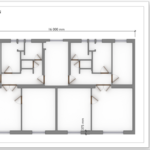
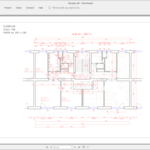
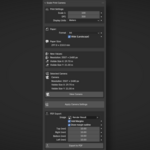
Scale Print Camera is a professional Blender add-on that turns a camera into a true technical drawing view.
It allows you to create orthographic views at an exact scale, matched to real paper sizes and DPI — with direct, true-size PDF export.
No guessing, no manual calculations, no print scaling issues.
🔍 What This Add-on Solves
Blender is great for 3D, but it does not natively support print-scale drawings.
Scale Print Camera fills this gap by making the camera behave like a real-world drawing sheet:
-
Exact scale (e.g. 1:50, 1:100)
-
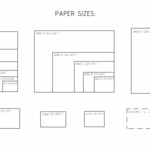
Exact paper size (A-series, ANSI, ARCH, or custom)
-
Correct render resolution derived from DPI
-
PDF output that prints at 100% scale
What you see is what you print.
🎯 Key Features
Exact-Scale Orthographic Camera
-
Automatically sets up an orthographic camera
-
Camera view matches the selected paper size at the chosen scale
-
Supports portrait and landscape orientation
Paper Size Support
-
ISO A-series (A4, A3, A2, A1, A0)
-
ANSI / ARCH formats
-
Custom paper size in millimeters or inches
DPI-Based Resolution
-
Render resolution is calculated automatically from paper size and DPI
-
No manual math or trial-and-error
-
Ensures consistent print quality
True-Size PDF Export
-
Export drawings directly to PDF
-
Correct page size and scale preserved
-
Ready for printing without “Fit to Page” or scaling adjustments
Margins (Printer-Safe Areas)
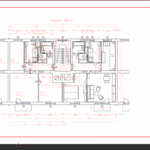
Scale Print Camera supports configurable print margins for PDF export.
Margins add white borders around the drawing without scaling the image, ensuring:
-
Correct scale is preserved.
-
Compatibility with printers that cannot print edge-to-edge.
-
Safe spacing so important content is not clipped.
Margins can be set individually for top, right, bottom, and left edges.
An optional thin outline can be drawn on the inner margin edge for visual reference.
Margins are applied by cropping/overlaying, not by resizing — so what remains visible is still printed at true 100% scale.
🧩 Typical Use Cases
-
Technical and construction drawings
-
Survey and geodetic documentation
-
Architectural plans and details
-
Print-ready views for reports or submissions
-
Any workflow requiring precise scale on paper
The add-on is fully usable on its own and fits naturally into technical workflows, including survey and construction pipelines.
🔗 Workflow Integration
Scale Print Camera is designed to work seamlessly alongside other technical Blender tools, including survey and annotation workflows.
It is especially effective when combined with point visualization and annotation add-ons, forming a complete pipeline from data to printed drawing.
⚙️ Requirements
-
Blender 5.0 or later
-
Windows, macOS, Linux
✅ Why Use Scale Print Camera?
Because a drawing that prints at the wrong scale is not a drawing.
Scale Print Camera ensures that scale, paper size, resolution, and PDF output all match exactly — so your Blender output behaves like a real technical drawing.