Scatter Forge
 Scatter Forge


SCATTER
FORGE
v1.1.0 · Blender 5.0+ · Full User Guide
Everything you need to get up and running with Scatter Forge — from installation to advanced game export.
Jump to section
01 — Getting Started
INSTALLATION
| 1 | Download the .zip file from your Superhive purchases |
| 2 | Open Blender → Edit → Preferences → Add-ons |
| 3 | Click "Install" and select the .zip file |
| 4 | Enable "Scatter Forge" in the addon list |
| 5 | Find the panel in the 3D Viewport sidebar (press N to open) |
02 — Quick Start
UP & RUNNING
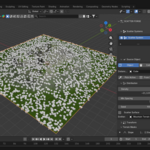
From zero to scattered environment in under a minute.
| 1 | Select your surface mesh |
| 2 | Open the Scatter Forge panel in the N sidebar |
| 3 | Click "Add Scatter System" |
| 4 | Choose your object or collection to scatter |
| 5 | Adjust density and scale to taste |
| ✓ | Done! For more control, add masks. For game projects, use the LOD system and export presets. |
03 — Core System
SCATTERING
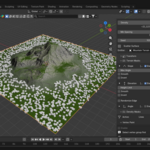
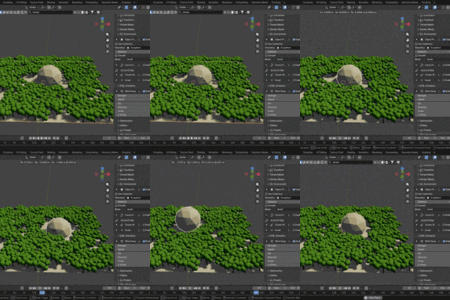
Full control over how objects are distributed across any surface.
| ✓Select surface, choose objects, adjust density/scale/rotation | ✓Use vertex paint to control placement precisely | |
| ✓Add masks: noise, slope, elevation, proximity | ✓Ecosystem linking makes different layers interact |
04 — Performance
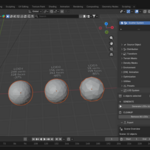
LOD SYSTEM
Keep your scenes fast without sacrificing visual quality at close range.
| ✓Click "Generate LODs" to create detail levels automatically | ✓Adjusts mesh quality and instance count based on distance | |
| ✓Works in viewport and exports correctly to game engines | ||
05 — Export
GAME EXPORT
One-click export to Unity, Unreal Engine, Godot, or any general format.
| 🎮 Unity | ⚡ Unreal Engine | 🤖 Godot | 📦 General |
| ✓One-click presets for Unity, Unreal, Godot | ✓Bakes geometry nodes automatically | |
| ✓Exports as FBX or glTF with proper axis conversion and scale settings | ||
06 — Optimization
PERFORMANCE
Keep your scene lean and fast with real-time stats and one-click optimization.
| ✓Real-time polycount display | ✓Viewport optimization modes | |
| ✓Shows which objects are heavy so you can identify bottlenecks fast | ||
07 — Pro Tips
TIPS & TRICKS
| 💡 | Start with low density and increase gradually — it's much easier than removing too many objects |
| 🎭 | Combine masks for natural-looking results — slope + noise gives you realistic terrain distribution |
| ⚡ | Use LOD for any scene with 1000+ objects — the performance difference is significant |
| 🧪 | Test exports with small scenes first before exporting large environments to catch issues early |
08 — Support
NEED HELP?
Questions or bugs? Message me through Superhive and I'll help you out personally.
All updates including new Blender version support and bug fixes are included for free.
Requirements
Blender 5.0+
Discover more products like this
performance batch-export scatter 3D Exporting LOD LOD generation 3DScatter Export procedural scattering Blender performance tools LOD Generator addon