Scatter Studio – Smart Environment Scatter Tool for Blender 5+
 Shift4cube


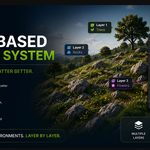
Can I use multiple layers?
Yes. Each layer stores its own scatter settings independently.
10. Can I edit the scatter after converting to mesh?
No. After converting, the scatter becomes regular mesh geometry and is no longer linked to Scatter Studio.
9. What does Convert to Mesh do?
It converts all scattered instances into editable mesh objects.
Use this if you want to:
Edit geometry
Export models
Finalize your scene
8. Does Scatter Studio support animation?
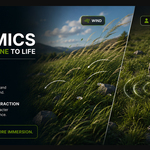
Yes. Enable Wind in the Dynamics panel to animate scattered objects.
7. Why is nothing being scattered?
Check the following:
An Emitter object is selected.
A valid object or collection is assigned.
Density is greater than zero.
Your asset collection contains mesh objects.
6. Why are my objects floating or sinking into the surface?
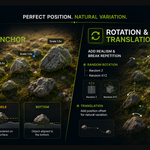
Adjust the Surface Anchor setting (Top, Middle, or Bottom). For most assets, Bottom provides the best results.
5. How do I create a different scatter pattern?
Change the Seed value to generate a new random distribution while keeping your other settings.
4. Can I control where objects are placed?
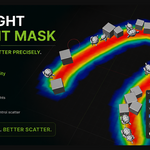
Yes. Enable Weight Paint Mask and paint a vertex group to control where instances appear.
🔵 Blue = No Scatter
🔴 Red = Full Scatter
3. Can I scatter multiple different objects?
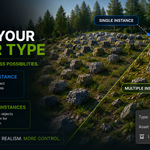
Yes. Select Multiple Instances and choose a collection containing your assets. Scatter Studio will randomly distribute objects from that collection.
2. Does Scatter Studio work with any mesh?
Yes. You can scatter objects onto any mesh object, including planes, terrains, landscapes, and custom models.
1. Which Blender versions are supported?
Scatter Studio is compatible with Blender 5.0 and newer.
Discover more products like this
asset scatter blender asset management forest scatter weight paint blender addon Scatter Tool foliage wind-animation 3d environment