Scene Enrichener V2

Casey_Sheep in Theme Packages


Scene Enrichener - User Documentation

Blender 4.0+  Â·  View3D > N Panel > Scene Enrichener
Complete Operation Process

Installation & Activation

1

Open Blender, go to Edit > Preferences > Add-ons

2

Click the Install... button and choose the Scene Enrichener .zip file

3

Search for Scene Enrichener in the add-ons list and enable the checkbox

4

In the 3D Viewport, press N to open the sidebar and switch to the Scene Enrichener tab

After enabling, you will see the main panels of the add-on in the 3D viewport sidebar.

Main Feature Panels

Asset Library Panel

This is the core browser for Scene Enrichener presets:

  • Category Dropdown: Lists All plus every folder under Assets Library/Type_* (including subfolders).
  • Thumbnail Grid: Displays all available presets in the selected category using image previews.
  • GN Collection Management: Automatically creates or reuses a dedicated GN collection for imported assets.
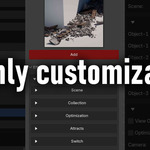
  • Add Button: Imports the Geometry Nodes object from GN.blend, links related collections, and places the object at the 3D cursor.

Steps to Use the Asset Library

  1. Move the 3D cursor to the position where you want to place the asset.
  2. In the Scene Enrichener tab, choose a category from the dropdown.
  3. Click a thumbnail to select your desired preset.
  4. Press the red Add button.
  5. The corresponding Geometry Nodes object is imported, placed at the cursor, linked to the GN collection, and set as the active selection.

Core Behaviours

Automatic GN Collection Handling

Every time you add an asset from the Asset Library:

  • The add-on creates or reuses a collection named GN.
  • The imported Geometry Nodes object is linked into the GN collection.
  • Related collections used by the node setup are also linked into the scene hierarchy.
  • Non-GN collections are automatically excluded from rendering using the view layer settings, keeping the viewport clean.
  • The new GN object becomes the active selection, ready for further editing.

Persistent Expansion States

Scene Enrichener remembers which modifier and parameter panels you have expanded:

  • Each row in the Effects panel has its own expand / collapse state.
  • Nested parameter panels inside Geometry Nodes are independently expandable.
  • Expansion states are stored per modifier using internal properties, so complex setups stay organized while you work.
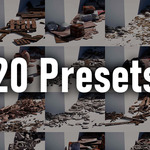
  • Scene Enrichener v2 20 presets

    $9
$9

Have questions about this product?
Login to message

Details
Sales 200+
Dev Fund Contributor
Published 8 months ago
Blender Version 4.0 - 5.0
Extension Type N/A
Render Engine Used Cycles, Eevee
License GPL
Discover more products like this

presets