 Dmitrii Smirnov


Scene Beacon
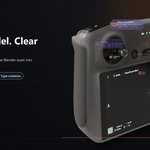
See what matters in the viewport.
Scene Beacon is a viewport organization add-on for Blender. It adds readable object labels, comments, tags, clusters, pins, and quick isolation tools so dense scenes stay understandable while you work.
Viewport labels Comment tags Smart clusters Pin and isolate
A readable viewport map for objects, lights, cameras, comments, clusters, tags, and review notes.
Why artists use it
Complex Blender scenes are hard to read at a glance. Object names live in the Outliner, review notes live somewhere else, and dense areas quickly become visual noise. Scene Beacon brings the missing context into the viewport.
- Understand dense scenes directly in the viewport.
- Keep important objects, cameras, and lights readable.
- Collapse crowded areas into compact clusters.
- Attach comments and tags to scene objects.
- Isolate related objects without hunting through the Outliner.
Built for readable scene review
Viewport beacons
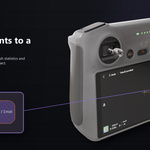
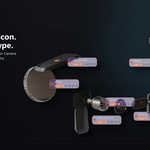
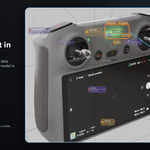
Labels show object names, type icons, collections, mesh stats, camera details, light settings, comments, tags, and quick action buttons directly in the 3D View.
Lights and cameras
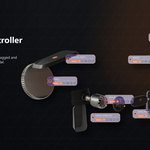
Lights and cameras stay visible as compact viewport beacons, with meaningful settings and type icons directly in the 3D View.
Dense scene clusters
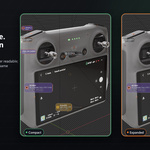
When objects crowd the screen, Scene Beacon groups lower-priority labels into compact cluster summaries. Click a cluster to expand hidden objects into radial mini labels.
Comments, tags, and isolation
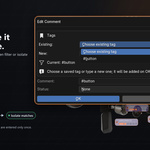
Store comments on objects, add tags like #room1 or #review, then click a tag to focus matching objects. Use tag isolation to temporarily hide everything else.
Stable review layout
Short leaders, stable label placement, and readable spacing help users understand which label belongs to which object while navigating the scene.
How it fits production scenes
Review a crowded layout
Use labels and clusters to understand what belongs where without zooming into every object or searching the Outliner.
Track scene notes
Attach review comments directly to objects and use status colors to separate todo, info, approved, and issue notes.
Focus by tag or object type
Click tags to focus related assets or Ctrl-click object type icons to isolate meshes, lights, cameras, or other object categories.
Who it is for
- Environment artists
- Layout artists
- Lighting artists
- Technical artists
- Product visualization artists
- Blender users working with large or review-heavy scenes
Installation and quick start
Installation
- Open Blender.
- Go to Edit > Preferences > Add-ons.
- Click Install from Disk.
- Select scene_beacon_v1_0_11.zip.
- Enable Scene Beacon.
- Open the 3D View sidebar with N, then use the Beacon tab.
Compatibility
- Version: 1.0.11
- Blender metadata: 4.0+
- Smoke-tested: Blender 4.5 LTS and Blender 5.0
- Extension type: Add-on
- License: GPL-3.0-or-later