Scene Beacon
 Dmitrii Smirnov


Frequently Asked Questions
Quick answers for common buyer questions about Scene Beacon, installation, scene data, workflow, and compatibility.
Does Scene Beacon change my geometry?
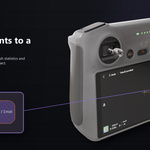
No. Scene Beacon draws viewport overlay labels. It can store optional object properties for comments, comment status, object IDs, and pinned label positions.
Does it replace Blender's Outliner?
No. It complements the Outliner by making object context visible directly in the viewport.
Can I hide all labels quickly?
Yes. Use the HUD visibility toggle or the configurable hotkey. The default hotkey is Ctrl+Alt+H.
Can I use it only for selected objects?
Yes. Enable Selected Only in the Beacon sidebar tab.
Does it work with lights and cameras?
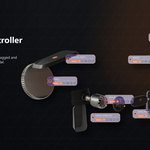
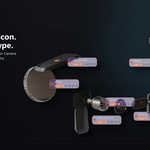
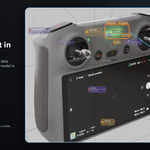
Yes. Scene Beacon includes compact metadata and persistent label behavior for lights and cameras.
What happens when there are many objects?
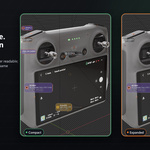
Scene Beacon uses adaptive scaling, visible label budgets, screen-space grouping, and clusters to reduce visual clutter while keeping important labels readable.
Can I click labels?
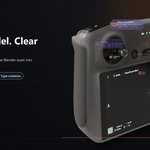
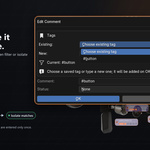
Yes. Labels include controls for comments, pinning, data/property navigation, tags, type isolation, and cluster expansion.
How do tags work?
Add tags inside object comments, for example #room1 or #review. Scene Beacon shows those tags in the label. Click a tag to focus matching objects.
Can I isolate objects by tag?
Yes. When a tag is active, use the isolate button to temporarily hide objects that do not have that tag. Run the action again to restore visibility.
Can I isolate by object type?
Yes. Ctrl-click a label's type icon to isolate objects of that type, such as Mesh, Light, or Camera.
What are pinned labels for?
Pinned labels keep important notes full-size and visible while you navigate the viewport. They are useful for review notes, hero objects, and important cameras or lights.
Is documentation included?
Yes. The marketplace package includes written documentation, FAQ, page copy, media guide, and release review files.
Which Blender versions are supported?
The add-on metadata supports Blender 4.0+. Scene Beacon v1.0.0 was smoke-tested in Blender 4.5 LTS and Blender 5.0.
Have questions about this product?
Login to message
| Blender Extension Compatible | Yes |
| Published | 2 months ago |
| Blender Version | 4.5 - 5.2 |
| Extension Type | Add-on |
| Render Engine Used | Blender-Internal, Cycles, Eevee, Freestyle |
| License | GPL |
Discover more products like this
clustering review workflow comments cameras object labels layout isolation viewport labels Lighting tags Scene Management organization