 Skava
Skava


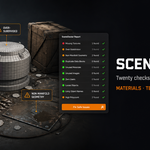
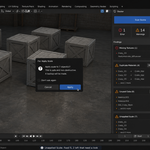
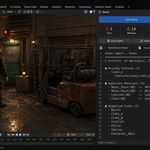
Download the zip and do not unpack it. In Blender open Edit > Preferences > Add-ons, click the drop-down arrow in the top-right corner and choose Install from Disk, then pick the zip. Tick the checkbox next to SceneDoctor. Press N in the 3D Viewport and open the Doctor tab.
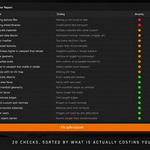
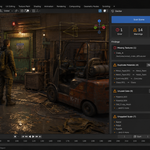
Twenty checks: Missing Textures, Duplicate Materials, Unused Data, Heavy Meshes, Oversized Textures, Subdivision Settings, Loose Geometry, Unapplied Scale, Hidden but Rendering, Missing UV Maps, Negative Scale, Modifier Visibility, Far From the Origin, Unused Material Slots, Empty Vertex Groups, Modifiers Doing Nothing, Packed Images, N-gons, Default Names and Empty Collections. Press Scan Scene; findings are grouped by check and sorted by severity, and clicking a row selects that object. Each check can be switched off in the Checks panel, and a scan with checks switched off says how many were skipped instead of calling the scene clean.
No. Scanning only reads the scene. Changes happen only when you press one of the five fix buttons (Merge Duplicates, Purge Unused, Apply Scale, Remove Slots, Remove Groups); each asks for confirmation first and can be undone with Ctrl+Z.
Fixes skip what they could damage: Apply Scale leaves objects that share a mesh with another object, hidden objects and linked library objects in the report instead. The other checks have no fix button because there is no single right answer for them; they tell you what and where, and the decision stays with you.
It only merges materials that would render identically, compared by their actual node values, not by name; two genuinely different materials called Metal and Metal.001 are left alone. After merging, run Purge Unused to remove the copies nothing uses any more. Datablocks with a fake user are kept.
Yes. Copy Report puts the full report on the clipboard, and Save as Text writes it into a text block inside the file.
Blender 4.2 LTS and later. The documentation lists tests on Blender 5.2.
No. The add-on contains no network code; everything runs locally. It is pure Python with no compiled binaries.
Yes. The add-on is licensed under the GNU GPL v3; the full text is in LICENSE.txt inside the zip. The license covers the add-on code; what you create with it is yours.
Have questions about this product?
Login to message
| Published | about 2 months ago |
| Blender Version | 4.2 - 5.2 |
| Extension Type | N/A |
| Render Engine Used | Cycles, Eevee |
| License | GPL |
Discover more products like this
Workflow cleanup missing textures performance optimization Scene Management Production diagnostics purge Duplicate Materials file size housekeeping