Sculpt Stack
 Studio Sphaerus


Installation
Sculpt Stack is a Blender Extension — installation is quick:
- In Blender, go to Edit → Preferences → Add-ons (or Get Extensions).
- Use Install from Disk (the dropdown in the top-right of the Add-ons panel) and select the downloaded
sculpt_stack-x.x.x.zipfile. (If you purchased here, you can also drag-and-drop the extension to install directly from your receipt page.) - Enable it if it isn't already.
- Open the N-panel in the 3D viewport (press N) and find the Sculpt Stack tab.
Requires Blender 4.2 or newer.
Using Sculpt Stack
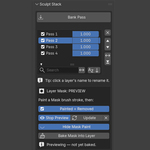
Getting started: Select your mesh, open the Sculpt Stack panel, and press Activate Sculpt Stack — this sets your base. You can activate on a freshly subdivided mesh, or on a mesh that already has sculptural detail you want to keep as your starting point.
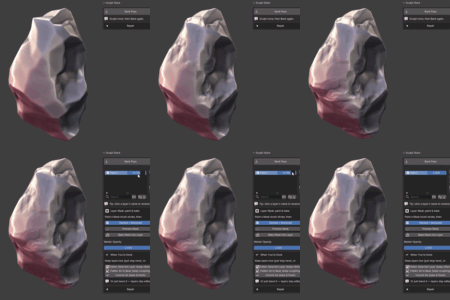
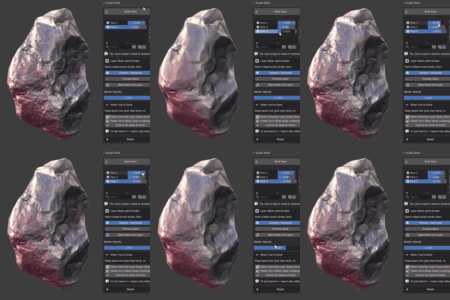
Banking passes: Sculpt normally with any standard brush, then press Bank Pass (or Ctrl+Shift+B) to capture what you sculpted as a layer. Sculpt more, bank again, and build up a stack. Each layer has a weight slider — drag it to blend that pass's strength at any time.
Master Opacity scales the whole stack at once; pull to zero to see your base, back to one for the full result.
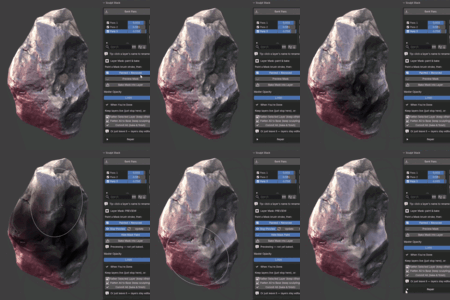
Masking a layer: Select a layer, paint a mask with Blender's Mask brush, then press Preview Mask to see the masked result (the mask paint hides automatically so you can see clearly — toggle it back with Hide Mask Paint). Press Update to refresh after painting more. When happy, press Bake Mask into Layer to commit it. The "Painted = Removed / Kept" toggle controls direction.
Managing layers: Reorder with the up/down arrows, rename by clicking a layer's name, invert a layer, or merge a layer down into the one below.
Finishing: When you're done, Flatten Selected bakes one layer into the base, Flatten All bakes the whole stack, or Commit finalizes everything — all optional, all on your terms.
Requirements & compatibility
- Blender 4.2 or newer (built and tested on Blender 5.1). Ships in Blender's modern extension format.
- Works on constant topology. Sculpt Stack measures detail against a frozen base, so while you have active layers it expects the vertex count to stay constant. Standard sculpt brushes (Clay, Crease, Grab, Smooth, etc.) are exactly what it's built for. It is not for use with Dyntopo, Remesh, or Multiresolution while layering — do your topology and resolution decisions first, then layer detail on top. The add-on guards against topology changes and warns you rather than corrupting data.
- No dependencies to install — runs on the Python and NumPy that ship inside Blender.
Support
Questions, bug reports, and feature requests are welcome through the Superhive inbox — I read and respond to them, and aim to reply within 72 hours. Sculpt Stack is released under the GNU GPL v3, so you're free to use it on any project, personal or commercial.
 Included
Includes 12 months of
- Support from Studio Sphaerus
- Product updates
Extend this product’s Support Period +12 months: 50% of product price
Have questions before purchasing?
Login to message
| Blender Extension Compatible | Yes |
| Published | 3 months ago |
| Blender Version | 4.2 - 5.1 |
| Extension Type | Add-on |
| Render Engine Used | Arnold, Blender-Internal, Blender-Game-Engine, Cycles, Eevee, Freestyle, Luxrender, Mental-Ray, Octane, Vray, Yafaray |
| License | GPL |

Discover more products like this
3d mask NonDestructiveWorkflow nondestructive masking layers addon fast detail blend Morph 3D Sculpting addon adjust layers