Sculpt Stack
 Studio Sphaerus


Q: What does Sculpt Stack actually do?
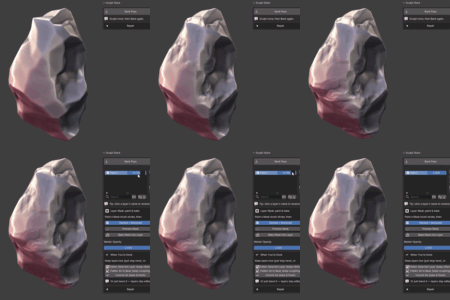
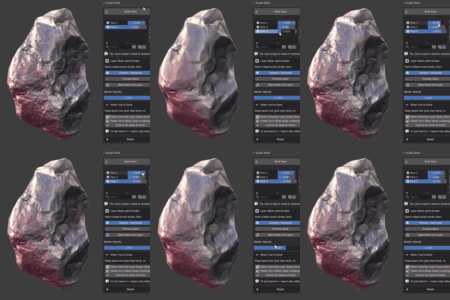
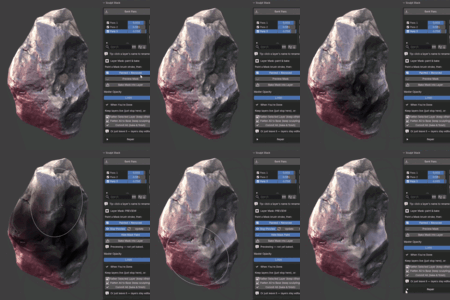
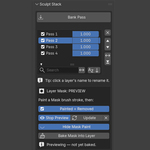
It lets you capture your sculpt passes as independent, blendable layers. Instead of every sculpt stroke being permanent, you can adjust the strength of any pass with a slider — long after you sculpted it — and mask, reorder, or remove layers non-destructively.
Q: Is my work permanent / destructive?
Not until you choose. Layers stay live and adjustable. You only bake them into the mesh when you decide to, using the Flatten or Commit actions.
Q: Can I mask a layer so it only affects part of the mesh?
Yes. Paint a mask with Blender's Mask brush, preview it (the mask paint hides so you can see the result), then bake it into the layer. You can choose whether the painted area is removed from or kept in the layer.
Q: Does it work with Dyntopo, Remesh, or Multiresolution?
No — those change your mesh's vertex count, and Sculpt Stack needs constant topology while you have active layers. Do your topology/resolution work first, then activate Sculpt Stack and layer detail on top with standard brushes. The add-on warns you if the topology changes.
Q: Does it work with modifiers like Subdivision Surface and Mirror?
Yes. Subdivision and Mirror modifiers display normally over your layered result.
Q: Will it slow down on dense meshes?
It's built for real production meshes — evaluation is vectorized with NumPy to keep blending responsive even on dense sculpts.
Q: What license is it under? GNU GPL v3.
You're free to use it on any project, personal or commercial.
Q: Which Blender versions are supported?
Blender 4.2 and newer. It's built and tested on Blender 5.1 and ships in Blender's modern extension format.
Q: How do I get support?
Message me through the Superhive inbox with any questions, bugs, or feature requests. I aim to respond within 72 hours.
$35
 Included
Includes 12 months of
- Support from Studio Sphaerus
- Product updates
Extend this product’s Support Period +12 months: 50% of product price
Have questions before purchasing?
Login to message
| Blender Extension Compatible | Yes |
| Published | 3 months ago |
| Blender Version | 4.2 - 5.1 |
| Extension Type | Add-on |
| Render Engine Used | Arnold, Blender-Internal, Blender-Game-Engine, Cycles, Eevee, Freestyle, Luxrender, Mental-Ray, Octane, Vray, Yafaray |
| License | GPL |

Discover more products like this
adjust layers 3d mask addon detail 3D Sculpting addon fast NonDestructiveWorkflow layers masking nondestructive blend Morph