 blenderustad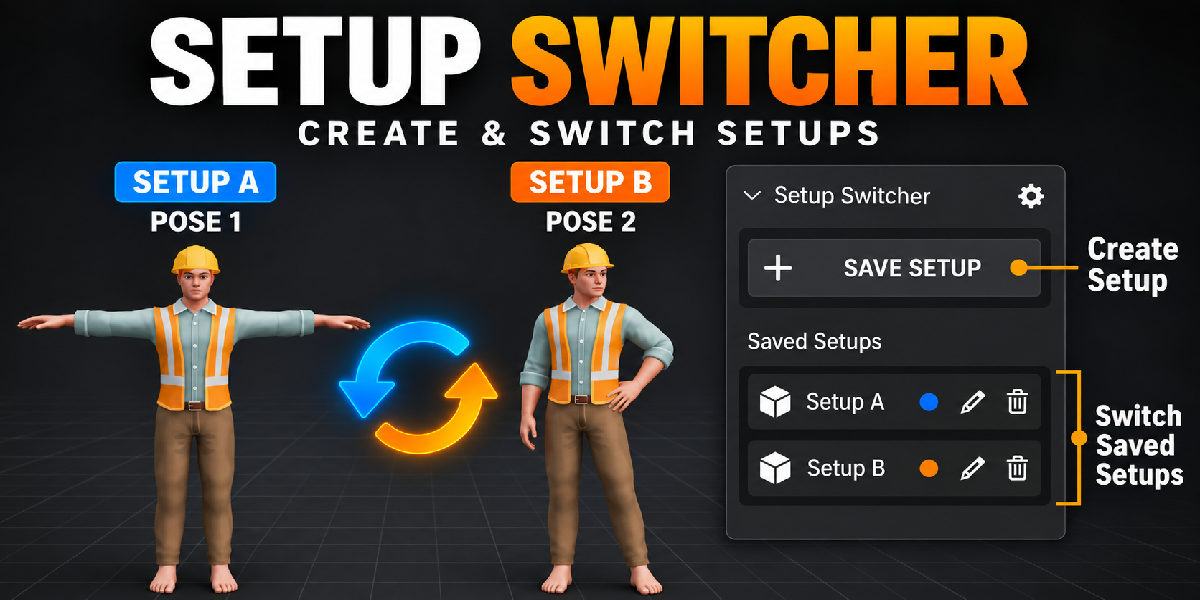
Stop duplicating scenes to test one idea
You want to try a new lighting mood. Or a different material. Or a cleaner camera angle. So you duplicate the scene, or you save another .blend file, or you hide things in a collection and hope you remember what was on.
Two days later, you cannot find the version you liked.
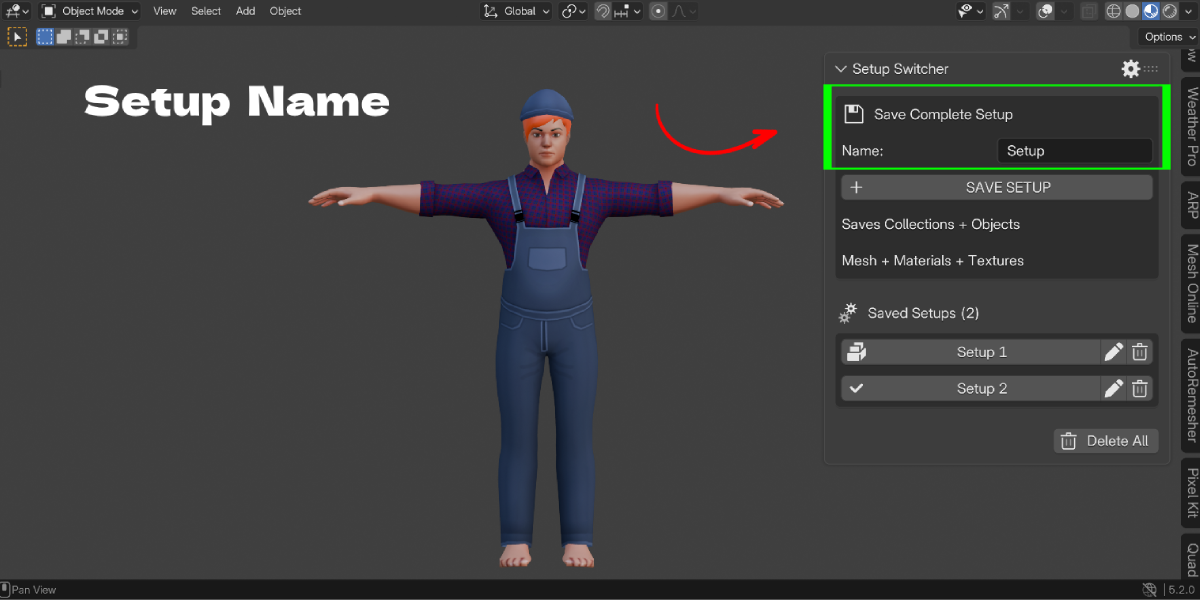
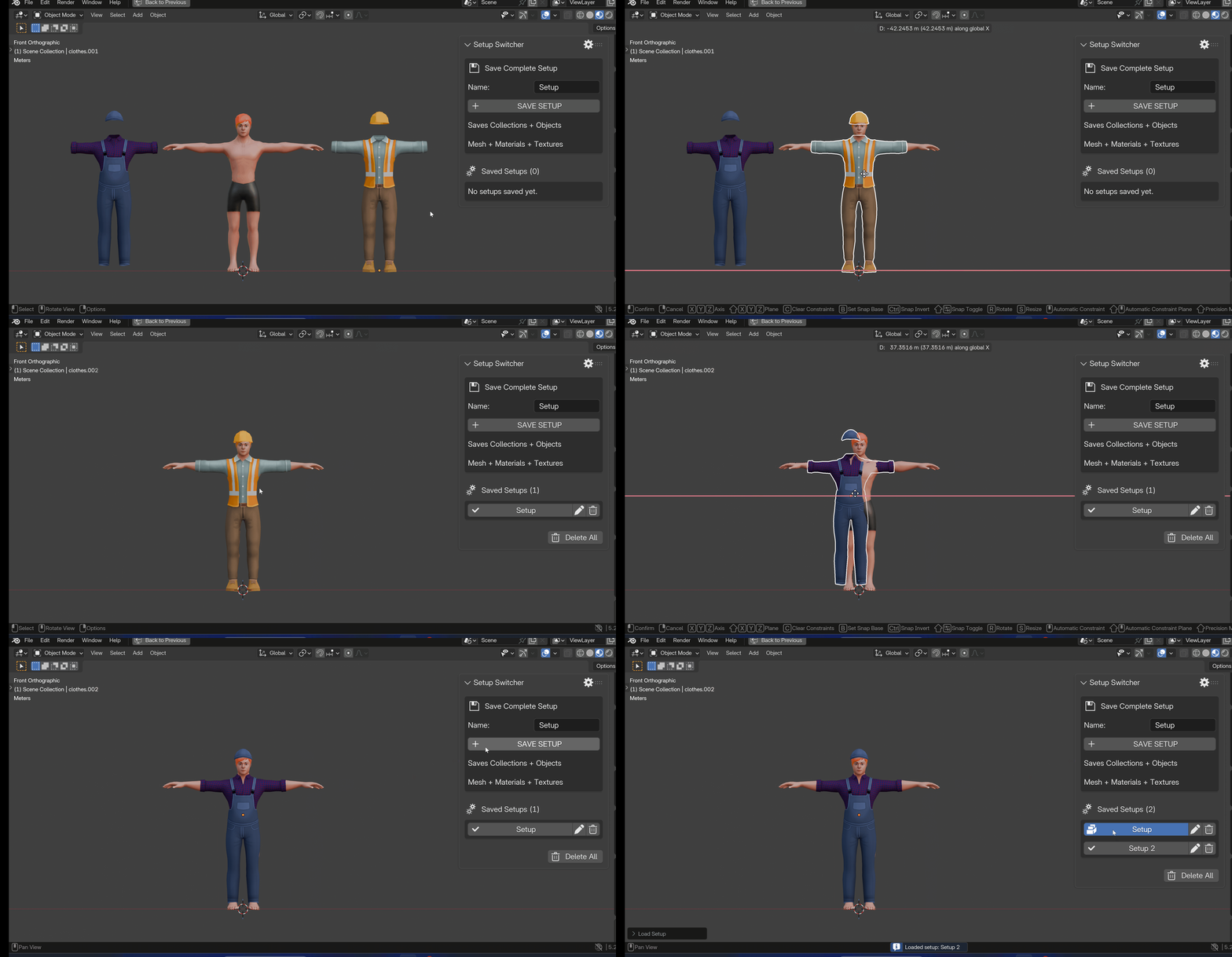
Setup Switcher fixes this. It lets you save the current state of your scene as a named setup. Later, you click the name and Blender returns to that exact state.
Everything lives inside your .blend file. There is no external library and no extra files to manage.
What a setup can hold
A setup can save 15 categories of data. You decide which ones each setup captures.
- Visibility (collections and objects)
- Geometry (mesh data)
- Materials and textures
- Pose
- Animation
- Shape keys
- Modifiers and Geometry Nodes values
- Object transforms
- Selection and active object
- Camera
- Lighting
- World and HDRI
- Color management
- Render settings
- Viewport state
Restore only what you need
This is the part most scene-state tools skip. When you load a setup, you can restore everything, or you can open Load Selected Parts and pick only what you want.
Example: you like the lighting from Setup 3, but you want to keep the pose from Setup 5. Load Setup 3 with only Lighting, World and Color Management ticked. Your pose stays untouched.
Fast to use
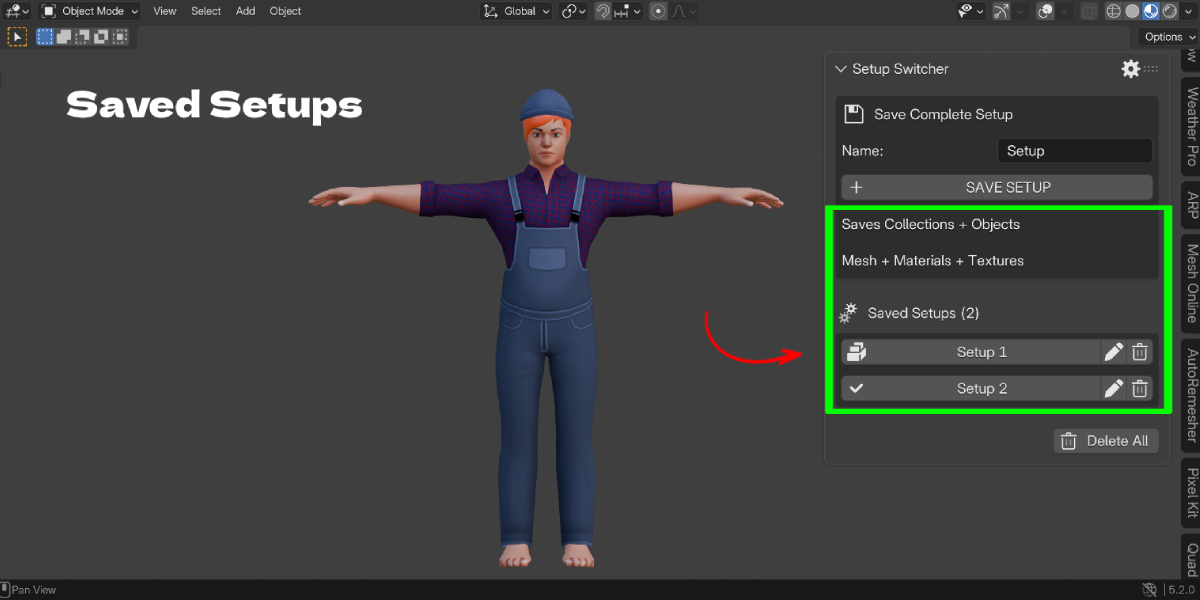
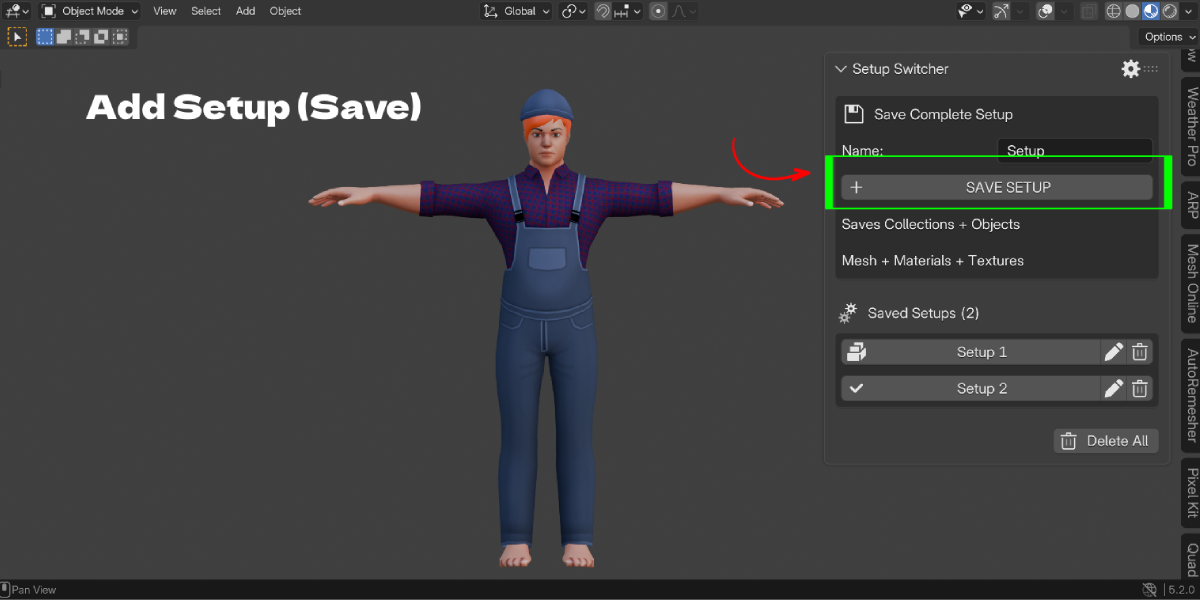
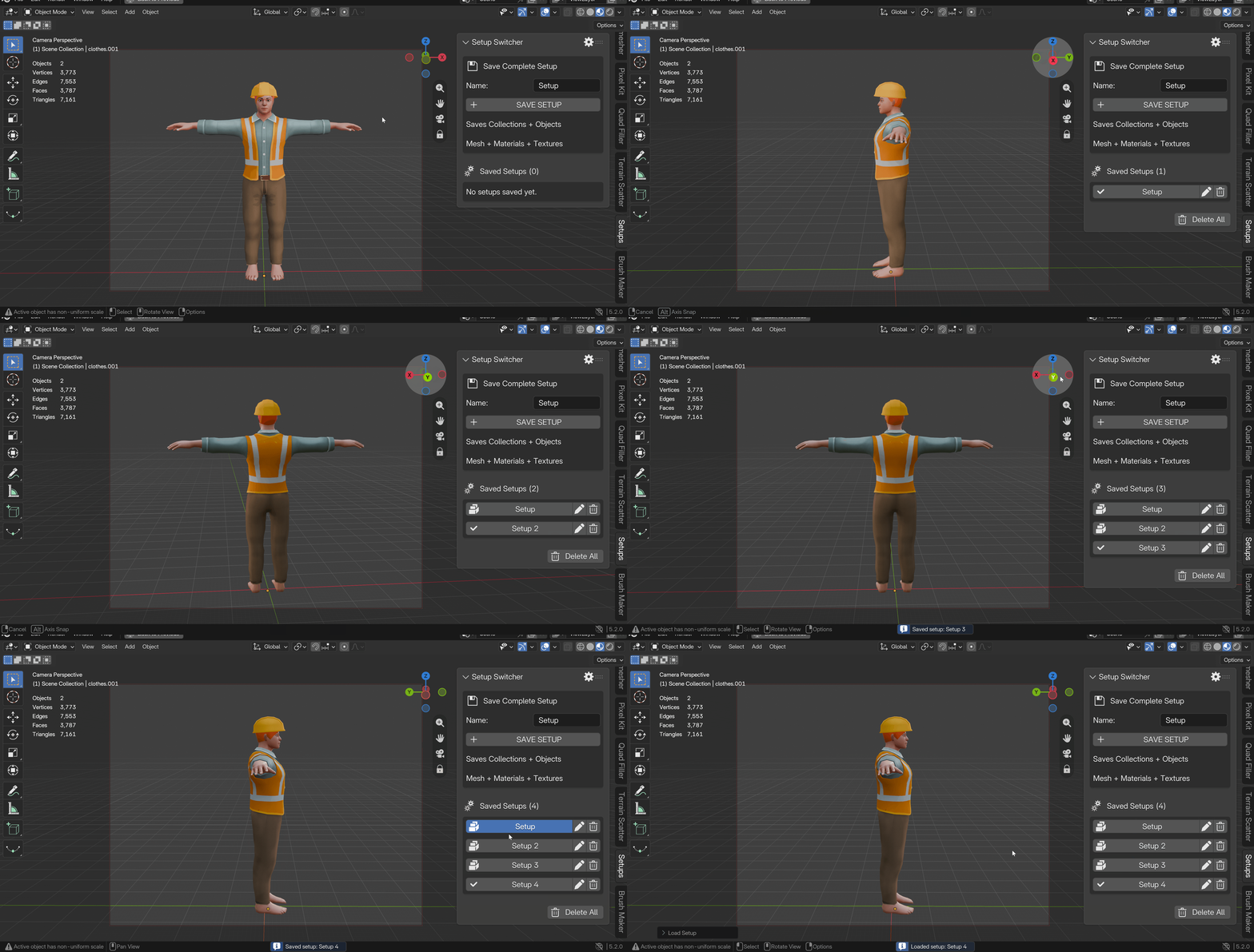
Everything is in the 3D View sidebar under the Setups tab.
- Type a name.
- Click Save Setup.
- Click any saved name to load it.
For quick switching, press Ctrl + Alt + Page Up and Ctrl + Alt + Page Down to step through your setups. Press Ctrl + Alt + Q to open a pie menu with Previous, Next, Save New, Save Changes and Save Character.
Built to protect your work
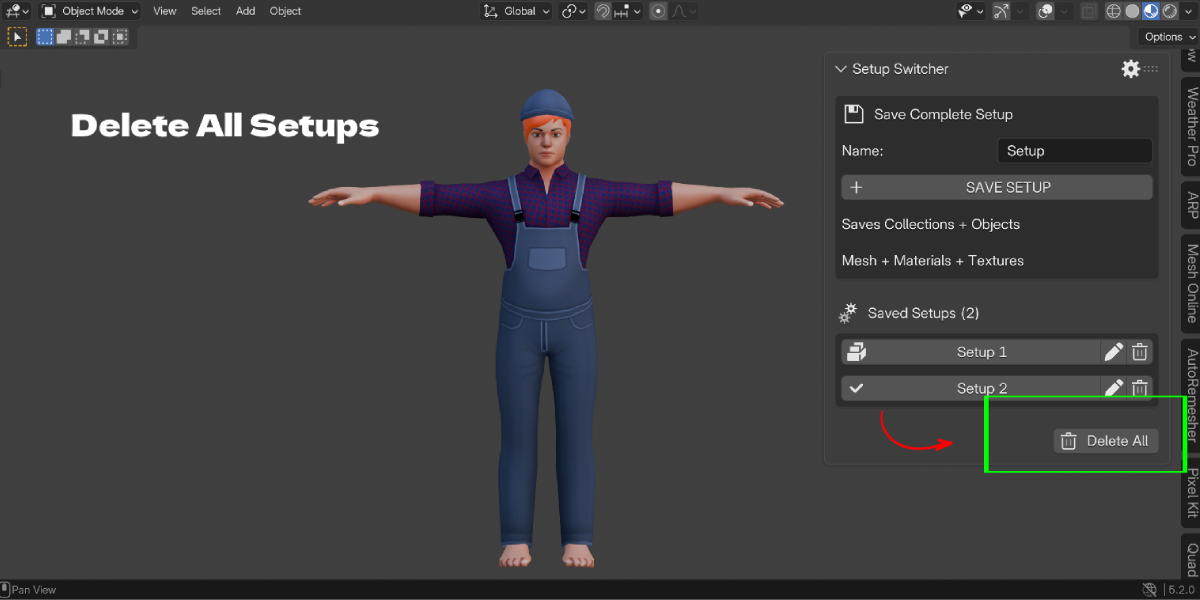
Every setup can be locked. A locked setup cannot be overwritten or deleted, and Delete All skips it. Loading a setup is a normal undo step, so Ctrl + Z works if you load the wrong one.
Who it is for
Character artists, lighting artists, product visualizers, archviz artists, and anyone who tests variations and needs to go back. If you have ever named files final_v7_REAL_final.blend, this addon is for you.
Key Features with Benefits
| Feature | What it does | Why it helps |
|---|---|---|
| One-click save and load | Saves a named setup, loads it by clicking the name | No duplicate scenes or extra .blend files |
| 15 data categories | Visibility, geometry, materials, pose, animation, shape keys, modifiers, transforms, selection, camera, lighting, world, color management, render, viewport | One tool covers the whole scene, not just one part |
| Save Settings panel | Gear icon lets you tick which categories a new setup captures. Select All and Clear All included | Smaller setups, and no surprises when you load |
| Load Selected Parts | Choose which saved categories to restore | Mix the look of one setup with the pose of another |
| Edit setup data | Expand any setup and switch categories on or off without re-saving | Fix a setup in seconds |
| Save Changes (pie menu) | Overwrites the active setup with the current state | Update a setup as your scene improves |
| Lock | Blocks overwrite and delete | Protects your best versions |
| Favorite, Notes, Group | Mark, describe and organize setups | Find the right version months later |
| Save Character (pie menu) | Saves only pose, animation and shape keys | Quick pose snapshots without touching lighting or materials |
| Texture packing | Copies textures into the .blend when saving (on by default, can be turned off) | Each setup keeps its own texture state |
| Keyboard shortcuts | Previous, Next and pie menu | Compare versions without leaving the viewport |
| Undo support | Loading and saving are undoable | Safe to experiment |
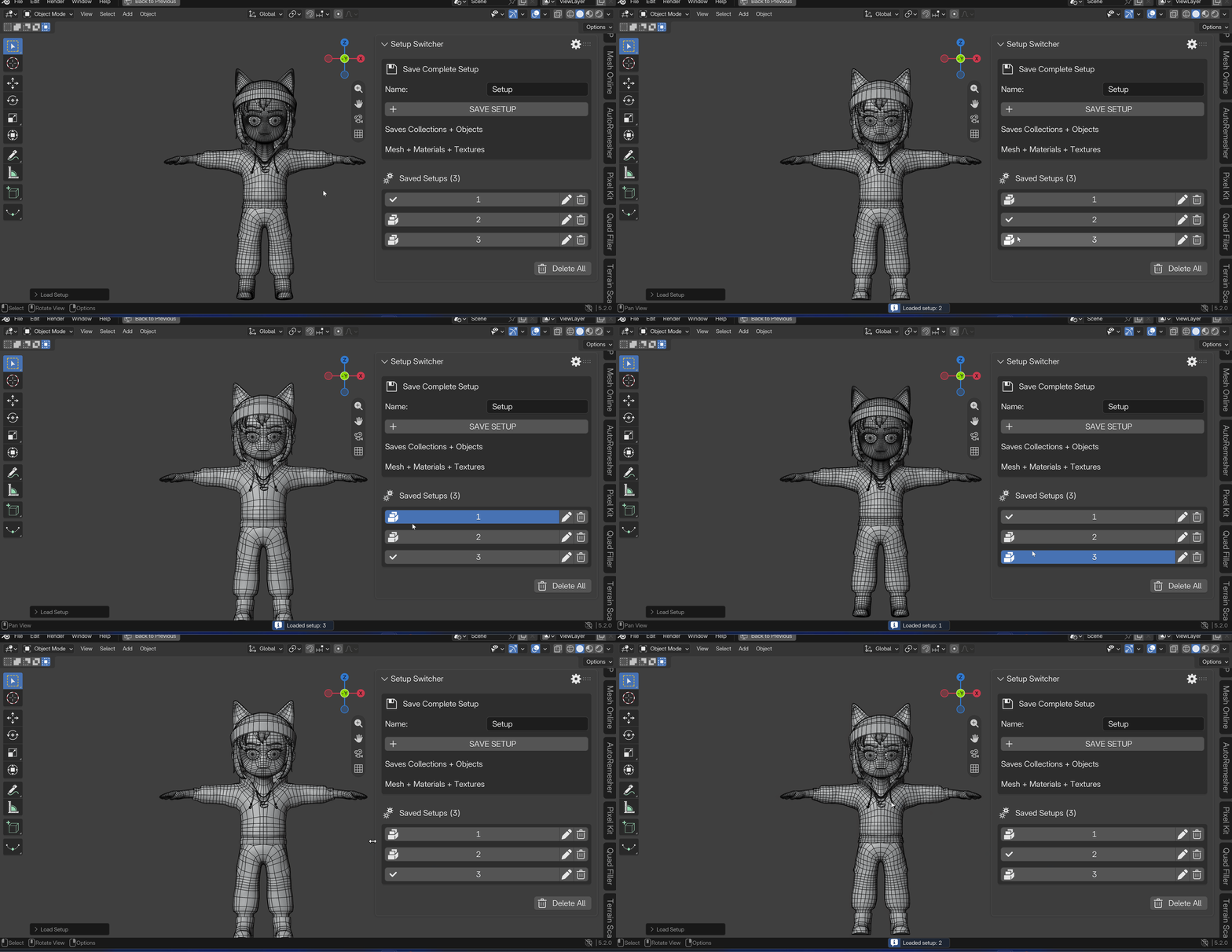
Workflow Benefits
You keep one scene, not ten. Variations live inside one file, so your outliner stays clean.
You compare faster. Step through setups with a shortcut and judge each look in the same viewport, same frame.
You experiment without fear. Save first, then change anything. If you do not like it, load the setup and you are back.
You reuse parts of your work. Selective loading lets you combine lighting from one version with materials from another.
You hand off cleaner files. Name your setups "Client Option A" and "Client Option B", add a note, lock them, and send one file.
You save disk space. Setups are stored in the .blend. You do not need a folder full of near-identical scene files.
Use Cases
Lighting exploration. Save "Day", "Sunset" and "Night". Each one keeps its lights, world, HDRI and color management. Switch with one click and render the one you like.
Client revisions. Save "Option A" and "Option B" with different materials and camera angles. Show both from one file.
Character pose testing. Save "Idle", "Action Pose" and "Reference Pose". Use Save Character from the pie menu when you only want the pose and animation.
Product visualization. Save variants with different materials, visible parts and camera framing. Switch between them for a full product set.
Archviz and interiors. Save furnished and empty room states using collection and object visibility.
Look development. Try a new modifier stack or material. If it fails, load the earlier setup.
Render setting presets per shot. Save engine, sampling and color management alongside camera and lighting for each shot.
