 Starting Frame


SF METAL
Nine procedural metal materials for Blender, built from one node
group: brushed aluminum, brushed steel, gunmetal, polished chrome,
gold, copper, scratched steel, rusty steel and shipwreck. Every
control is a named slider. No image textures, no UVs, nothing to bake.
THE BRUSHED GRAIN ACTUALLY RENDERS IN EEVEE
Blender's Anisotropic and Anisotropic Rotation sockets are Cycles-only.
EEVEE accepts them, renders, and silently produces generic soft metal
with no directional highlight — no error, no warning, just a worse
image. That is why so much brushed metal disappoints in EEVEE.
SF Metal exposes no anisotropy socket anywhere. The grain is a noise
field stretched roughly 65:1 along the brush axis, driving roughness
up and down around the base value, with a fine streak bump on top.
EEVEE renders all of that normally, so the elongated highlight
smearing along the grain is there in the viewport and in the render.
The honest trade: because the grain is roughness-driven, Cycles will
not give you true anisotropic highlights from this pack either. You
are buying a grain that renders in both engines instead of one that
renders in one.
WHAT'S IN THE PACK
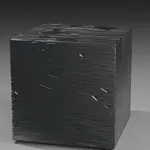
SF_Metal_BrushedAluminum directional grain, warm grey
SF_Metal_BrushedSteel cooler, tighter grain
SF_Metal_Gunmetal dark, low-key
SF_Metal_PolishedChrome near-mirror
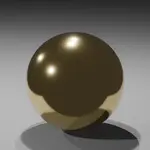
SF_Metal_Gold warm, soft falloff
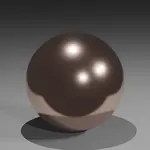
SF_Metal_Copper deep orange-red
SF_Metal_ScratchedSteel clustered wear lines
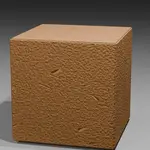
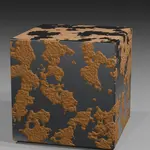
SF_Metal_RustySteel ragged oxide patches
SF_Metal_Shipwreck rust taken all the way
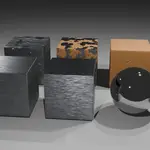
Plus a showcase scene: all nine on their own beveled blocks, lit by
Blender's own default light on a neutral floor with a 50mm camera.
Nothing borrowed, nothing to set up. Beveled blocks rather than
spheres because a chamfered edge catches the reflection along the
arris, which is where brushed grain, scratches and edge rust show.
THE SLIDERS
Brushed Amount / Streak Scale / Streak Contrast / Streak Bump
Scratch Amount / Scratch Scale
Rust Amount / Rust Scale / Rust Color / Rust Color 2
Coat Weight / Coat Roughness / Rough Variation
Rust is a material switch, not a brown tint: where it takes hold the
surface goes dielectric, matte and crusted. That switch is what reads
as corrosion — a brown tint on a still-metallic surface reads as
painted metal instead.
RENDER COST, MEASURED AND PUBLISHED
EEVEE at 1920x1080, 64 TAA samples, median of three runs, against a
plain Principled material on the same shot:
nine objects in frame +40.4%
one object filling the frame +84.6%
Those two numbers are not comparable to each other. The second is the
worst case — a screen entirely covered in the material — and it is
published so you know the ceiling. The node group is 42 nodes against
a 60-node budget we hold ourselves to, because EEVEE pays a per-node
cost even on branches whose sliders are at zero.
Nobody else publishes these numbers. That is the point.
HONEST LIMITS
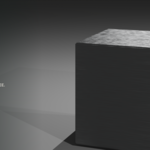
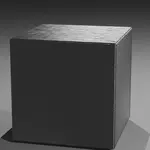
- Metal is nearly pure reflection. In a scene with an empty world and
no nearby geometry it reads as a flat grey box, because there is
genuinely nothing for it to show you. Give it an HDRI, a bright
plane out of frame, or any other geometry. Chrome and gold are the
most sensitive; the rusted and brushed variants are forgiving.
- No true anisotropic highlights in Cycles — see the trade above.
- Reset to Default Value does not restore the variant. All nine share
one node group, so reset gold and you get generic metal. The Asset
Browser is the real undo: drag a fresh copy in.
- Blender 5.2 or newer. It will not open in 4.x, including 4.2 LTS.
INSTALL
Unzip somewhere permanent, then Edit > Preferences > File Paths >
Asset Libraries > + and pick the folder. The nine metals appear in
the Asset Browser under Starting Frame > Metal. Drag one onto an
object. Or File > Append the .blend directly.
100% procedural. No AI. Nothing phones home.
