 Starting Frame




SF STONE
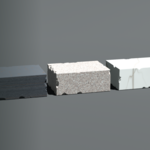
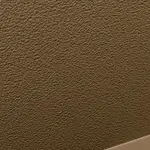
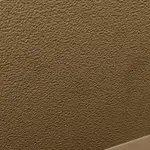
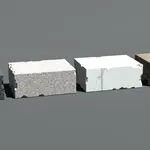
Four procedural stone materials for Blender: slate, marble, granite and travertine. Every one is a node group you append and drive with sliders — no textures to download, no UVs to unwrap, nothing to bake.
SOLID VOLUME, NOT A WRAPPED TEXTURE
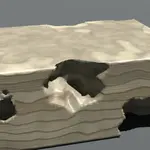
The shader knows which way the bedding runs. Cut a block and the cut edge shows layered strata while the split face shows none — and it survives rotation, because the bedding is computed in object space rather than pasted onto a surface. That is the difference between stone and a photograph of stone, and it is what most procedural rock cannot do: isotropic 3D noise has no grain direction to get right.
WHAT'S IN THE PACK
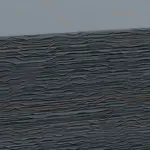
SF_Stone_Slate fine near-parallel beds, split-face character
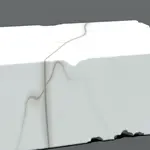
SF_Stone_Marble contoured veining, polished
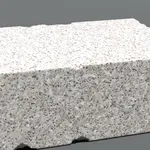
SF_Stone_Granite multi-colour crystal speckle
SF_Stone_Travertine bedding plus pitted voids
Plus a showcase scene: a clean block and a genuinely damaged block for each stone, a column, and bowls and vases both clean and chipped. The damaged blocks are real fractured geometry — boolean cuts and remeshed surfaces with real silhouettes, real strata standing proud on the break, real shadow in the pits. Not a bump map pretending.
THE v2 WALLS — MASONRY JOINS THE STONES
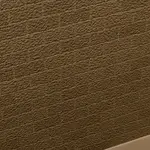
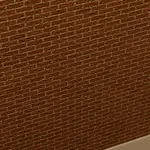
Four bare building surfaces: SF_Stone_RedBrick, SF_Stone_Cinderblock,
SF_Stone_ConcreteWall and SF_Stone_CementStucco. Triplanar-projected, so
the block grid lands on any face without unwrapping, with a Weathering
panel (Amount / Scale / Color) for skin-deep stains that cost no
geometry. Walls pair with SF Ground (floors) by design.
SF_EDGEWEAR IS INCLUDED
A geometry-nodes group that wears the edges of any mesh. It DISPLACES rather than cutting: same topology, same vertex count, same UVs, and it updates in real time. Add it as a modifier and dial one slider. v2 rebuilds it with five
correctness fixes and adds a Wear Random slider: at 0 nothing changes;
raise it and wear lands region by region — some edges chewed, some
pristine. History instead of geometry. Honest limit: the wear band width
tracks mesh density, so tune Scale to your mesh.
THE SLIDERS ARE THE PRODUCT
The four materials are starting points. The one worth finding first is Bed Warp: low values give you slate — fine, tight, near-parallel beds — and pushing it up folds those beds into contoured veining, which is essentially what marble is. One slider takes you from one rock to another.
BUILT AND TUNED FOR EEVEE
Every value in this pack was judged, gated and optimised in EEVEE, on a laptop. That is deliberate: if we cannot comfortably render it, neither can you. It will render in Cycles and nothing in it is EEVEE-exclusive, but it was not tuned there and it will look different.
AND HERE IS WHAT IT COSTS
Against a plain material on the same object, EEVEE at 1920x1080, 64 TAA:
object in frame +39.2%
full-frame coverage +72.4%
Nobody else publishes this. We do, because the person we build for is on a laptop with a deadline and cannot afford to find out the hard way.
REQUIREMENTS
Blender 5.2 or newer. Will not open in 4.x, including 4.2 LTS.
