 blenderustad


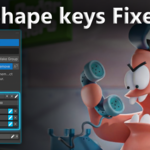
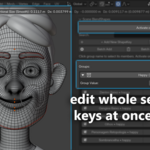
Shape Key Fixer is the professional solution for managing blend shapes across multiple objects in Blender. If you work with facial expressions, body morphs, or multi-object character rigs, this addon will save you hours of tedious work.
The Problem We Solve
Working with shape keys in Blender becomes a nightmare when you have:
-
Characters split across multiple objects (head, body, clothing, accessories)
-
50+ facial expression shape keys scattered everywhere
-
Corrective blend shapes that need to stay synchronized
-
Animation rigs where finding the right shape key takes forever
Without Shape Key Fixer:
Click through 30+ objects → Open Properties → Find the right shape key → Adjust → Repeat for every single key.
With Shape Key Fixer:
See EVERYTHING in one panel. Organize. Control. Done.
What You Get
Scene-Wide Shape Key Browser
See every shape key from every object in your entire scene, all in one organized panel. No more hunting through the Outliner. No more opening Properties 50 times. Everything is right there.
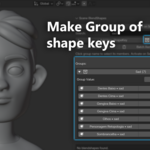
Smart Grouping System
Organize shape keys by function, not by object:
-
Create groups like "Smile", "Eyes_Left", "Phonemes", "Correctives"
-
Add keys from different objects to the same group
-
Perfect for facial animation, body morphs, and character rigs
-
Expandable/collapsible groups keep your workspace clean
Real-Time Group Sliders
Control multiple shape keys with a single slider. Set all smile-related keys to 0.5 with one movement. Test facial expressions instantly. Animate faster. This feature alone is worth the price.
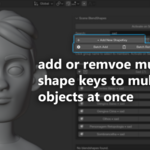
Batch Operations That Save Hours
Batch Add: Add the same shape key to 20 objects in 3 seconds
-
Select all clothing objects
-
Enter key name once
-
Done! All objects now have the key
Batch Remove: Delete shape keys across multiple objects instantly
-
Choose the key name
-
Select which objects
-
Click OK
Remove All With Active: Found a test shape key on 15 objects? Remove all instances with one click.
Quick Selection and Navigation
Click any shape key name to:
-
Select the object
-
Make it active
-
Set the shape key as active
-
Jump to it in the viewport
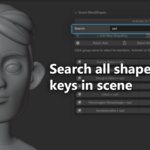
Search and Filter
Type to filter - finds shape keys by name across all objects. Case-insensitive, instant results.
Activate on Select Mode
For animators: enable this toggle and clicking a group name sets all its shape keys to 1.0. Perfect for pose-to-pose animation workflows.
Production-Safe Features
-
Safe Removal: proper operators, never breaks your rig
-
Undo/Redo: full support
-
Non-Destructive: never modifies meshes
-
Cross-Version Compatible: Blender 2.80 to 5.0+
Perfect For
-
Character Artists
-
Facial Riggers
-
Game Developers
-
Animators
-
Multi-Object Character setups
Real-World Workflows
Character Artist
-
Model your character
-
Add facial expressions using Batch Add
-
Organize into groups
-
Test combinations with sliders
-
Hand off clean, organized rig
Facial Rigger
-
Multiple face objects
-
Batch Add 52 phonemes
-
Group by phoneme
-
Test blends
-
Quickly remove unused keys
Animator
-
Enable Activate on Select
-
Click phoneme group
-
Keyframe
-
Switch instantly
-
Continue animating
Why Choose Shape Key Fixer?
Time Savings
-
Before: hours of manual work
-
After: minutes
-
Save 10+ hours per week
Organization
Professional grouping system keeps your rig clean.
Efficiency
Batch operations turn 30-minute tasks into seconds.
Quality of Life
Less clicking, more creating.
Technical Details
-
Compatibility: Blender 2.80–5.0+
-
Installation: via ZIP
-
Location: 3D Viewport Sidebar (N → BlendShapes tab)
-
Performance: handles 100+ shape keys
-
Storage: uses native scene properties
-
Memory: under 1MB
