 Facilo
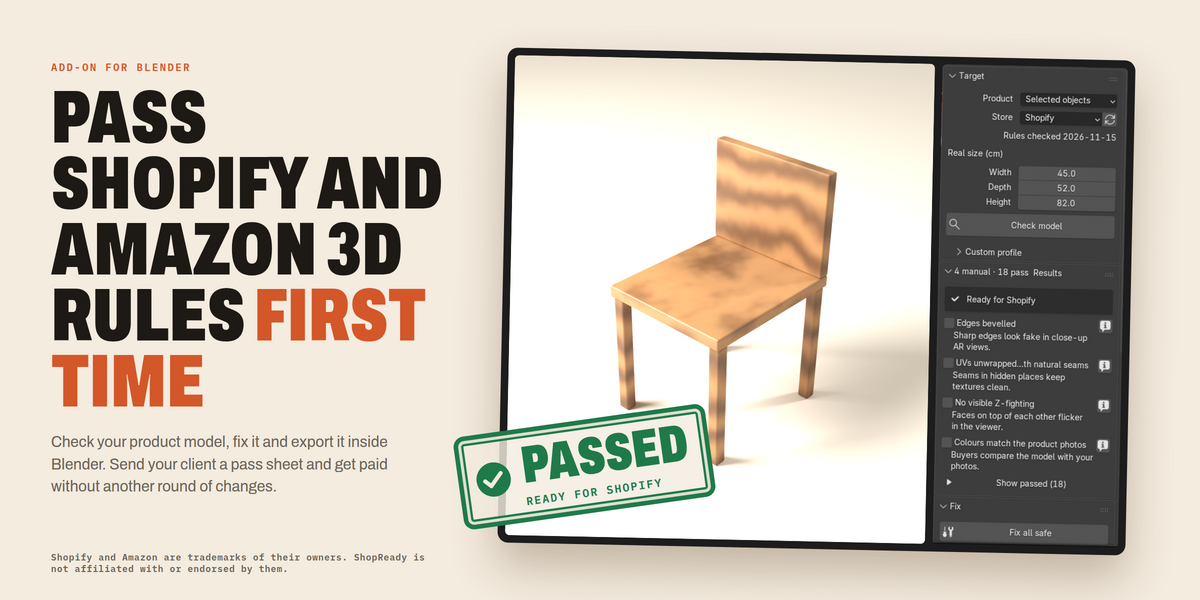
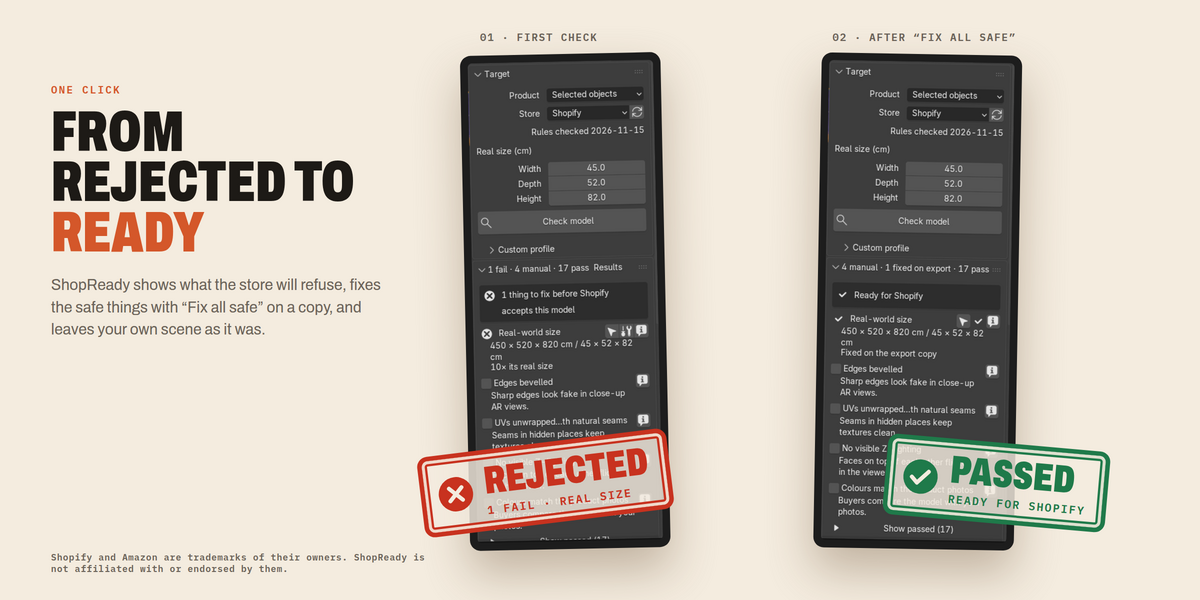

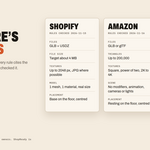

Your client's 3D product model gets rejected, floats in AR or loads slowly, and you lose a day on revisions. ShopReady 3D checks your model against Shopify's and Amazon's published 3D rules inside Blender, fixes most problems with one click, and exports a GLB and USDZ that pass, with a pass sheet you can send your client.
What you get
- Fewer rejected models and fewer revision rounds.
- A Shopify AR model that stands on the floor at its true size.
- An Amazon 3D model that meets the published limits.
- A pass sheet that shows your client the proof.
- One click for the same job on a whole catalogue of products.
What it checks, store by store
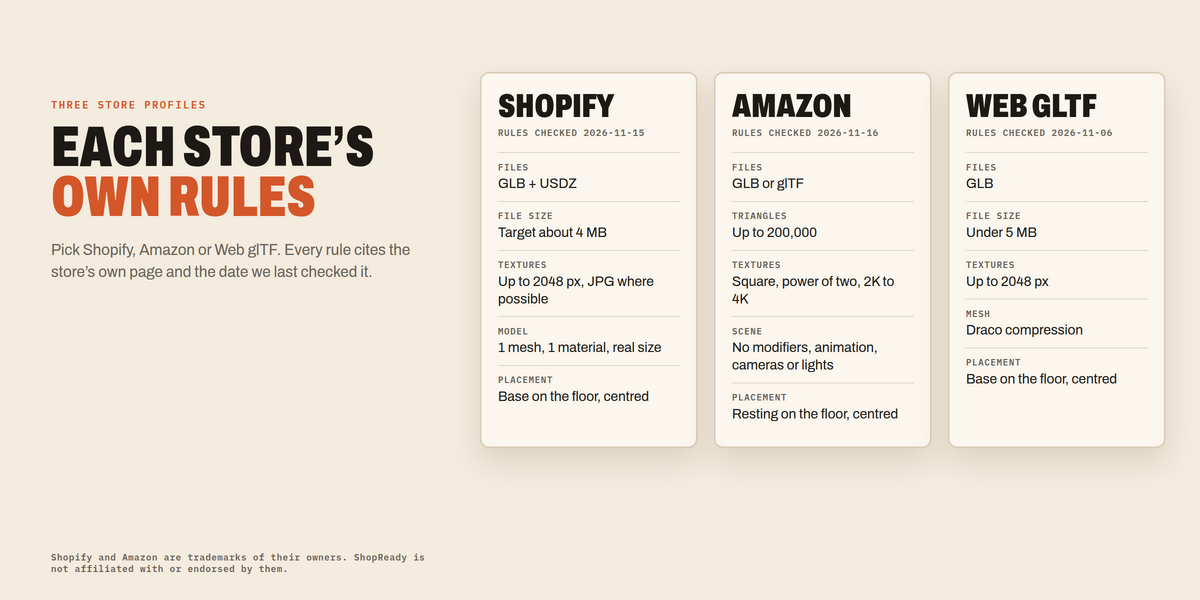
Every rule shows what it measured, the limit, and a link to the store's own page.
| Store | What it checks |
|---|---|
| Shopify 3D | GLB or USDZ format. File size (target 4 MiB). One mesh and one material. Real-world size. Transforms applied. Base at the origin. Texture size and JPG format. PBR image textures and packed ORM. One UV map, UVs inside 0 to 1, no overlaps. No n-gons. Clean edges and normals. Manual list: bevels, seams, Z-fighting, colours. |
| Amazon 3D model | GLB or glTF. Up to 200,000 triangles. Square power-of-two textures from 2048 to 4096 px. PNG or JPG. Base colour and metallic-roughness on every material. No modifiers, animation, cameras or lights. Only the glTF extensions Amazon lists. Placement, single-sided materials, file size advice. glTF validator reminder. |
| Web glTF | GLB. Under 5 MB. Textures up to 2048 px. Draco on. One material. Origin at the base. |
Rules were checked against the official pages in November 2026 (Shopify 15 Nov, Amazon 16 Nov, Web glTF 6 Nov). Each rule keeps its source and date.
One-click fixes
On the export copy by default, so your working file keeps its modifiers and transforms. One undo step if you apply them to your scene.
- Apply transforms and modifiers.
- Base to the world origin.
- Scale to the product's real size.
- Join meshes into one.
- Clean the mesh: normals, zero-area faces, loose vertices.
- Triangulate n-gons only.
- Resize textures into the store's range.
- Convert textures to JPG, keeping PNG for transparency and normal maps.
- Remove cameras, lights and animation from the export.
Fixes that need your choice have their own button and a warning: bake to one material, decimate to a triangle budget, pack ORM.
Export that passes
- GLB for each store you tick, named
[product]-[store].glb. - USDZ for Shopify, when your Blender can write it.
- Draco compression where the store allows it.
- After export, ShopReady reopens the GLB and checks the real file.
- If the file is too big, textures step down and it exports again.
The pass sheet
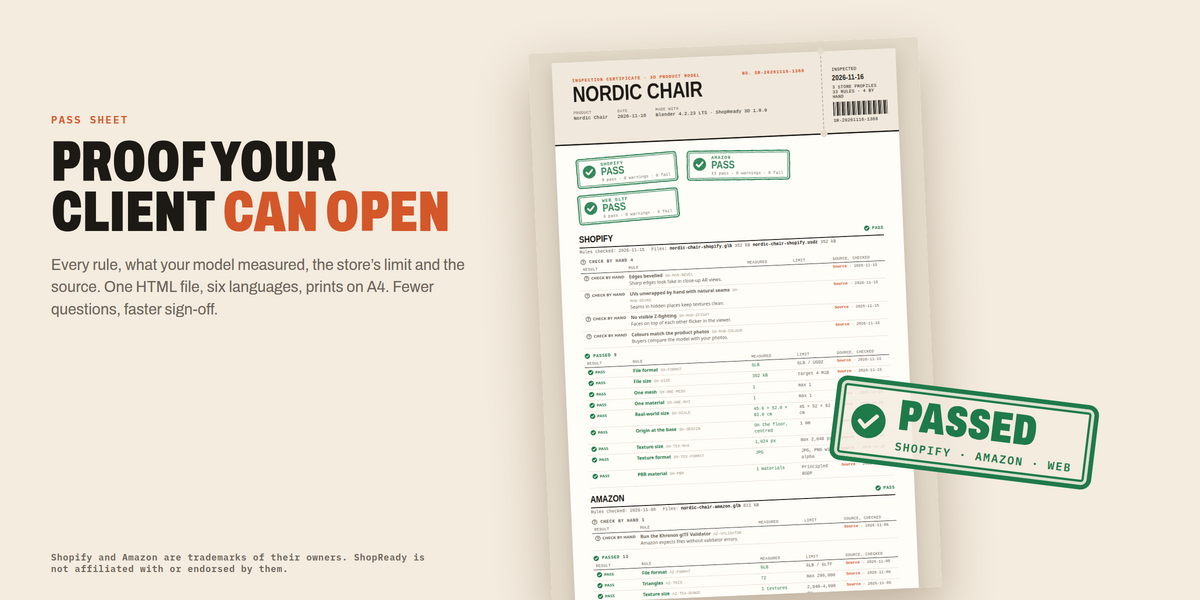
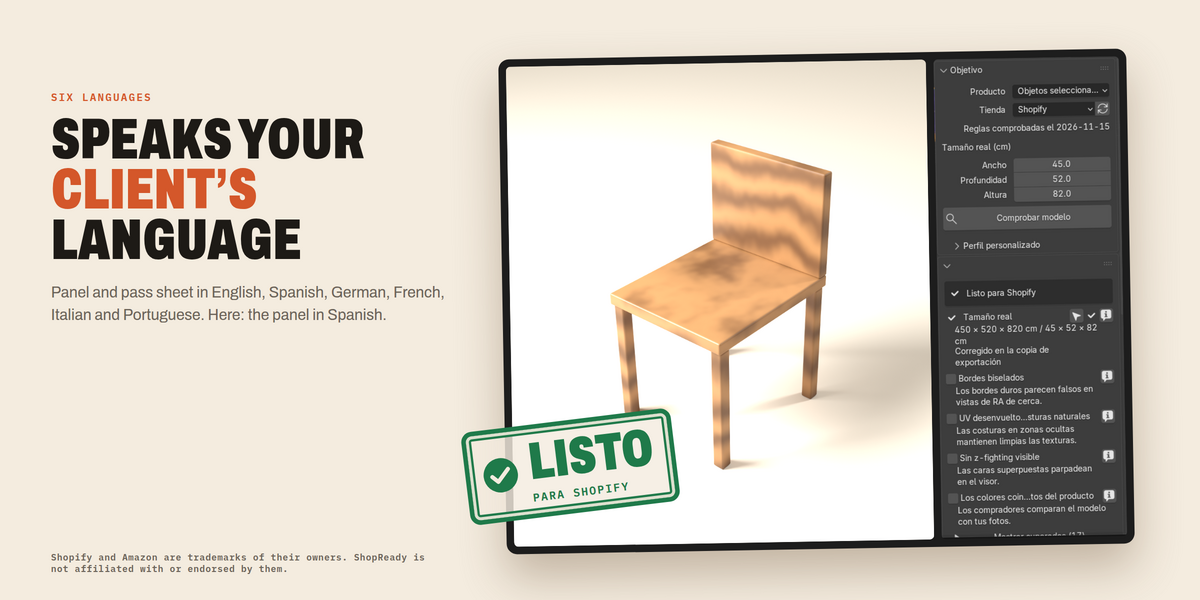
One HTML page that opens offline and prints on A4. It shows a PASS, FAIL or PASS WITH WARNINGS for each store, every rule with its measured value, limit and source, three preview renders, the file sizes and your manual checklist. Choose English, Spanish, German, French, Italian or Portuguese. It also saves the data as JSON.
Batch mode
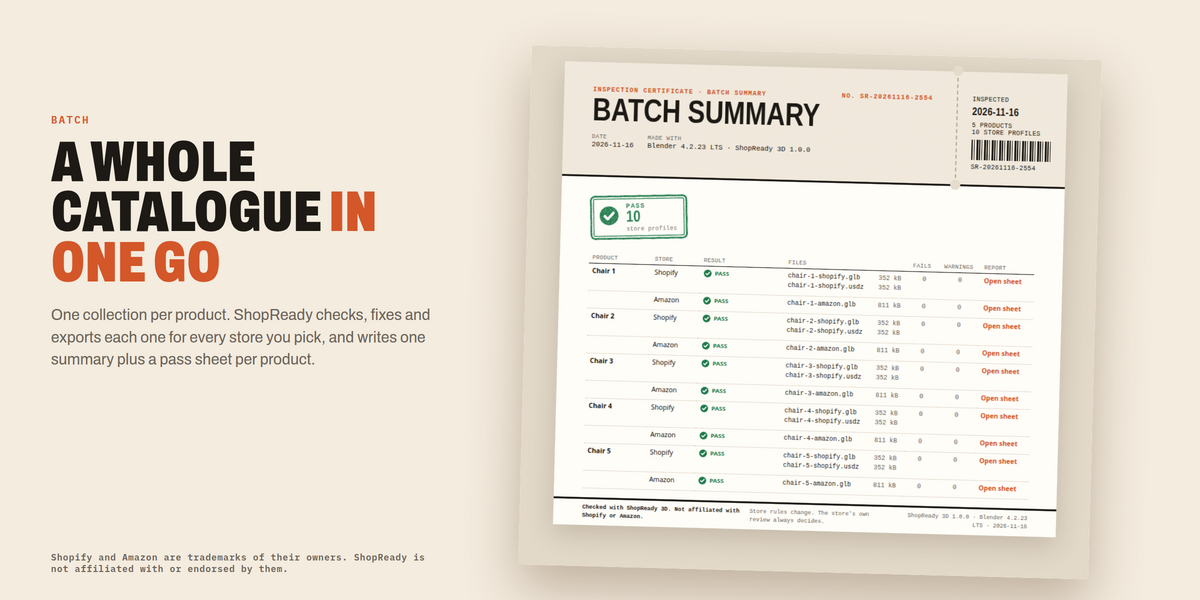
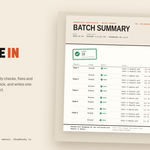
Put each product in its own collection. Pick the parent collection and run. ShopReady checks, fixes and exports every product, then writes one summary page. A product that fails is listed, and the batch carries on.
Custom profiles
Duplicate a store profile and set your own limits: file size, triangles, texture range, formats, Draco and one material. Good for a client with special rules.
Install
- Download the zip. Do not unzip it.
- Edit > Preferences > Get Extensions.
- Open the dropdown and choose Install from Disk.
- Pick the zip.
- In the 3D Viewport, press N and open the ShopReady tab.
Documentation
The full guide covers every panel, every rule and fix, and an FAQ. It is in the zip and at https://github.com/Facilo-es/shopready-3d.
Good to know
- Blender 4.2 LTS and newer, including 5.x.
- No internet access, no licence key, no tracking.
- Interface in English, Spanish, German, French, Italian and Portuguese.
- Licence: GPL-3.0-or-later. Source on GitHub.
- Support through the support form on this page.
- Try ShopReady Check first. It is the free edition that checks and explains but does not fix or export.
Store rules change. We check the official pages every quarter, but the store's own review always decides.
How it's made: Facilo builds its tools with AI coding assistants. Every release is tested automatically on Blender 4.2 LTS and 5.3 and on real sample product models, and every test export is checked with the Khronos glTF validator.
Shopify and Amazon are trademarks of their owners. ShopReady is not affiliated with or endorsed by them.
