ShopReady 3D: Pass Shopify and Amazon 3D Rules First Time
 Facilo



Does it change my model?
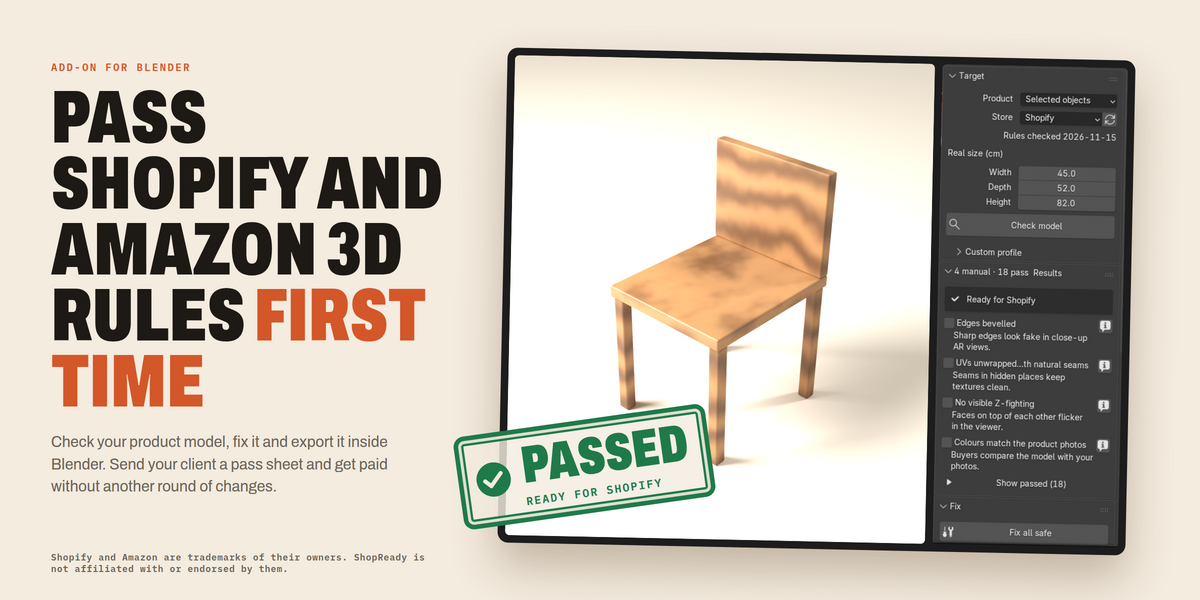
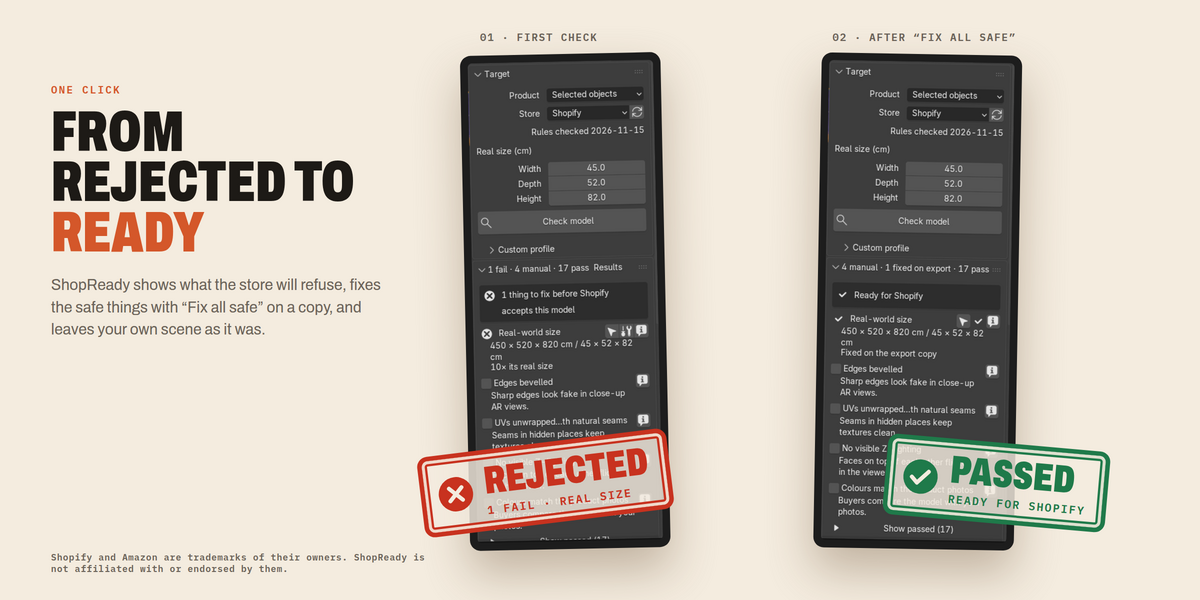
Not by default. Check only reads. In ShopReady 3D, fixes run on a temporary copy unless you tick "Apply fixes to my scene". Then they run in one undo step.
Does a PASS mean Shopify or Amazon will accept my file?
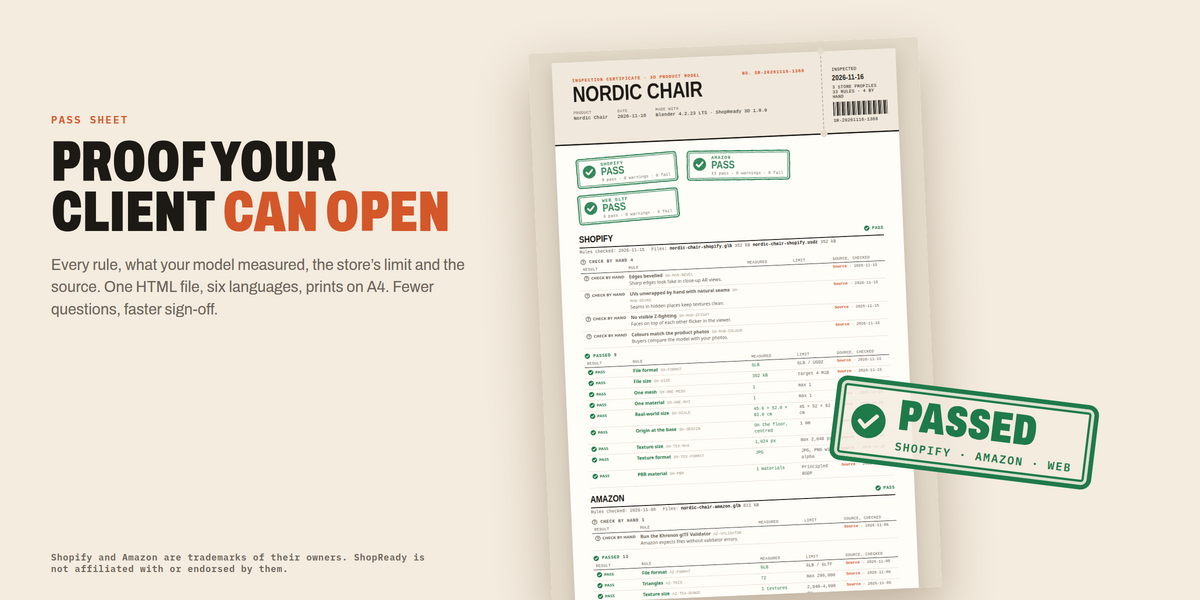
No. Store rules change. We check the official pages every quarter, but the store's own review always decides.
Why does it say my model is the wrong size?
You entered a real size, and one side is more than 2% off. Check the units in your scene, or fix the real size. In ShopReady 3D, "Apply real size" scales the product for you.
Why is the origin a problem?
In AR the product sits at the origin. If the base is above or below it, the product floats or sinks.
Why is Draco off for Shopify?
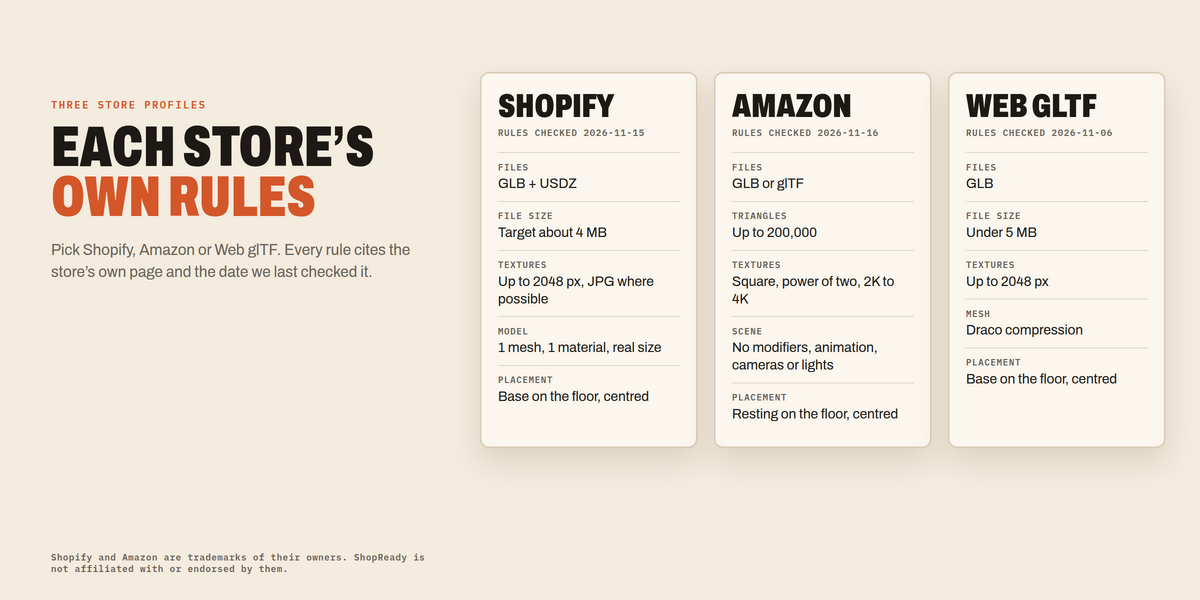
Shopify's viewer needs plain meshes. For Web glTF, Draco is on by default.
The USDZ file is missing.
USDZ is only written for the Shopify profile, and only when Blender's USD exporter is available. A note in the export result tells you if it is not.
Why are the textures upscaled?
Amazon wants textures of at least 2048 px. Smaller ones are scaled up, and a note tells you they may look soft. Rebake them at a larger size for the best look.
Can I use my own store rules?
Yes, with a custom profile (ShopReady 3D).
Can I use it on a team or a client's computer?
It is free software under the GPL-3.0-or-later licence. It needs no licence key and no network.
Where do I get help?
Use the support form on the product's Superhive page. For code, open an issue at https://github.com/Facilo-es/shopready-3d.
Have questions about this product?
Login to message
| Blender Extension Compatible | Yes |
| Published | about 4 hours ago |
| Blender Version | 4.2 - 5.3 |
| Extension Type | Add-on |
| Render Engine Used | Cycles |
| License | GPL |

Discover more products like this
product-visualization product-model glTF validator gltf glb 3D product model checker AR export Shopify 3D usdz E-commerce Shopify AR Amazon 3D model