 CGJackB


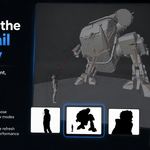
Silhouette Thumbnail — Live Shape Preview for Blender
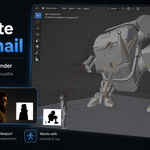
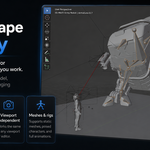
Silhouette Thumbnail adds a live silhouette preview inside Blender so you can quickly check the overall shape, pose, and readability of your model while you work.
It is designed for character artists, sculptors, modelers, animators, and anyone who wants a fast black-and-white shape check without changing their scene setup.
Compatibility
Designed for Blender 5+.
Installation
- Download the ZIP file.
- Open Blender.
- Go to Edit > Preferences > Add-ons.
- Click Install from Disk.
- Select the downloaded ZIP file.
- Enable Silhouette Thumbnail — Live Shape Preview for Blender.
- Open the 3D View sidebar with N.
- Go to the Silhouette Thumbnail tab.
Quick Start
- Select a mesh object or a character armature.
- Open N-panel > Silhouette Thumbnail.
- Click Start Silhouette Thumbnail.
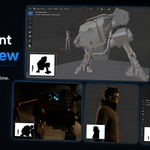
- A live black-and-white silhouette thumbnail appears in the viewport.
- Adjust the size, position, view mode, colors, and zoom settings as needed.
Main Features
- Live realtime silhouette thumbnail
- Viewport-independent preview
- Works with meshes and armature-driven characters
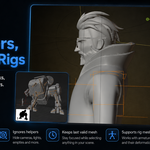
- Supports child objects and rig meshes
- Keeps the last valid mesh or rig selected when clicking helpers
- Ignores cameras, lights, empties, and other helper objects
- Current View mode with optional live viewport zoom matching
- Fixed view modes: Front, Back, Left, Right, Top, and Bottom
- Adjustable thumbnail width, height, padding, margins, and anchor position
- Custom background, silhouette, border, and text colors
- Optional border outline
- Performance controls for refresh FPS and triangle batch size
View Modes
Current View
Matches the active viewport angle. When Match Current View Zoom is enabled, the silhouette thumbnail also reflects the current viewport zoom and pan.
Fixed Views
Use Front, Back, Left, Right, Top, or Bottom when you want the silhouette preview to stay locked to a specific direction regardless of how you move your main viewport.
Viewport Independent Workflow
Silhouette Thumbnail does not modify your camera, render settings, materials, lighting, object transforms, or viewport shading. It simply draws a separate live preview overlay inside the viewport so you can continue working normally.
Recommended Settings
For a small ZBrush-style silhouette thumbnail:
- Width: 140
- Height: 100
- Anchor: Bottom Left or Top Left
- Background: White
- Silhouette: Black
- View: Current View
- Match Current View Zoom: On
- Inset Zoom Multiplier: 1.00
For a larger presentation-style preview:
- Width: 220
- Height: 160
- Padding: 8–12
- Draw Outline: On
- Border Width: 1–2
Common Questions
Why does the thumbnail stay on my character when I click a camera or light?
That is intentional. With Ignore Helpers / Keep Last Mesh enabled, the add-on keeps showing the last valid mesh or rig so your silhouette preview does not disappear while selecting scene helpers.
Does this change my materials?
No. It does not edit or replace your materials.
Does this affect renders?
No. The silhouette thumbnail is a viewport overlay only.
Does it work with rigged characters?
Yes. Select the armature or the mesh. Enable Include Rig Meshes and Include Children when working with full character rigs.
Why is my silhouette cropped?
If Match Current View Zoom is enabled, the thumbnail follows your current viewport zoom. Zoom out in the viewport or lower the Inset Zoom Multiplier.
Can I use it while animating?
Yes. The silhouette updates live during posing, playback, and animation blocking.
Troubleshooting
The add-on does not appear after installation
Restart Blender, then check Edit > Preferences > Add-ons and make sure the add-on is enabled.
The silhouette does not show anything
Select a mesh or armature, then click Start Silhouette Thumbnail. Also make sure the object is visible in the viewport.
The silhouette looks too small or too large
Adjust Inset Zoom Multiplier, or change the thumbnail Width and Height.
The preview feels slow on a heavy mesh
Lower Refresh FPS or reduce Triangle Batch Size under the Performance section.
License
Silhouette Thumbnail is released under the GNU General Public License v3.0.
Have questions about this product?
Login to message
| Blender Extension Compatible | Yes |
| Dev Fund Contributor | |
| Published | 4 months ago |
| Blender Version | 5.0 - 5.1 |
| Extension Type | Add-on |
| License | GPL |

Discover more products like this
blender addon blender 5 posing Workflow sculpting #Character Modeling silhouette thumbnail viewport animation tools character animation Modeling tools