 CGJackB


Silhouette Thumbnail — Live Shape Preview for Blender
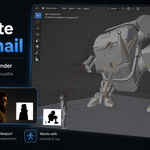
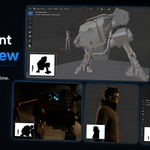
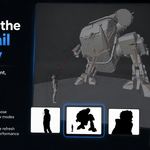
Silhouette Thumbnail adds a live, viewport-independent silhouette preview to Blender, giving you a small realtime thumbnail window for checking shape, pose, and readability while you work.
Inspired by the classic silhouette-check workflow used by sculptors, modelers, and animators, this add-on helps you judge whether your character, prop, creature, or pose reads clearly at a glance.
Why use it?
A strong silhouette is one of the fastest ways to check whether a design or pose is working. Instead of constantly changing materials, lighting, camera views, or viewport settings, Silhouette Thumbnail gives you a clean black-and-white shape preview directly in the 3D View.
It is especially useful for:
- Character modeling
- Sculpting
- Pose readability
- Animation blocking
- Costume and prop shape checking
- Thumbnail-style composition review
- Fast shape language checks while working
Key Features
- Live realtime silhouette thumbnail inside the Blender viewport
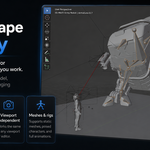
- Viewport-independent preview that does not alter your scene
- Works while modeling, posing, sculpting, and animating
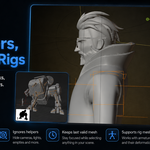
- Supports mesh objects and armature-driven characters
- Keeps the last valid character/object visible when clicking cameras, lights, or empties
- Fixed view modes: Front, Back, Left, Right, Top, and Bottom
- Current View mode with optional live viewport zoom and pan matching
- Adjustable thumbnail size, position, padding, zoom, and margin
- Custom silhouette and background colors
- Solid-fill silhouette drawing for clean shape readability
- Designed for Blender 5+
Viewport Independent
Silhouette Thumbnail does not change your camera, render settings, materials, lighting, object transforms, or viewport shading. It simply draws a separate live preview overlay so you can keep working normally while checking the overall shape of your model.
Basic Usage
- Install and enable the add-on.
- Open the 3D View sidebar with N.
- Go to the Silhouette Thumbnail tab.
- Select your mesh or character armature.
- Click Start Silhouette Thumbnail.
- Adjust the size, view, zoom, and placement as needed.
Great For Artists Who Need Fast Visual Feedback
Whether you are building a stylized character, checking a creature design, blocking an animation pose, or testing the readability of clothing and props, Silhouette Thumbnail gives you a fast way to see the shape without distractions.
Included
- Blender 5+ add-on
- Quick start guide
- Product documentation
- Version history
- GPL license text
Compatibility
Designed for Blender 5+.
Tested as a viewport overlay workflow tool for realtime modeling, posing, and animation preview.
License
Released under the GNU General Public License v3.0.
