 Skava
Skava


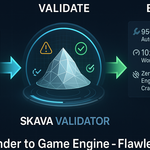
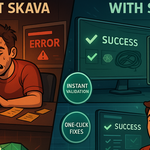
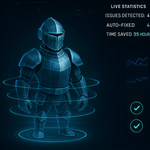
Download the .py file. In Blender open Edit > Preferences > Add-ons, click the drop-down arrow in the top-right corner and choose Install from Disk (in Blender 4.0 and 4.1 the button is called Install), then pick the downloaded file. Tick the checkbox next to Game Development: SKAVA Game Asset Validator to enable it. Press N in the 3D Viewport and open the SKAVA tab in the sidebar.
The product description says it is compatible with Blender 4.0 and newer, and the page lists compatibility up to Blender 4.5.
According to the documentation, it validates geometry (n-gons, loose and duplicate vertices, non-manifold edges, zero-area faces), UVs, materials, textures, naming, hierarchy (non-uniform scale, unapplied rotation, parenting), performance, animation, collision, normals and modifiers, against Unity, Unreal Engine or Godot presets.
Following the documentation: select objects (or use Validate All), choose a target engine preset, click Validate Assets, review the Validation Report panel, then use Auto Fix All or fix issues one by one, and validate again.
Yes. The documentation lists JSON, HTML and plain-text reports with severity, affected objects and whether an auto-fix is available.
The product page lists the license as GPL.
Have questions about this product?
Login to message
| Published | over 1 year ago |
| Blender Version | 3.0 - 4.5 |
| Extension Type | N/A |
| Render Engine Used | Blender-Game-Engine |
| License | GPL |